MAPOG Analysis

Attach PDFs and Documents

How to Attach PDFs and Documents to Map Locations

Managing location data often involves dealing with multiple files, spreadsheets, and brochures, stored across different systems. Whether you’re mapping hospitals, educational institutions, or infrastructure assets, accessing location-specific documents can become time-consuming and inefficient. What if users could simply click on a map location and instantly access all related documents? With MAPOG, you can create interactive … Read more

GIS Heatmaps to Analyse Lacation-Based Data

Using GIS Heat Map to Analyze Location-Based Data

Teams across utilities, logistics, retail, infrastructure, and field operations collect large amounts of location-based data every day. Using GIS Heat Map is an effective way to visualize and analyze geographic patterns. For example, this data can include survey submissions, customer visits, complaint locations, service requests, and operational records. However, analyzing it through coordinates or large … Read more

Map Your GoPro Footage and GPS Photos Automatically

GeoTag Media Explained: How to Map Your GoPro Footage and GPS Photos

Location-based media adds a new layer of context to maps. Instead of simply marking places, you can attach real photos and videos to show what exists at each location. With MAPOG, users can upload Geotag Media and GoPro footage, allowing media files to appear automatically at their recorded locations. Consequently, maps become more interactive, informative, … Read more

Location-based map showing team activity tracking and project progress monitoring in real time

Track Team Activities and Project Progress Using Location-Based Maps

In the infrastructure audit industry, track team activities managing field teams and  monitoring   project progress becomes difficult when inspection updates are scattered across calls, spreadsheets, WhatsApp chats, and manual reports. As audit projects expand across multiple sites and locations, organizations often face delays, limited visibility into field activities, and poor coordination between teams. Therefore, … Read more

Spreadsheet Data into Interactive Maps

Transform Spreadsheet Data into Interactive Maps in Minutes

In the real estate industry, managing property listings, project locations, and franchise networks through spreadsheets alone can make it difficult to understand market coverage and location patterns. Businesses often deal with scattered property data, making it challenging to compare sites, track developments, and share location insights with teams and customers. With MAPOG, you can transform … Read more

How to Import and Export Map Annotations: Moving Your Data Between Tools

How to Import and Export Map Annotations: Moving Your Data Between Tools

Infrastructure and utility projects often involve multiple teams using different mapping and planning tools. Engineers may create project boundaries in one platform, contractors may review them in another, and field teams may need the same information on mobile devices. When annotation data cannot be transferred easily between systems, teams often redraw boundaries, routes, and project … Read more

How to Draw Lines, Polygons, and Shapes on a Map Without GIS Software

How to Draw Lines, Polygons, and Shapes on a Map Without GIS Software

Construction projects often rely on static plans that are difficult to update and share. As a result, teams may struggle to communicate site layouts effectively. However, to Draw Lines, Polygons, and Shapes on a Map makes site planning more interactive and efficient. Instead of using disconnected documents, teams can mark work zones, utilities, and project … Read more

Share Interactive Maps with Visitors

How to Share Interactive Maps with Visitors for Better Location Engagement

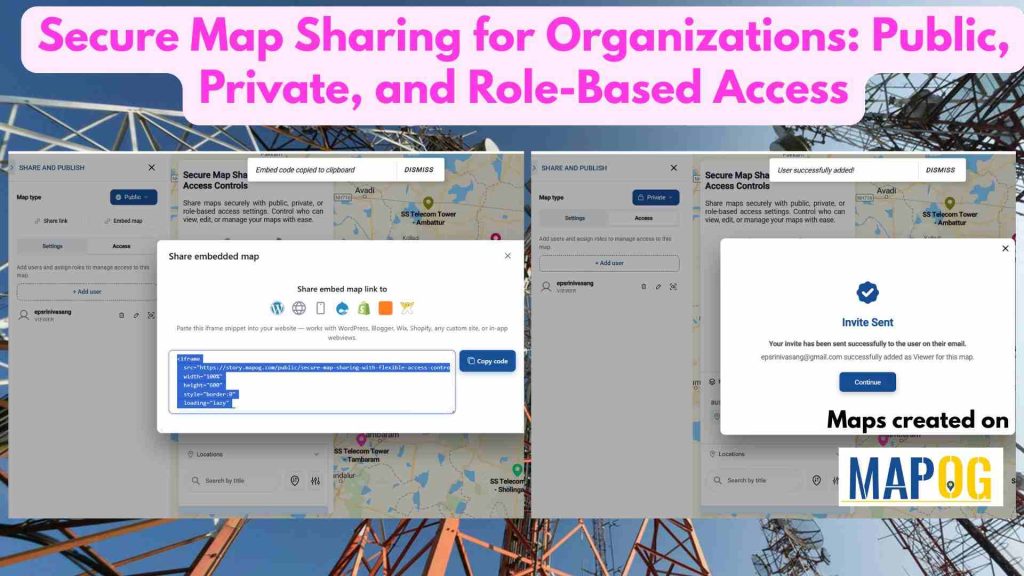
Share Interactive Maps with Visitors securely is a common challenge in today’s collaborative and data-driven environment, where sharing location intelligence is just as important as creating it. Static screenshots or exported files often fall short—they lose context, interactivity, and control. That’s where secure Interactive map sharing becomes essential. By enabling teams and clients to explore … Read more

How to Add Annotated Text on Interactive Maps

How to Add Annotated Text on Interactive Maps

Traditional maps often only display locations without explaining why those places are important. Important details are usually separated into reports, documents, or datasets, making geographic information harder to understand and less engaging for users. Annotated text on interactive maps solve this problem by adding labels, notes, and pop-ups directly onto the map. This makes information … Read more

MAPOG Annotation Tool: A Complete Feature Guide for Every Use Case

MAPOG Annotation Tool: A Complete Feature Guide for Every Use Case

Interactive maps become more effective when users can annotate locations, mark routes, and visualize important geographic information. Similarly, the MAPOG Annotation Tool offers powerful drawing and markup features that support planning, collaboration, and location-based decision-making across industries.  Why Use MAPOG Annotation Tool in GIS Maps? However, Annotations turn maps into interactive workspaces by enabling teams … Read more