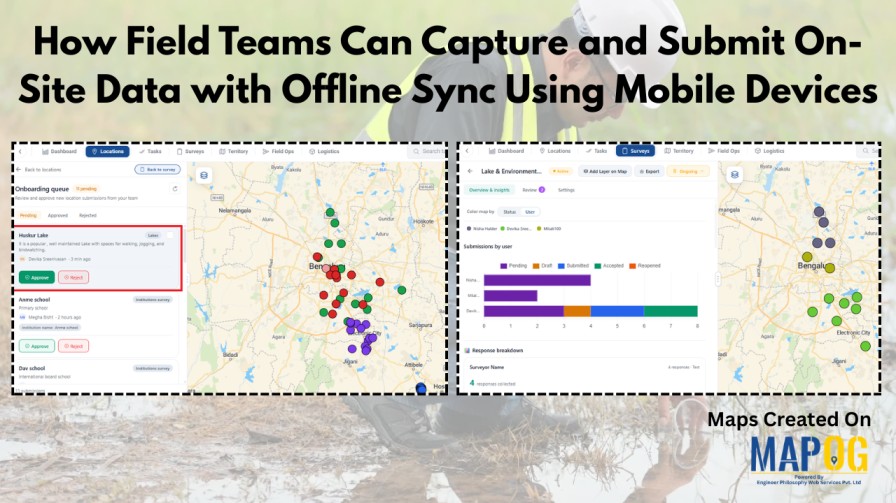
Field data collection rarely goes as planned—especially in areas with poor connectivity. Teams often rely on paper notes, scattered photos, or delayed updates, which leads to errors and messy datasets. This is where MAPOG makes a difference. With an offline-first approach, field teams can capture on-site data with offline sync, fill surveys, attach photos, and save everything on mobile devices even without the internet. Once back online, all data syncs automatically, keeping everything structured and up to date.
Key Concepts on How to Capture and Submit On-Site Data with Offline Sync
Field data collection with offline sync focuses on capturing on-site data using mobile devices without relying on internet connectivity. In particular, it involves an offline-first approach where teams can record locations, fill structured forms, and attach photos directly in the field. Meanwhile, the system stores data locally and automatically syncs it once connectivity is restored, ensuring nothing is lost. Additionally, it uses features like data validation, draft saving, and geotagging to maintain accuracy and consistency, thereby enabling a smooth transition from fieldwork to centralized data management through seamless syncing.
Step by Step Process on How to Capture and Submit On-Site Data with Offline Sync
1. Open and Select Your Survey
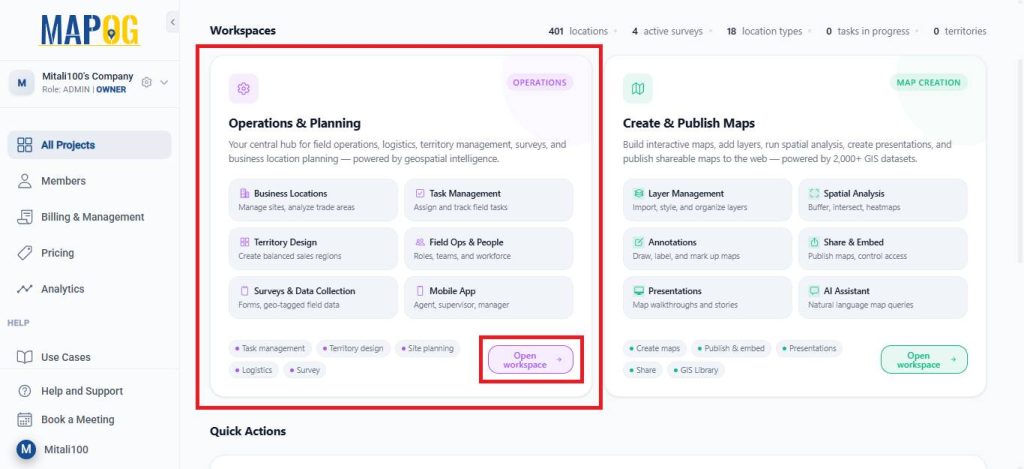
Open MAPOG and go to Open Workspace under the Operations & Planning section.
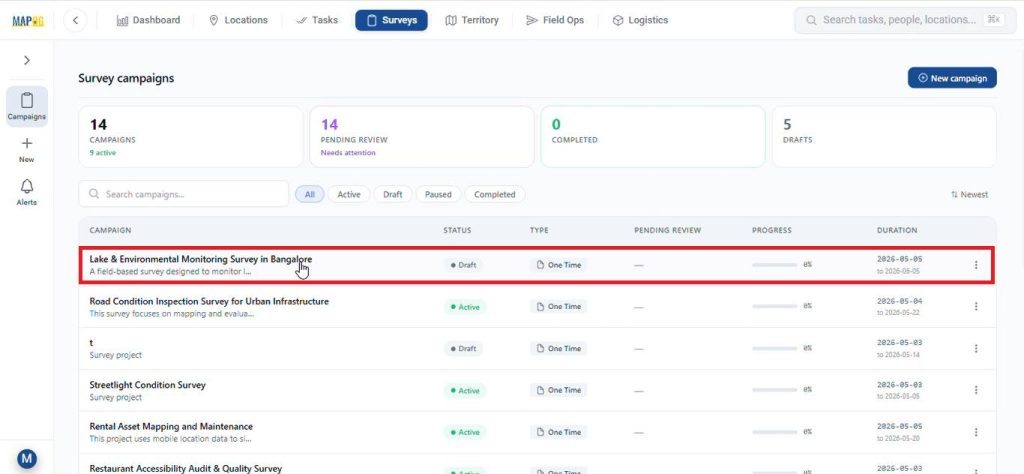
Then, navigate to Surveys, and choose the survey you are currently working on.
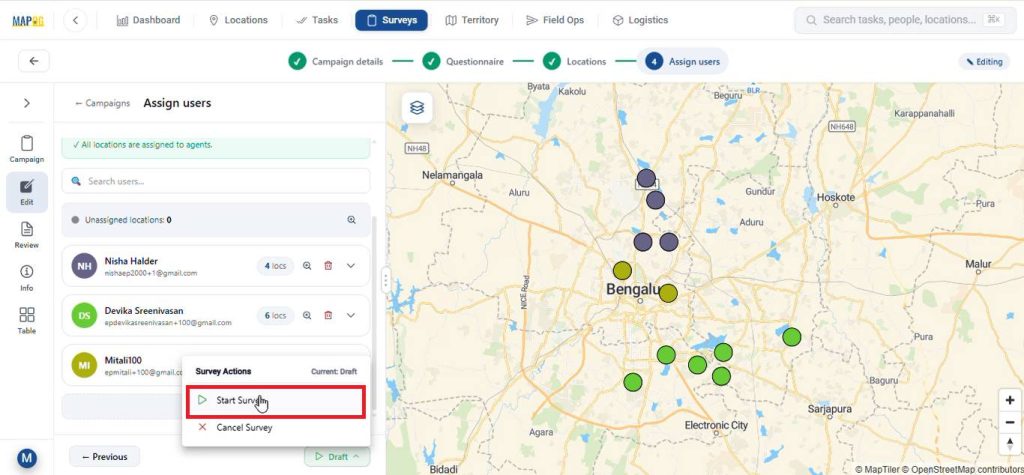
After completing all the necessary steps like filling in campaign details, preparing a questionnaire, adding the survey locations, and assigning users. Subsequently, launch the survey by clicking on start survey.
2. Contribute to the Survey via Mobile App
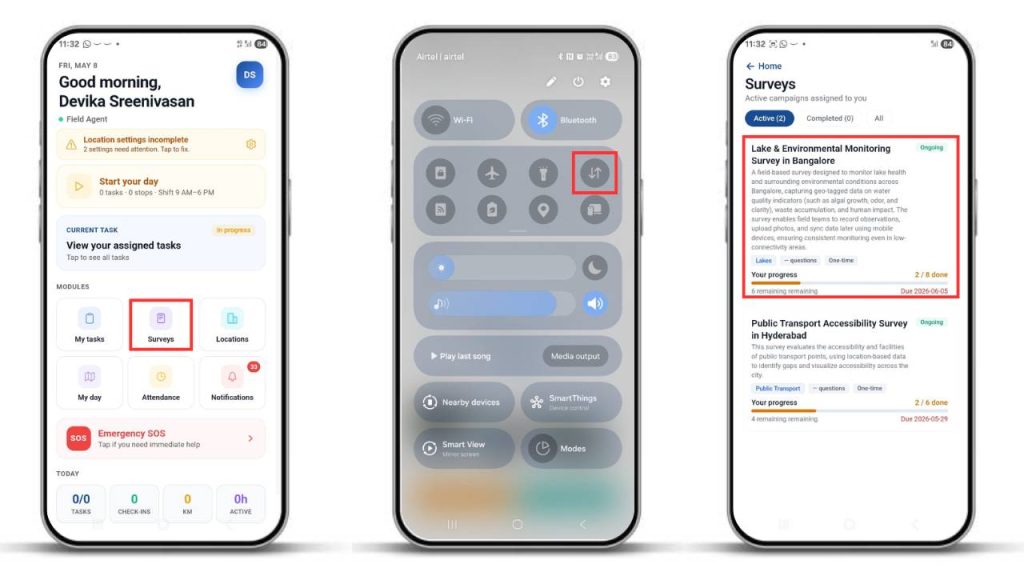
Meanwhile, assignees can receive their mapped locations on the MAPOG Contributor App on the survey section even with mobile data turned off.
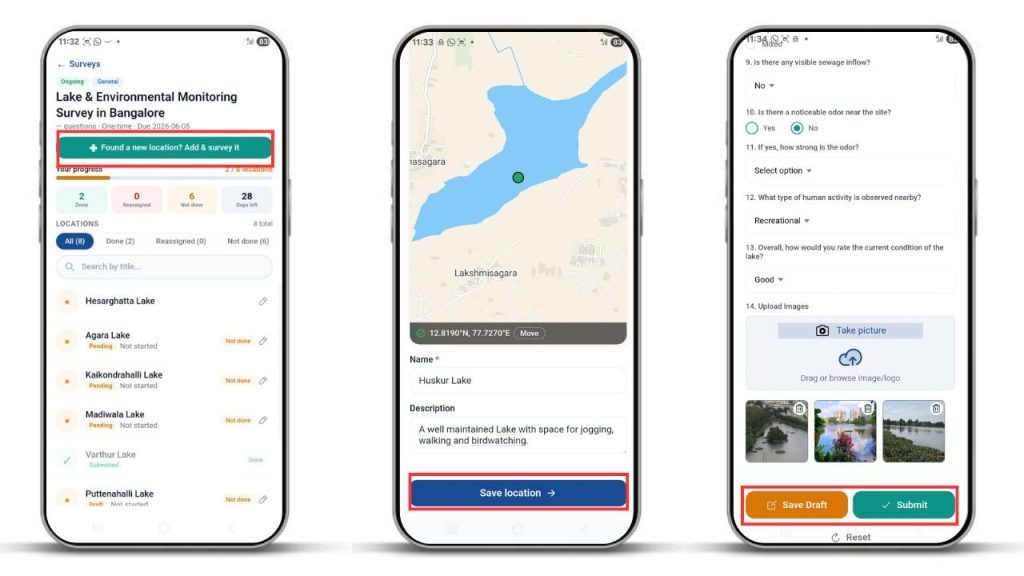
They can go to the survey section to view mapped locations or add new ones by selecting the “Found New Location” option. Next, pinpoint on the location you wish to add and click confirm. Then, add the necessary details about the location and click save. After that, fill out the surveys with collected information and submit or save drafts.
3. Monitor Data Through Overview & Insights
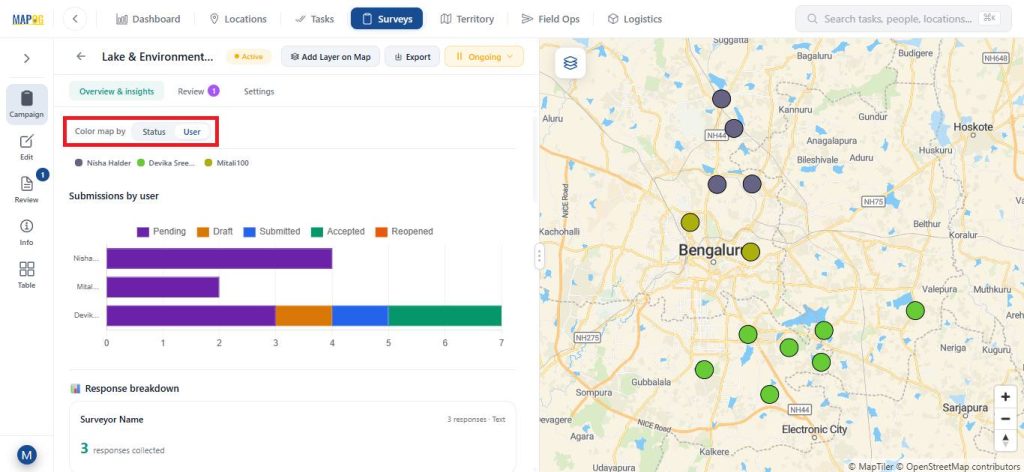
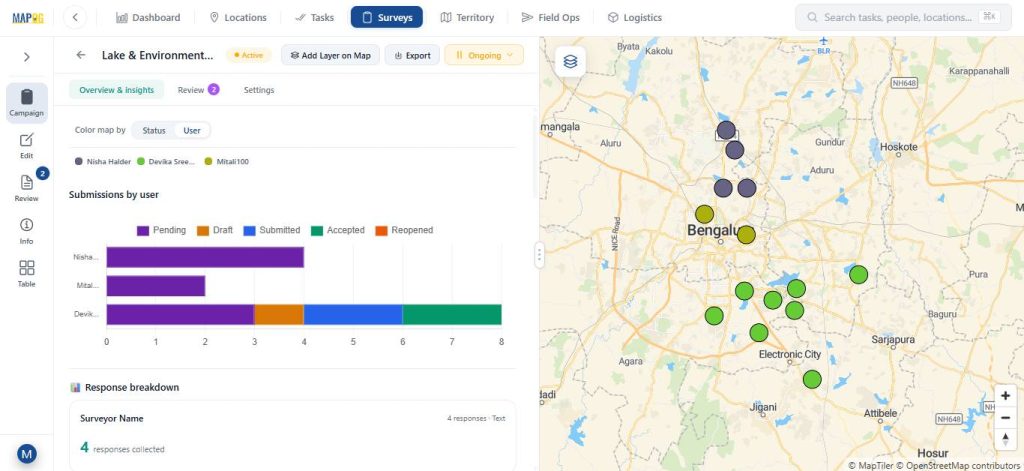
The Overview and Insights sections display a graphical view of collected data. The system shows different statuses—pending, submitted, drafted, accepted, and reopened—in distinct colors for clarity.
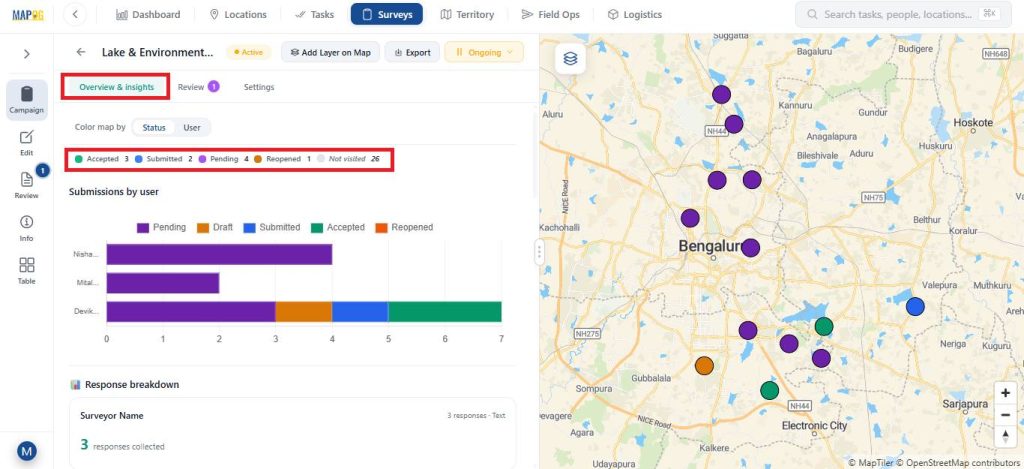
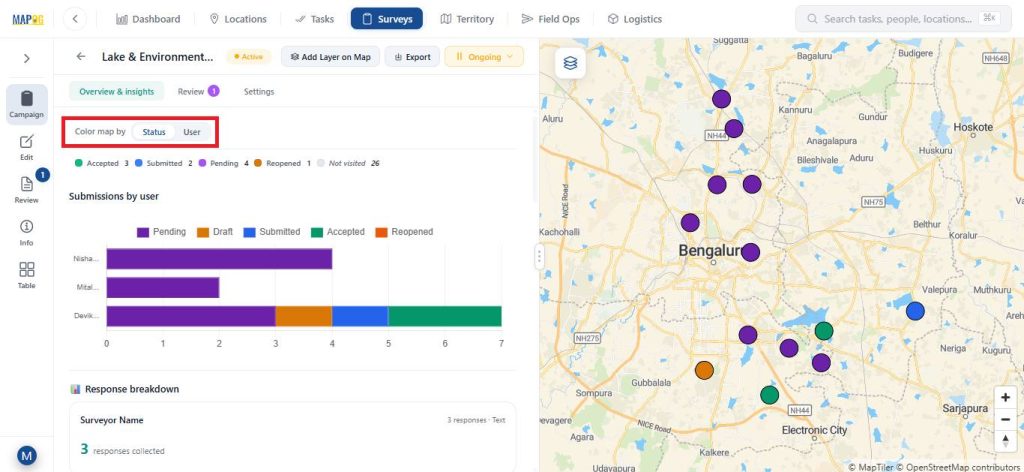
You can track progress based on assigned members and customize map colours by status or user.
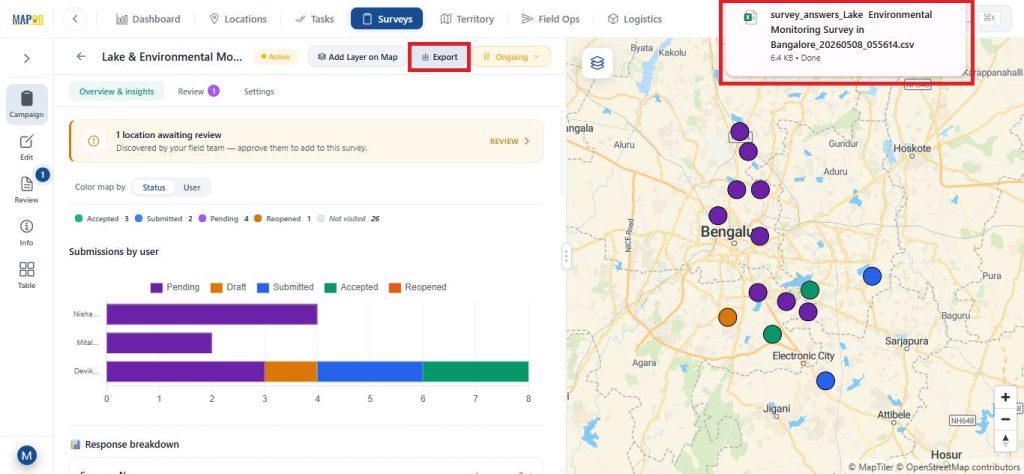
The system allows users to export data as a CSV file using the Export option.
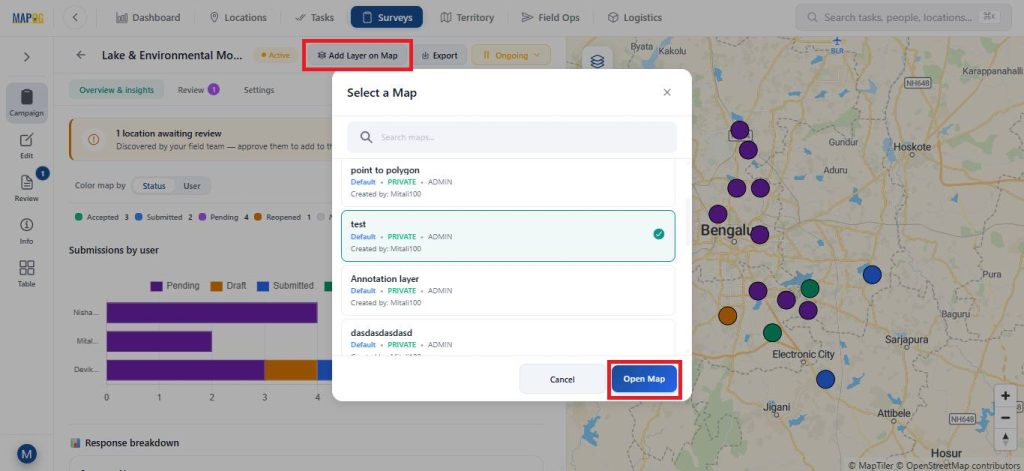
You can also open the map in a new or existing map using the Add Layer on Map option.
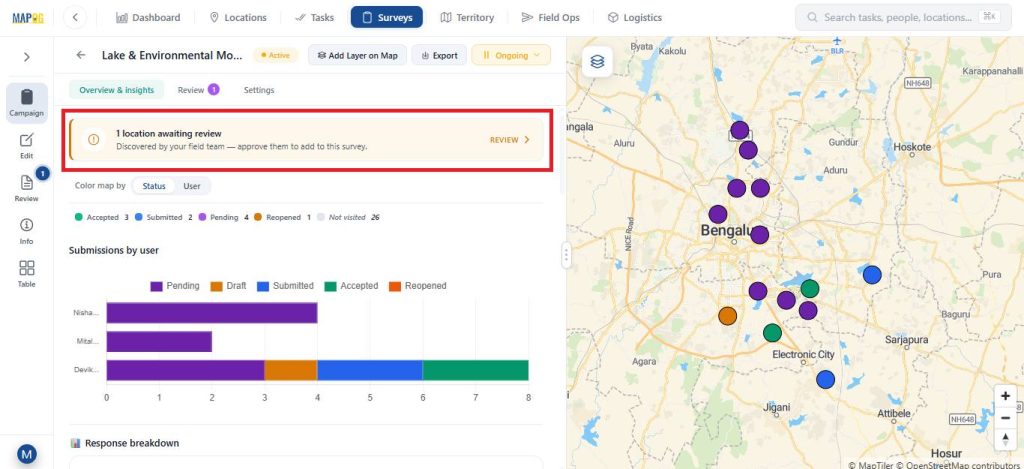
After submission, you can review the newly added locations and approve them before adding them as location points on the map.
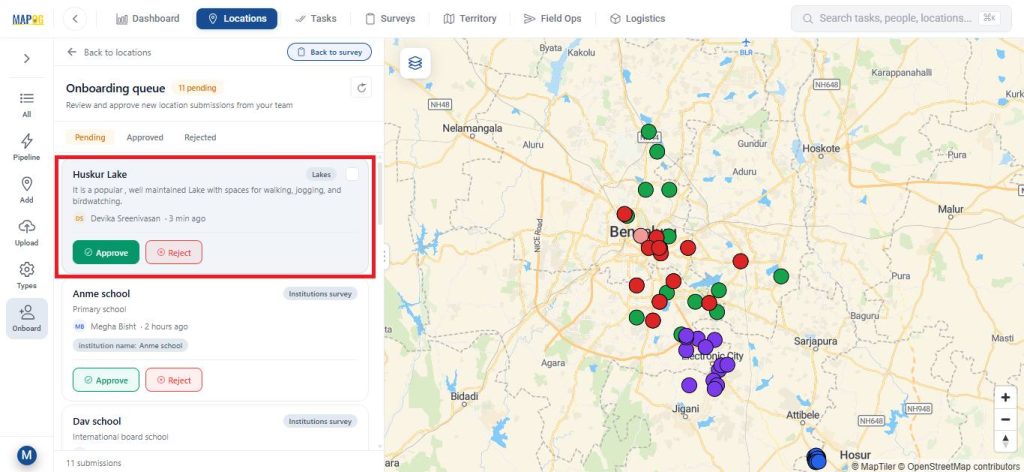
3. Review, Update, and Filter Submissions
In the Review section, the admin can review location updates or review survey survey forms.
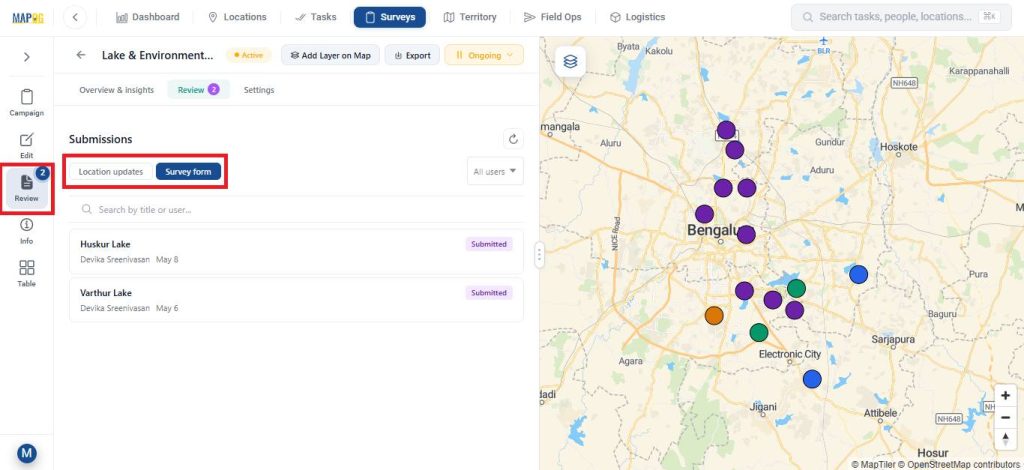
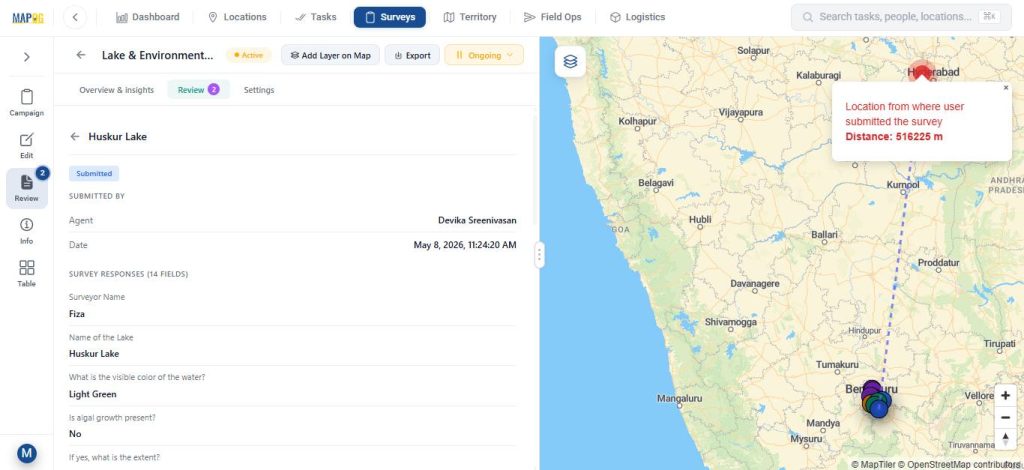
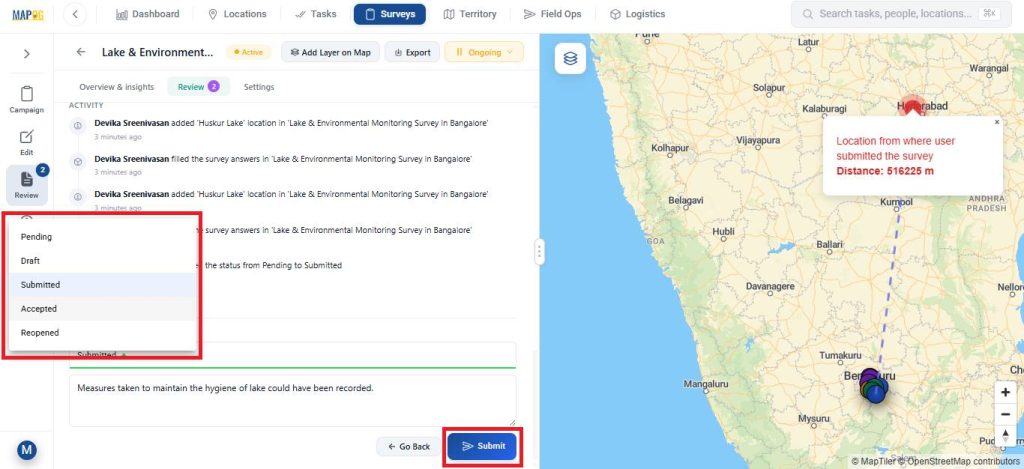
After that, the admin can also update the task status from Submitted to Accepted add feedback or notes.
The Info section provides detailed survey information.
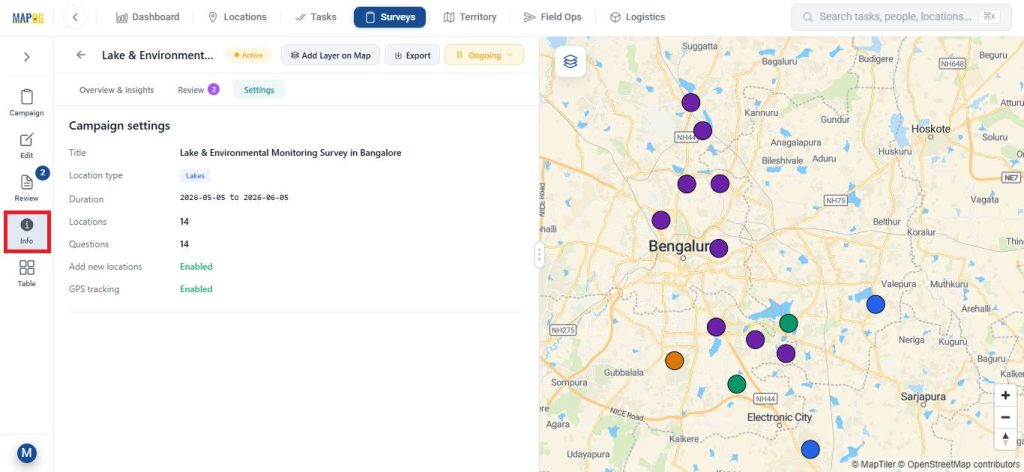
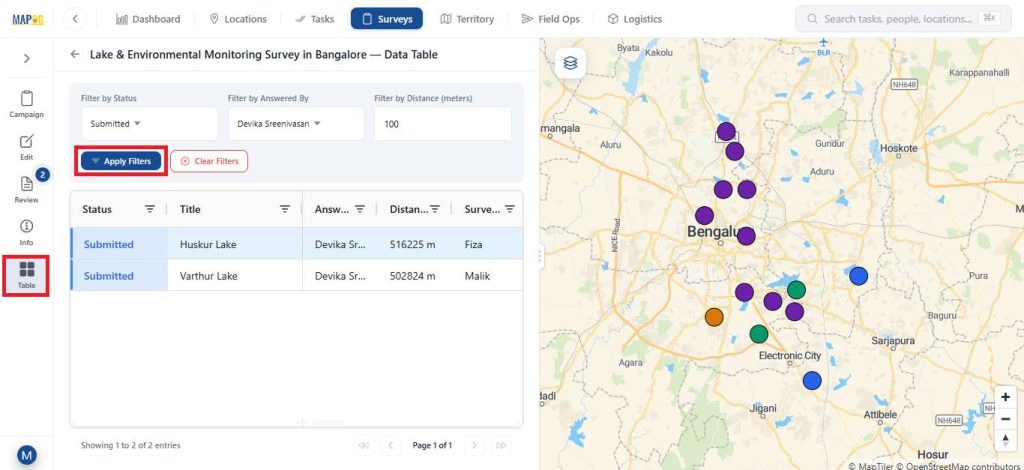
While, the Table view allows filtering data based on status, assigned member, or distance for easier analysis.
Real world Applications
Field data collection with offline sync is essential in scenarios where connectivity is unreliable but accurate on-site data is critical. For instance, in environmental studies, teams record water quality, biodiversity, and pollution data in remote areas. Similarly, in construction and infrastructure projects, it helps engineers log inspections, track progress, and report issues efficiently. Meanwhile, utility and maintenance teams use it to map and update assets like pipelines and power lines, and in addition, in agriculture, it supports monitoring crop health and soil conditions. Furthermore, it is widely used in disaster management, where teams assess damage and coordinate response efforts. In all these cases, offline sync ensures data is captured reliably on-site and updated once connectivity is restored.
Conclusion
Capturing reliable field data doesn’t have to depend on constant connectivity. With MAPOG, teams can follow an offline-first approach to capture on-site data accurately, store it securely on mobile devices, and sync it seamlessly once back online. This reduces errors, avoids delays, and ensures a smooth flow of information from the field to decision-makers, making data collection more structured and dependable even in challenging environments.