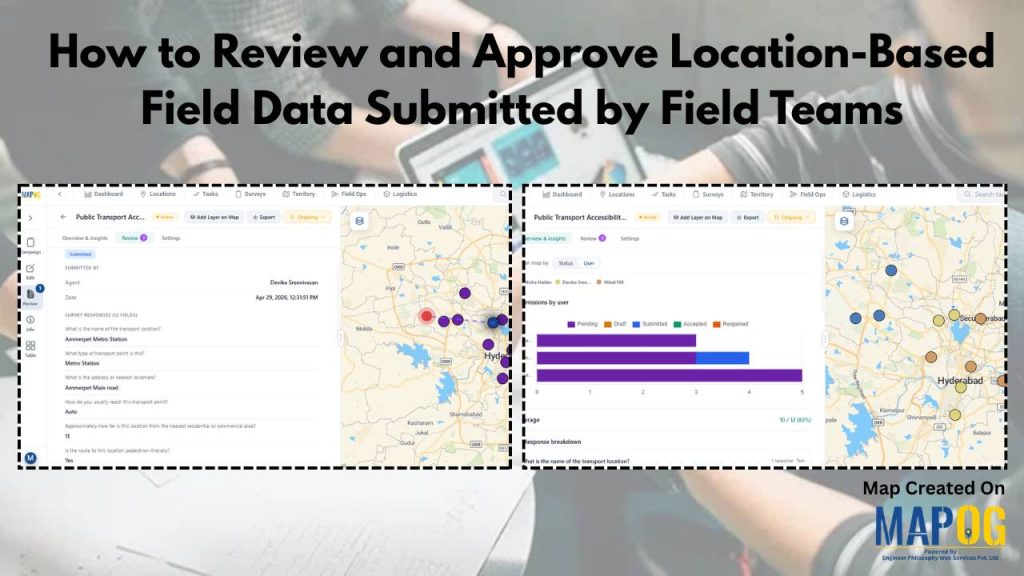
Location based field data is essential across industries, but reviewing and approving it is often a major challenge. Teams deal with inconsistent formats, scattered data, and slow validation processes, making it hard to ensure accuracy and take timely decisions.
MAPOG solves this by centralizing location based field data on an interactive map and enabling structured review workflows—making validation faster, clearer, and more reliable.
Key Concepts on How to Review and Approve Location based Field Data
Key concepts include location based field data, data accuracy and validation, and the need for standardized data collection to ensure consistency. A structured review and approval workflow helps maintain transparency and accountability, while spatial verification ensures that data aligns with real-world locations.
Effective systems also rely on real-time collaboration, continuous feedback, and error detection to improve data quality over time. Finally, map-based visualization and centralized data management make it easier to handle large datasets and scale operations efficiently.
Step by Step Process for Reviewing and Approving Location based Field Data
1.Open and Select Your Survey
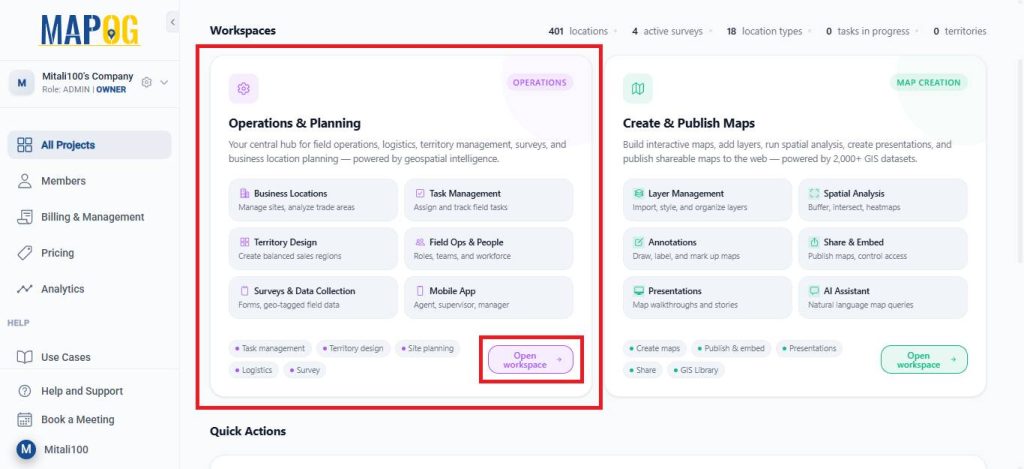
Open MAPOG and go to Open Workspace under the Operations & Planning section.
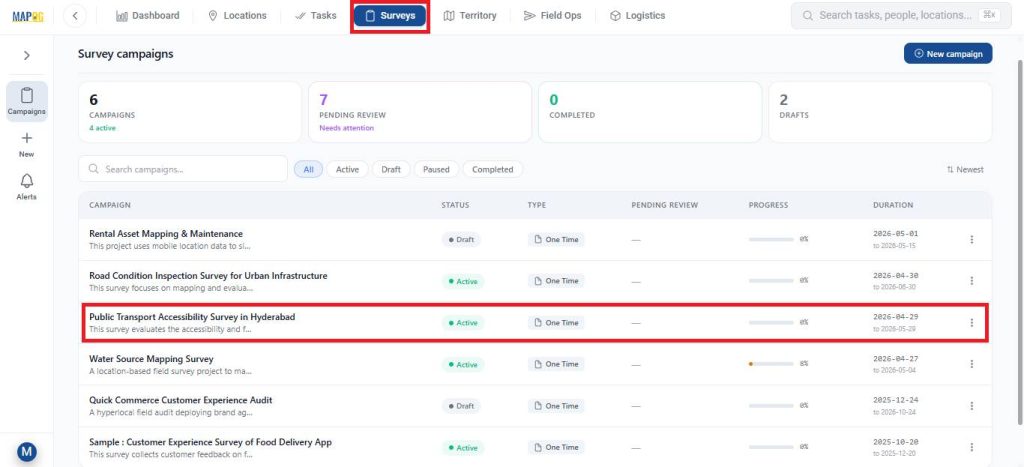
Navigate to Surveys, and choose the survey you are currently working on.
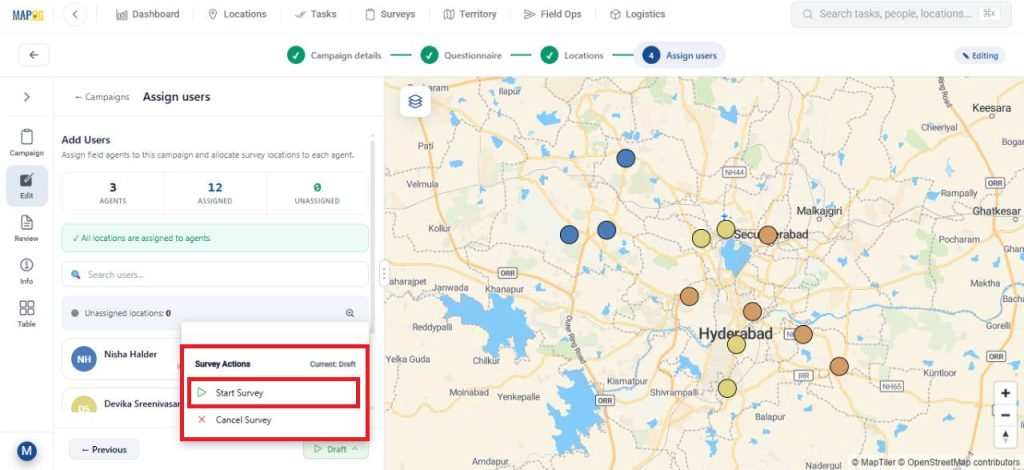
After completing all the necessary steps like filling in campaign details, preparing a questionnaire, adding the survey locations, and assigning users. Launch the survey by clicking on start survey.
2.Contribute to the Survey via Mobile App
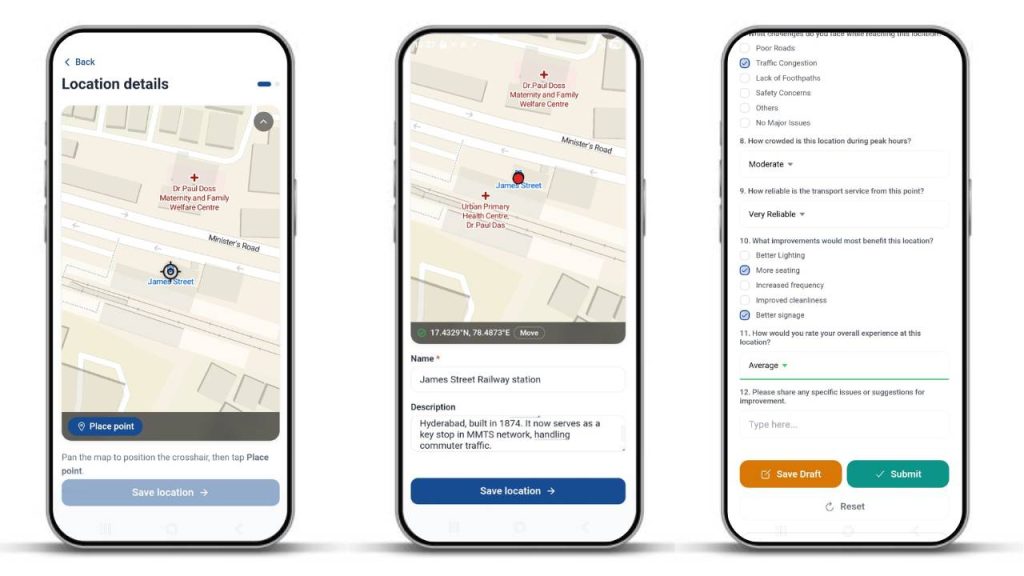
Assignees can receive their mapped locations on the MAPOG Contributor App on the survey section. Here, you can add new location points by clicking on found new location option.

After that, pinpoint on the location you wish to add and click confirm. Then, add the necessary details about the location and click save. Then, fill out the surveys with collected information and submit or save drafts.
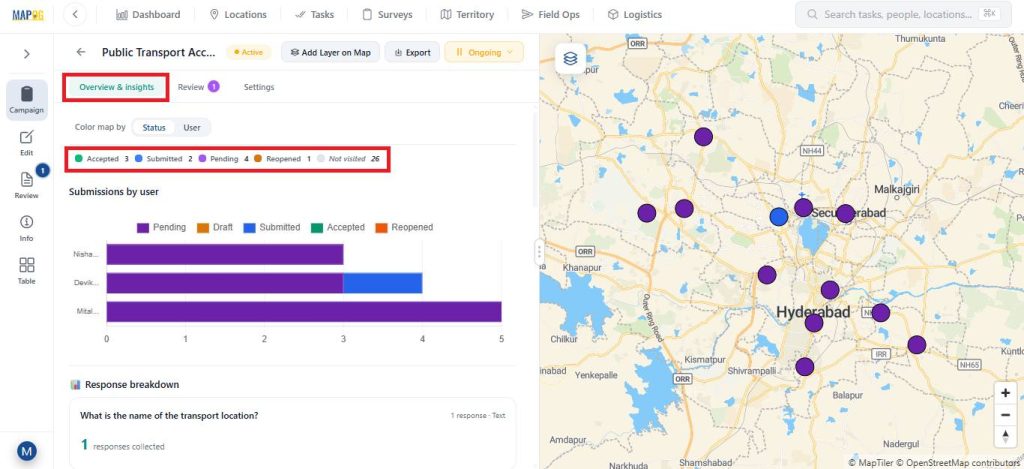
3.Monitor Data Through Overview & Insights
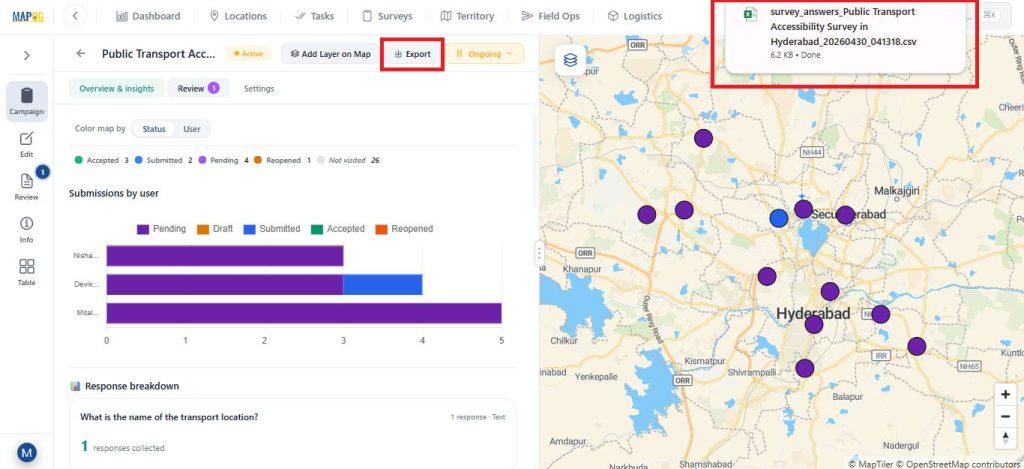
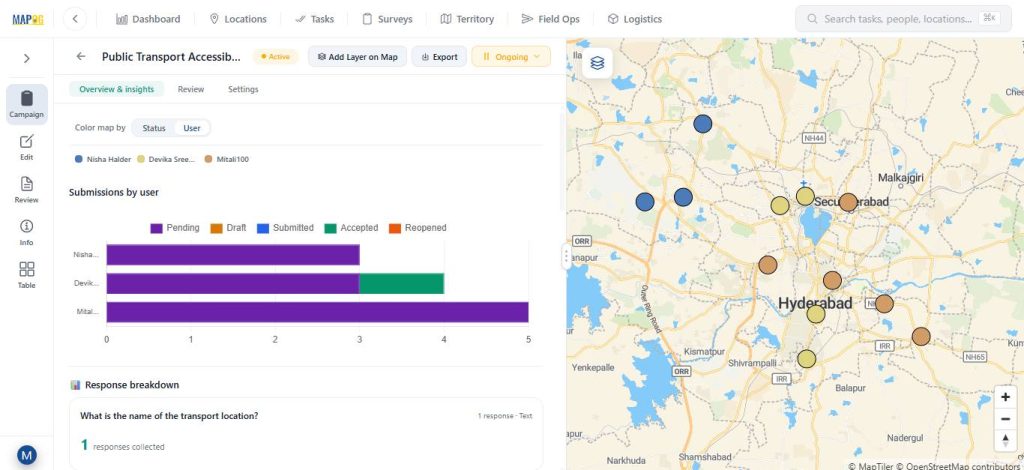
The Overview and Insights sections display a graphical view of collected data. Different statuses—pending, submitted, drafted, accepted, and reopened—are shown in distinct colors for clarity.
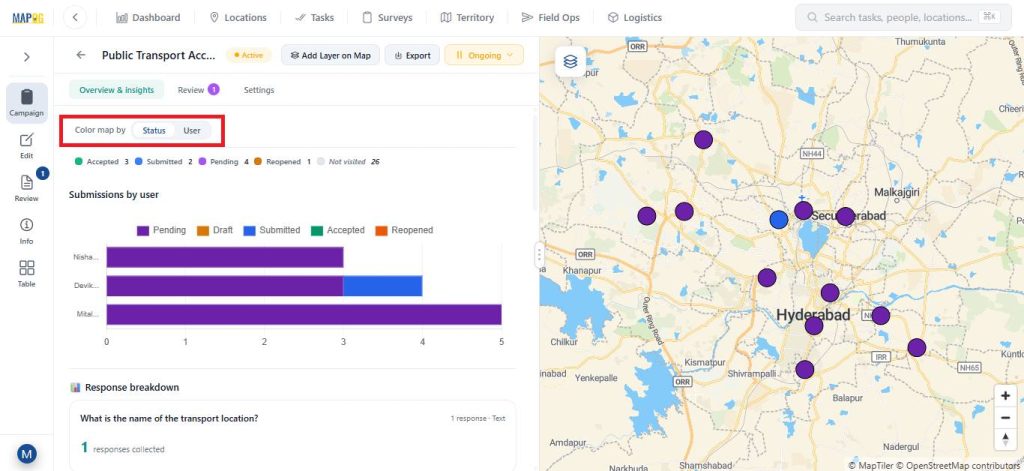
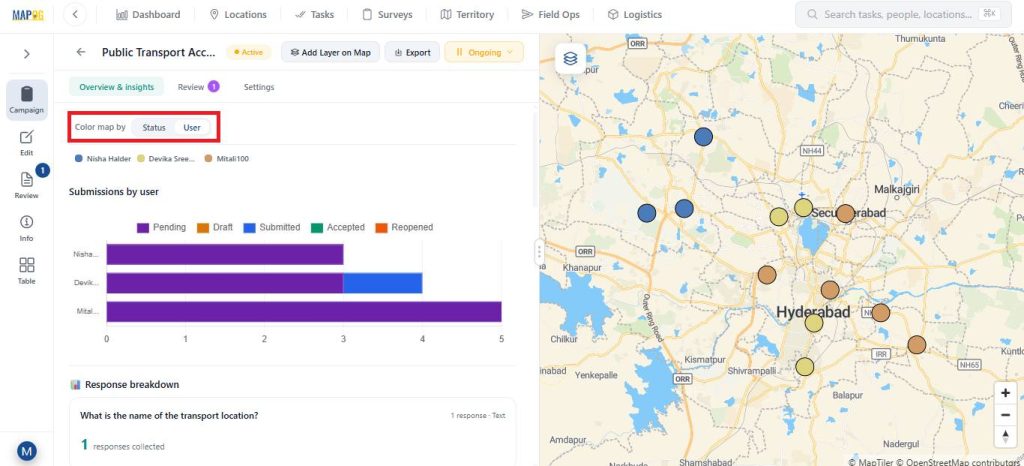
You can track progress based on assigned members and customize map colours by status or user.
Data can be exported as a CSV file using the Export option.
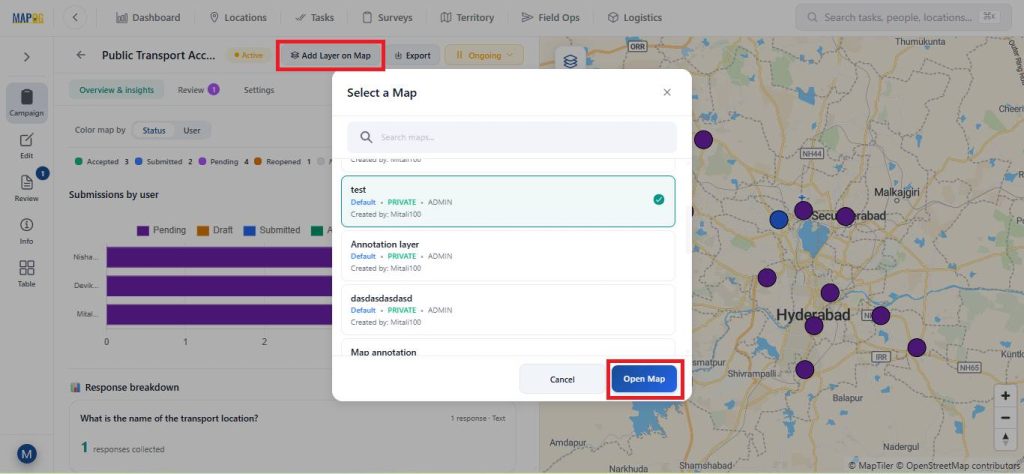
The map can also be opened in a new or existing map using the Add Layer on Map option.
4.Review, Update, and Filter Submissions
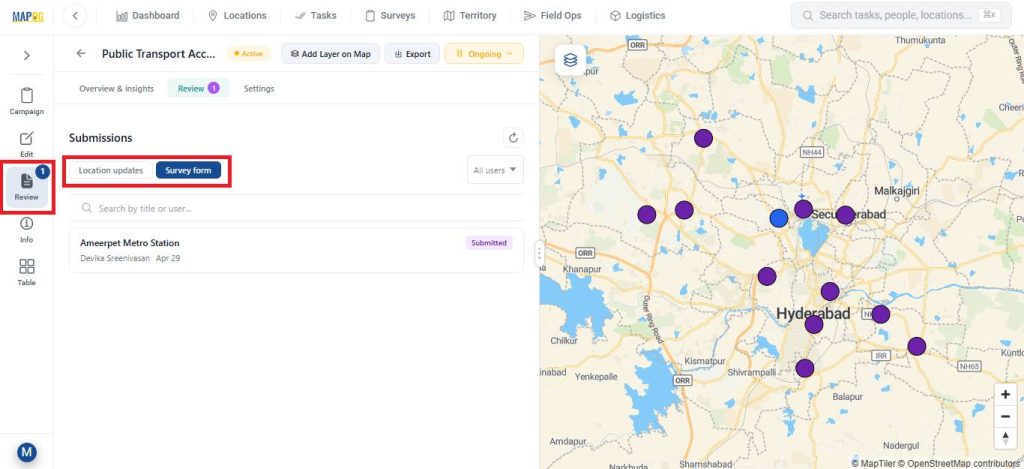
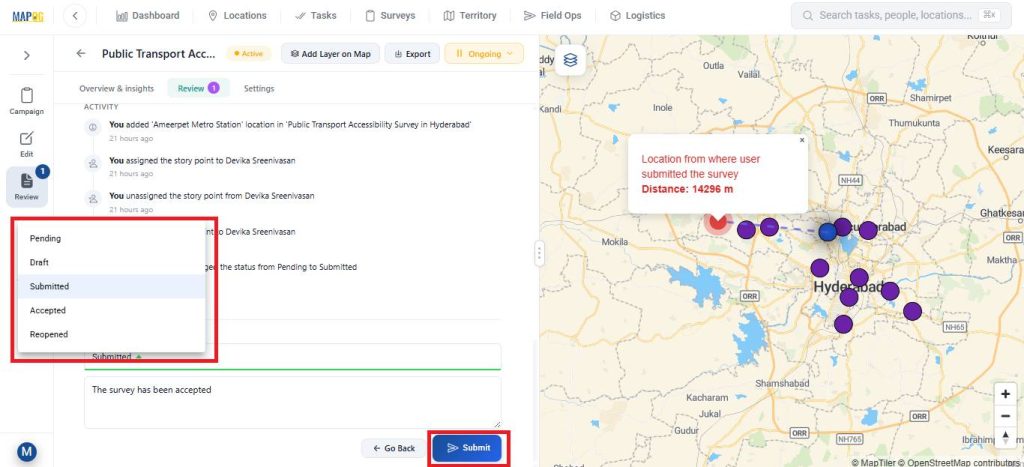
In the Review section, the admin can review location updates or review survey survey forms.
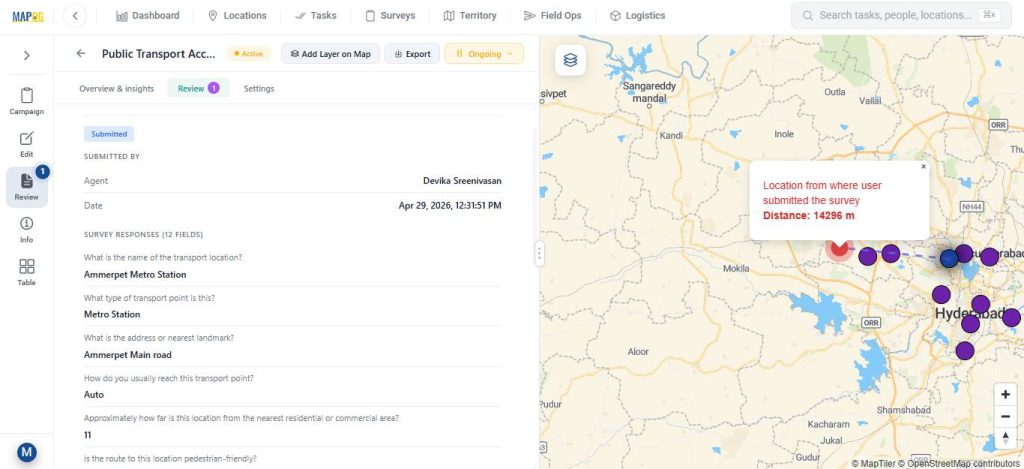
The admin can also update the task status from Submitted to Accepted add feedback or notes.
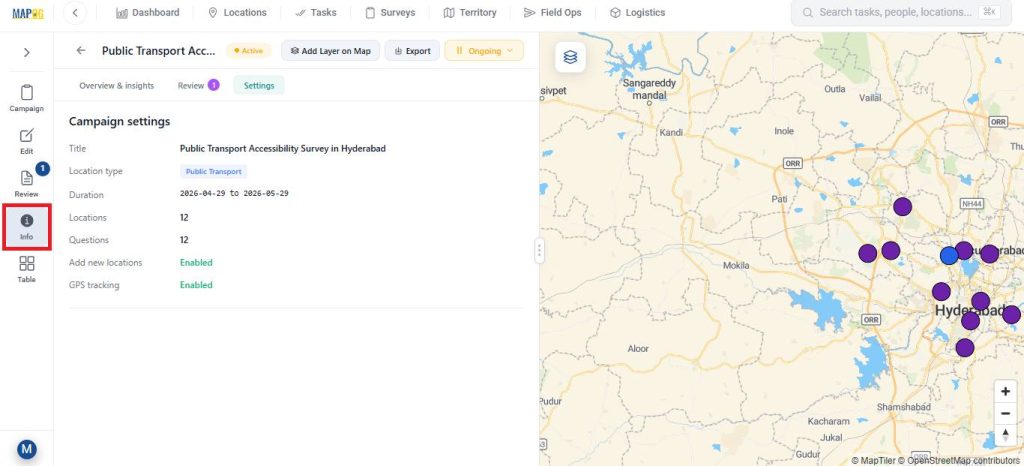
The Info section provides detailed survey information.
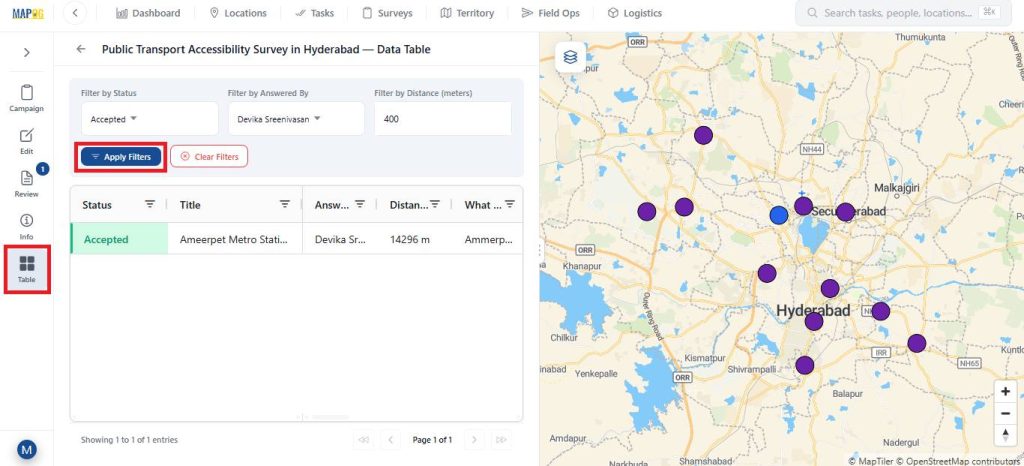
While, the Table view allows filtering data based on status, assigned member, or distance for easier analysis.
Real World Applications
Location based field data review is widely used in real-world applications. In construction, it helps track site progress and verify work. In utilities, it supports monitoring of assets like pipelines and power networks. Real estate teams use it to validate property and site data, while environmental projects rely on it for accurate field observations. It also plays a key role in logistics by tracking deliveries and field updates. Overall, it improves accuracy, reduces errors, and enables faster decision-making.
Conclusion
In conclusion, reviewing and approving location based field data is essential for ensuring accuracy and reliability in any field operation. Without a structured process, data can quickly become inconsistent and difficult to trust. By combining clear workflows, proper validation, and effective tools, organizations can turn raw field inputs into dependable insights. MAPOG further simplifies this process by centralizing data and enabling faster, more efficient decision-making.