Story on Map

Visualize Field Office

How to Visualize Field Office & Community Coverage on a Map

To visualize field office coverage, organizations increasingly rely on maps because they present operational data clearly and quickly. Instead of managing scattered spreadsheets, you can see how field offices and communities connect spatially. Moreover, when coverage areas are visualized together, planning gaps become obvious. Using MAPOG, which support Excel uploads, GIS Data, and custom location … Read more

Assign & Track Field Tasks Directly on a Map (With Photos & Status)

Assign & Track Field Tasks Directly on a Map (With Photos & Status)

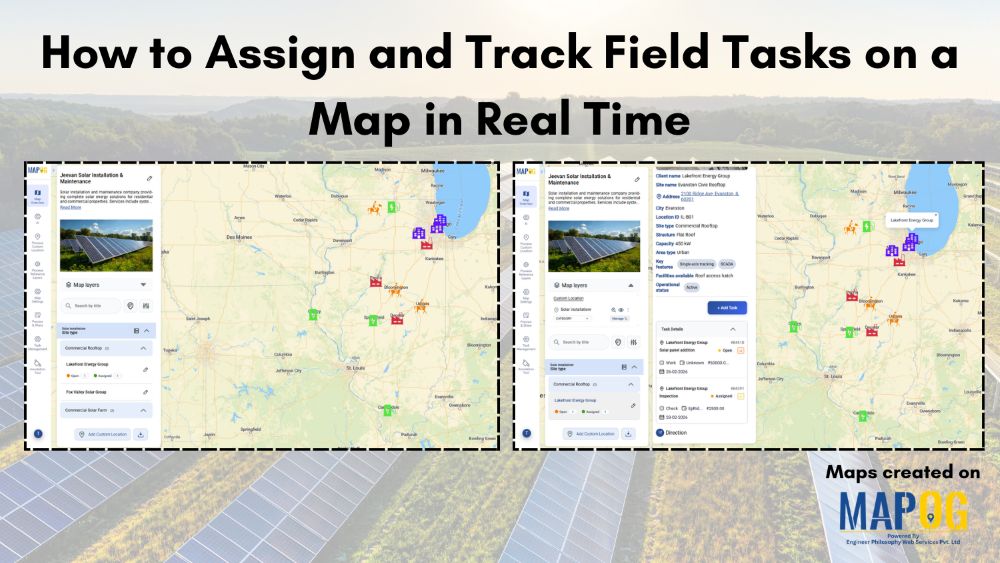
Interactive maps turn static operations into visual workflows to assign and track field tasks, monitor routes, verify cleaning with real-time updates and photos.. Key Concept: Assign & Track Field Tasks Interactive task mapping centralizes field work, assigns tasks, tracks completion, verifies results with photos, and improves coordination and transparency. What is Assign & Track Field … Read more

Maintain Your Customers

How to Maintain Your Customers and Collect Feedback On-Site

Businesses today prioritize maintaining customers and collecting on-site feedback. Manual methods slow teams down, so digital mapping workflows help them work faster. MAPOG, especially its Mobile Data Collection feature, gives teams a location-based system to maintain Your Customers and gather insights during visits. Key Concept: Why Maintaining Your Customers On-Site Matters When field executives visit … Read more

sales area

How to Spot High and Low Sales Areas Using Interactive Maps

When businesses work with sales data spread across multiple locations, spreadsheets alone often fail to reveal meaningful insights. Simply listing numbers does not clearly show where performance is strong or weak. That is why MAPOG  plays a crucial role in sales  visuals . By visualizing sales data geographically, you can instantly high and low sales … Read more

Filter Map Points

Filter Map Points by Attribute Values (From Excel/CSV)

When working with large datasets on a map, it can be difficult to focus on only the information you need. By filtering map points using attribute values stored in an Excel or CSV file, you can quickly highlight specific categories, ranges, or conditions—such as cities above a certain population, demographics, or locations with active status. … Read more

Interface showing how to convert place names into coordinates without technical skills using CSV upload and geocoding tools.

Convert Place Names Into Coordinates Without Any Technical Skills

Collecting place names is straightforward, but converting them into coordinates becomes a roadblock for anyone who isn’t trained in GIS. Most people don’t know how to clean inconsistent place‑name lists, set up geocoding tools, deal with API keys, or interpret multiple location matches. As a result, without those technical steps, a simple list of villages, … Read more

Interface showing customer data points segmented and filtered instantly using dynamic filters, with color-coded clusters for real-time insights

Segment and Filter Customers Instantly with Interactive Filters

Most teams already have customer data, but the way it’s managed often hides the details that matter. Consequently, diverse attributes collapse into uniform rows, obscuring meaningful distinctions. As a result, strategies become generic, and critical signals stay hidden. However, static reports flatten complexity, leaving no room for precision. With MAPOG, teams can segment and filter … Read more

tracking customer

How to track customer visits without calling the team again and again

Many organizations struggle to keep track of customer visits without calling in real time zones  , which often leads to repeated phone calls, confused updates, and inefficient coordination. As a result, teams end up relying on scattered verbal reports, causing delays, and inconsistent follow-ups. Consequently, managers find it difficult to monitor field activity, assign tasks, … Read more

Image showing customer coverage map across multiple branches using colored pins and branch-level data.

How to Compare Customer Coverage Across Multiple Branches

When managing multiple branches, one persistent challenge is the lack of clarity around how customer coverage compares from one location to another. As a result, teams often struggle to make informed decisions. Without a structured way to compare customer coverage across multiple branches, they may rely on assumptions rather than spatial evidence. MAPOG helps solve … Read more

How to View Your Customers by State, City, or Region on a Map

How to View Your Customers by State, City, or Region on a Map

Ever wondered which areas your customers come from or where your business is growing the fastest? Visualizing customer locations on a map can turn raw data into clear, actionable insights. With MAPOG, you can easily map and view your customers by state, city, or region, giving you instant insights into geographic trends and market potential. … Read more