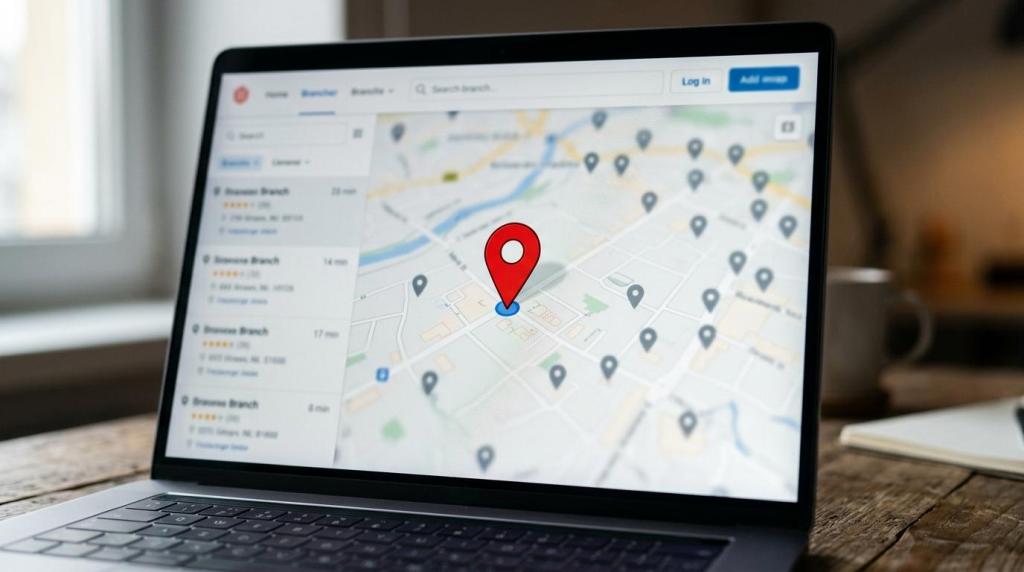
MAPOG helps you turn branch data into a customer-facing locator that does more than drop pins on a map. You can create an interactive, embeddable branch locator that helps people find the nearest location, understand what each branch offers, and take the next step from the map itself.
For multi-location businesses, travel and tourism brands, franchises, service networks, and organizations with several customer touchpoints, MAPOG combines branch discovery with location analysis. That means you are not only helping customers find you, you are also getting a clearer view of nearby demand, coverage gaps, and where the next branch or campaign should go.
MAPOG branch locator tools for local customer discovery
A good branch locator needs to answer the questions customers ask before they contact you or visit. MAPOG gives you a mobile-friendly interactive map that can be shared or embedded on your website, with each branch presented in a format that is easier to scan than a plain address list.
With MAPOG, your branch locator can be built around the location details that drive action:
- Branch details: store or branch name, address, contact number, ratings, and service information
- Rich content: images, videos, links, notes, and custom location templates
- Next-step actions: call-to-action buttons and embedded map views that connect online discovery to offline visits
Google states that local results are mainly shaped by relevance, distance, and popularity, and it also notes that complete and accurate business information is more likely to appear in local search. MAPOG helps you publish complete branch information in a format customers can use quickly on desktop or mobile.
“Google says local results are mainly based on relevance, distance, and popularity. MAPOG helps you present branch details that support discoverability.”
That matters when someone is searching for a nearby office, store, booking point, service center, or tourism location and needs more than a pin. MAPOG branch locator maps can show the branch name, address, rating, and contact number directly on the map, while your custom template can add hours, service notes, media, and links that help the visitor decide where to go.
MAPOG helps multi-location brands map nearby customers, demand zones, and coverage gaps
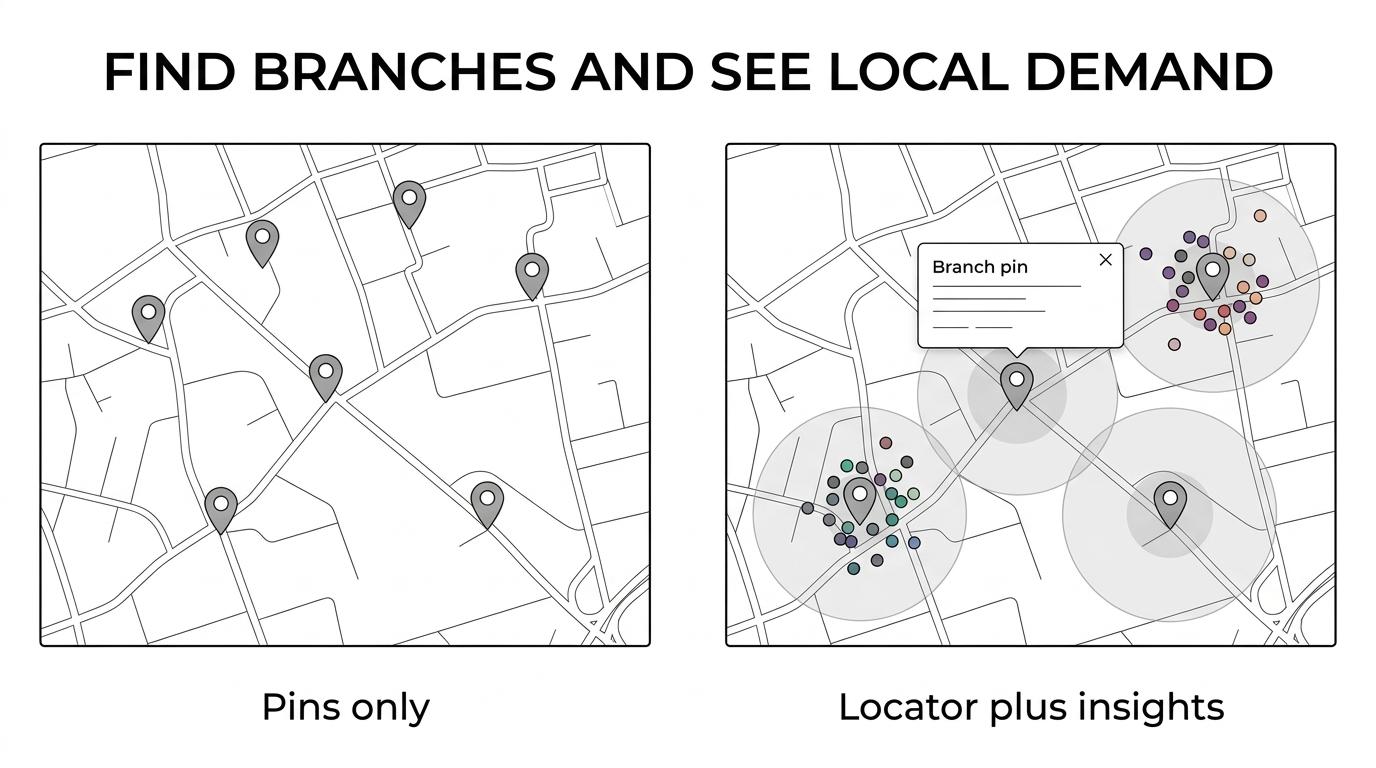
A branch locator becomes far more useful when it also helps you understand the market around each location. MAPOG lets you upload customer datasets, add branch or store coordinates, and visualize surrounding customers within defined radii or travel times.
That gives marketing, operations, and expansion teams a practical way to see where customer clusters are strongest, which areas are underserved, and which branches have the best local reach. MAPOG can also help you segment audiences by distance or region so promotions, service planning, and territory decisions are based on actual geography rather than guesswork.
“30% of all mobile searches are related to location, according to Think with Google. MAPOG helps you turn that local intent into branch discovery.”
If you are opening a new branch, testing a franchise market, or trying to improve local coverage, MAPOG connects customer-facing branch maps with the planning work behind them. You can use the same platform for customer discovery, nearby-customer analysis, territory design, route planning, and GIS data download, which reduces the need to bounce between separate tools.
No-code branch locator setup with MAPOG for marketing and operations teams
MAPOG is built for teams that need mapping results without a development project. You do not need technical or programming knowledge to create a branch locator, customize the look of location points, or publish a usable map to your site.
The MAPOG workflow supports CSV or Excel upload, custom location templates, point styling, display properties, call-to-action buttons, and embed sharing. That makes it easier to take branch data that already exists in spreadsheets and turn it into a polished locator that customers and internal teams can both use.
“MAPOG supports CSV or Excel upload, custom location templates, point styling, and embed sharing without programming.”
Because MAPOG also includes role-based access and privacy controls, you can keep one version public for customers and another version private for internal planning or partner collaboration. Your marketing team can focus on discovery, while operations and location planners work with the same underlying map data in a more controlled view.
MAPOG branch locator software for travel, tourism, retail, franchise, and service networks
MAPOG is especially useful when your locations are part of a broader customer journey. A travel agency may need customers to find the nearest office. A resort group may want guests to locate booking desks, pickup points, or activity hubs. A transport or service brand may need to show service areas while also analyzing where customer demand sits around each branch.
MAPOG supports those mixed use cases because the platform is both customer-facing and operational. You can publish a clean branch finder for your audience, then use the same location layer for planning, field coordination, and local market analysis.
Research from Think with Google shows that 76% of people who search on smartphones for something nearby visit a business within a day. MAPOG helps you meet that moment with branch information that is easier to find, easier to understand, and easier to act on.

“76% of nearby smartphone searchers visit a business within a day, according to Think with Google. MAPOG helps your branch locator support that offline action.”
This is where MAPOG stands out from a simple locator widget. Instead of treating your branch list as static website content, we help you use it as a live mapping asset for customer discovery, coverage analysis, and growth decisions.
When MAPOG is the right branch locator platform
MAPOG is a strong fit when you need more than a basic address finder. In practice, that usually means one or more of these situations applies to your team:
- You manage multiple locations: branches, stores, offices, service centers, pickup points, or tourism sites need to be discoverable in one place.
- You want both public and internal value: customers need a branch locator, and your team needs nearby-customer, demand-zone, or coverage-gap analysis.
- You want a no-code workflow: your location data already exists in CSV or Excel, and you want to publish and update maps without programming.
MAPOG is also a practical choice when branch accuracy matters to your local visibility. Google’s own guidance makes it clear that complete, accurate information influences local results, and MAPOG gives you a structured way to present that information with rich content and embedded map experiences.
If you want a branch locator that helps customers find nearby locations and helps your team see where local opportunity actually exists, MAPOG is ready to help. Talk to us about your branch data, your website, and your expansion goals, and we’ll help you build a locator that supports both discovery and decision-making.