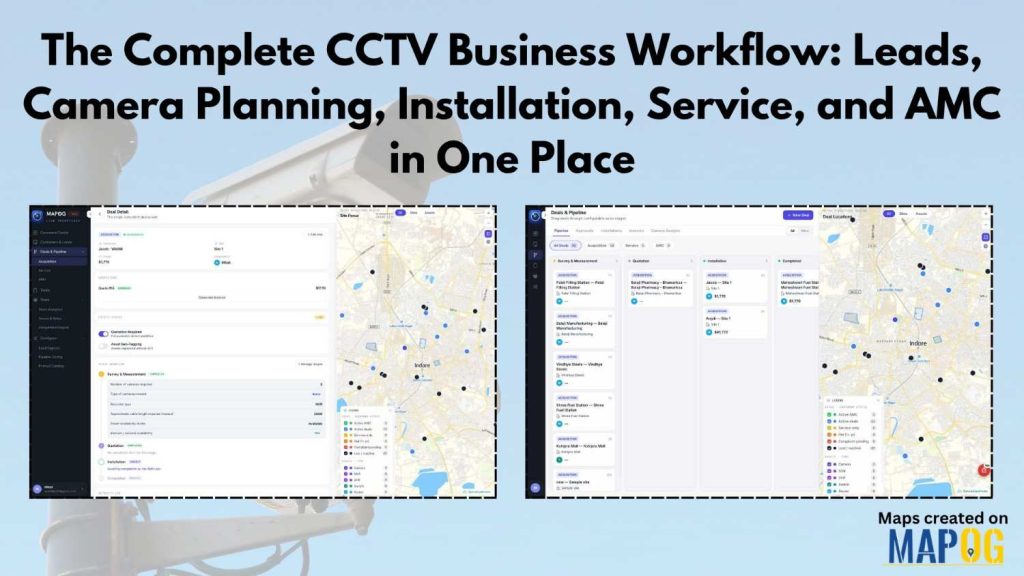
If you run a CCTV installation company, your day probably looks like this: leads coming in on WhatsApp, quotations built in Excel, technicians briefed over phone calls, and AMC renewal dates written somewhere you’ll probably forget to check. Here’s what the complete CCTV business workflow looks like when everything works together—from the first lead to the tenth AMC renewal.
The Real Problem: Five Tools That Don’t Talk to Each Other
Most CCTV companies aren’t struggling because of bad technicians or poor camera quality. They’re struggling because the business runs on disconnected tools — WhatsApp for leads, Excel for quotations, phone calls for job assignments, a diary for AMC dates. Each tool works fine alone, but nothing carries over to the next step. A lead has to be manually copied into Excel. A quotation has to be manually turned into a PDF and sent again. By the time a renewal is missed, the customer has already called a competitor. A connected Complete CCTV Business Workflow & CCTV business management software like MAPOG closes exactly this gap.
Stage 1: Lead Acquisition
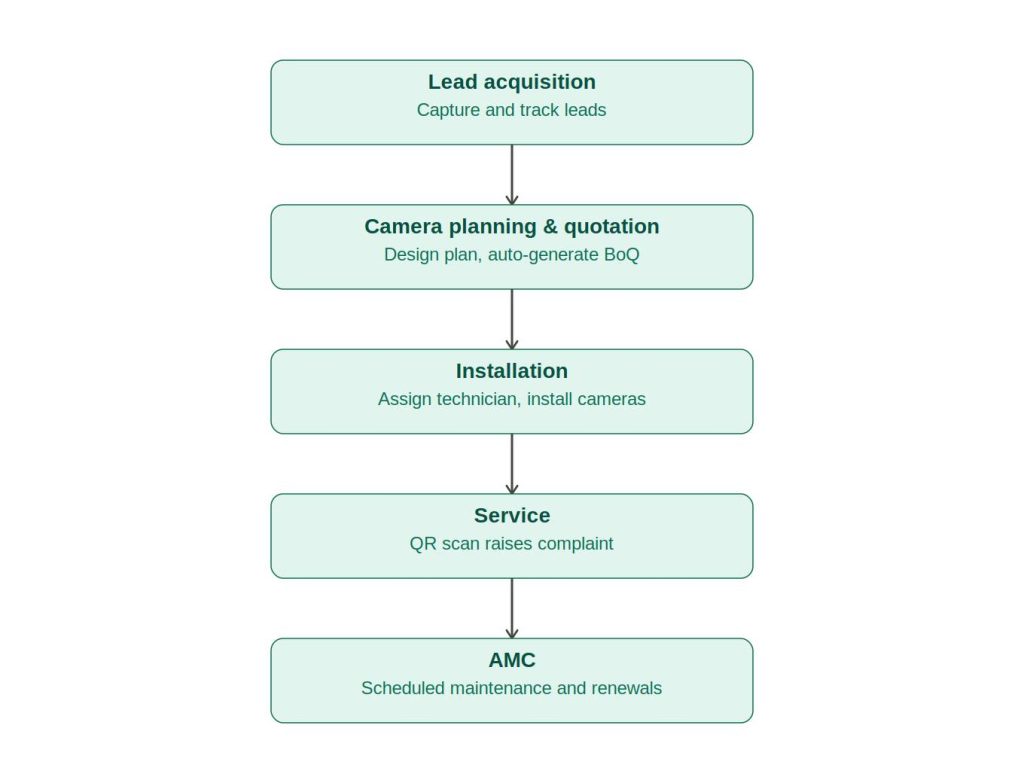
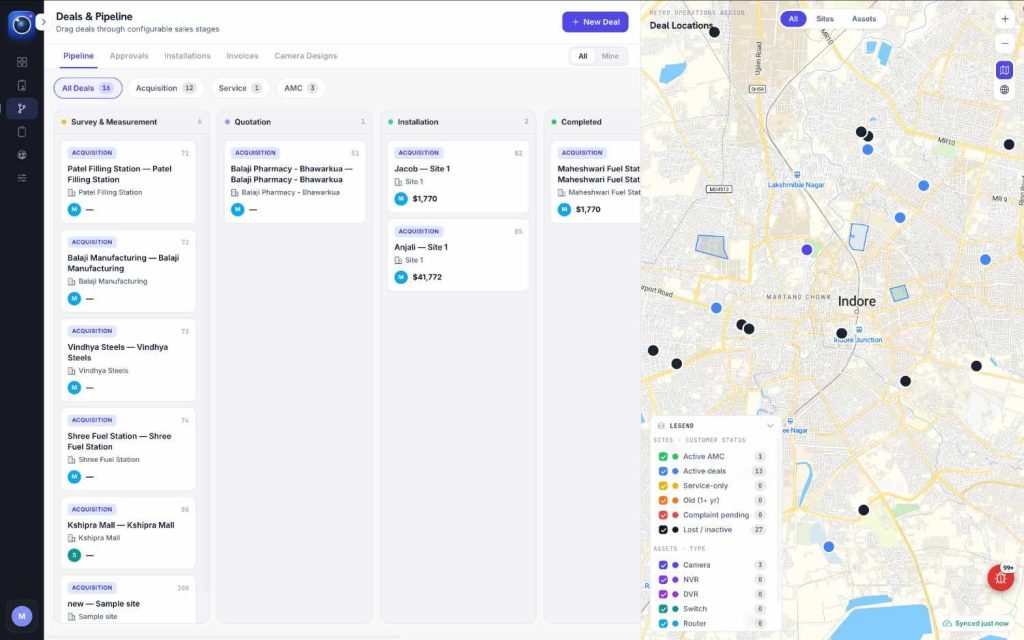
Every job starts with a lead — from an ad, a referral, or a walk-in. The real problem isn’t getting the lead; it’s what happens after. When you rely on WhatsApp and Excel, your team forgets follow-ups. You also lose visibility into deals waiting at the “Quotation Sent” stage. A connected pipeline moves every lead through clear stages: Survey, Quotation, Installation, Won, and Lost. It keeps every opportunity organized instead of buried in chat history. More on this shift in Why CCTV Companies Are Moving From WhatsApp Groups to Dedicated Field Service Software.
Stage 2: Camera Planning and Quotation For Complete CCTV Business Workflow
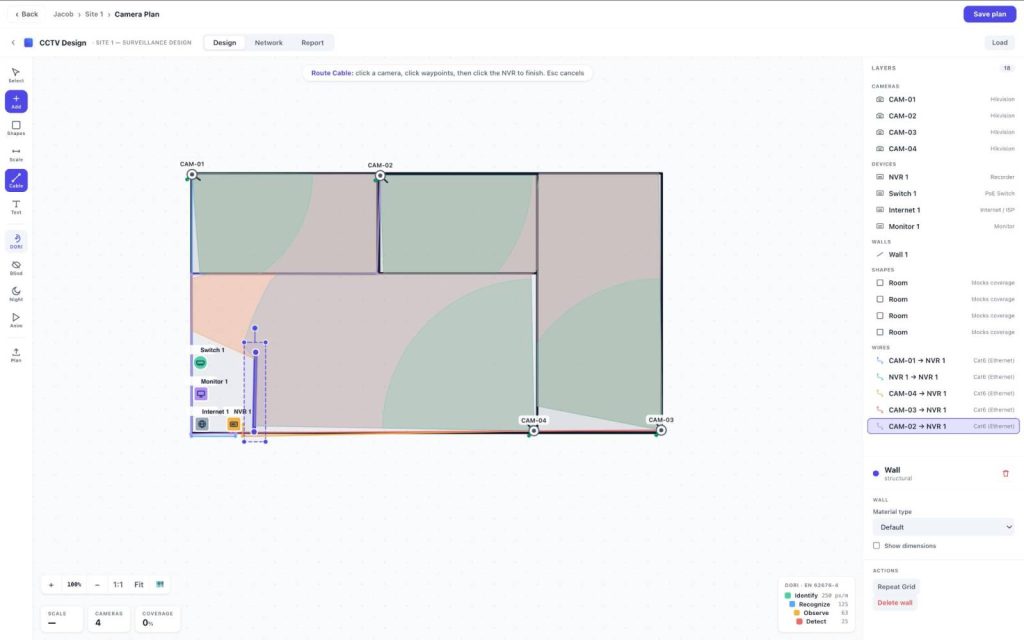
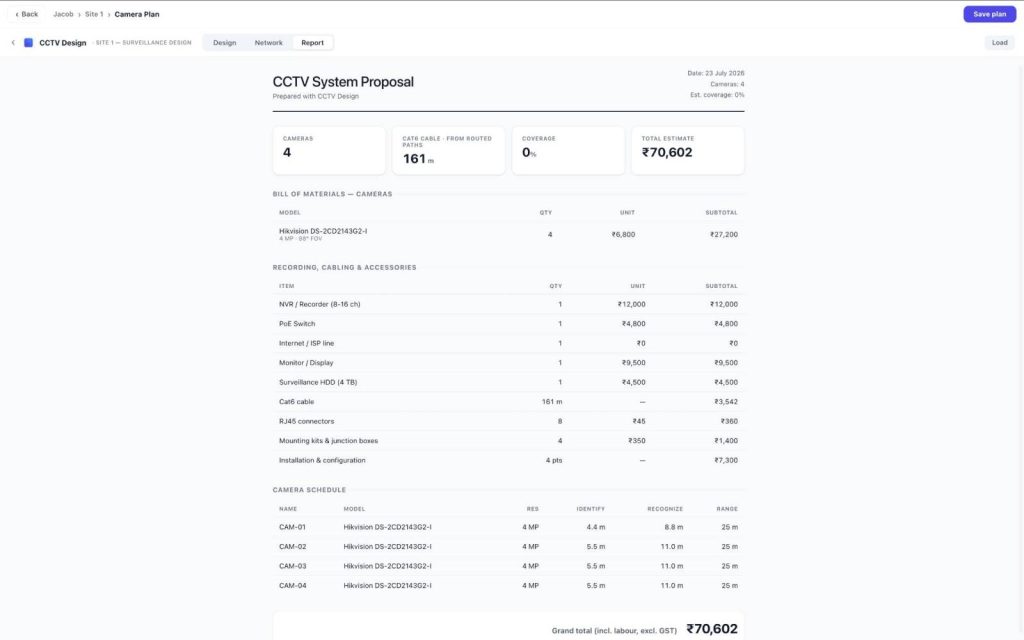
Many businesses lose deals at this stage. They show customers a verbal camera plan during the survey. Later, they send only a plain quotation. The customer no longer has a visual reference for the agreed plan. A proper planning tool places cameras directly on the floor plan, checks coverage, flags blind spots before installation, and auto-generates an itemized quotation — plan and price together, in one document instead of a phone explanation. Read more: Share the Camera Plan and Quotation With Your Customer Directly and Send a Professional CCTV Quotation in Minutes.
Stage 3: Installation and Handover For Complete CCTV Business Workflow
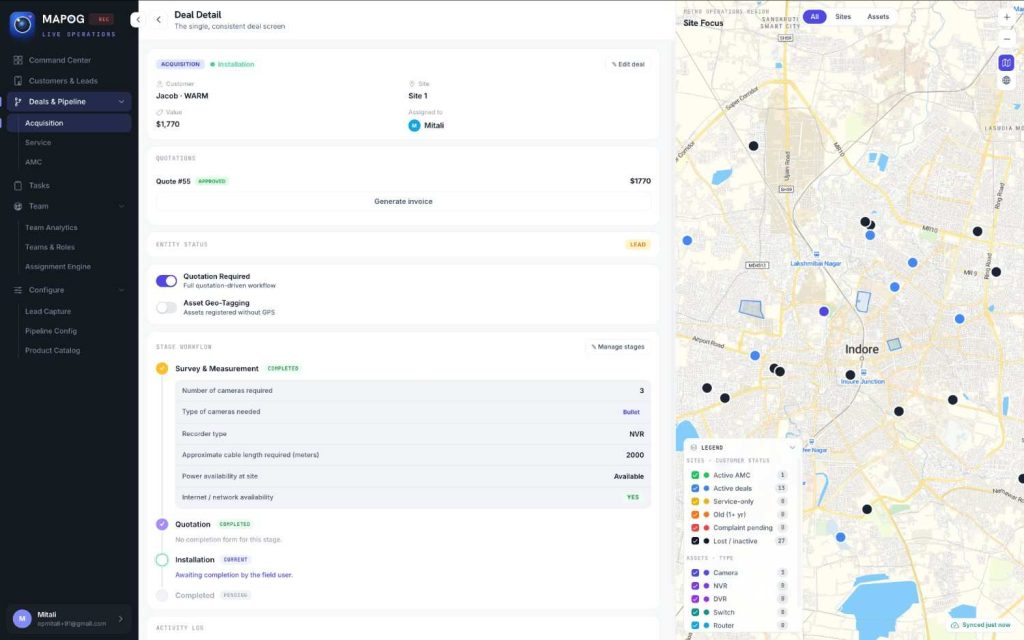
After the customer approves the quotation, the system assigns a technician automatically. It can assign jobs based on territory, nearest availability, or round-robin rules. The technician receives the job on a mobile device with the approved plan and installation checklist. The team registers every installed camera as an asset. They record its serial number and GPS location. This process creates a complete service history and supports the next stages.
Stage 4: Service
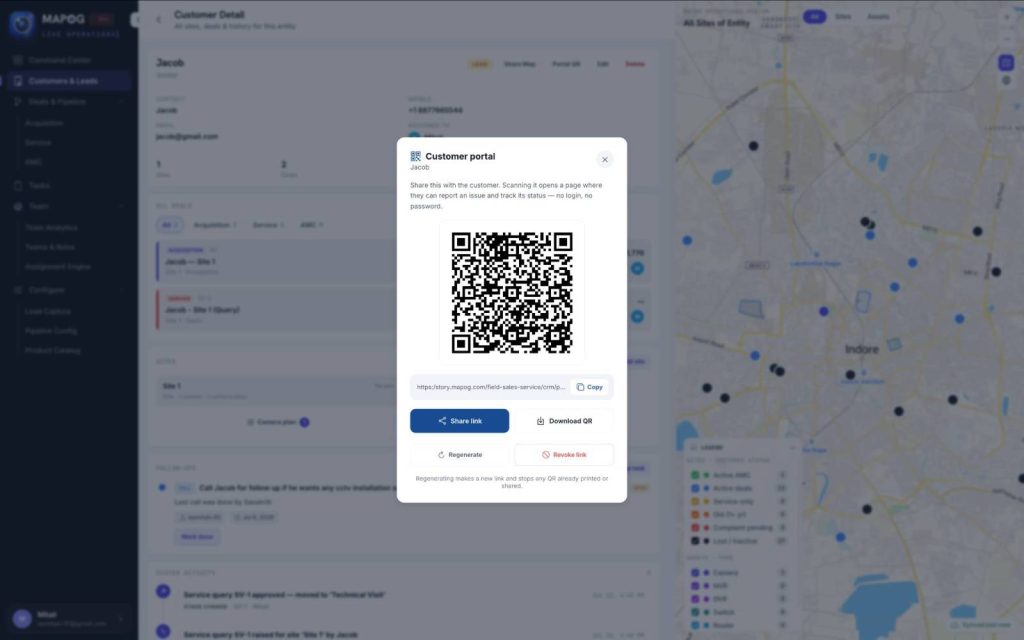
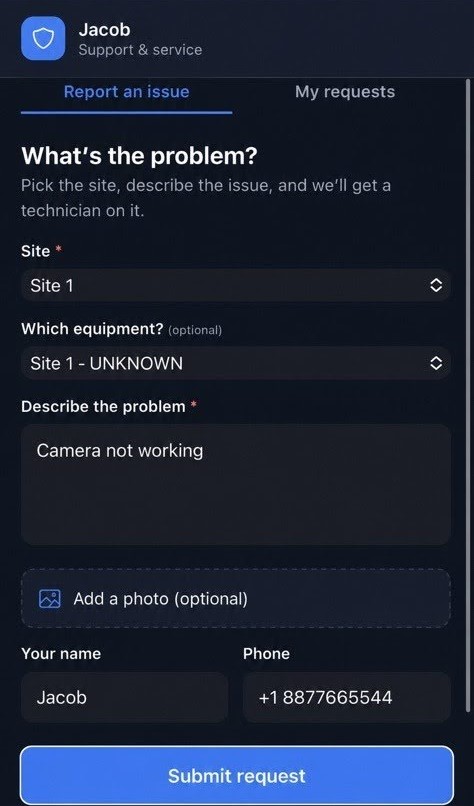
Most businesses treat installation as the finish line. It’s actually where the relationship either turns into repeat business — or ends the moment something breaks and the customer can’t reach anyone. A QR sticker on every camera lets the customer scan and raise a complaint instantly, with asset details pre-filled and the nearest technician auto-assigned. This also works for cameras your company didn’t install, opening a service revenue stream most businesses leave untouched. See Let Your Customers Raise a Service Request by Just Scanning the Camera and Stop Losing CCTV Customers After Installation: Use QR Code Service Stickers.
Stage 5: AMC
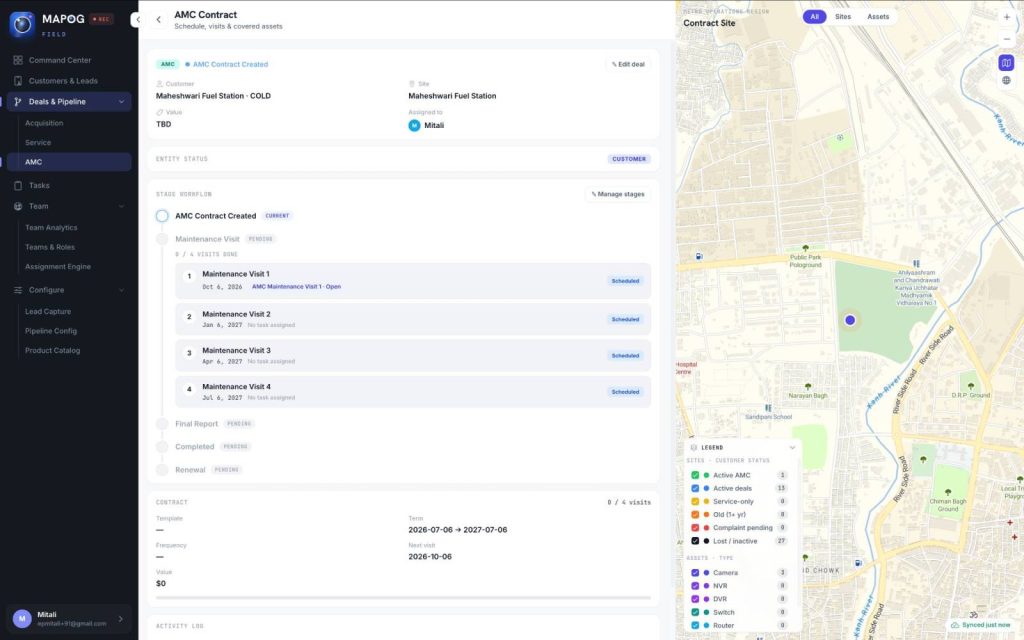
An installation is a one-time sale. An AMC contract creates recurring revenue, but only when you track renewals and service visits properly. Don’t leave them in a diary. After installation, you can create an AMC contract. The system schedules maintenance visits automatically based on the selected frequency. It also provides a checklist for every visit. Before the contract expires, it sends renewal alerts automatically. Scheduled maintenance and reactive service stay tracked separately, because they’re different jobs. More here: Never Miss an AMC Renewal Again and Turn One-Time CCTV Installations Into Recurring AMC Revenue.
Why One Platform Matters For Complete CCTV Business Workflow
Each piece — the pipeline, the planner, the QR request, the AMC scheduler — is useful alone. The real shift happens when they’re connected: a lead becomes a deal, a deal becomes an installation, an installation becomes a tracked asset generating service and AMC revenue for years. That’s the difference between a business that’s constantly reacting and one that’s actually scalable with a Complete CCTV Business Workflow.
Frequently Asked Questions
What is CCTV business management using software?
Software built specifically for CCTV installation companies to manage leads, camera planning, quotations, installations, service, and AMC contracts in one system instead of WhatsApp, Excel, and phone calls.
Can MAPOG manage service for cameras it didn’t install?
Yes — the QR service module works for any installed camera, letting companies take on third-party service work as an added revenue stream.
See the Full Workflow in Action
If your CCTV business is spread across WhatsApp, Excel, and a diary full of AMC dates, the fastest way to see the difference is to walk through it live. Book a free demo of MAPOG and see your own workflow — from lead to installation to AMC — inside the platform.
Here are some other blogs you might be interested in: