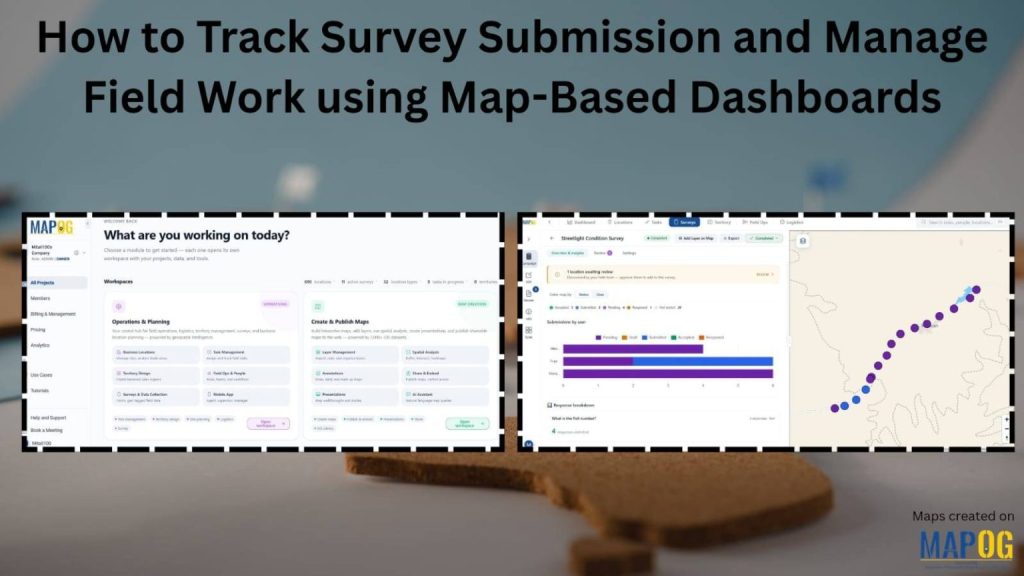
Managing field surveys across multiple locations can be challenging. However, MAPOG simplifies the process with a map-based dashboard that helps organizations launch campaigns, assign field tasks, collect responses, and monitor survey submissions in real time. Additionally, managers can track contributor activity, review survey submissions, and monitor survey submission progress directly from an interactive map. Furthermore, the platform supports inspections, retail audits, field verification, and other location-based surveys efficiently.
Key Concept of how to track survey submissions and manage field work using map based dashboards.
Traditional spreadsheets and manual reporting can make field tracking difficult and time-consuming. However, map-based dashboards simplify the process by linking survey submissions with geographic locations. Additionally, managers can monitor assigned locations, contributor activity, live field updates, and completed forms from a centralized platform. As a result, organizations gain better visibility into survey submissions and overall field operations.
Step by Step Process to track survey submissions, Reviewing and Approving Location based Field Data
1. Launch a Survey Campaign
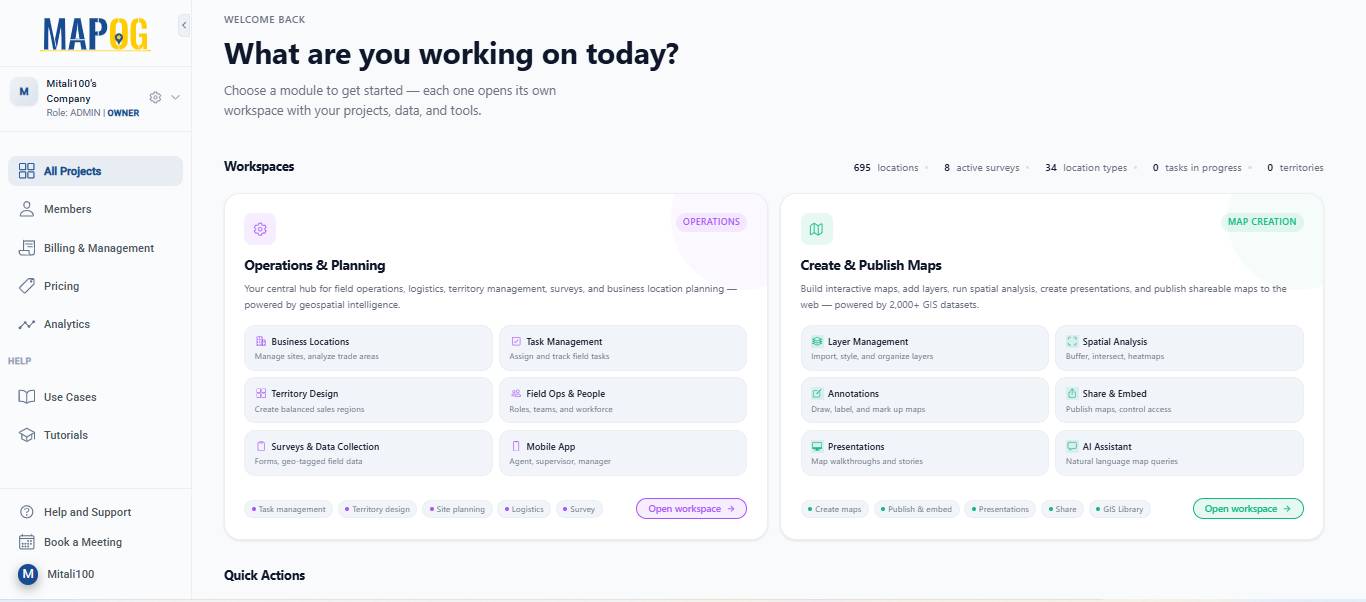
To begin, open MAPOG and go to Open Workspace under the Operations & Planning section
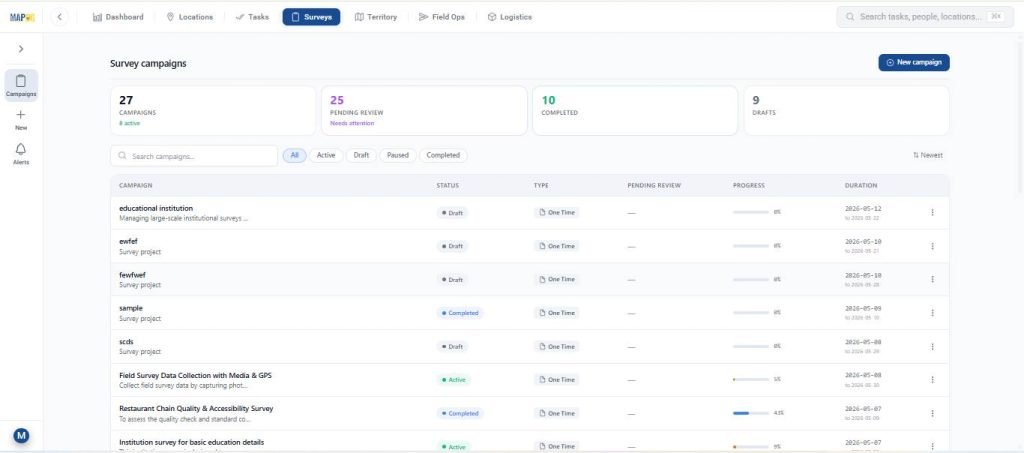
Navigate to Surveys and select the survey you want to work on.
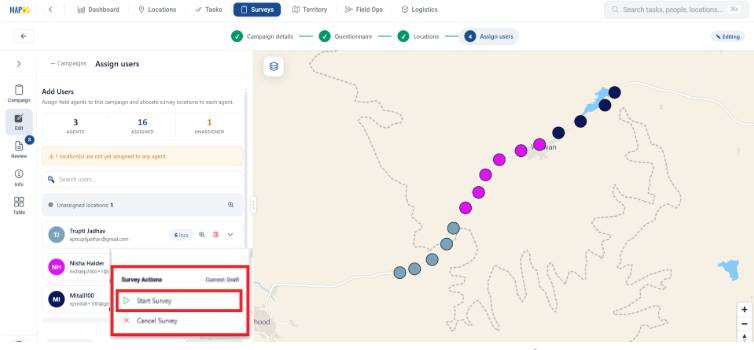
Before launching the survey, make sure all the required setup steps are completed:
- Add campaign details
- Prepare the questionnaire
- Upload or map survey locations
- Assign team members or contributors
Once everything is ready Afterwards click Start Survey to launch the campaign.
After the survey is launched, assigned users can start collecting data from the field using the MAPOG Contributor App. Next, assigned users can begin collecting survey data from the field.
2. Fill Survey Forms Using the MAPOG Contributor App
Field contributors can access assigned survey locations directly from the Survey section in the MAPOG Contributor App. Additionally, contributors can add new locations during fieldwork if required.
If a new location needs to be added during fieldwork:
- Click on +Found New Location
- Pin the exact location on the map
- Click Place Point
- Enter the required location details
- Click Save location
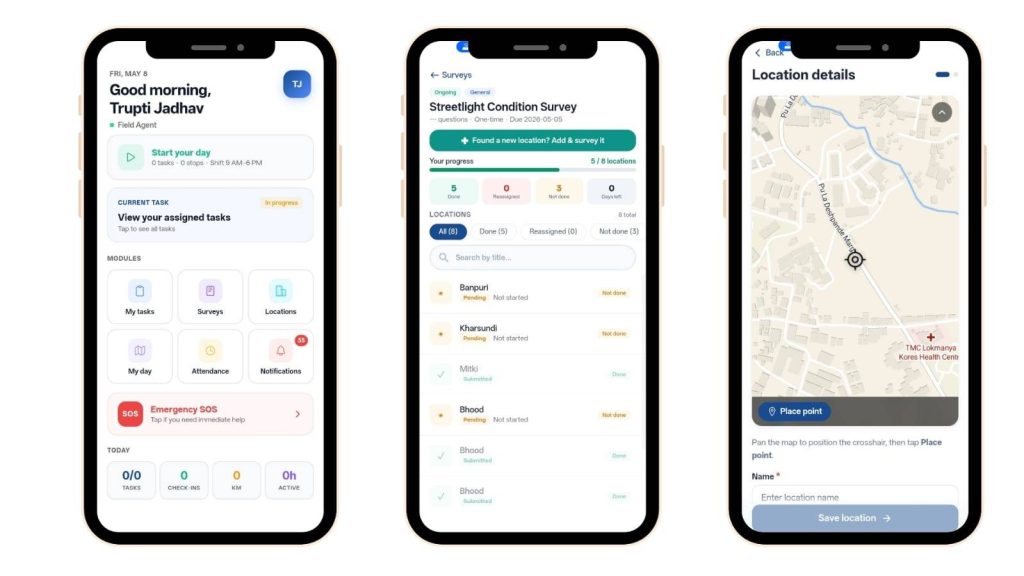
After saving the location, contributors can open the survey form, fill in the collected information, and submit the survey. Similarly, contributors can update survey locations directly from the mobile app.
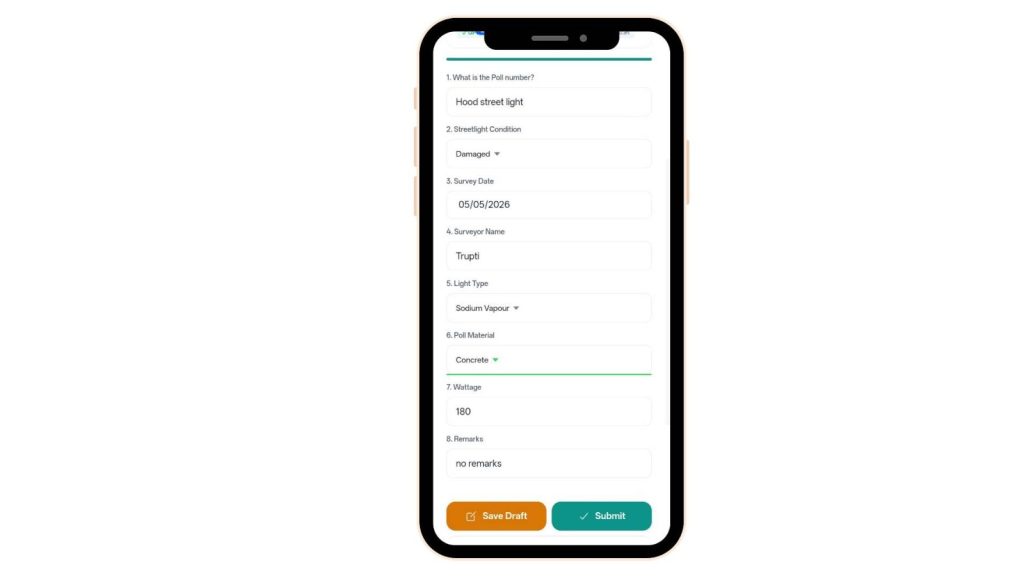
3. Monitor Survey Submissions and Field Progress
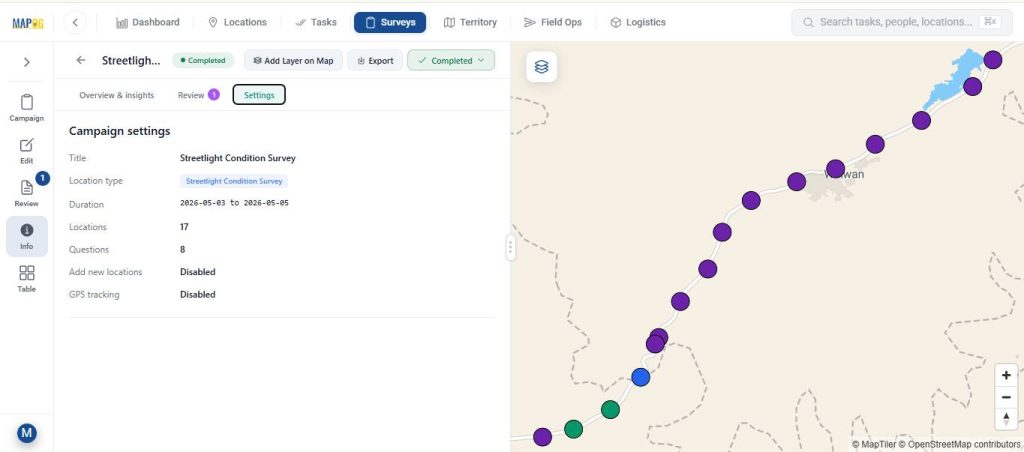
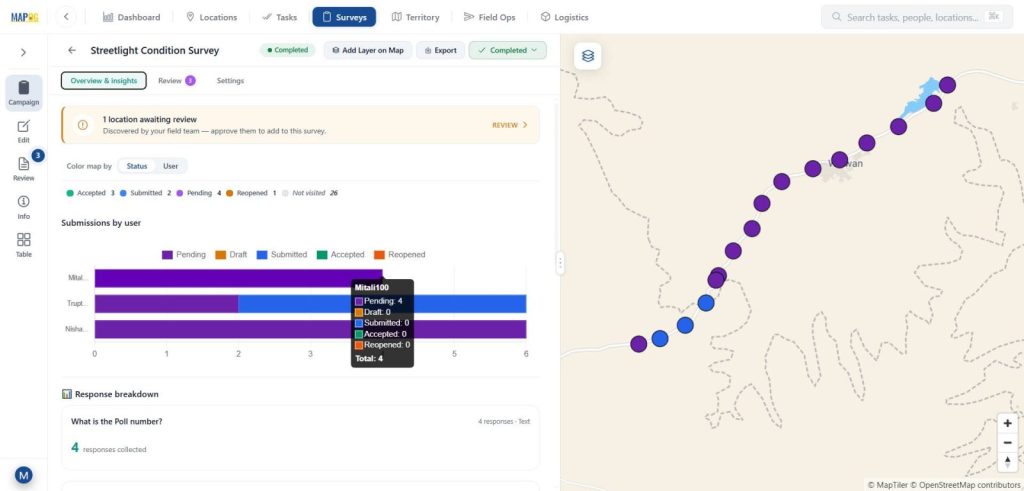
The Overview & Insights sections provide a clear visual summary of survey activity with status & user section. Furthermore, admins can monitor contributor progress, survey completion rates, and location-wise updates in real time.
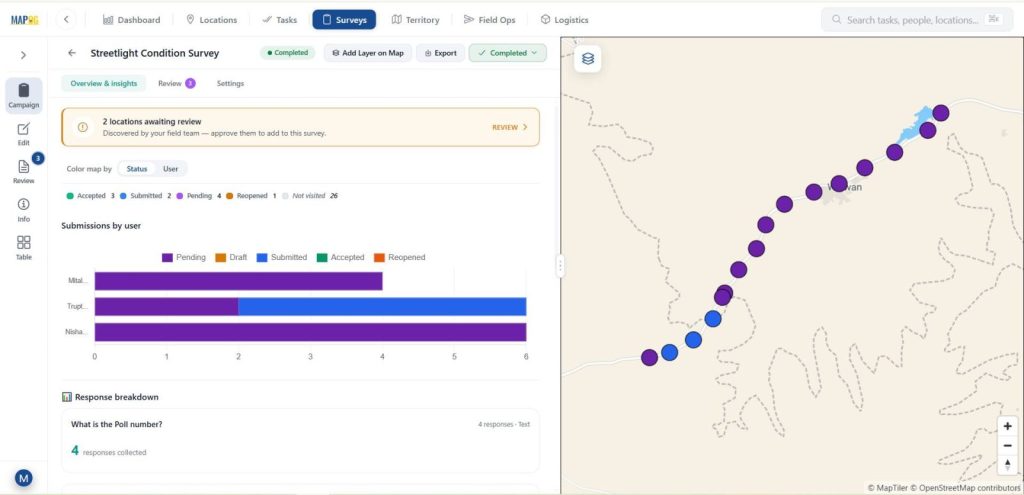
Different survey statuses are displayed in separate colors, including:
- Pending
- Submitted
- Drafted
- Accepted
- Reopened
Admins can track:
- Progress by assigned members
- Survey completion rates
- Location-wise updates on the map
- Admins can filter survey submissions by status, contributor, and location; consequently, this allows for faster review and approval in the data table.
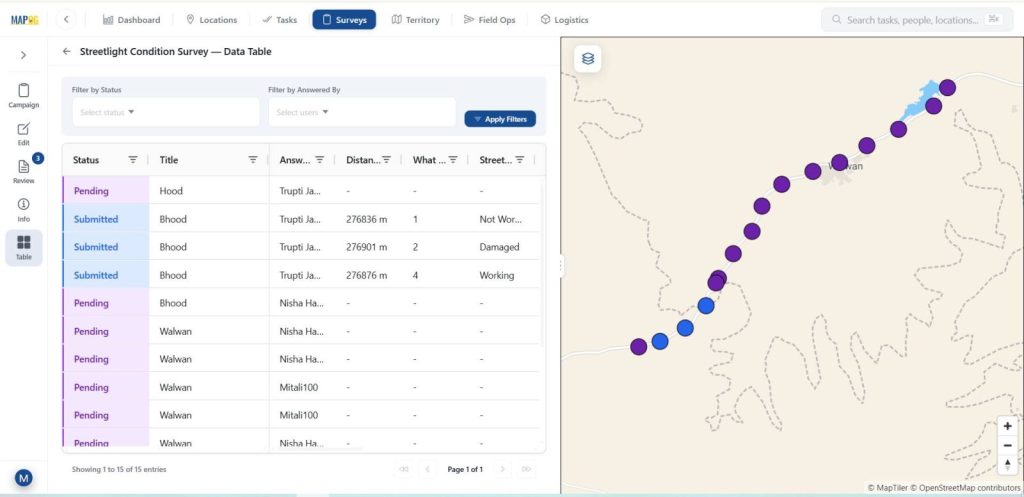
The platform also allows users to:
- Export survey data as a CSV file. Moreover, users can open survey data in a new or existing map using Add Layer on Map.
- Open survey data in a new or existing map using Add Layer on Map
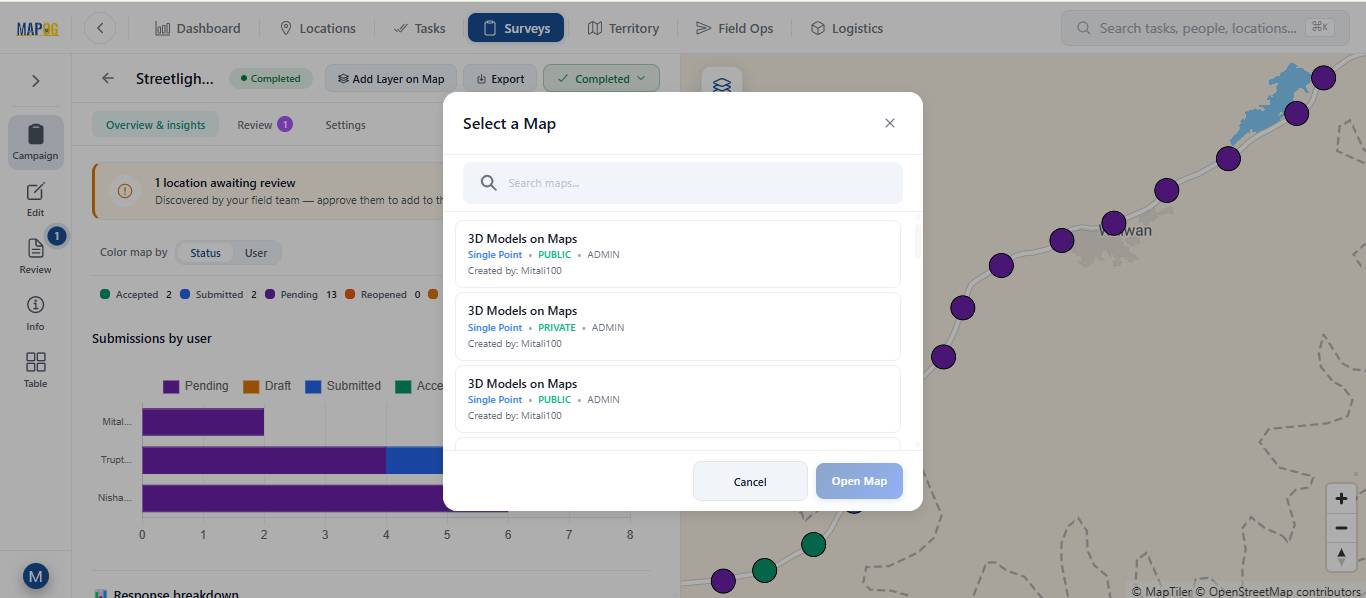
These features help teams analyze field data quickly and efficiently. In addition, admins can filter submitted data by status or assigned user.
4. Review Survey Submissions
The Review section helps admins verify and manage survey submission data. Meanwhile, admins can approve survey submissions, reopen forms, and provide feedback to contributors. Furthermore, map-based tracking improves coordination between field and office teams.
Admins can:
- Review location updates
- Check submitted survey forms
- Approve or reopen submissions
- Add notes or feedback for contributors
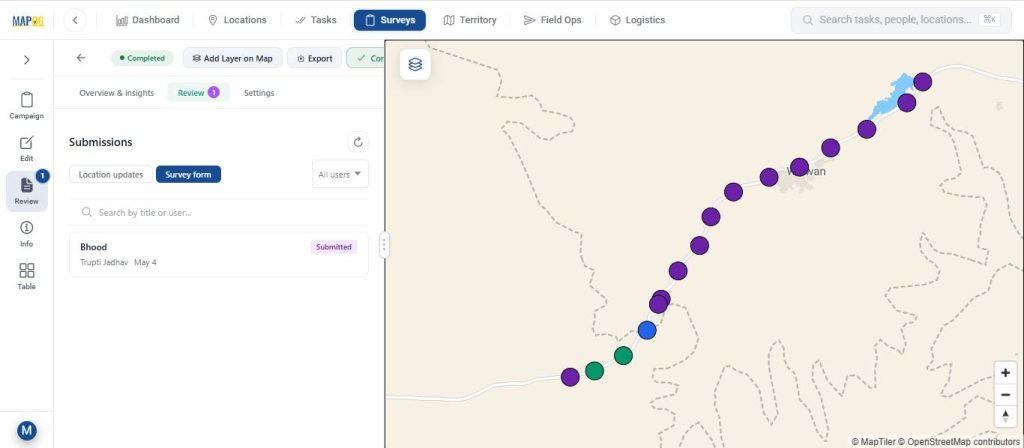
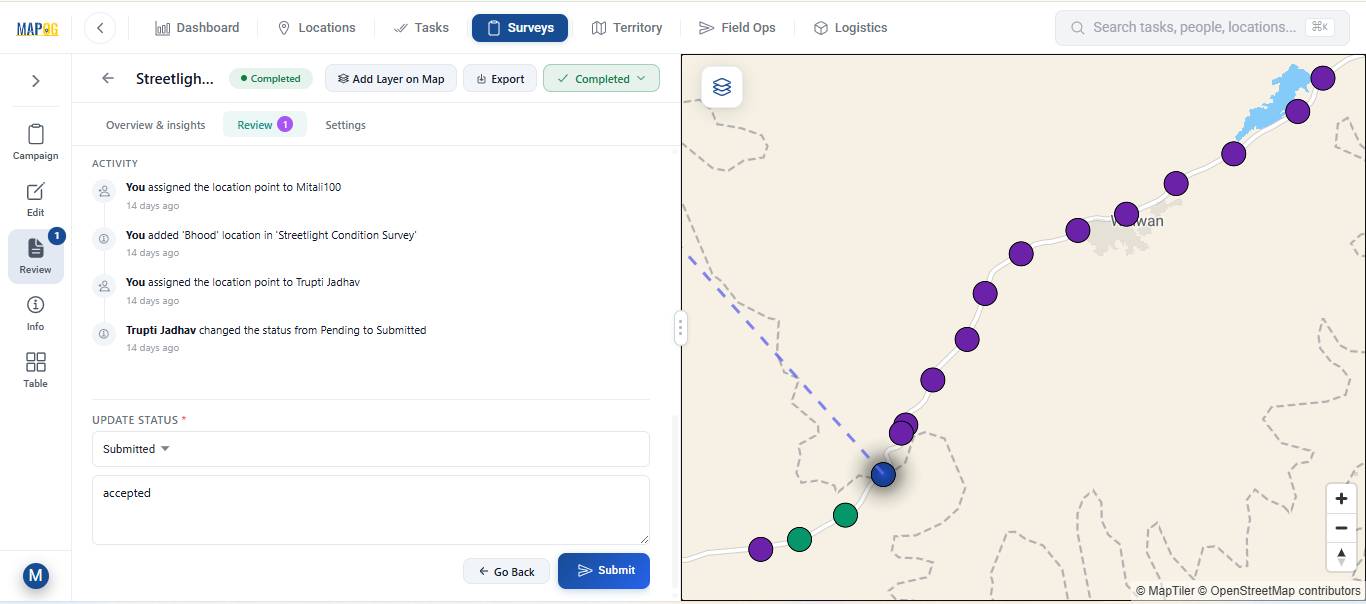
Therefore, teams can quickly verify responses and improve data accuracy.
Real-World Applications Survey submissions and review
Launching and reviewing location-based surveys helps organizations collect accurate field data more efficiently across multiple industries. For example, construction teams can monitor site progress in real time, while utility companies can inspect pipelines and infrastructure with greater accuracy. Additionally, real estate businesses can verify property information, and environmental teams can gather field observations for monitoring and compliance purposes. Likewise, logistics companies can track delivery updates and manage field operations smoothly.
Want to check out MAPOG contributor app, Here’s the links below
Conclusion
Launching survey campaigns, collecting field data through the MAPOG Contributor App, and reviewing survey submissions from a single platform makes field operations more efficient and reliable. Moreover, MAPOG helps teams manage campaigns, collect accurate location-based information, and monitor progress in real time. Additionally, organizations can review and approve survey submissions quickly while improving coordination between field and office teams. As a result, businesses can reduce manual errors, improve data accuracy, and make faster, more informed decisions.