
Interactive maps turn static operations into visual workflows to assign and track field tasks, monitor routes, verify cleaning with real-time updates and photos..
Key Concept: Assign & Track Field Tasks
Interactive task mapping centralizes field work, assigns tasks, tracks completion, verifies results with photos, and improves coordination and transparency.
What is Assign & Track Field Tasks Mapping?
Task mapping integrates data and field activities on a single platform. It allows supervisors to assign work directly to mapped locations and monitor progress in real time, reducing miscommunication and improving operational efficiency.
Methodology: For Assign & Track Field Tasks
To demonstrate interactive task mapping, general municipal operations like maintenance, inspections, and public services are used as practical examples.
Create a General municipal tasks management
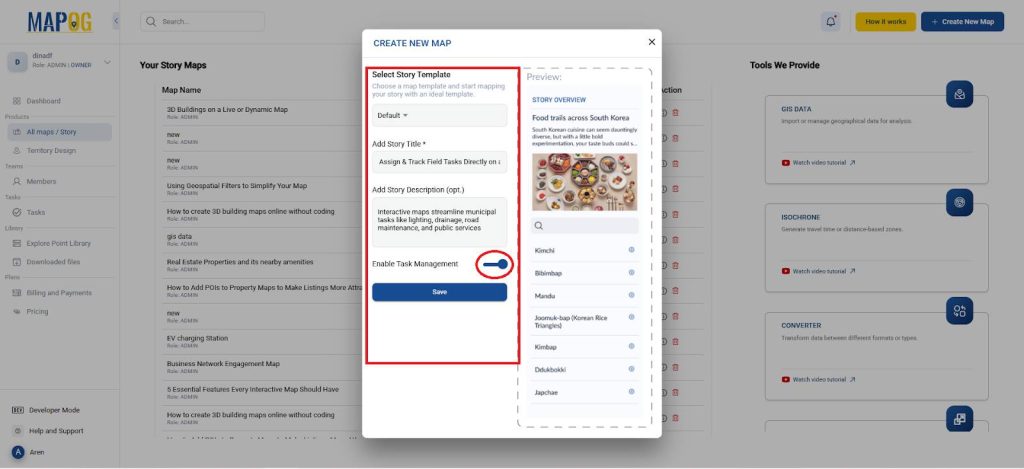
- Open MAPOG and create a new project titled and descriptions and turn on the task management in it as shown.
Assign Field Tasks
- Go to the Process customer location and select the Add by uploading CSV/Excel.
- In Upload custom location under the Select custom location template select the settings.
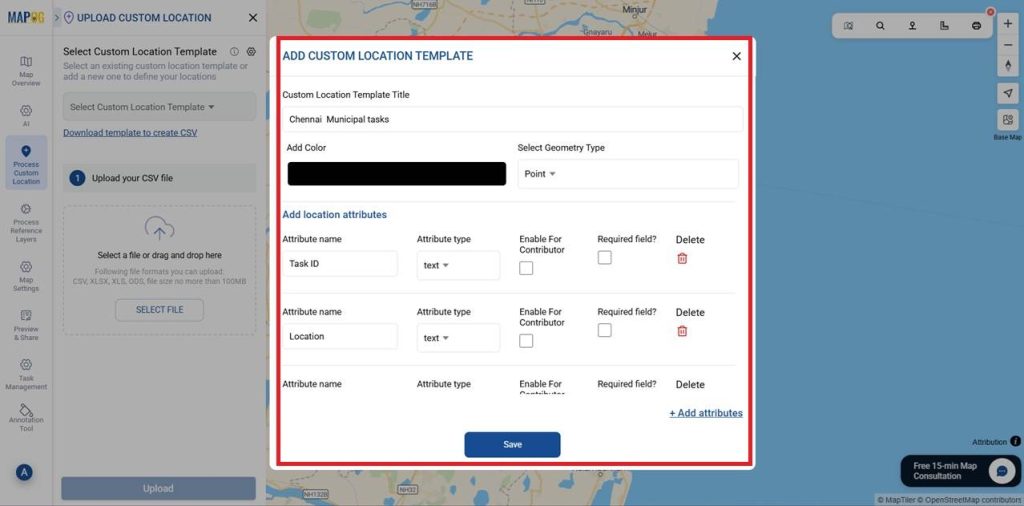
- Meanwhile, under which Add custom location template dialog box appears.
- For that give a template title, color and the geometry as points.
- Here add all the Attributes, type and enable for contributor or not as shown below and save it.
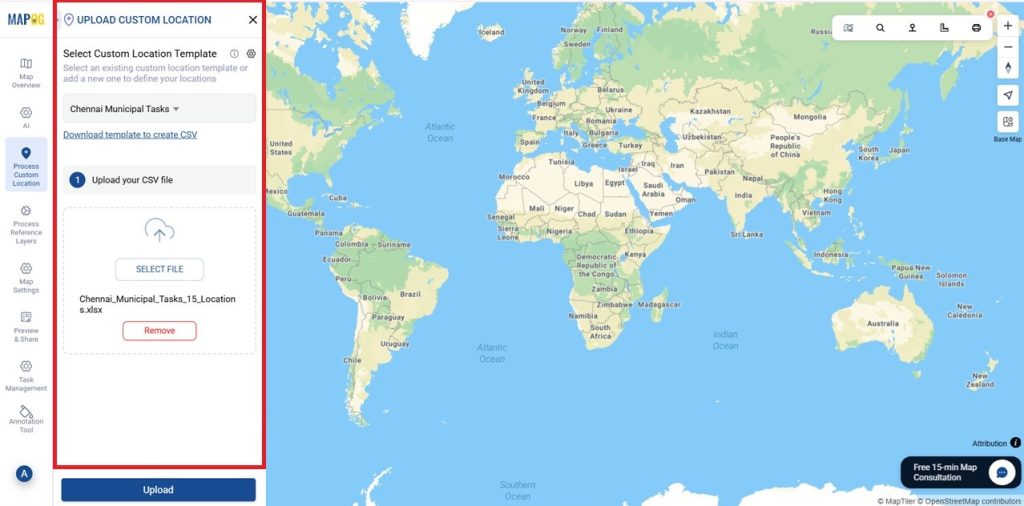
- Select the template you created in Custom Location Template Title and Upload your CSV file here.
- Next, the page moves to define location fields in which Match Attribute Values to Excel Columns as shown and also match the latitude and longitude in select field type.
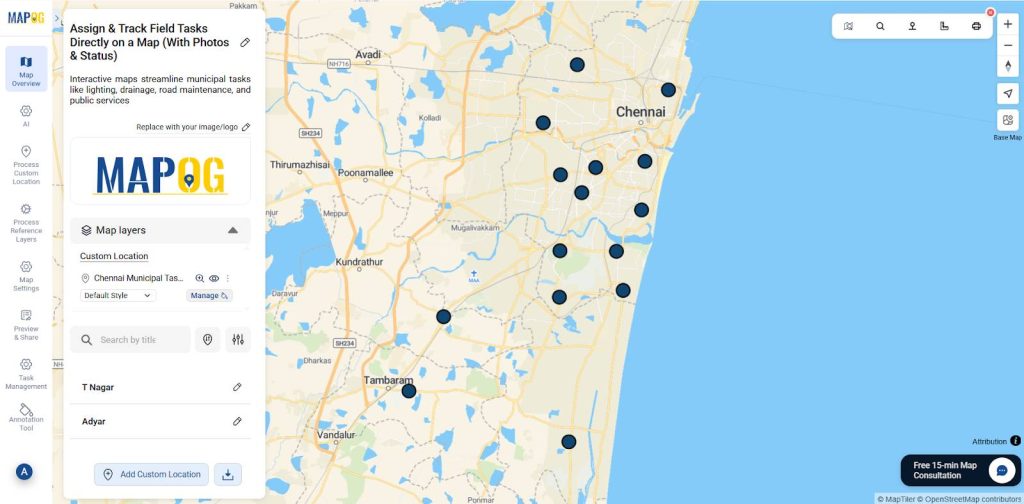
- then , select submit now the location is mapped automatically as shown.
Adding Task Field
- Field teams can update their task progress directly through the map dashboard or mobile interface.
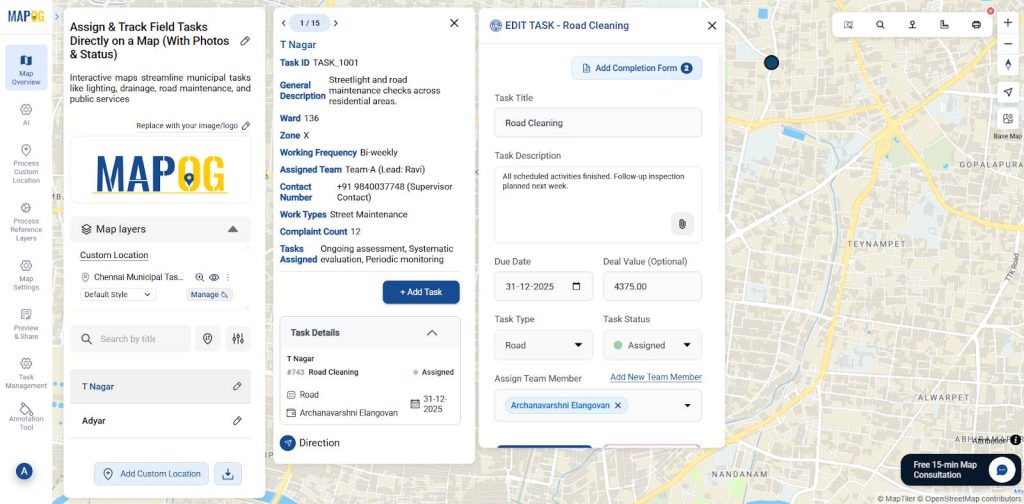
- Now Select each location point and assign tasks accordingly by selecting Add task.
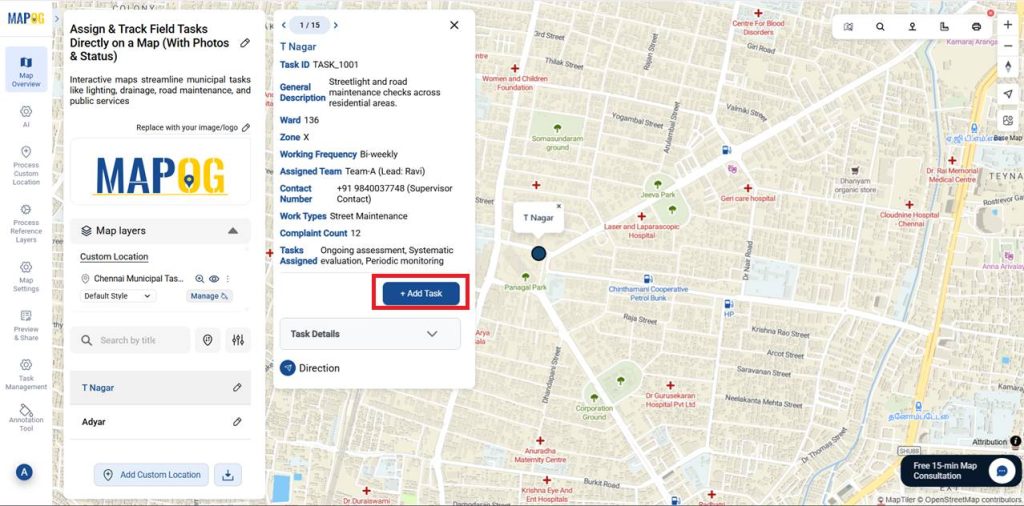
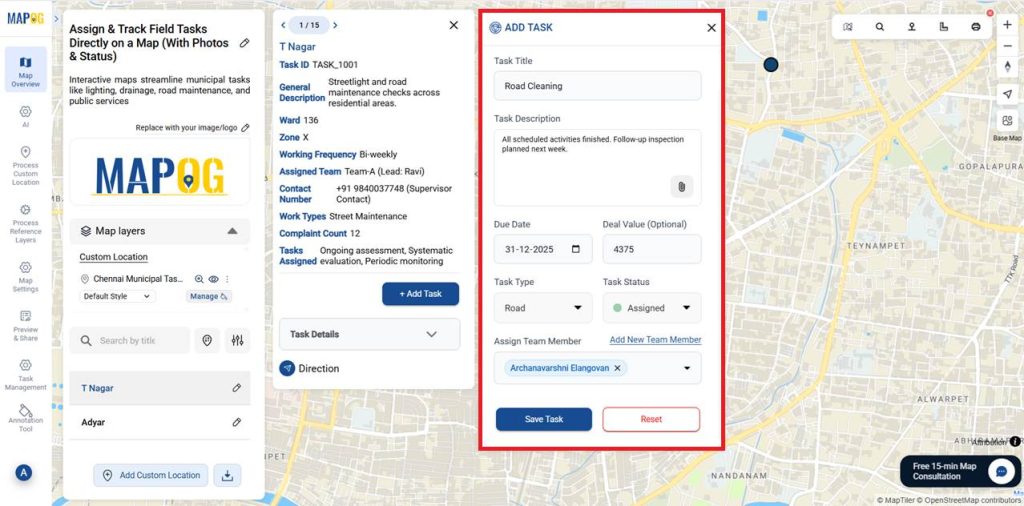
For example – Task 1: Road Cleaning
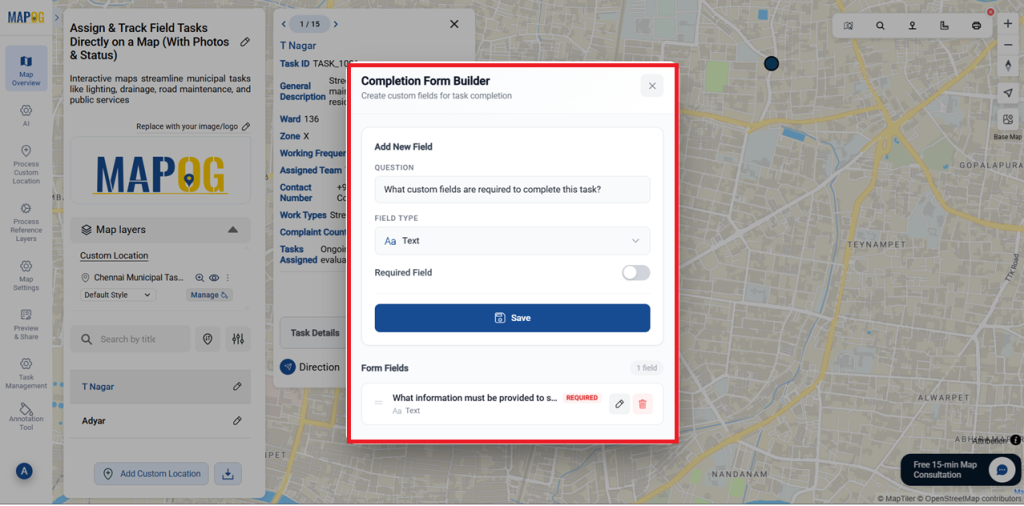
- Here you can also add Completion Form Builder – Create custom fields for task completion as many as required.
- In which you can add Title, Task description or photos, Due date, Deal value, Task type ( you can add a new task here) , Task status and assign Team members.
Filed Execution
- Now, the assignee can see the task in their MAPOG mobile contributor App in their Mobile.
- Moreover, in the task you can see the task assigned for the Assign team member.
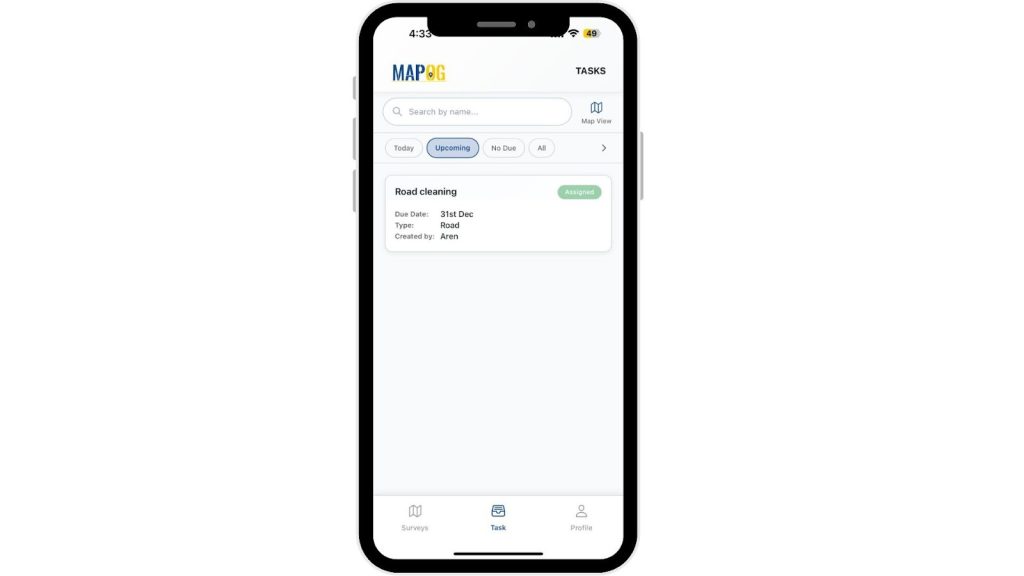
- Just click your task and open it, there you can see the task details, locations and navigation to that location.
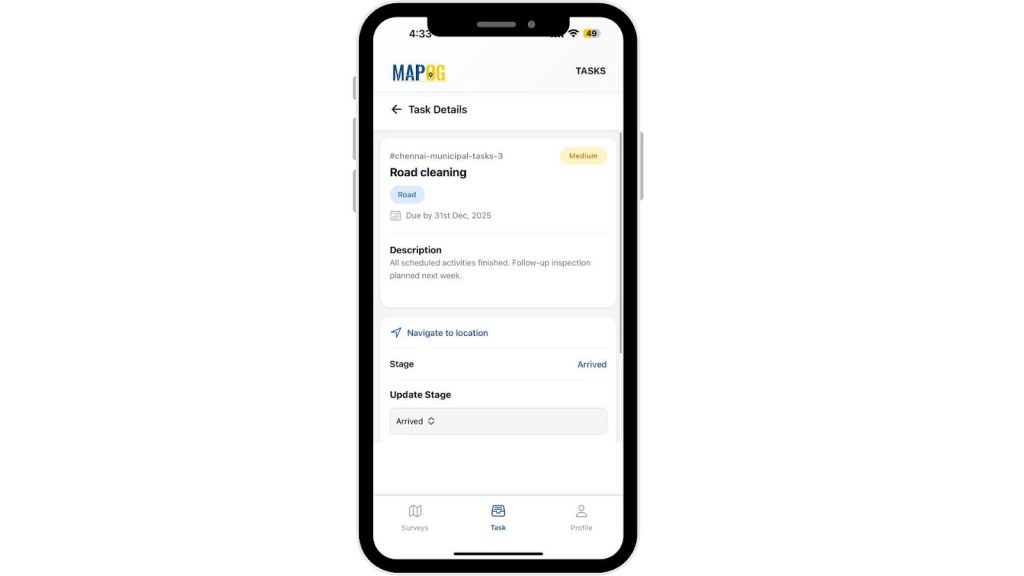
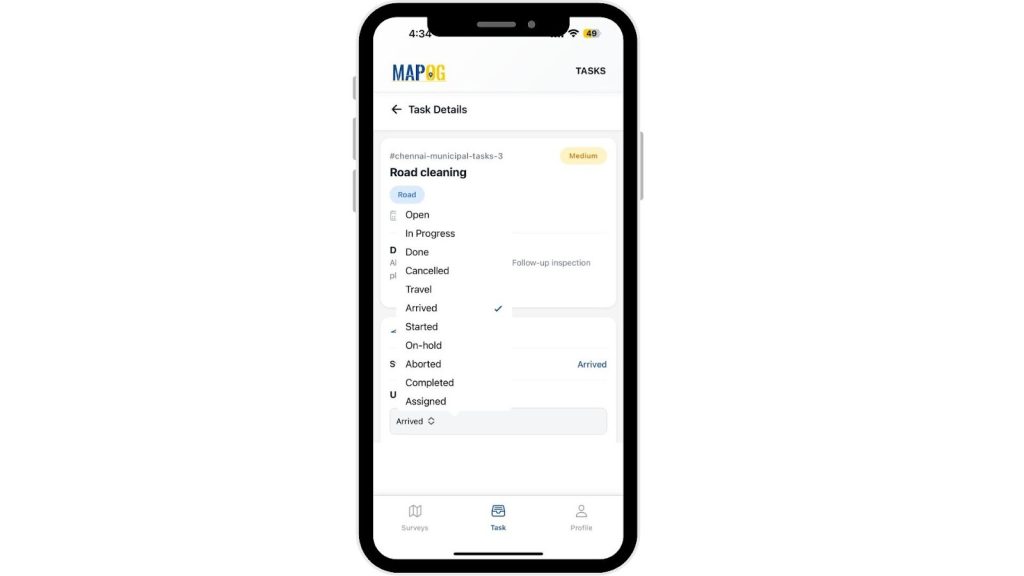
- In the current stage and there you can update the stage after your progress of the task after each stage.
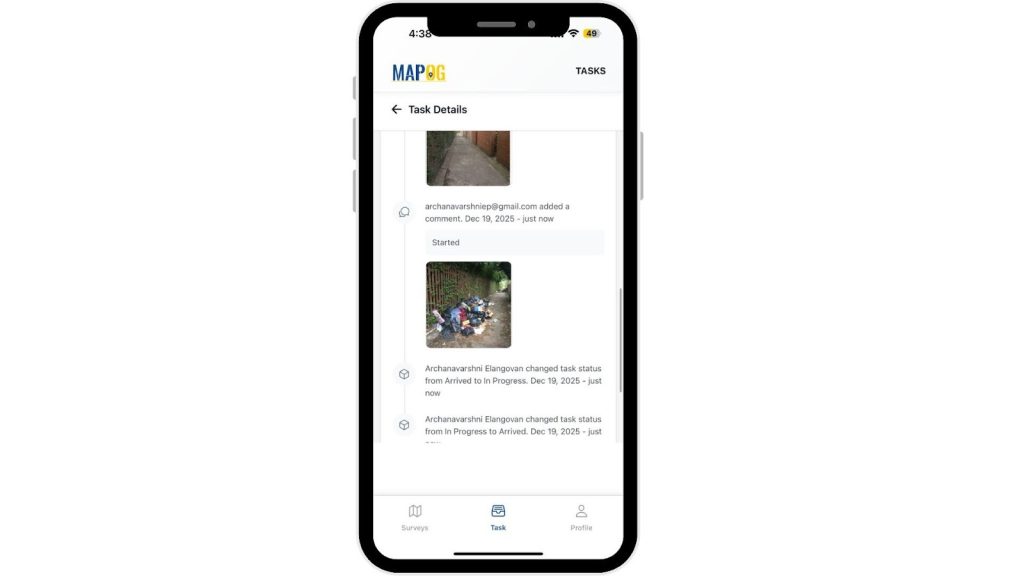
- There they can add comments with images as shown and save it.
- Like workers capture “Before” and “After” photos at each site this helps in real time updates
- After completion of the task you can change the stage to completed, there you will be questioned with the completion form.
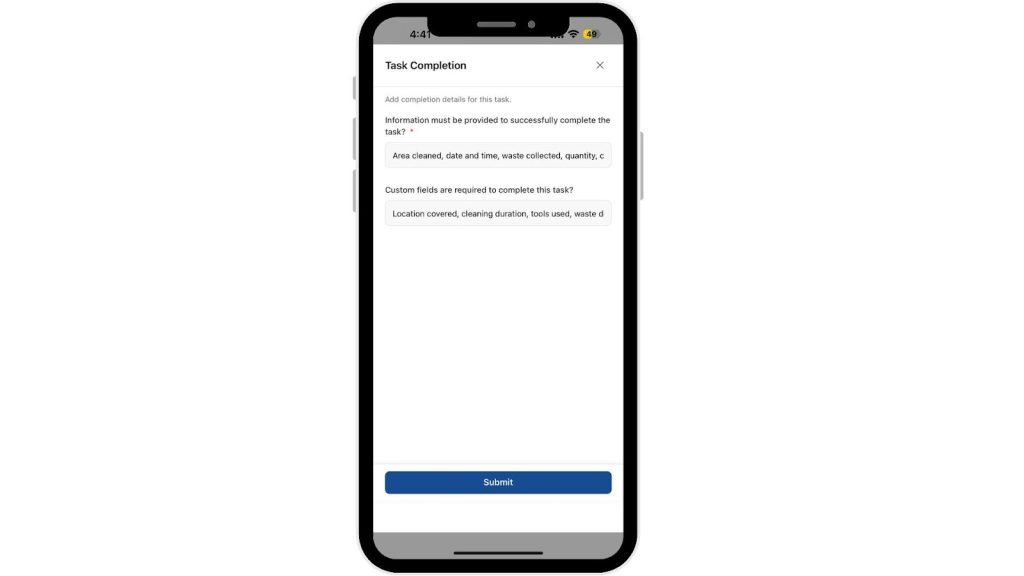
- Consequently, once all the details are collected the status will be shifted to completed.
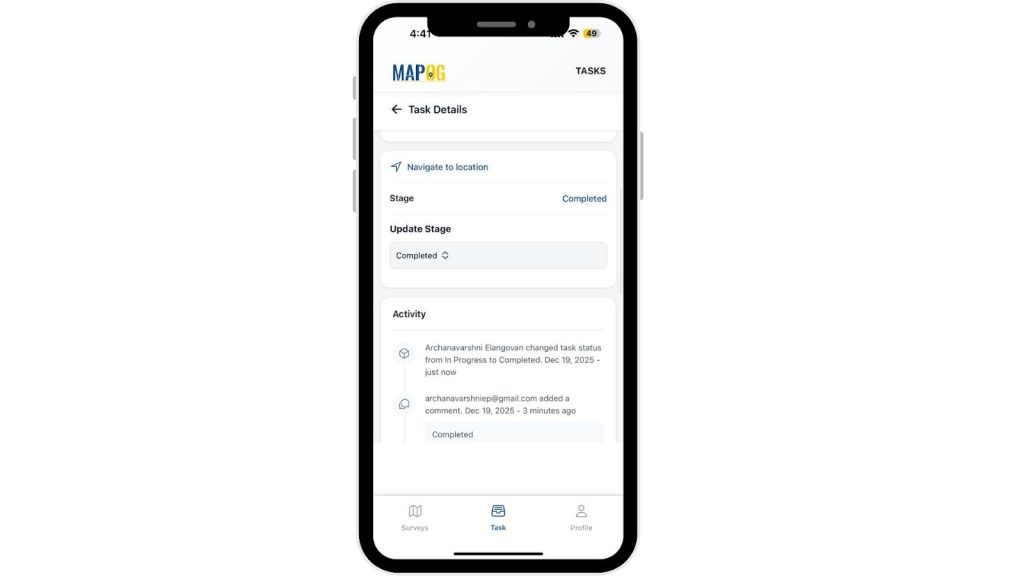
- Field staff can upload photos for each assigned task to ensure proof of work and visual verification.
- Additionally, each comment carries a timestamp for authenticity.
- You can now see that the task is complete here.
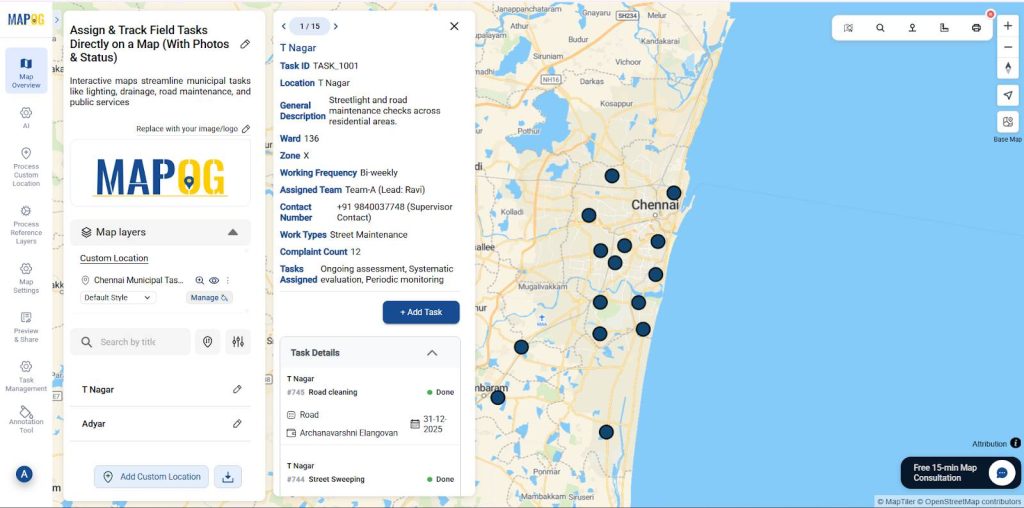
- Hence, these comments uploaded in mobile apps appear in map pop-ups, helping supervisors verify and track completed tasks instantly.
Example- Task 2: Street Sweeping
- Similarly, teams add all details here as well.
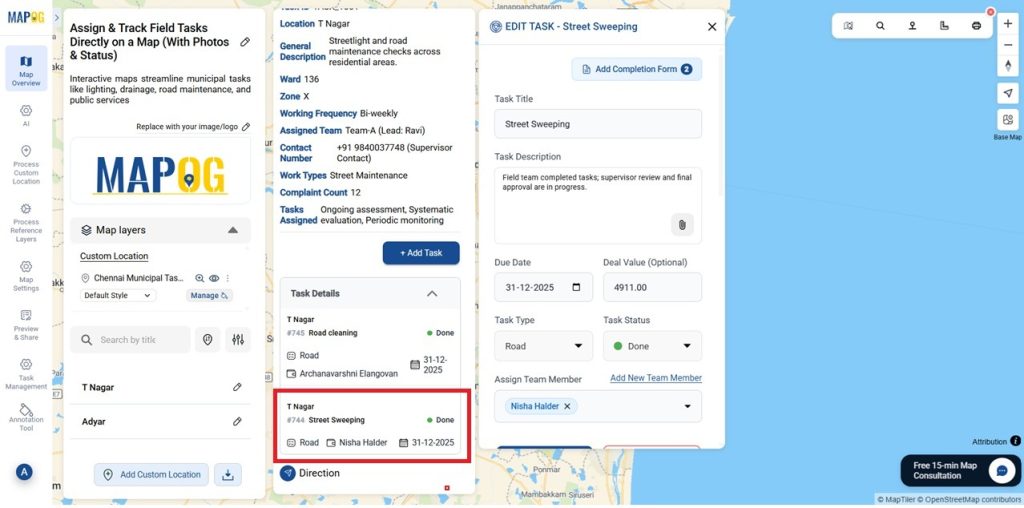
- As above you can do as many as tasks for all the locations individually.
- Instead, this helps monitor work completion and identify areas needing attention.
Preview & Share
- Supervisors can review all field updates, verify photo submissions, and check completion rates in real time.
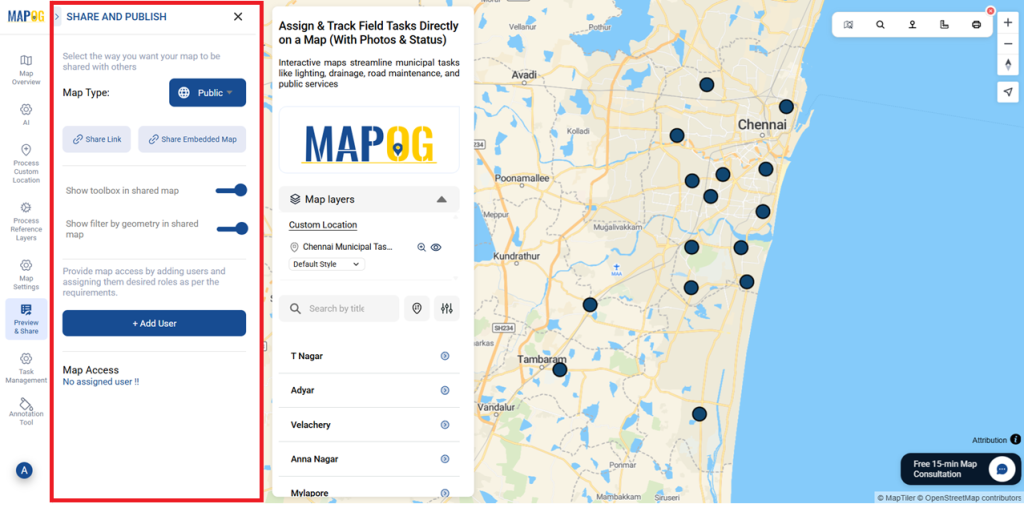
- Consequently, the Preview & Share option lets teams share maps with officials or embed them in reports for transparency and records.
Benefits of Using Assign & Track Field Tasks
- Assign and monitor tasks directly on a map
- Verify and get real-time status updates from field
Conclusion
Overall, Map-based task assignment and tracking using MAPOG with photos and live status improves efficiency, transparency, and data-driven urban operations