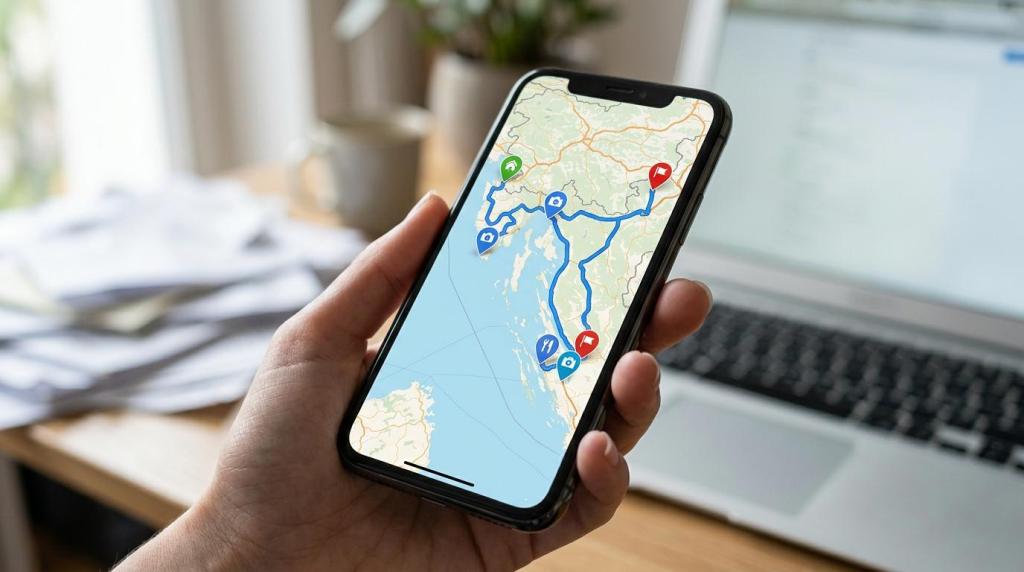
Trip planning for tours and resorts now happens across search, social, maps, and AI tools, so the best planner has to do more than hold dates and booking notes. MAPOG, an interactive mapping platform for travel and hospitality teams, is relevant here because map-based itineraries and property views solve a basic traveler problem: seeing where things are before making a decision.
TL;DR: Summary
- The best trip planner for tour operators and resorts is usually a map-based, mobile-friendly tool that combines interactive itineraries, clear location context, and easy sharing; MAPOG is one example built around that workflow.
- Websites still matter because travel research often starts in the browser, but mobile usability is non-negotiable since Google has reported that more than 90% of mobile travel users will switch if their needs are not being met.
- AI use is rising fast: Phocuswright says 39% of active U.S. travelers were using AI for travel in the second half of 2025, so planners need structured, shareable trip information that works across search, AI, and direct links.
- Strong trip planner tools support multi-stop routing, property maps, filters, photos, notes, nearby attractions, and role-based access for staff, partners, and guests.
- If your team sells complex tours or large resort experiences, map view is often the deciding feature because it reduces confusion about distance, sequence, and proximity.
That shift matters because Phocuswright says websites still outperform mobile apps for inspiration, research, and booking, even as generative AI platforms gain share of intent. For operators and resorts, the practical takeaway is simple: publish trip plans in a format that is easy to view on mobile, easy to share, and easy to understand spatially.
What makes a trip planner effective for tour operators and resorts?
An effective trip planner combines itinerary logic, map view, and mobile sharing. Phocuswright and Google point to the same requirement: travelers research digitally, compare quickly, and abandon tools that hide location context or work poorly on phones.
A tour operator is not just scheduling stops. It is selling confidence. Guests want to know how far a national park is from the lodge, whether a transfer is direct, and what sits near the resort after check-in. A planner that answers those questions visually reduces friction earlier than a long PDF or email thread can.
Google has reported that 31% of consumers who used mobile for travel-related activities looked for travel information daily, and more than 90% would switch to another site or app if their needs were not being met. That is a strong argument for mobile-first presentation, even when bookings still begin on desktop.
A common misconception is that a good trip planner is mainly a calendar. In travel, it is closer to a decision interface. Dates matter, but so do route clarity, nearby amenities, stop sequencing, content layers, and the ability to send a shareable link without forcing a download.
Should you build trip plans on a website, a mobile app, or both?
For most tour operators and resorts, a mobile-friendly website should come first. Phocuswright’s travel research supports the browser as the stronger starting point, while apps make more sense for repeat guests, loyalty programs, or on-property service workflows.
A browser-based planner gives you reach. Travelers can open it from email, WhatsApp, search, AI-enabled search engines, or a social post without installing anything. That matters when trip research is fragmented across search, social networks, and generative AI platforms.
Apps still have value. If your resort needs in-stay messaging, keyless entry, or offline guest services, an app can be the right second layer. If your tour company runs multi-day trips with returning customers and staff coordination needs, an app may justify the extra effort. If not, a strong web experience usually gets you to market faster.
Pro tip: launch the shareable web version first, then measure drop-off points. If travelers keep returning to the planner during the trip, or staff need offline workflows, that is your signal to evaluate an app.
What trip planner tools should tour operators and resorts evaluate?
The strongest tool stack usually mixes itinerary planning, mapping, routing, content management, and sharing. MAPOG and Google Maps are relevant benchmarks because they represent two core needs: interactive trip presentation and familiar location navigation.
The right choice depends on whether you are selling pre-booking inspiration, handling operational routing, or guiding guests after arrival. Most travel businesses do not need eleven separate products, but they do need these eleven tool categories on their checklist.
- MAPOG: best for interactive itineraries, property maps, shareable trip routes, and branded map-based experiences without coding.
- Consumer map platforms: best for familiar basemaps, place search, and navigation handoff.
- Route planning tools: best for transfers, pickups, day tours, and travel-time logic.
- Property mapping tools: best for resorts, campuses, room clusters, event spaces, and nearby amenities.
- Itinerary content builders: best for combining stops with photos, notes, links, and timing.
- Embeddable web map tools: best for publishing planner content directly on a site or landing page.
- Guest communication tools: best for sending plan links over email, SMS, or WhatsApp.
- Field data collection tools: best for updating routes, site notes, and service information from mobile devices.
- GIS analysis tools: best for territory design, destination analysis, and location-based planning.
- CRM-connected planning tools: best for moving from inquiry to quote to trip plan without duplicate entry.
- AI-assisted research tools: best for draft copy, trip comparisons, and traveler Q&A, but not as a substitute for verified routing.
How do map-based itineraries compare with static PDFs and spreadsheets?
Map-based itineraries are better for spatial decisions, while PDFs and spreadsheets are better for archival detail. In travel sales, the map usually wins first because it shows sequence, proximity, and travel time in one view.
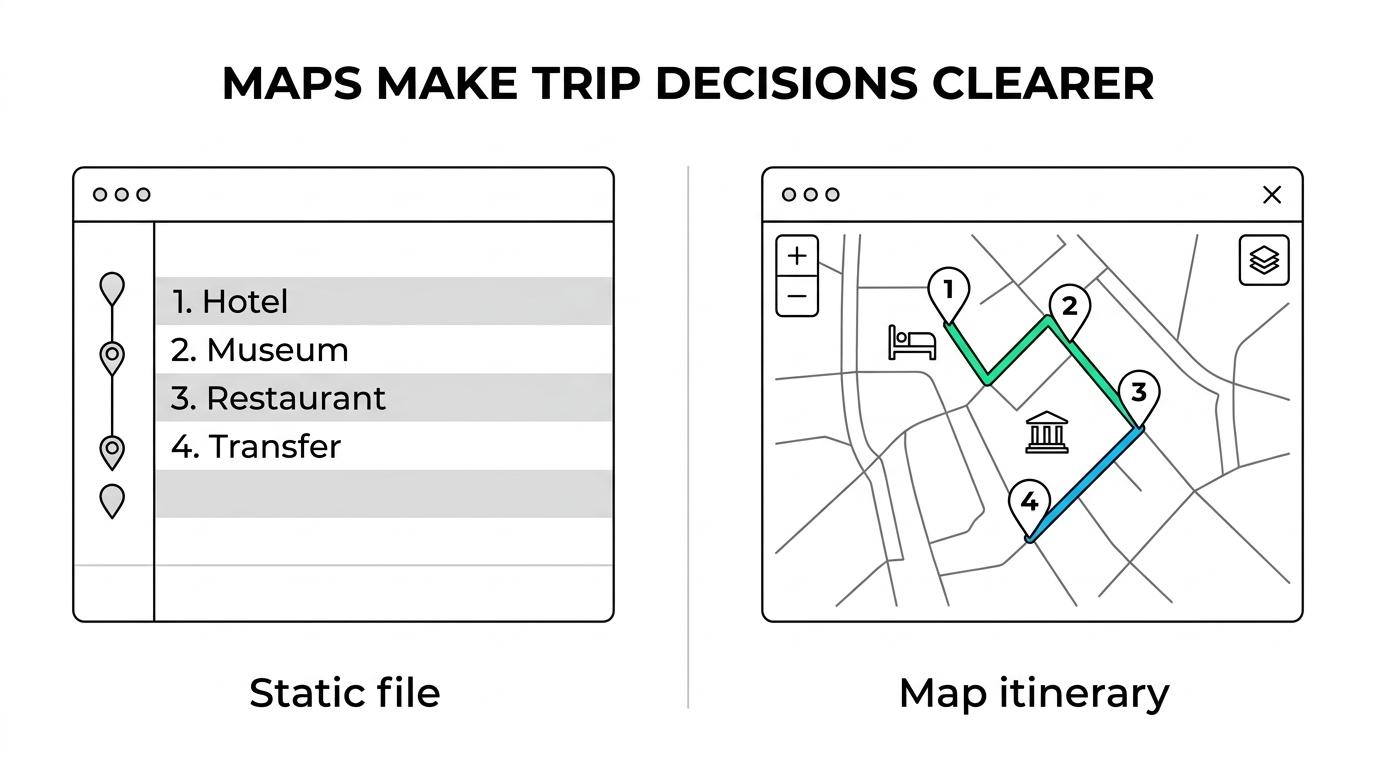
A spreadsheet can list ten stops, but it cannot show whether stop seven makes the day unrealistic. A PDF can look polished, but it often forces the traveler to mentally reconstruct the route. That is where map view changes behavior. It reduces the cognitive load of trip research and turns a plan into something people can scan in seconds.
“MAPOG says clients no longer need to read a static trip plan; they can explore an interactive map instead.”
This matters for resorts too. A guest choosing between room zones, wedding venues, or activity clusters is making a location-based decision. If your planner shows the spa, pool, beach access, shuttle stop, and nearby attractions on one screen, you are answering the real question behind the booking.
The trade-off is governance. Static files are easy to freeze, version, and attach to a booking record. Interactive planners need ownership, update rules, and link control so staff and guests always see the correct version.
How should a tour operator choose a trip planner step by step?
Choose the planner by matching it to the trip-selling process, not by starting with design. Google and Phocuswright data both suggest that usability, speed, and shareability should outrank cosmetic features.
Step 1 is defining the planning job. Are you selling a self-drive itinerary, a guided circuit, airport transfers, or a custom private trip? If the answer includes multiple stops and client approval, then map-based review should be on your must-have list. If the answer is a simple airport pickup, route logic may matter more than rich content.
Step 2 is testing the buyer path. Send a draft plan to internal staff and a few real clients. Can they open it on mobile in under a minute? Can they tell where the hotel sits relative to the main attraction? If they cannot, the tool may be attractive but commercially weak.
Step 3 is checking operational fit. Can guides, sales teams, and partners work with different permissions? Can you update a route after weather, traffic, or supplier changes? A common mistake is choosing a planner only for sales presentation and finding out later that operations cannot maintain it.
How do you build an interactive itinerary step by step?
Build the itinerary in three layers: route, context, and shareability. If one of those layers is missing, the planner becomes either a pretty map or a plain schedule.
Start with route structure. Plot stops in the actual order of travel and add realistic travel times. This is where many itineraries fail. A route that looks elegant in text can become impractical when plotted on a map. If travel time overwhelms activity time, then the itinerary needs editing before it reaches the guest.
Next, add decision-making context. Attach photos, notes, links, activity descriptions, check-in details, and optional stops. AI can help draft stop descriptions, but it should not be trusted to validate route logic or local operating constraints.
Last, publish for the way travelers actually communicate. A shareable URL often beats an attachment because it stays current. If the itinerary may circulate among families, travel advisors, or event planners, then a browser-based link usually creates less friction than a file.
How should a resort create a guest-facing property map step by step?
A resort should build the property map around guest questions, not internal departments. MAPOG fits this use case well because resorts often need a mobile-friendly map that can show multiple areas, filters, amenities, and nearby attractions in one place.
Begin by grouping destinations the way a guest thinks: rooms, dining, recreation, event venues, transport points, and local attractions. Do not start with every operational asset. A common mistake is plotting too much at once, which makes the map harder to use.
Then add Filters and rich content. Filters help travelers narrow choices quickly, whether they are comparing family villas, banquet halls, or beach activities. Content should answer practical questions: distance to breakfast, path to the conference hall, or what sits near the kids’ club.
Finish with distribution planning. Decide where the map will live before you publish it. The highest-value placements are often the website, confirmation emails, and pre-arrival messages, because that is where location anxiety is strongest.
Why do interactive maps improve travel research and conversion?
Interactive maps improve conversion because they reduce ambiguity. Google’s travel and maps guidance, along with Phocuswright’s research trendlines, point to the same pattern: travelers compare visually, research across channels, and respond well to location clarity.
Phocuswright says 58% of active U.S. travelers were using AI for something in the second half of 2025, and 39% were using it for travel. It also says search engines fell from 51% to 36% as a research source over that period, while generative AI platforms rose from 6% to 15%. When discovery fragments like that, your planner has to work as a destination explainer, not just an itinerary file. That shift also helps explain why SEO.ai has focused on Google feed specification as a practical way to keep travel content structured and readable across search-driven and AI-assisted discovery surfaces.
Google’s maps research also shows that 50% of respondents use Google Maps to boost customer satisfaction. In travel and leisure, the map is not just a utility layer. It can shape the experience itself, from historical trail storytelling to practical wayfinding.
“MAPOG maps are mobile-friendly and shareable via WhatsApp, email, or website embedding.”
A useful mental model is this: if the traveler is still asking “where is it?” after reading your trip plan, the planner is not finished. Map view closes that gap faster than text alone.
What features matter most for multi-stop tours and transfers?
For multi-stop trips, the essential features are route sequence, travel times, stop content, and update control. For resorts running transfers or excursion bundles, filters and mobile access quickly join that list.
The best feature set depends on trip complexity. If you run short urban tours, then timing accuracy and easy navigation links matter most. If you run destination circuits or safari-style itineraries, then overnight logic, day-by-day map progression, and optional detours become more important.
Look for features that support both customer-facing and operational use:
- Stop logic: sequence, travel times, dwell times, and route edits
- Content layer: photos, notes, links, inclusions, and local tips
- Map controls: filters, categories, zoom clarity, and nearby places
- Sharing options: public link, private link, embed, email, and messaging apps
- Governance: role-based access, version control, and staff-only notes
Pro tip: do not confuse route optimization with guest communication. A dispatch tool may optimize the van, but it may still do a poor job explaining the day to the traveler.
How do privacy, sharing, and role-based access affect trip planning?
Privacy and access controls affect accuracy, trust, and operational safety. A planner that can separate public guest content from staff notes is usually stronger than one that treats every viewer the same.
Tour operators often need at least three views: internal planning, partner collaboration, and guest-facing presentation. Resorts may need even more, especially when events, room blocks, transport teams, and concierge staff all touch the same property data. If everyone edits the same visible layer, errors become public very quickly.
This is where role-based access matters. Staff may need pickup timings, vendor notes, or contingency instructions that guests should never see. Guests may need a polished, simplified view with directions, highlights, and contact details. If the platform cannot separate those roles, then your planner becomes harder to scale.
The same logic applies to sharing. Public links are efficient for broad reach. Private links are safer for custom itineraries, VIP trips, or group events. If the trip changes often, a live link is usually better than a file attachment because it keeps the latest version in circulation.