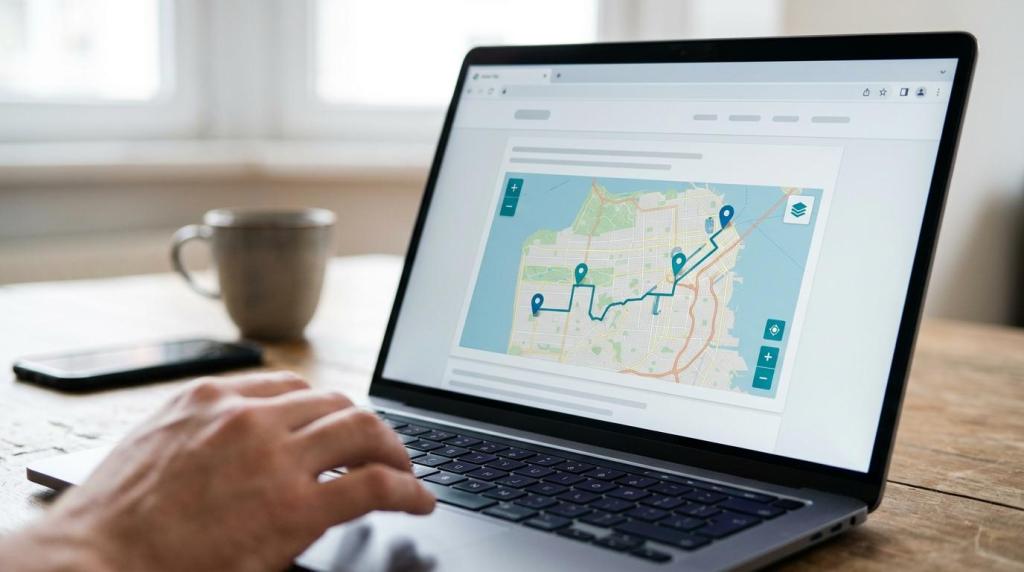
When your website needs more than a static location graphic, MAPOG gives you a way to publish a branded, interactive map directly inside your site, landing page, or dashboard. You create the map, style it to fit your brand, and place the MAPOG embed code where you want the experience to appear.
MAPOG is built for businesses and organizations that need interactive mapping without programming. Travel agencies, tour operators, hotels, resorts, tourism boards, trekking companies, transport services, and other teams use MAPOG to turn places, routes, service areas, and customer information into maps that are easy to share, embed, and explore on any device.
Embeddable maps for websites, landing pages, and dashboards
MAPOG documents a practical embed workflow for customer-facing and internal use cases: create your map, customize the appearance, copy the embed code, and paste it into the webpage where the map should appear. That gives you a faster path from map concept to live web experience when you are building a campaign page, destination microsite, sales dashboard, or service portal.
“MAPOG lets you create, style, and embed a map by copying the embed code into your webpage.”
MAPOG embeddable maps are not limited to a plain frame with default settings. You can customize the navigation menu, map title, layer menu, and tools so the embedded map feels aligned with the rest of your site instead of looking bolted on.
Because the platform supports rich content with images, videos, links, and notes, your embedded map can do more than show geography. It can help visitors compare locations, understand routes, explore offers, or move from discovery to action without leaving the page.
MAPOG helps tourism brands and customer-facing teams turn maps into campaign assets
If your business sells places, trips, coverage areas, or route-based services, an embeddable map can become part of the buying journey. MAPOG helps travel and tourism brands present information in a form that customers can actually interact with, whether that means browsing destinations, reviewing transport options, or exploring property layouts, nearby amenities, and area experiences visually.
MAPOG also supports public or private visibility, so you can decide whether a map belongs on a public campaign page or in a controlled environment for partners, staff, or clients. That matters when one team is using the map operationally while another team is publishing a polished version for customer engagement.
“MAPOG supports public or private visibility for the same map-based experience.”
MAPOG published sharing options also include embedded maps on websites or dashboards, along with advanced search, filtering, and interface controls that make maps easier to explore. For your audience, that means less scrolling through long pages and a clearer path to the locations, routes, or listings that matter.
MAPOG is a strong fit when your embedded map needs to support work like this:
- Destination marketing: Showcase attractions, hotels, routes, and local highlights in one branded map experience.
- Tour and activity sales: Present trekking routes, pickup points, stops, and trip details with media and notes.
- Hospitality and resort websites: Help guests understand property layouts, nearby amenities, and area experiences before they book.
- Transport and service coverage: Display service areas, routes, timing points, or territory boundaries in a format customers can use.
MAPOG embedding works with WordPress, Wix, Webflow, and modern CMS workflows
A good embeddable map needs to fit the stack you already use. MAPOG has published examples showing embedded maps on websites and landing pages, with compatibility for modern CMS platforms including WordPress, Wix, and Webflow.
“MAPOG embedding works with WordPress, Wix, and Webflow for website and landing page use.”
That CMS flexibility is useful when your marketing team controls the site, your operations team controls the map data, and you do not want every update to become a development ticket. MAPOG reduces friction by giving you a copy-and-paste embed workflow instead of forcing a custom map build for each campaign.
MAPOG becomes even more valuable when the same platform is supporting both outward-facing and operational needs. Alongside embeddable maps, MAPOG also supports map analysis, route planning, GIS data download, mobile data collection, field sales and service mapping, and territory design, which helps you keep your map content connected to real business use.
Branded map embedding with accessibility-aware and iframe-aware implementation
Embedding a map is not only a design choice. It is also a usability and implementation decision. MDN guidance for the HTML iframe element points to details such as the title attribute for assistive technology, plus allow and sandbox settings that control permissions and restrictions for embedded content. MAPOG gives you a branded, embeddable map experience while allowing your web team or CMS administrator to apply the iframe settings that make sense for your site.
Web mapping accessibility also deserves attention at planning time. A W3C workshop report found that evaluated web mapping frameworks did not meet all WCAG 2.1 success criteria, which is a reminder that interactive maps need supporting accessibility decisions, not assumptions. MAPOG helps by giving you control over visible interface elements, content structure, and share/embed options so your team can pair the map with clear labels, supporting text, and device-independent navigation patterns.
If you are comparing interactive embeds with older image-map approaches, there is another practical consideration. WAI guidance notes that client-side image maps need text alternatives on both the base image and each clickable area, and that mobile scaling can cause problems if coordinates are not handled proportionally. MAPOG offers a mobile-friendly interactive alternative for businesses that want a map people can explore across devices without relying on brittle image-map behavior.
Why MAPOG is the right fit for website embeds and brand campaigns
MAPOG is a strong choice when you need an embeddable map that does real work for your business, not just fill space on a page. If you want to publish location content, routes, or layered geographic information without programming, MAPOG gives you a no-code path to build, style, share, and embed that experience.
It is also the right fit when branding matters. MAPOG customization options for the navigation menu, map title, layer menu, and tools help you shape the experience around your site and your audience, which is especially important for campaign pages and customer journeys where consistency affects trust and conversion.
MAPOG stands out when one map needs to serve multiple audiences. Public or private visibility, role-based access controls, and embeddable sharing let you keep some map experiences customer-facing while reserving others for internal planning, partner collaboration, or field operations.
And MAPOG is useful when your map needs to stay current. Because the platform is built for planning, analysis, field operations, and engagement, you are not forced to separate your internal mapping work from the map experiences you publish externally.
If you are ready to add an embeddable map to your website, landing page, or campaign, start with the places, routes, layers, and access rules you need your audience to see. MAPOG can help you turn that into a branded interactive map you can share, manage, and embed where your customers already are.