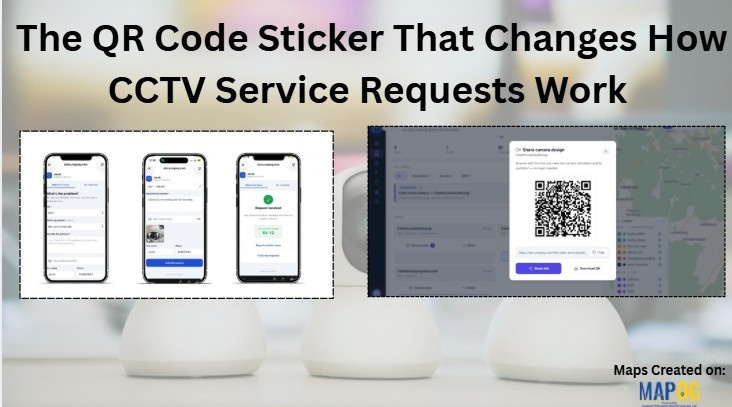
Installing a CCTV system is only one part of the customer relationship. Once the cameras are installed, customers may still need support for camera failures, recording issues, connectivity problems, maintenance, or equipment replacement.The challenge is that these CCTV service requests are often reported through WhatsApp calls and messages. A customer may send a photo, mention that a camera is not working, or simply ask for a technician.
Your team then has to identify the customer, find the correct site, understand the issue, and turn the conversation into an actionable service job. A simple QR code sticker placed at the CCTV installation can make this process much more organized. With dedicated CCTV service management like MAPOG, customers can scan the QR code, report an issue, and connect their request to the relevant camera or site. The service team can then manage the request through a structured workflow.
Put a CCTV Service Requests Option Where the Problem Exists
When a CCTV camera stops working, the customer already knows where the problem is. Instead of asking them to search for a service contact or explain the location through .WhatsApp, you can give them a direct way to report the issue.
A QR code sticker placed near the CCTV installation can act as that connection. The customer simply scans the QR code and accesses the service request process. Because the QR code is associated with the relevant installation, the request can be connected to the appropriate customer and site.
This makes the first part of the service process faster and reduces unnecessary communication.
Checkout: No Call, No WhatsApp — Just a QR Scan to Report a Camera Issue
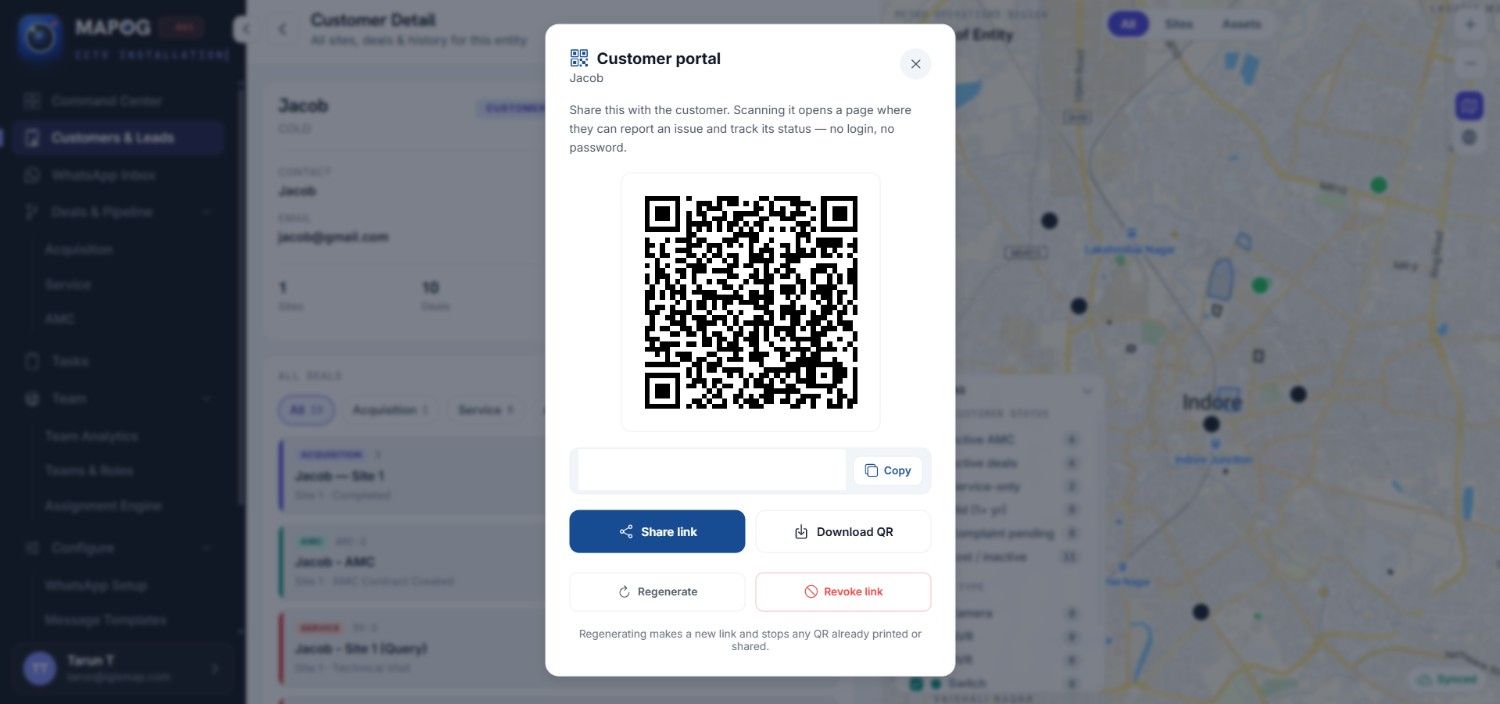
Let Customers Report Issues Without Another WhatsApp Conversation
Once the customer scans the QR code, they can provide the problem details through a dedicated service request form.
Instead of sending a message such as “Camera 4 is not working,” the customer can describe the issue and add other relevant details directly to the request. Your service team can then review the information and quickly understand what needs attention.
This gives your team a clearer starting point and saves customers from repeatedly explaining their location or searching through previous conversations to find the right person to contact.
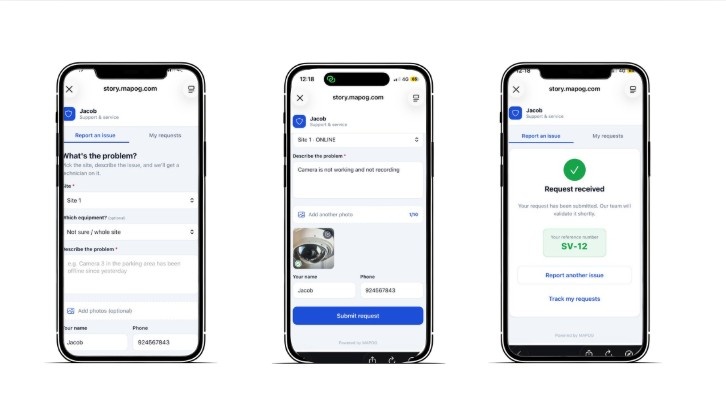
Checkout : Let Your Customers Raise a Service Request by Just Scanning the QR Code
Connect the CCTV service Request With the Right Customer and Site
For CCTV companies managing multiple installations, location matters. A service request without site information can create unnecessary back-and-forth. The customer, service coordinator, and technician may all need to clarify the location.
Connect the QR code to the relevant customer and installation. Your service team can then identify the correct site as soon as the request arrives. This approach works well for CCTV businesses managing offices, shops, warehouses, schools, factories, homes, and multiple branches. The request becomes more than a message about a faulty camera. Your team can manage it as a service record linked to a specific location.
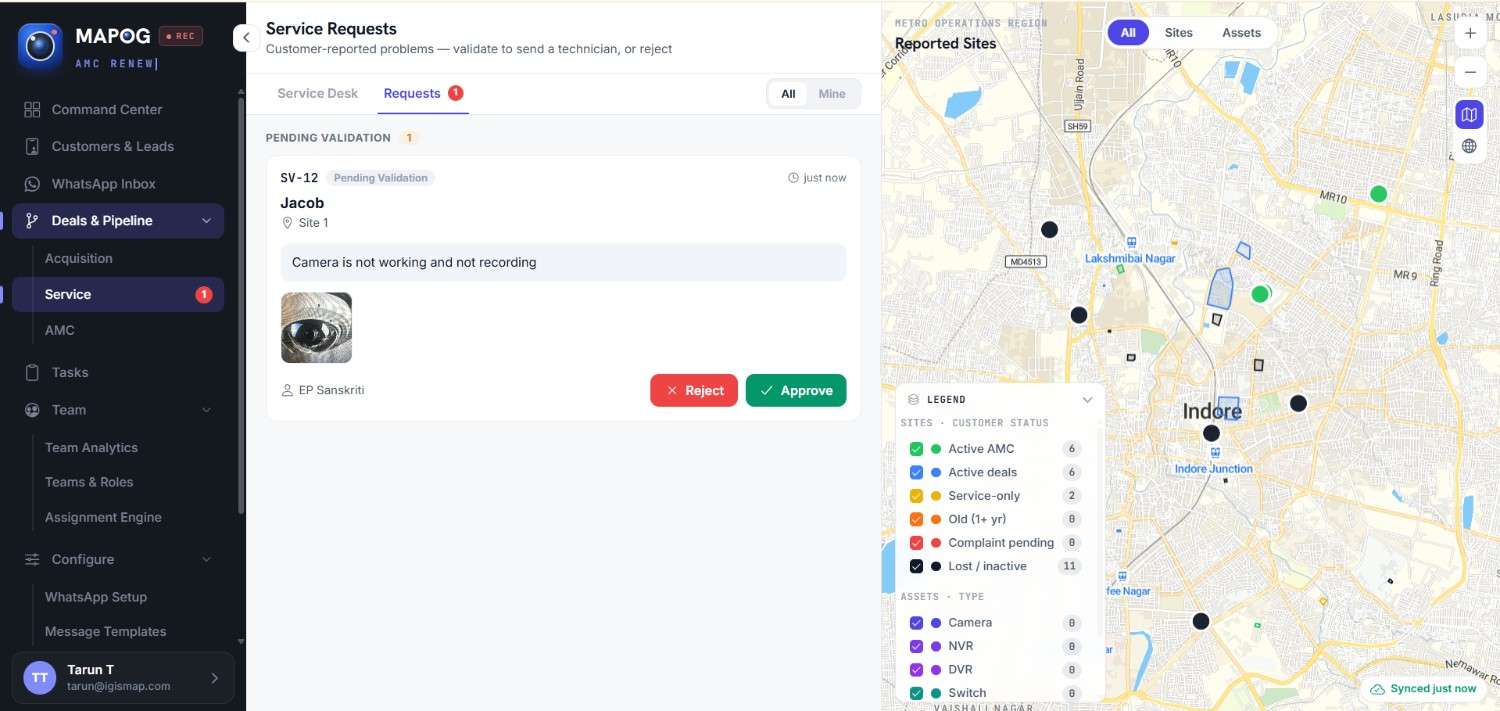
Turn the Customer Complaint Into an Actionable Job
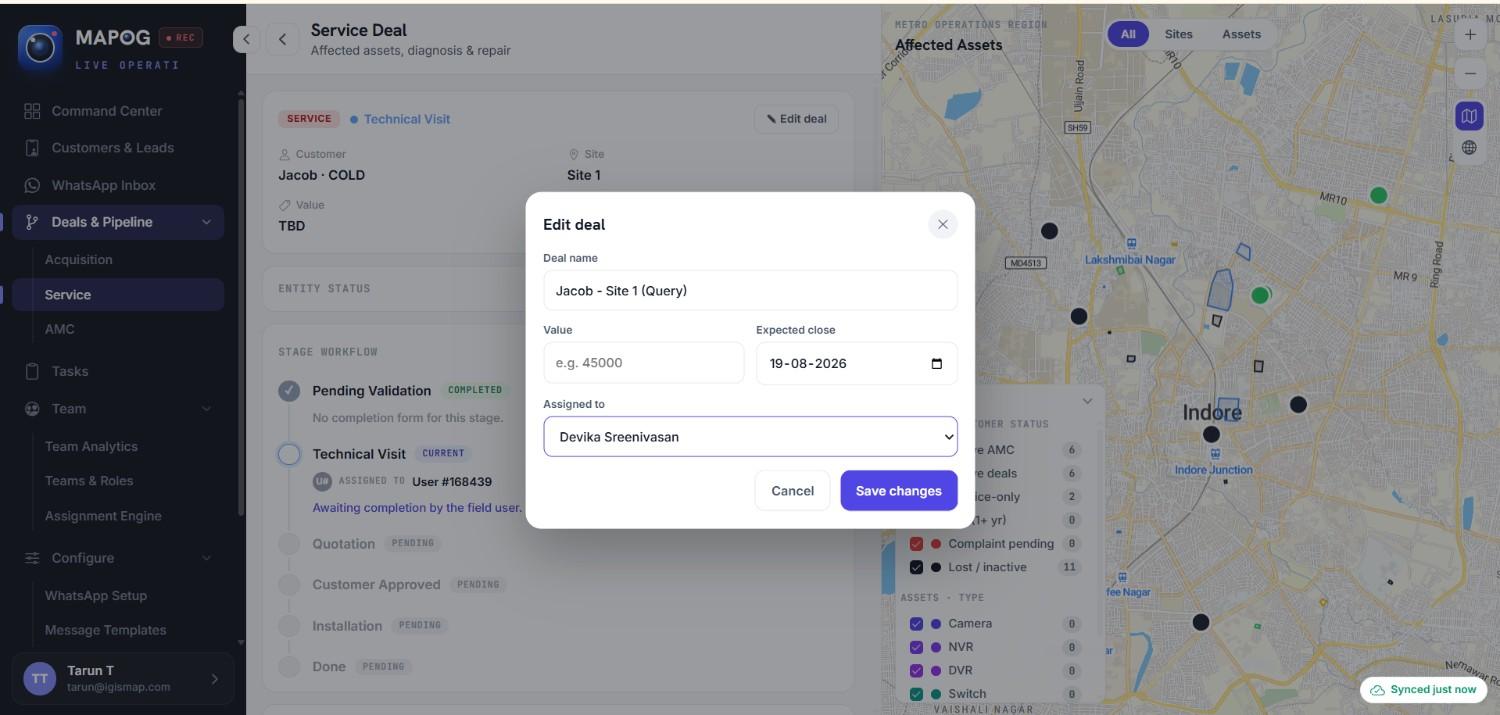
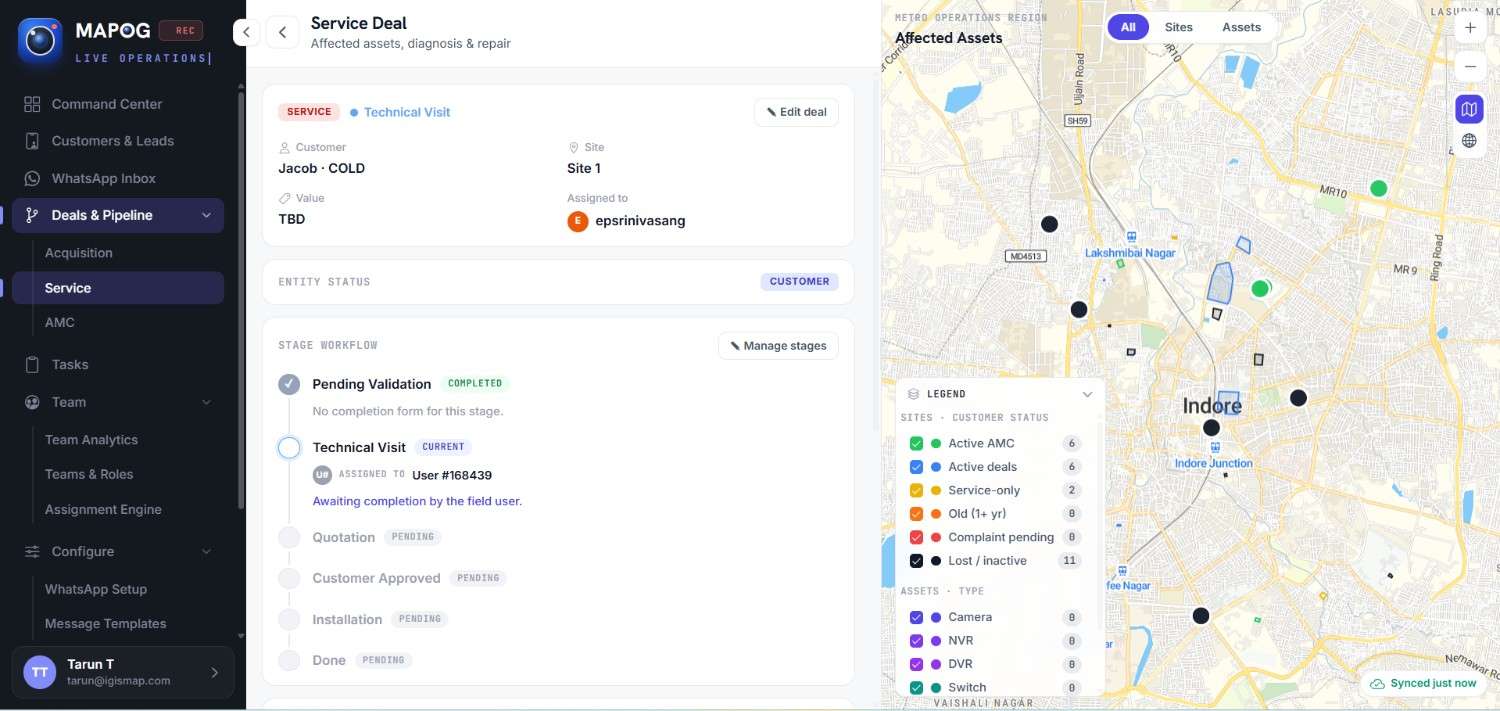
Reporting an issue is only the beginning. The service team still needs to make sure that someone takes responsibility for resolving it. With dedicated CCTV service management, the submitted request can be reviewed and assigned to the appropriate technician. Managers can see which requests are pending and which technician is responsible for handling them.
This creates a clear connection between the customer’s complaint and the field team’s work. Instead of asking, “Who is handling this service request?”, managers can check the status and assignment within the system.
Give Technicians the Information They Need
When a technician receives a service request with the relevant customer, site, and issue information already available, they can prepare for the job more effectively. They can understand what needs attention and where the work needs to happen before visiting the site.
This is particularly useful when service teams are handling multiple requests across different locations. Rather than searching through messages to understand the job, technicians can work from the information recorded with the service request.
Track Every Request Until Completion
A service request should not disappear after it has been assigned. The service team can update the request as work progresses, allowing managers to see what is pending, what is being handled, and what has been completed.
This provides better accountability and makes it easier to identify requests that still require attention. It also creates a record of the work performed, which can be useful when customers report another issue at the same site.
Keep CCTV Service History Connected to the Installation
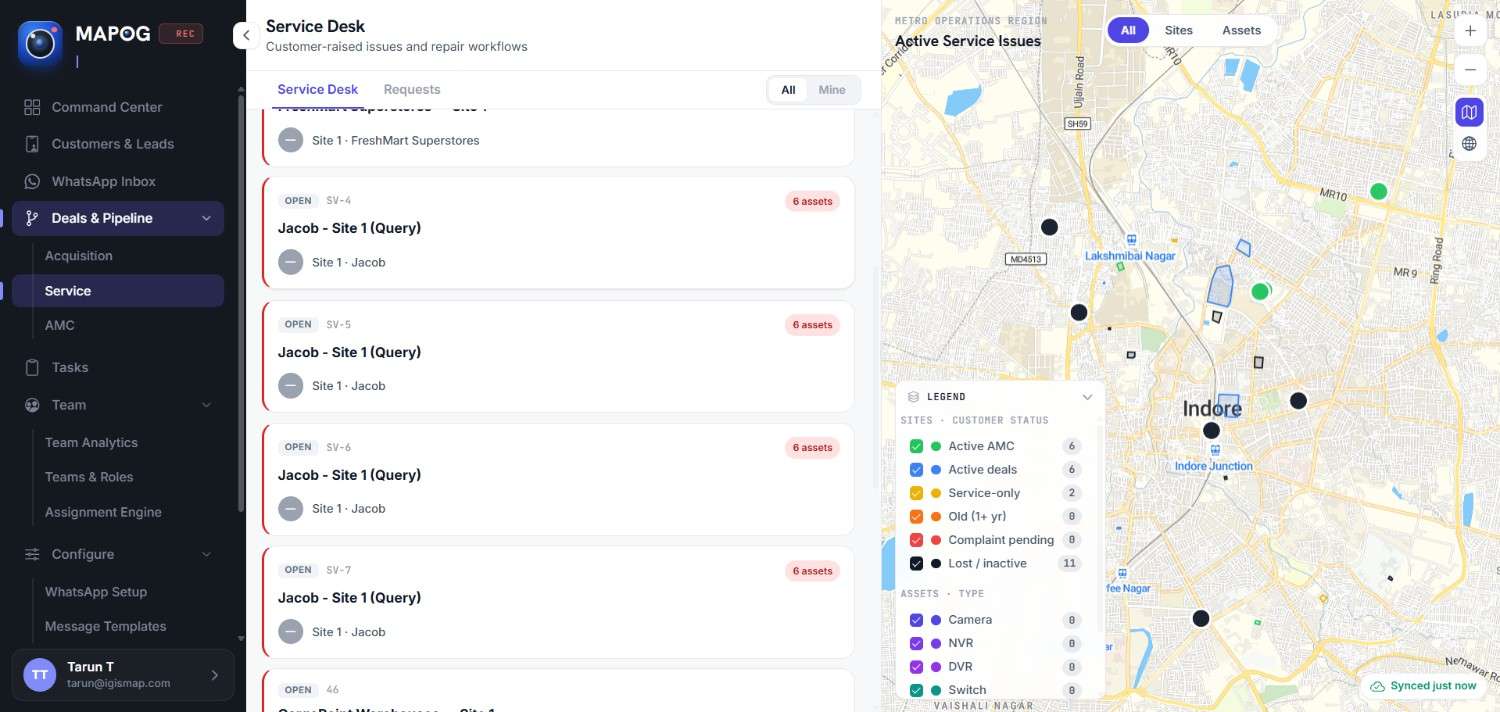
Over time, a CCTV installation can generate multiple service requests. If these requests remain inside separate WhatsApp conversations, it becomes difficult to understand the history of the site.
A centralized CCTV service management approach keeps service activity connected to the relevant customer and location.Your team can refer to previous requests, completed work, and service activity when troubleshooting recurring problems or planning future maintenance.This gives managers a clearer picture of the customer relationship beyond the original installation.
Turn a Simple QR Code Into Better After-Sales Service
A QR code sticker may be small, but it can change how customers report CCTV problems and how service teams respond to them.Customers get a simple way to raise an issue. Service teams receive structured requests. Technicians know where the work needs to happen. Managers can track progress and maintain a clearer service history with MAPOG.
For CCTV businesses, this means a better way to manage the relationship after installation—starting with something as simple as a QR code placed directly at the camera or site.