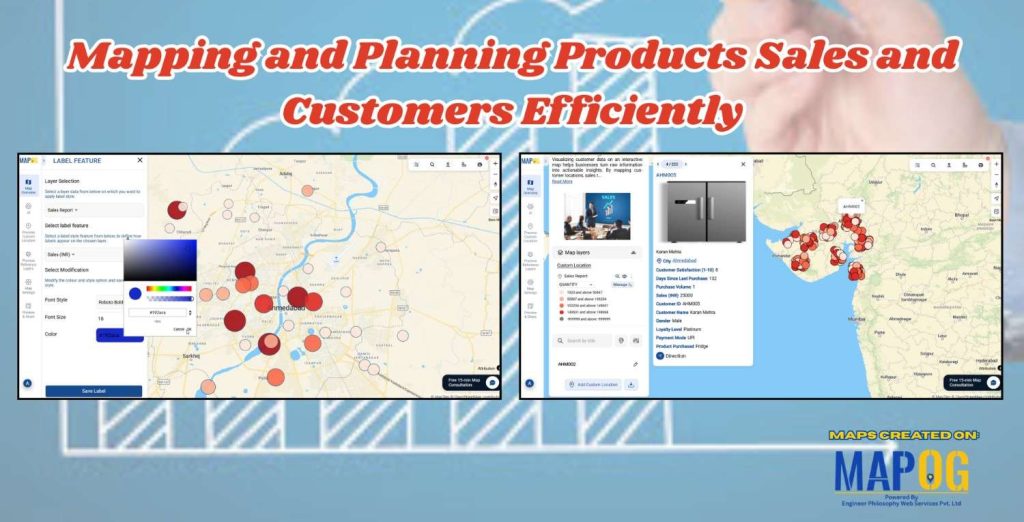
In today’s data-driven business world Mapping and Planning product sales is a necessary step, location is more than just an address; it’s an opportunity. Visualizing your customers on an interactive map helps your team uncover patterns, understand buying behaviors, and plan sales strategies that are not only smarter but also more efficient.
With MAPOG, mapping and planning product sales with your customer base becomes simple and insightful. Whether you manage a local sales team or oversee nationwide operations, interactive maps give your business a clear geographic perspective, helping you make faster, more informed decisions.
Key Concept: Why Customer Mapping Matters
Traditional CRM dashboards show numbers but hide the geography behind them. Two customers may seem equally important in a report, but a quick look at a map could reveal that one is part of a high-value cluster, while another lies in an area with little coverage.
Mapping and planning product sales bridges this gap by turning data into spatial intelligence. You can spot regional trends, identify underserved zones, and allocate resources efficiently.
Process of Mapping and Planning Product Sales
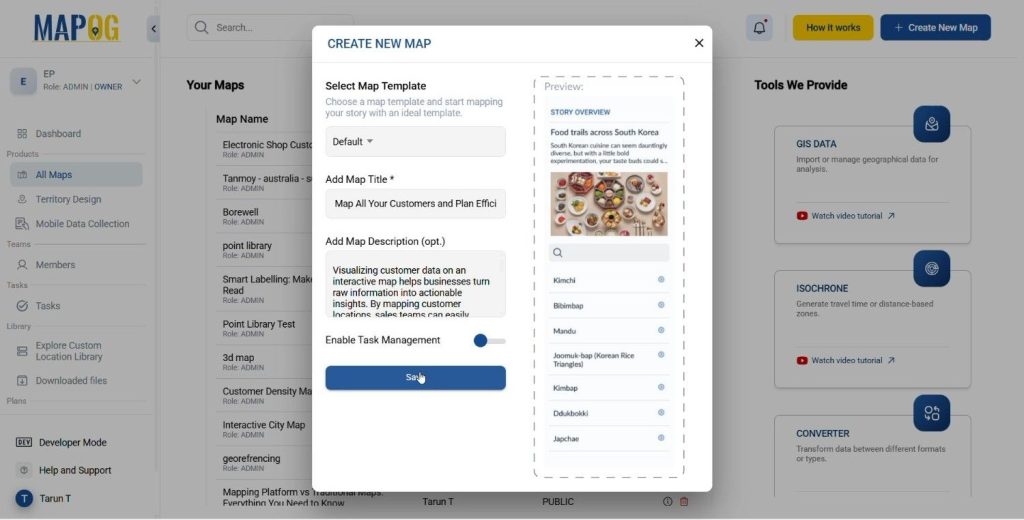
Create a New Map
- Click “Create New Map” on MAPOG.
- Add a title, description, and an image that represents the map theme.
- Save your map.
Add Map Data
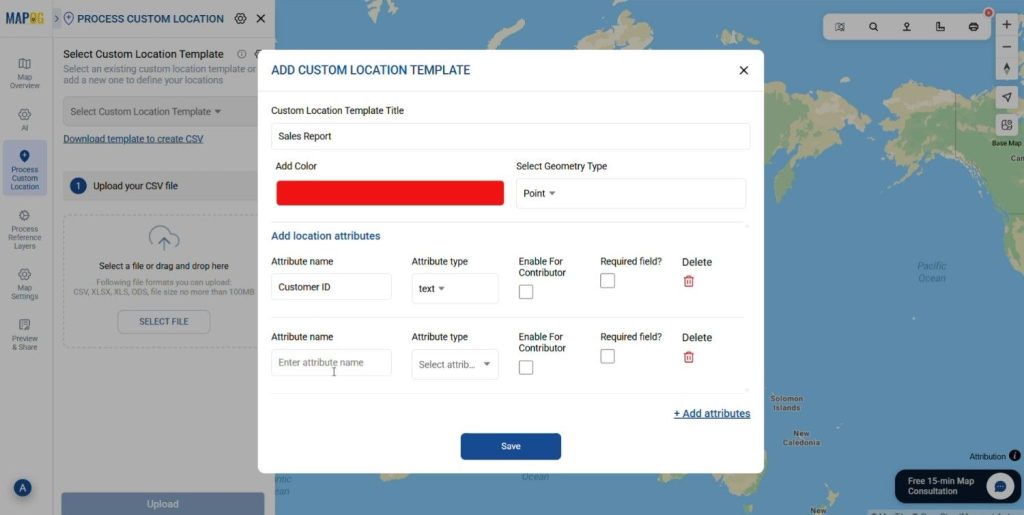
- Add the Point data using Process Custom Location
- Upload the data using Add by uploading Excel/CSV feature.
- Click on select custom location template and add the custom location type.
- After adding the location type Add the attributes like Customer ID, Customer Name, Loyalty, etc.
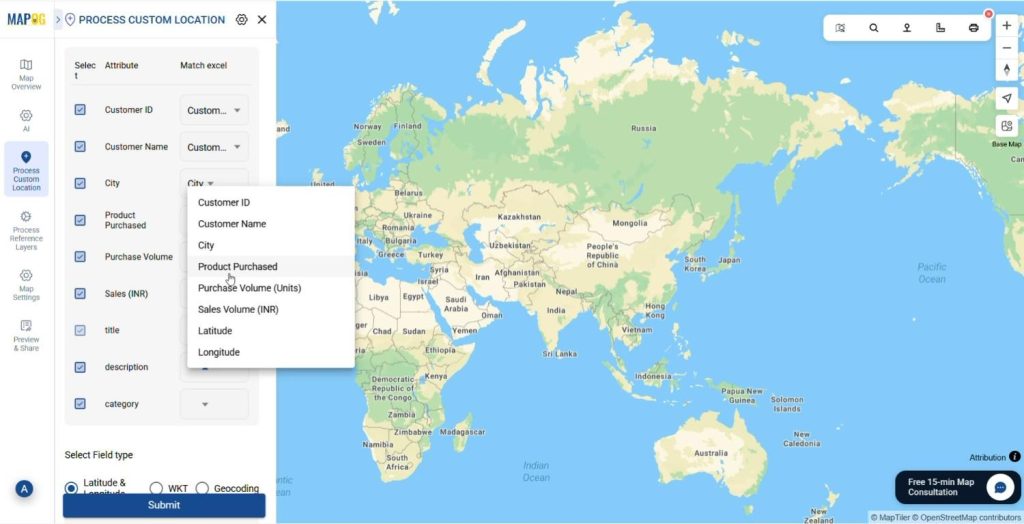
- Upload the CSV/ Excel file that contains the information about the customer and sales. Match the Attribute Values to Excel Columns like Customer ID, Customer Name, Days Since Last Purchase, Gender, Loyalty, etc.
- Add the latitude and longitude of the points from the table and click Save.
Customize Markers
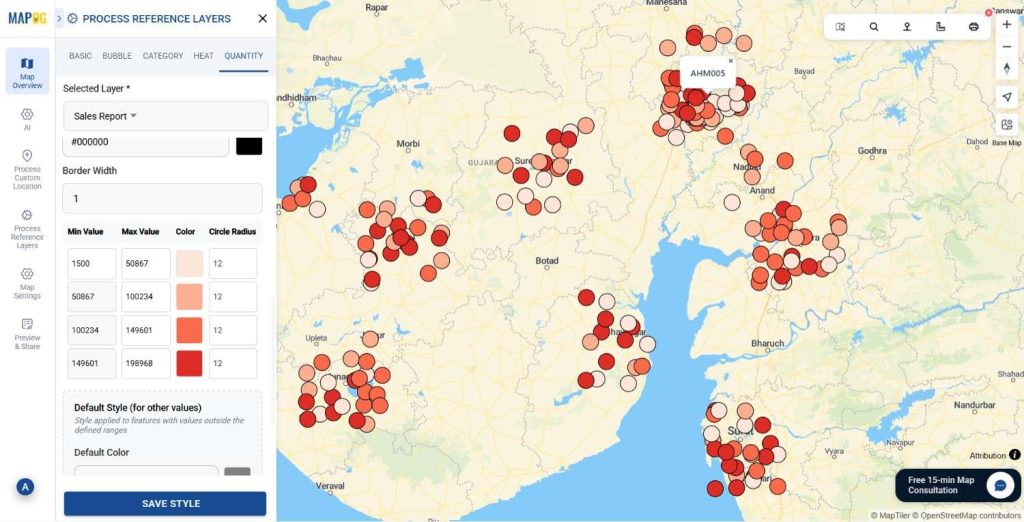
- Firstly click on the Add Layer Style and style the Map layer.
- Use Quantity mapping to describe the amount of sales in the area in monetary exchange., Click on quantity, add the Sales Report layer of the map and the sales (INR) attribute that is to be shown in quantity style. Select the Color Scheme, No. of parts and the fill opacity for the map.
- You can also use Heat Map to determine the amount of sales in a particular area in a year, by clicking on the heat map, add the layer of the map and the attribute that is to be shown, after that adjust the radius and intensity of the heat map.
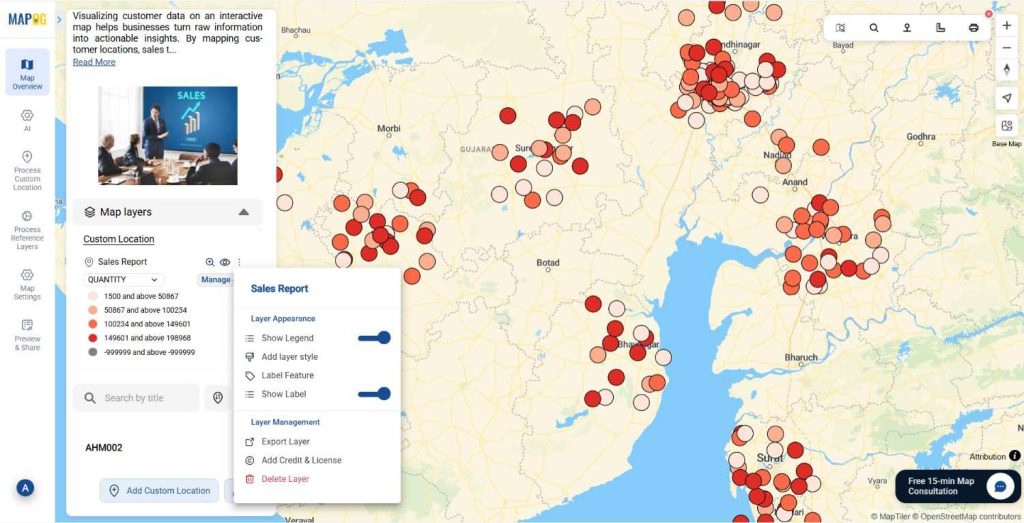
Show Legend of the map
After styling, Click on the Show Legend feature to therefore display the areas with high and low sales on the map.
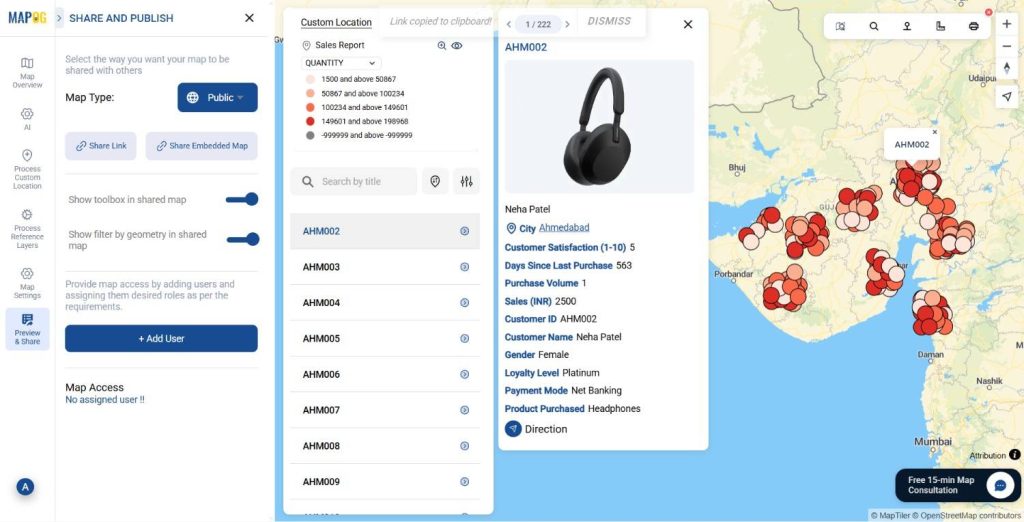
Preview & Share
Use the Preview and share option to review your map. Simultaneously share it with local business owners, customers, or community groups to enhance their map knowledge regarding sales and product development.
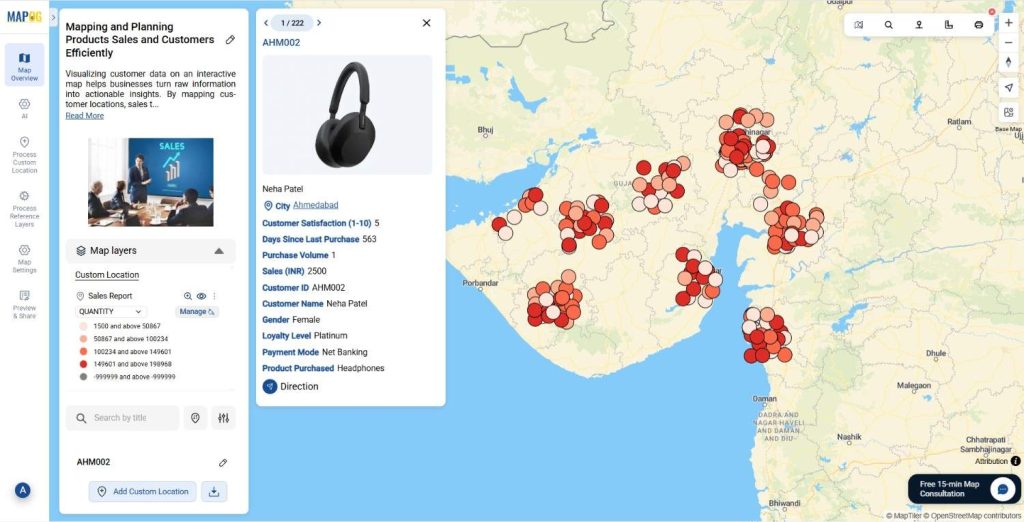
Mapping and Planning Product sales in Action
Customer mapping is thus transforming how businesses plan their sales operations. Field teams can now visualize daily routes, optimize travel paths, and spend more time selling instead of navigating. Marketing departments can thereafter identify regional demand clusters effectively. Overall we can plan sales this way on the low density zones with the help of smart mapping and planning with MAPOG.
The Future of Location-Based Mapping and Planning of Product Sales
As GIS and AI technologies advance significantly, customer mapping is evolving beyond visualization. Future tools will automatically recommend sales territories, predict high-demand areas. MAPOG is already moving in this direction; empowering businesses to combine data intelligence with spatial insights for real-time, location-aware decision-making.
Conclusion
Mapping your customers transforms raw data into strategy. It helps your sales team identify where to go, who to visit, and how to reach them efficiently. With MAPOG, you can map every customer, plan routes, and gain insights that drive smarter, faster sales execution.
Have you tried mapping your customers yet?
Share your experiences or challenges in the comments below!