
Having to plan multi-day travel routes can quickly become overwhelming when destinations, routes, and travel times aren’t clearly visualized. Traditional itineraries often fail to show how places connect across days, as a result, leading to inefficient routes, rushed schedules, and missed experiences. For travel agencies, and destination management companies, this lack of clarity complicates planning and impacts both customer satisfaction and operational efficiency.
Interactive maps offer a smarter way to plan multi-day travel routes, helping travelers see distance, direction, and daily movement at a glance. With MAPOG, complex multi-day itineraries transform into clear, structured travel plans. The platform helps travel professionals plan efficiently, streamline internal workflows, and showcase itineraries as marketing assets.
Key Concepts to Plan Multi-Day Travel Routes
Interactive maps make planning multi-day travel routes easier by clearly showing route flow and spatial relationships. They allow travel planners to:
- Optimize routes to avoid backtracking and reduce unnecessary travel.
- Cluster nearby destinations into logical daily groups for smoother itineraries.
- Communicate clearly with clients by providing a visual representation of the journey.
Step by Step Guide to Plan Multi-Day Travel Routes
1. Start with a New Map
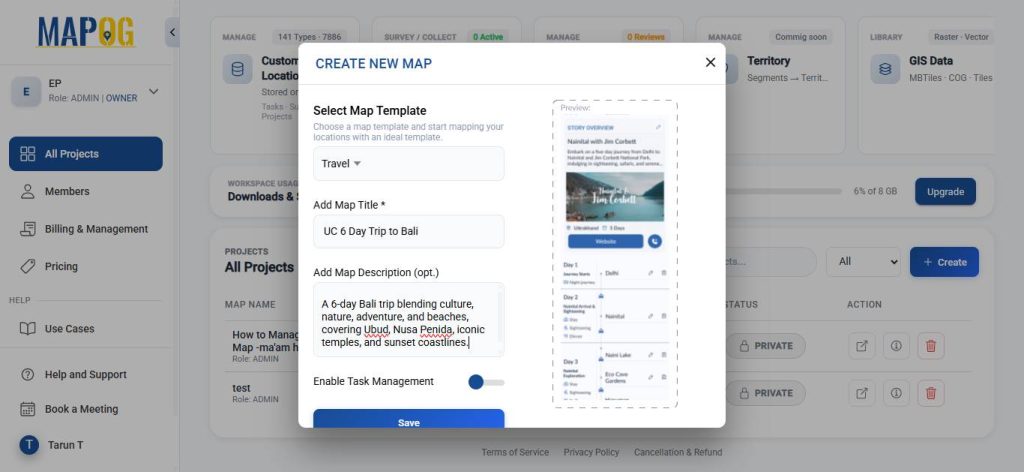
Open MAPOG and click on “Create”, select the map template as ‘Travel’, give your project a title and a brief description, then hit save.
2. Add coordinates using an Excel or CSV file
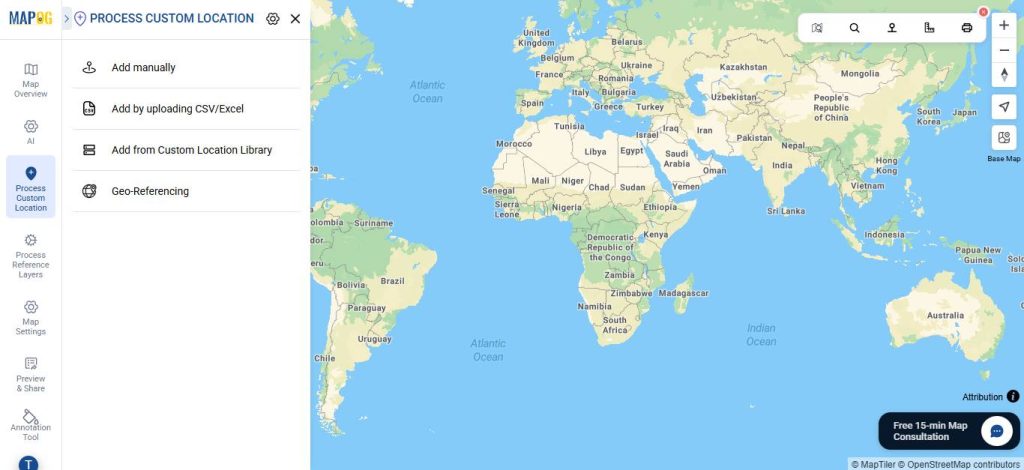
Go to Process Custom Location and then select “Add by uploading CSV/Excel”.
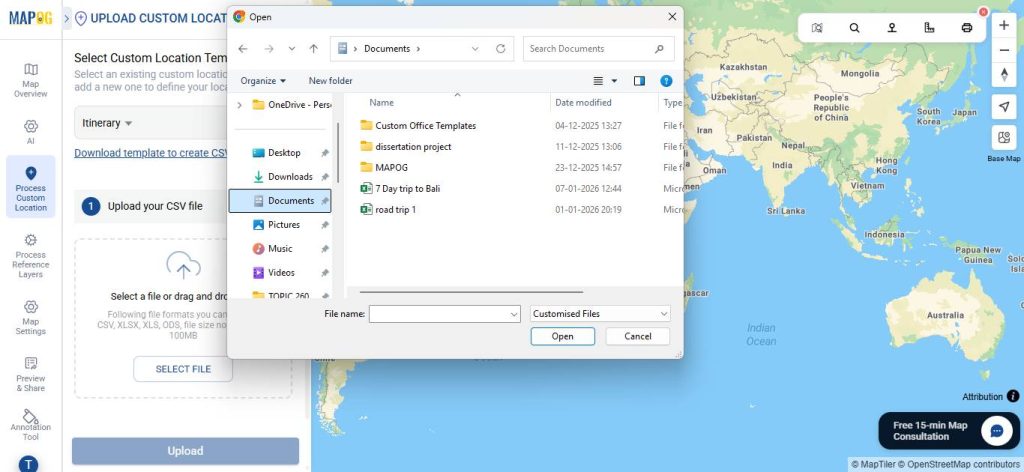
And then upload your desired Excel file.
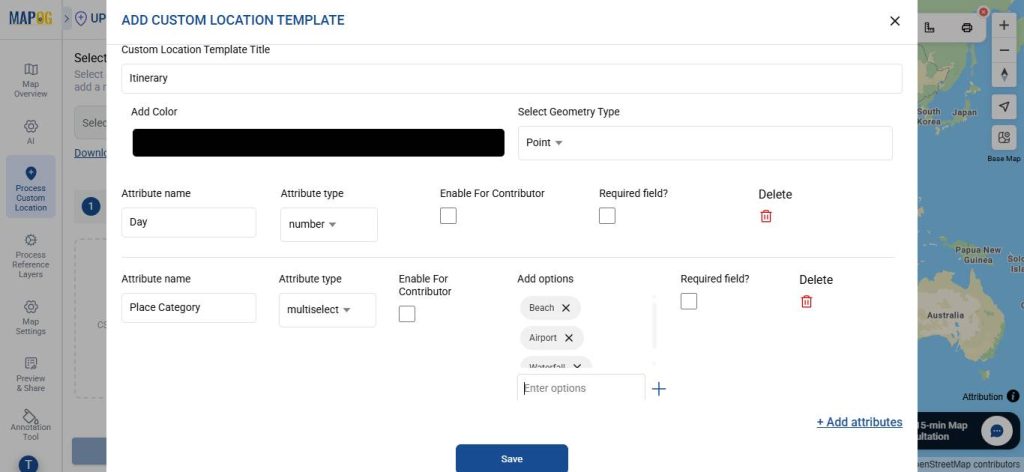
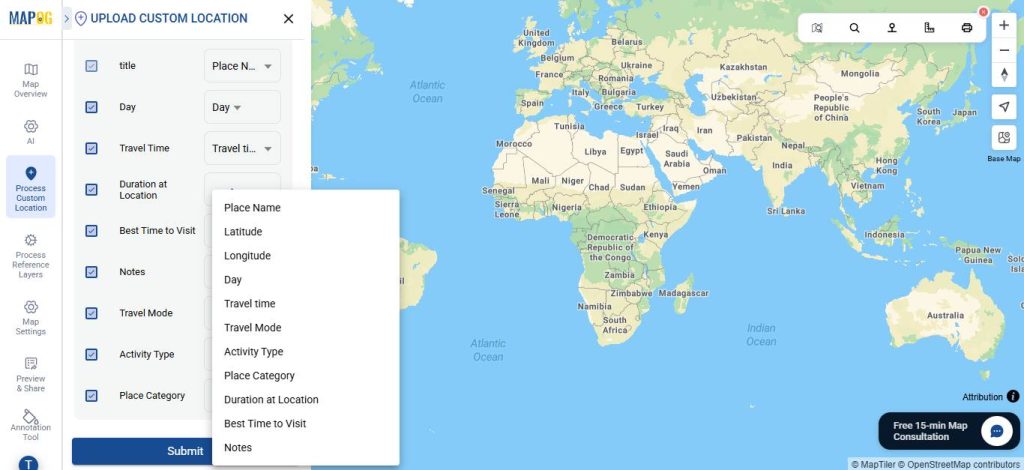
Go to Select Custom Location Template settings option & create new custom location template, such as Itinerary. Then input necessary attributes such as the type of Place, Activities, mode of Transport etc.
Then, match your Excel columns with the corresponding attributes.
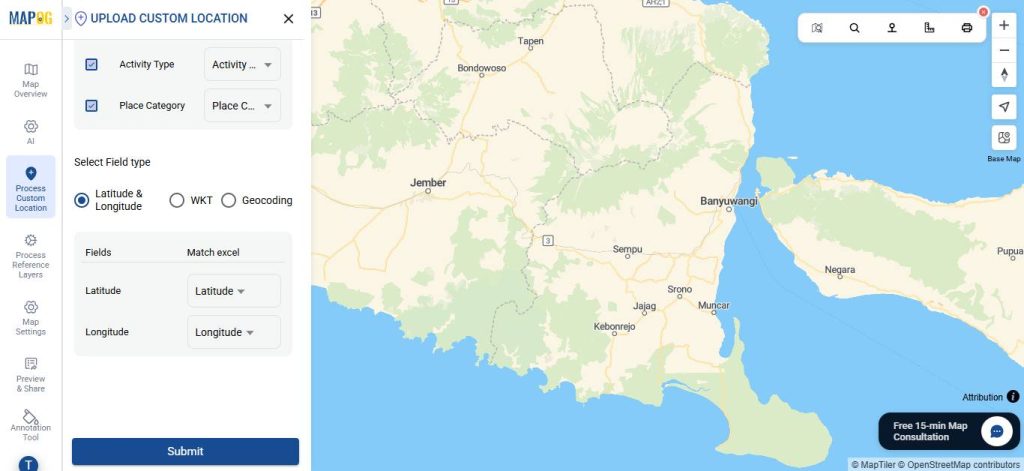
Select the field type as latitude and longitude (or WKT, if preferred). After that, click Submit.
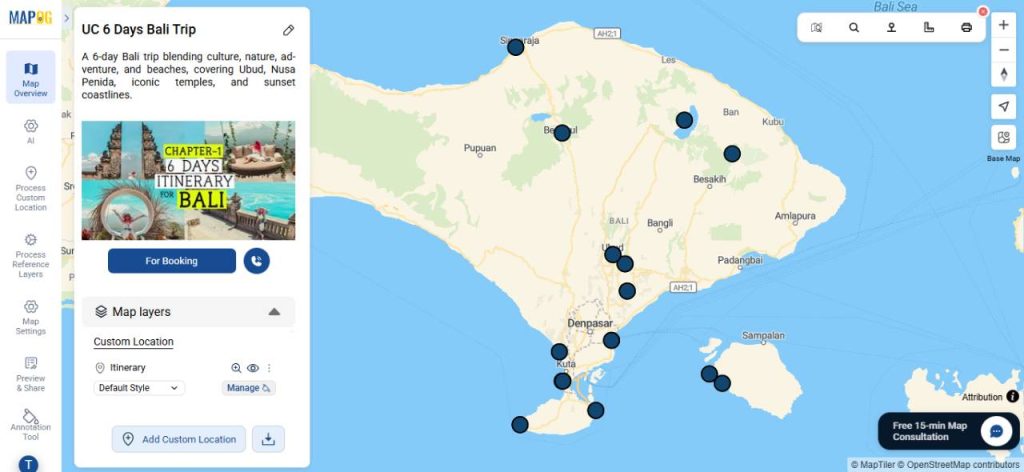
Your points will now appear on the map.
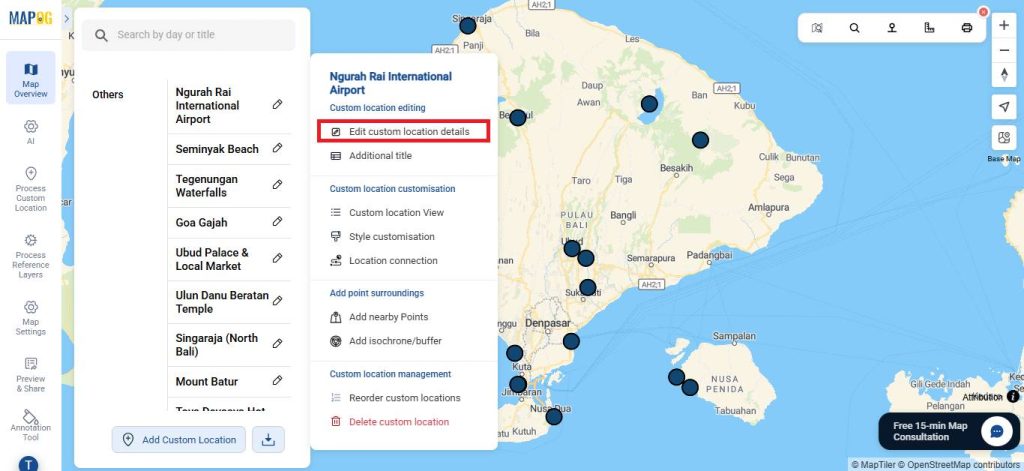
3. Editing the points
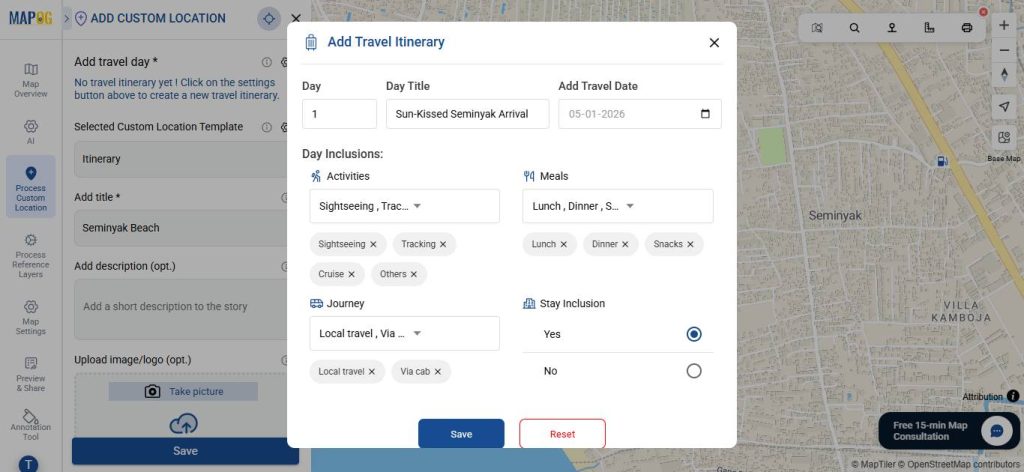
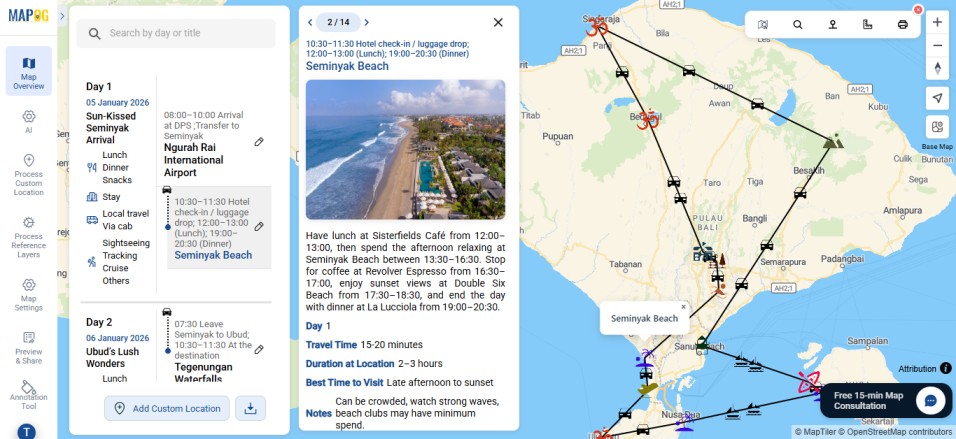
Open Edit Custom Location Details, navigate to Add Travel Day settings, and create a day-wise itinerary.
For each day, add a catchy title, date, planned activities, meal arrangements, travel mode and duration, and accommodation details to give a complete, easy-to-follow itinerary.
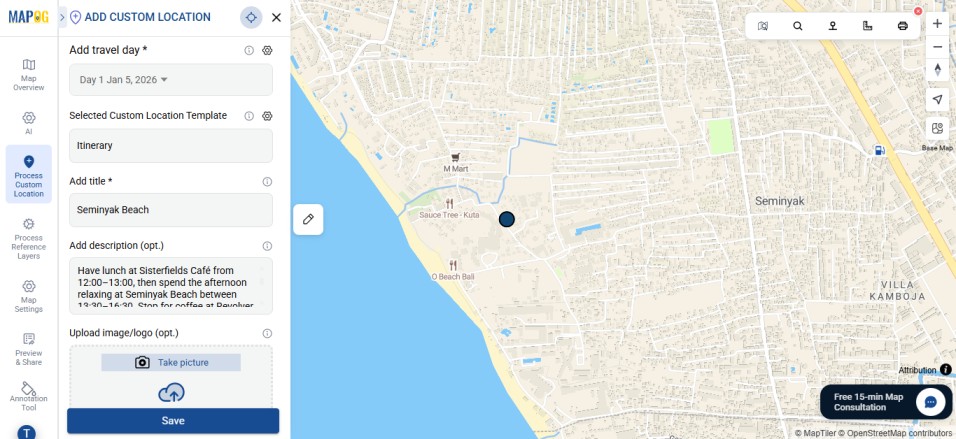
For each location, select the corresponding day from the dropdown. Use the description field to add a detailed plan, upload images for better context, and click Save. Repeat this step for all points.
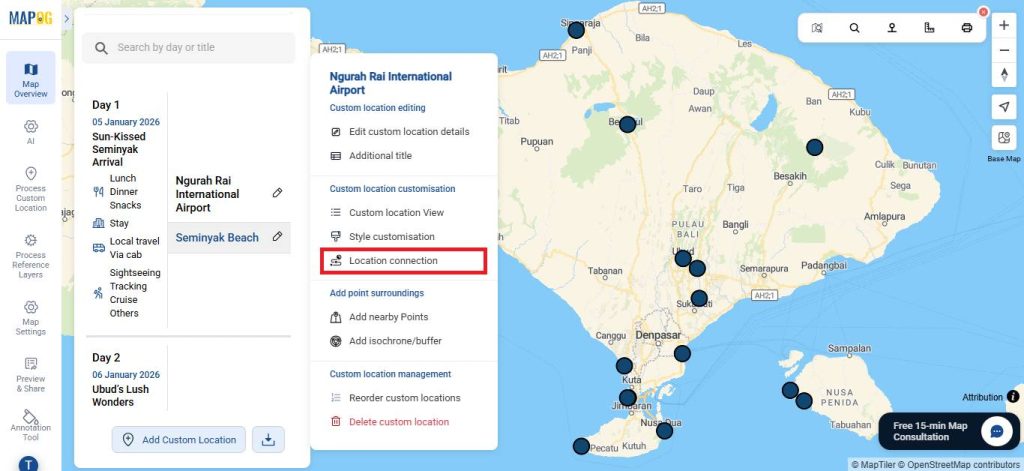
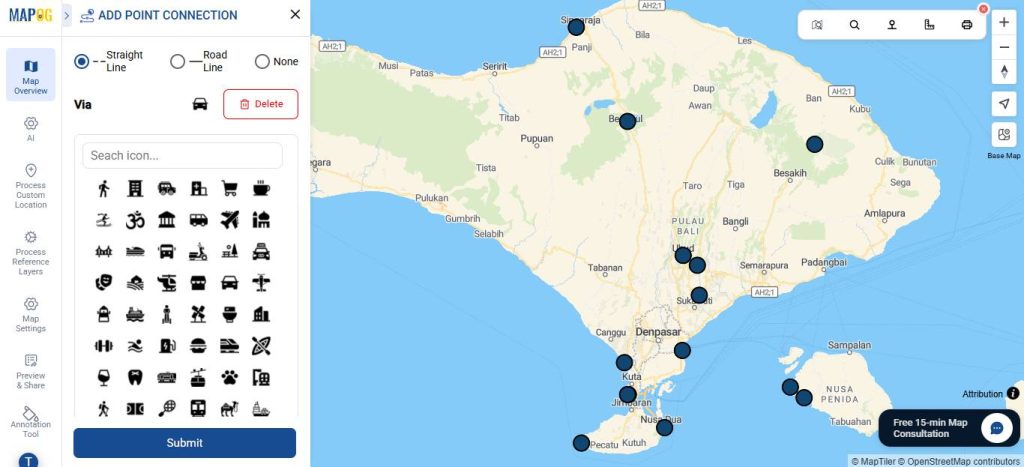
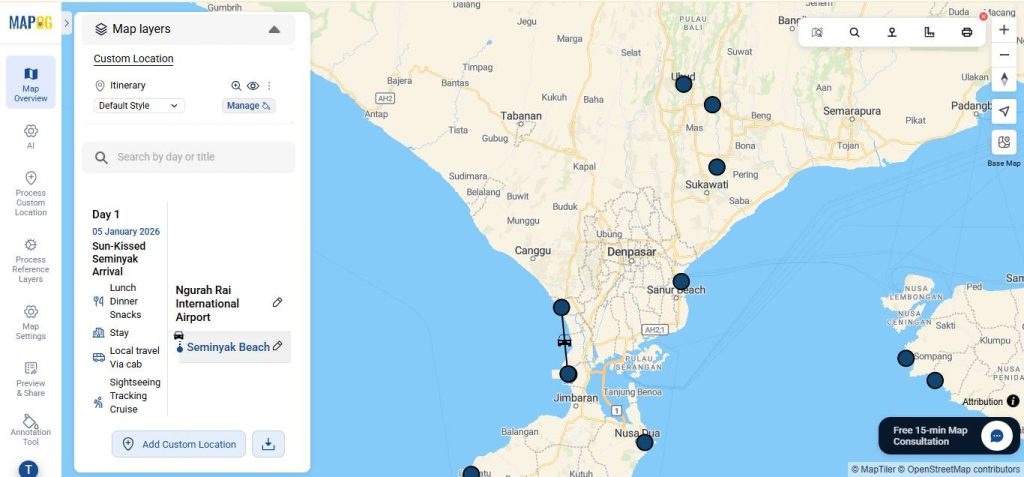
Click Edit, then select Location Connection to define the journey flow, showing the order of visits between locations along with the mode of transport.
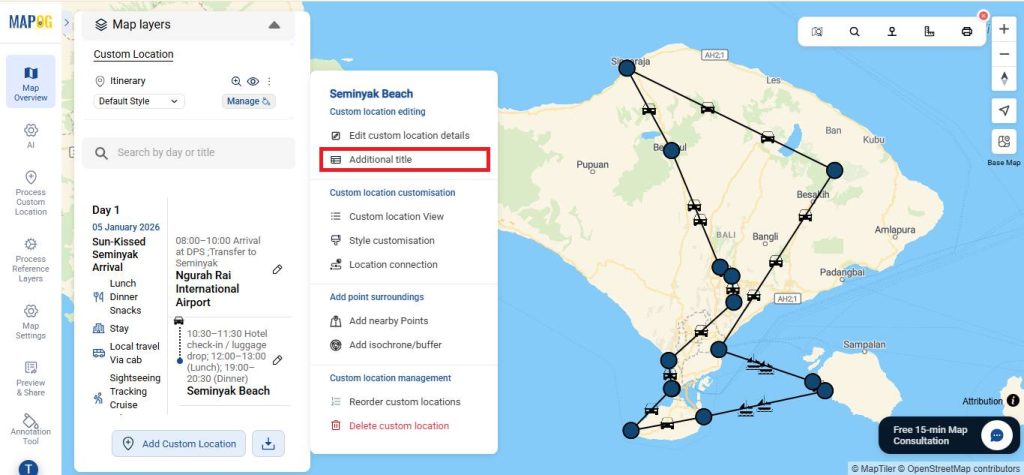
Use the additional title option to give a brief overview of the itinerary with timestamps.
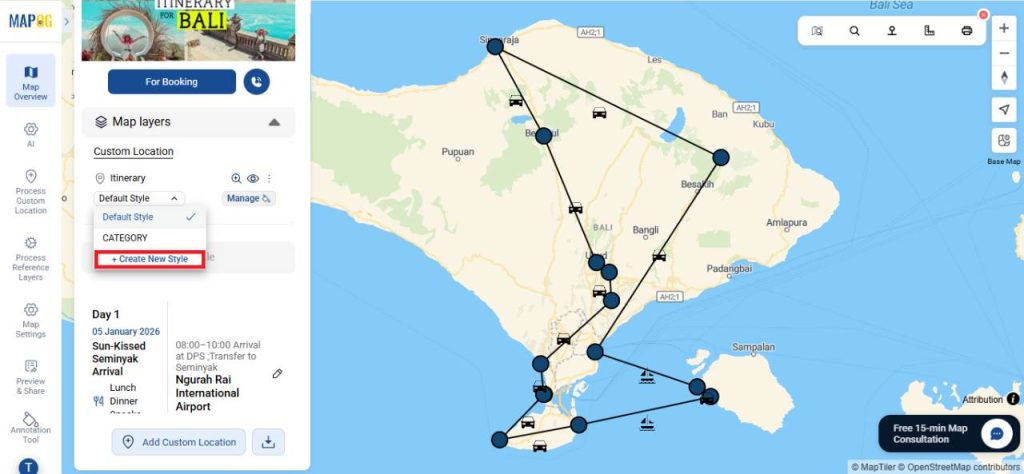
4. Add icons
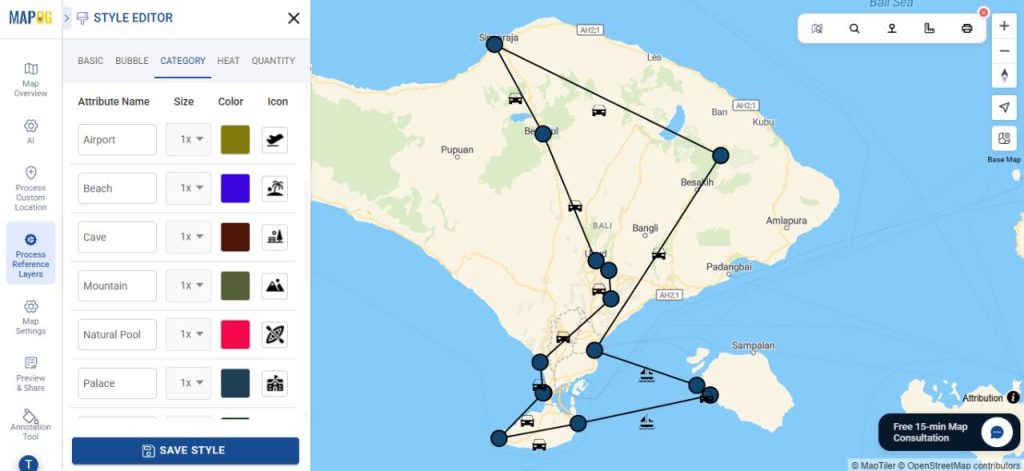
Then, under map layers, click create new style.
Go to category style, select the attribute on the basis of which you wish to categorise. Here we use Place Category, which divides the places into Airport, Beach etc.
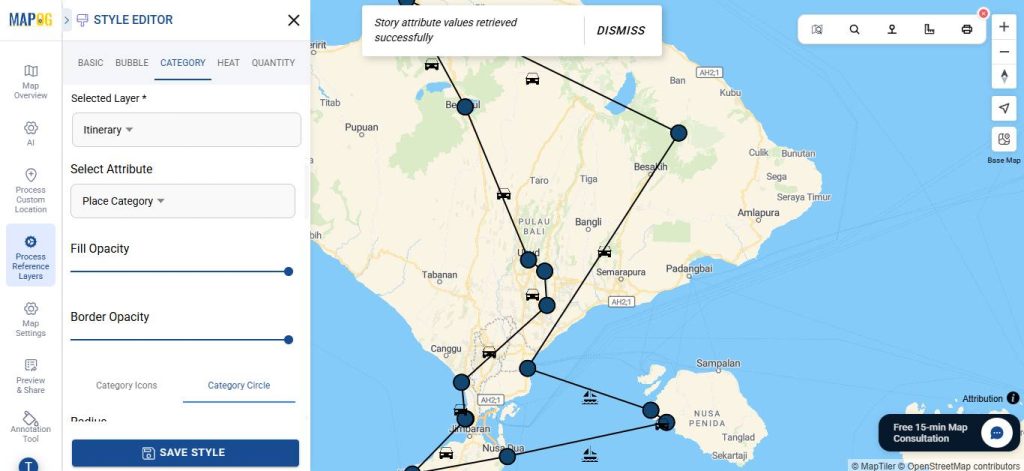
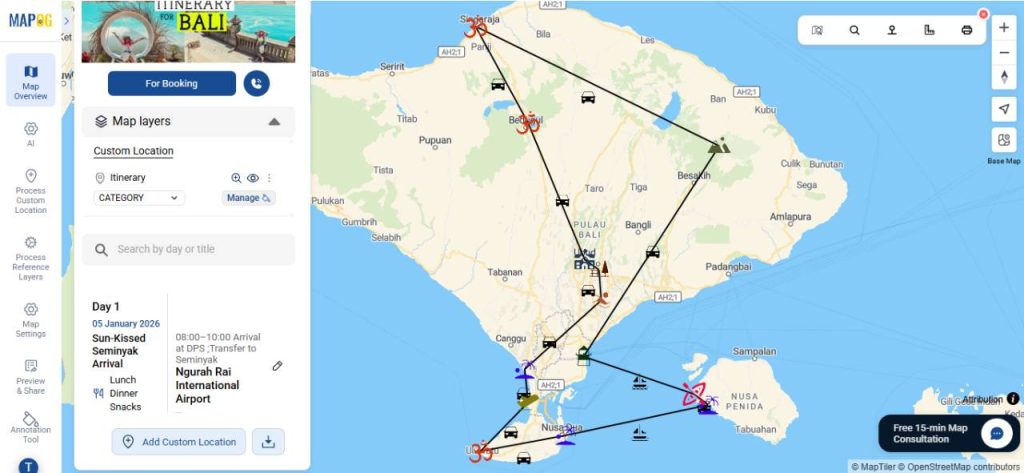
Choose category icons and assign suitable icons and colours for each option.
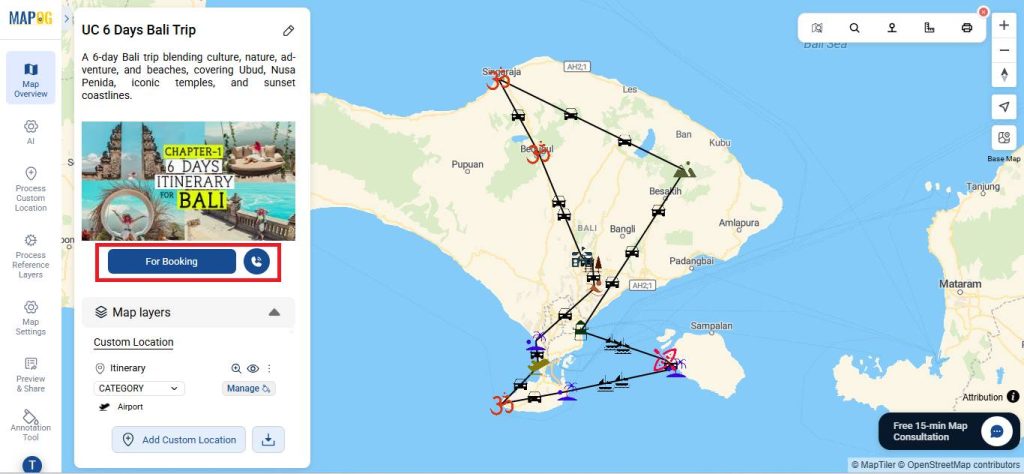
5. Show Legend and Booking Options
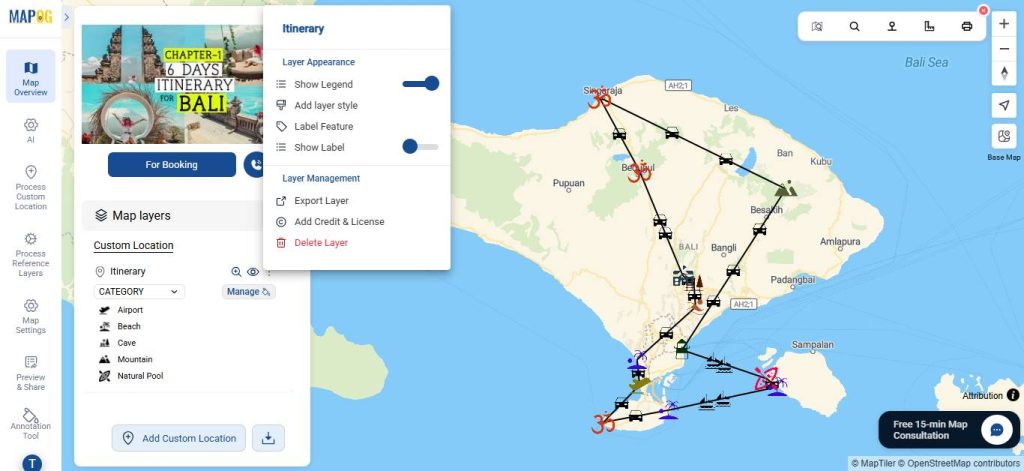
In Map Layers, click on the three dots under custom location and select Show Legend.
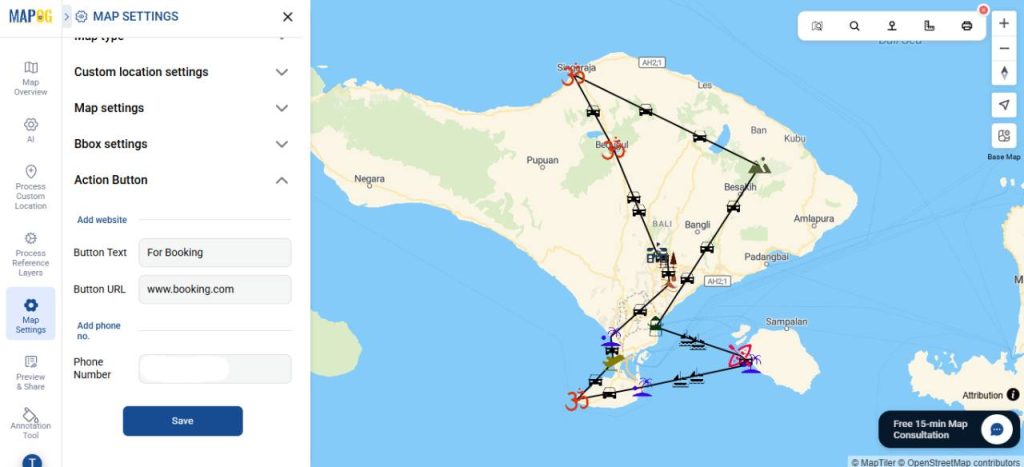
Use call-to-action buttons from map settings for direct booking, website visits, or contact.
6. Share Your Map
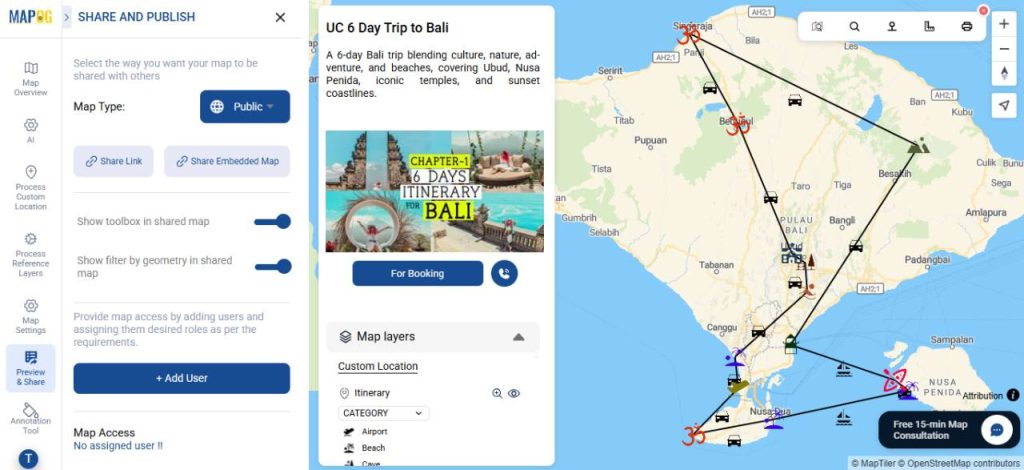
To share your map, click “Preview and Share”. Set it to Public for wider visibility, share it via a link, or embed it on your website. You can also invite users to collaborate and edit the map.
Real World Applications
Interactive maps are valuable across the travel industry. Tour operators and agencies can design optimized, well-paced itineraries while giving clients a clear visual journey. Similarly, corporate travel planners can simplify multi-location trips and reduce downtime. Online booking platforms can use maps to make complex itineraries easier to understand, while destination marketing organizations can highlight attractions, recommend routes, and enhance the visitor experience.
Conclusion
In today’s travel industry, delivering clear, efficient, and engaging multi-day itineraries is essential. MAPOG enables travel businesses to visualize routes, optimize planning, and communicate journeys effectively. As a result, by adopting interactive mapping tools, travel companies can improve operational efficiency, enhance customer satisfaction, and create more memorable travel experiences.