
In construction and infrastructure projects, issues like inaccurate site notes and delayed updates hinder execution, leading to rework and cost overruns. To address these challenges, companies are turning to Conduct Builder Field Surveys utilizing digital mapping and structured mobile forms.
This method, particularly through structured GIS workflows, enables real-time capture of pipeline alignments, soil types, utility crossings, and development stages. MAPOG Mobile Data Collection and the MAPOG Contributor App centralize data, moving away from fragmented records to a more organized and review-ready format.
Key Concept: Digital Mapping for Pipeline & Site Development
Before conducting Builder Field Surveys, organize pipeline routes and site development details by collecting attributes such as diameter, material type, pressure rating, survey type, ground type, ownership, and status into an Excel or CSV file.
Ensure to include coordinates and assign a Unique ID for each point to maintain data consistency for auto-plotting. These attributes, when used with MAPOG Mobile Data Collection, create reusable templates for future infrastructure mapping.
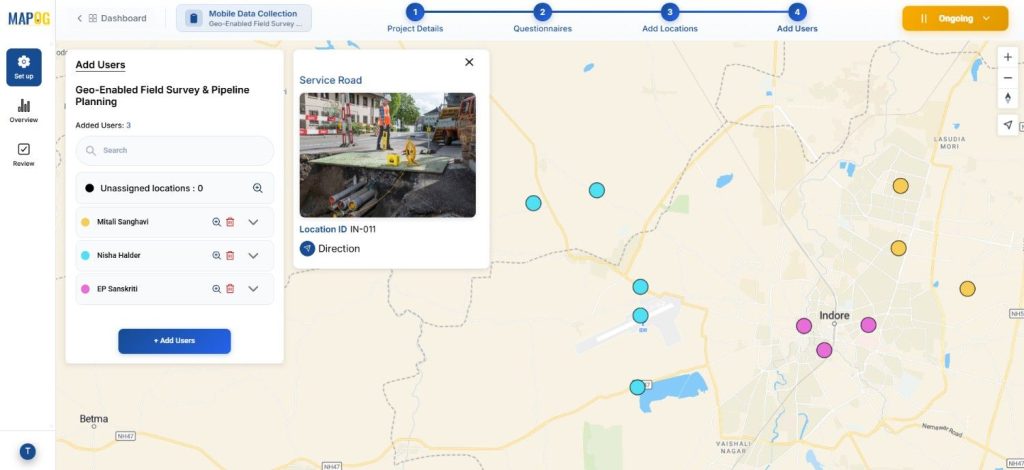
Step-by-Step Guide to Conduct Builder Field Surveys
Step 1: Create a Conduct Builder Field Surveys Project
Before mapping, store all site data in an excel sheet. Once prepared, this file becomes the backbone to Conduct Builder Field Surveys without duplication and with easy updates later.

Log into MAPOG and open the Survey dashboard.
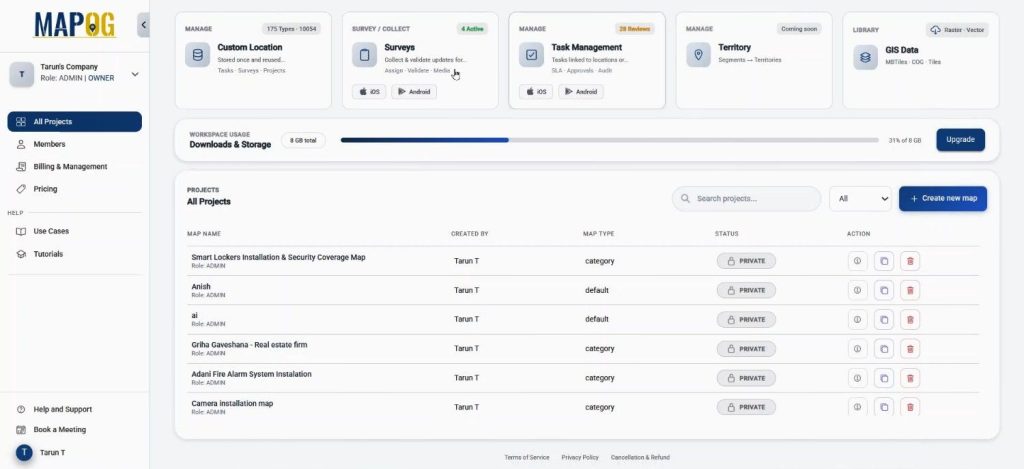
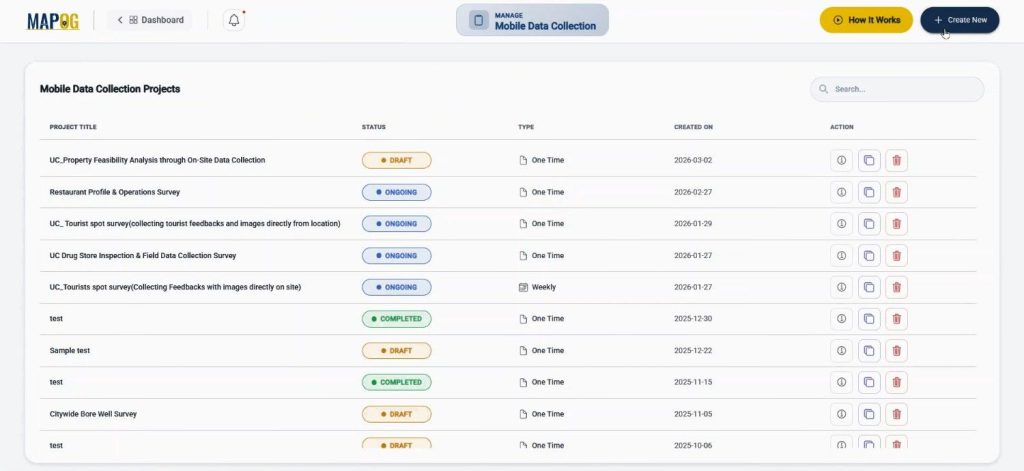
Under Mobile Data Collection, click on create new.
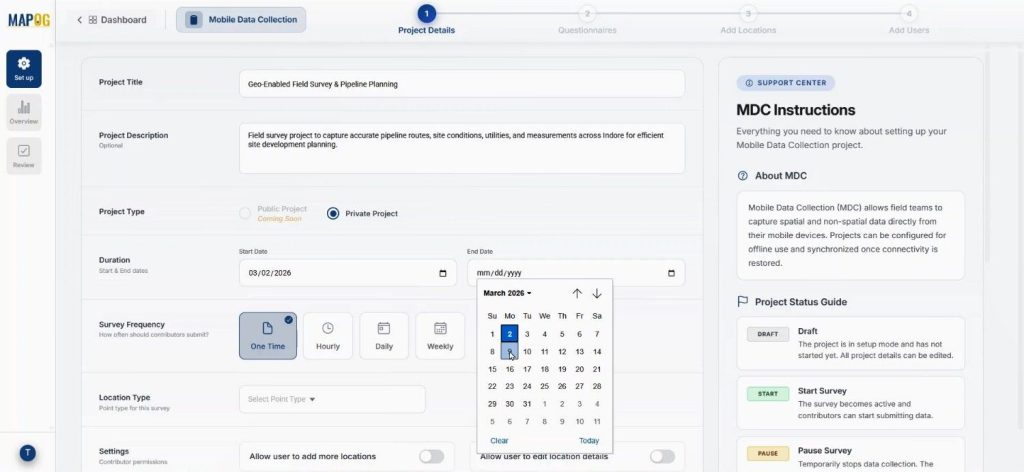
Start the new survey by defining the title, description, project type, duration, and frequency.
Come to location type to create a new custom location template.
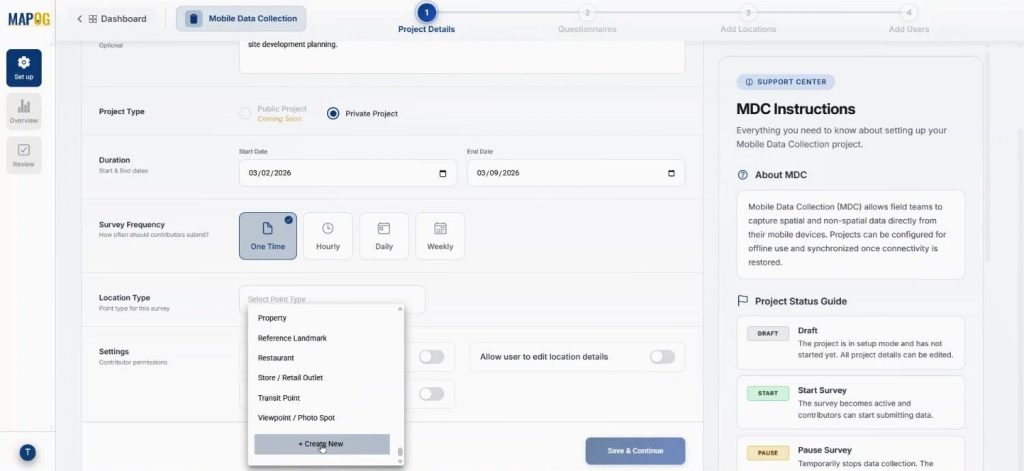
Name it “Pipeline Planning”, choose geometry as point, and assign a color. Location types allow you to add attributes like Survey Type or Ground Type using select or multiselect formats. You should enable the contributor option so field teams can update data directly. This setup ensures that you maintain standardized data while preserving flexibility.
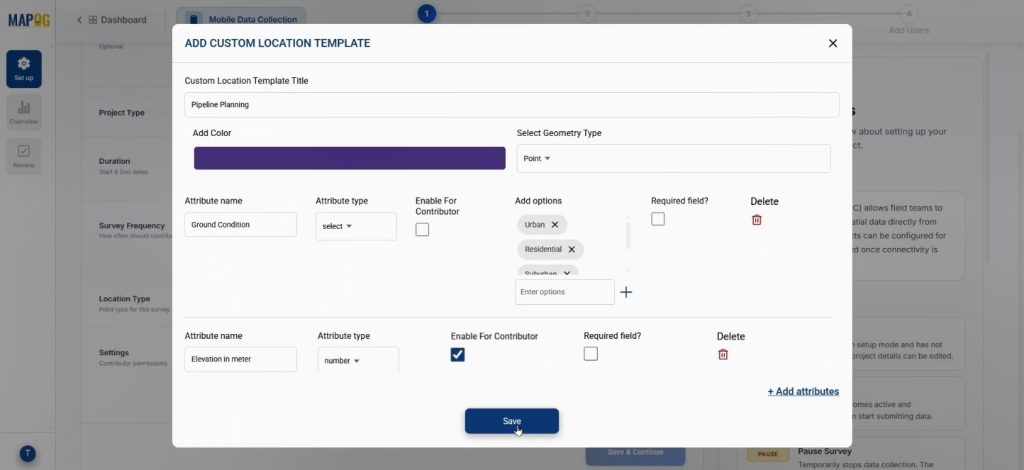
Next select the new location type from drop down & enable some contributor permissions like users can add locations & edit location details. Lastly save & continue.
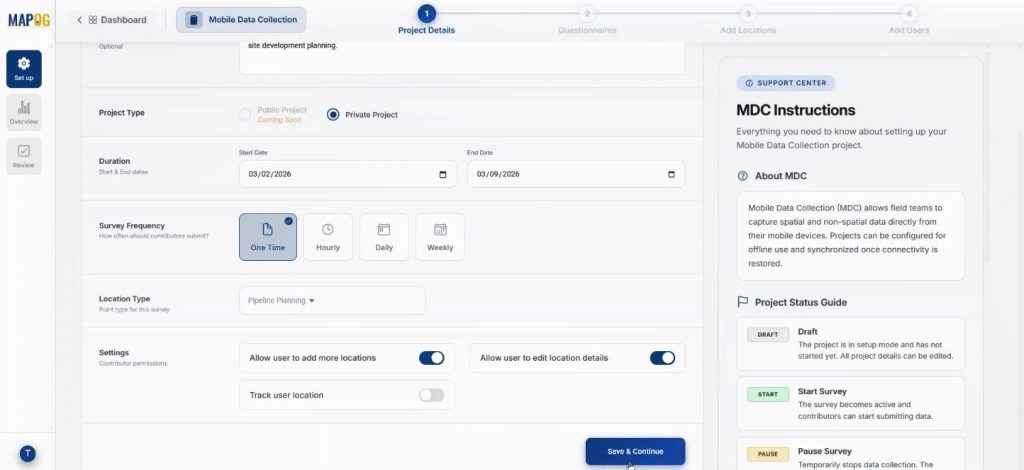
Step 2: Add Structured Questions to Conduct Builder Field Surveys
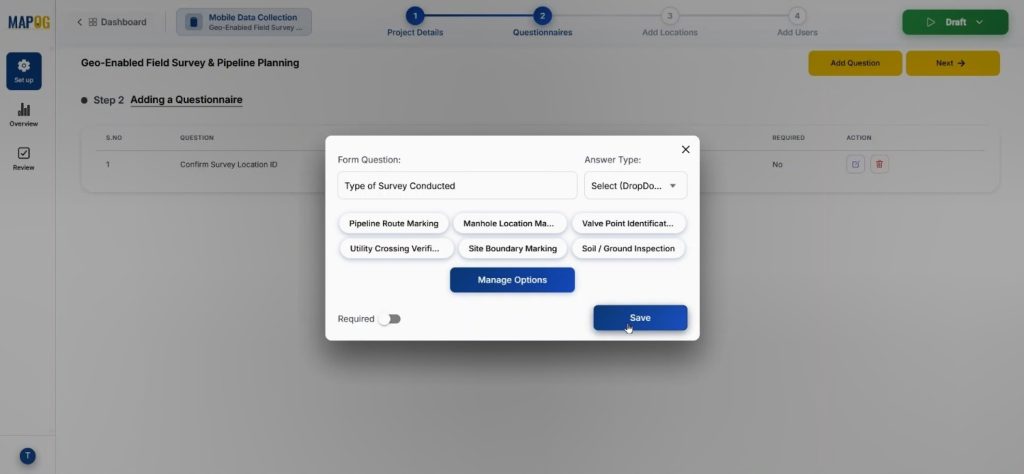
Now, move to the Add Question section. Here, add structured questions such as “Type of Survey Conducted,” or “Soil Condition” with variant kind of answer type like text, select, multiselect, image etc.
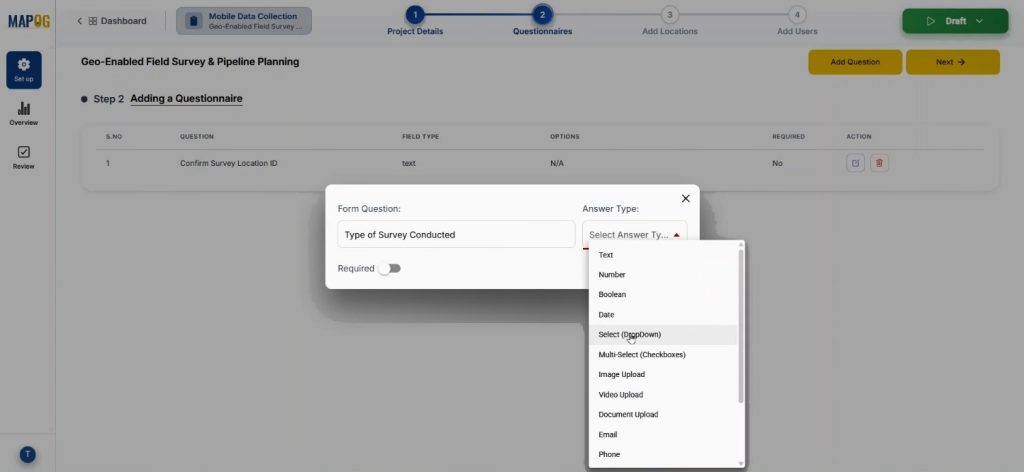
With select we can add options using the manage section & save them. Because these questions ensure that when teams Conduct Builder Field Surveys, they submit both technical data and visual proof directly from the ground.
Step 3: Upload Locations for Conduct Builder Field Surveys
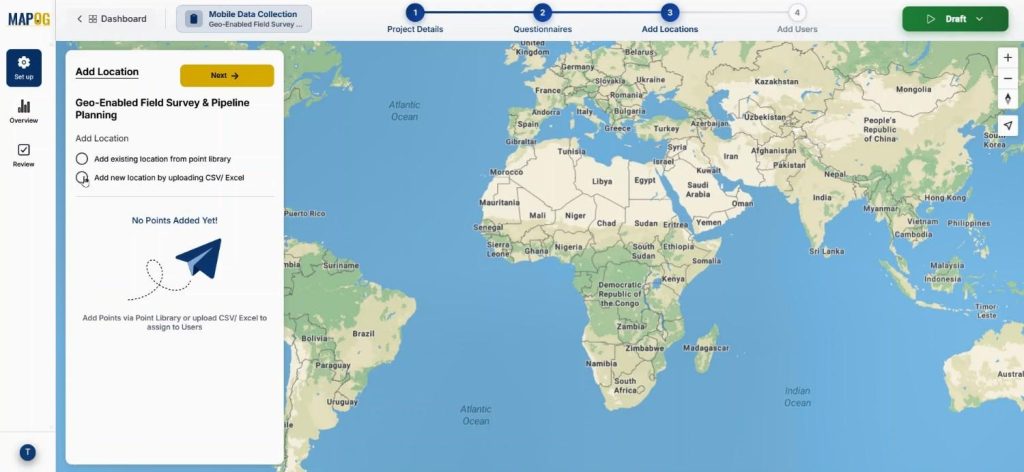
Subsequently, the team uploads the prepared CSV or Excel file using the Add New Location by Uploading CSV/Excel option.
Now upload the prepared CSV or Excel file.
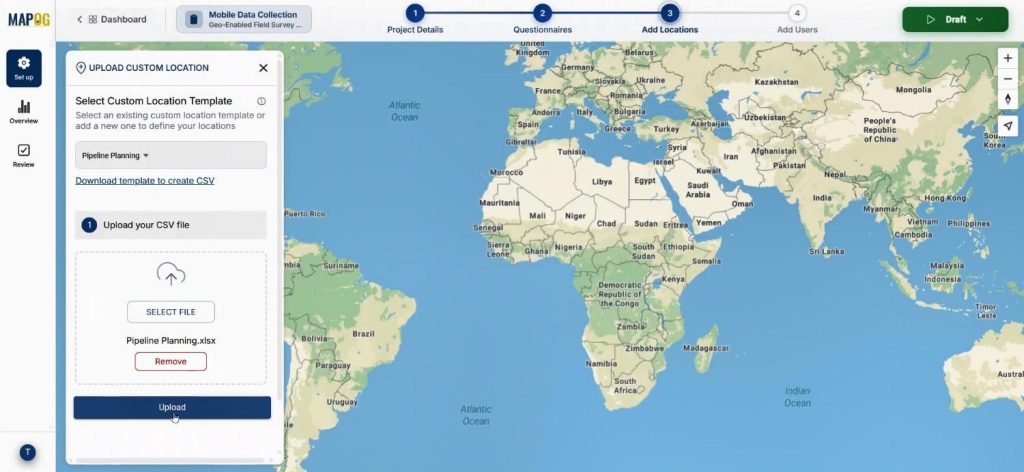
During upload, assigning a Unique ID prevents duplication and enables easy updates later.
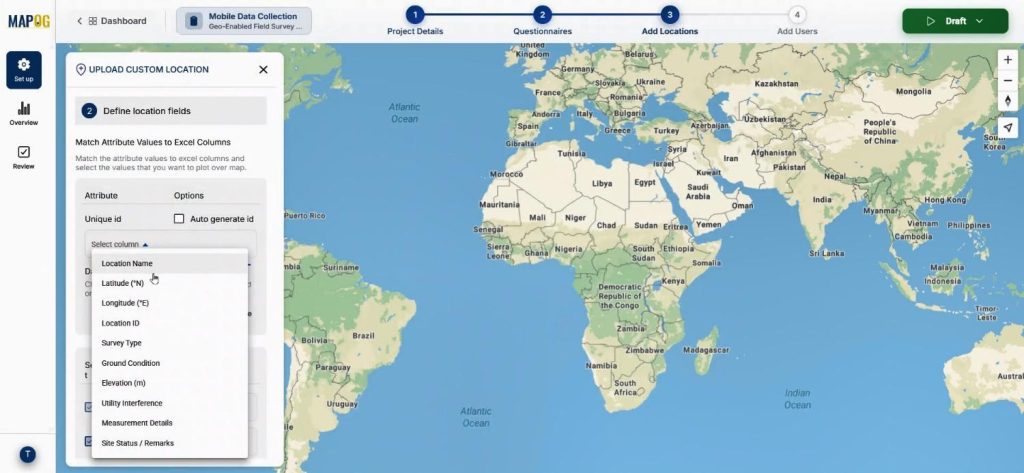
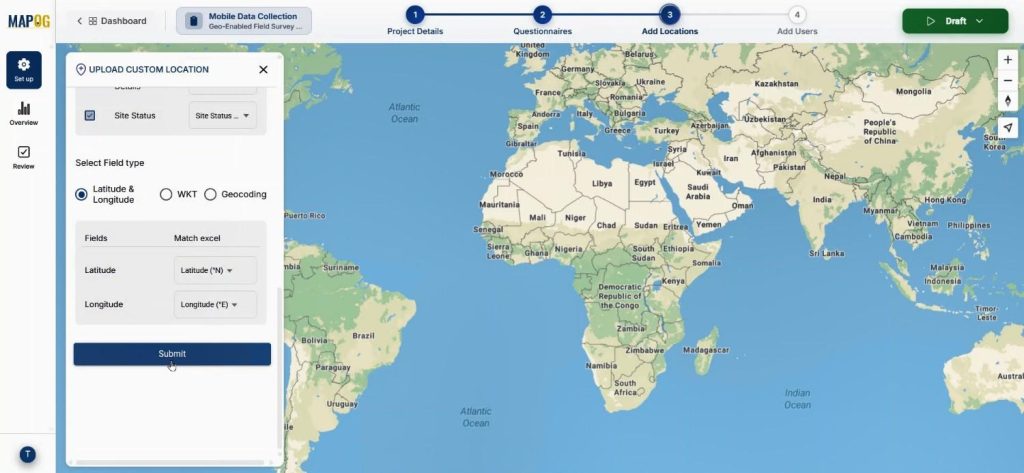
Match columns with attributes and assign coordinates correctly. Once submitted, the points will automatically plot on the map.
Step 4: Assign Teams and Allocate Areas
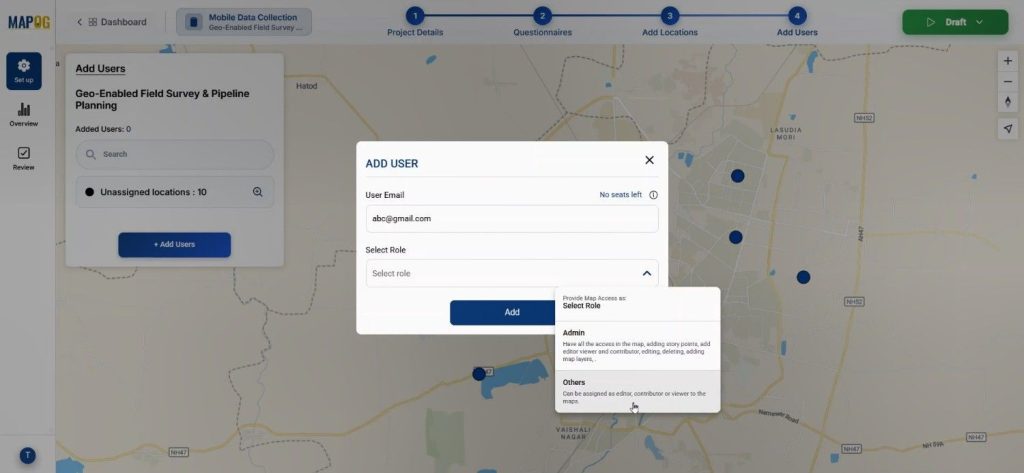
Now, come to add user section. Add members by entering their email addresses and assign roles such as Admin or others.
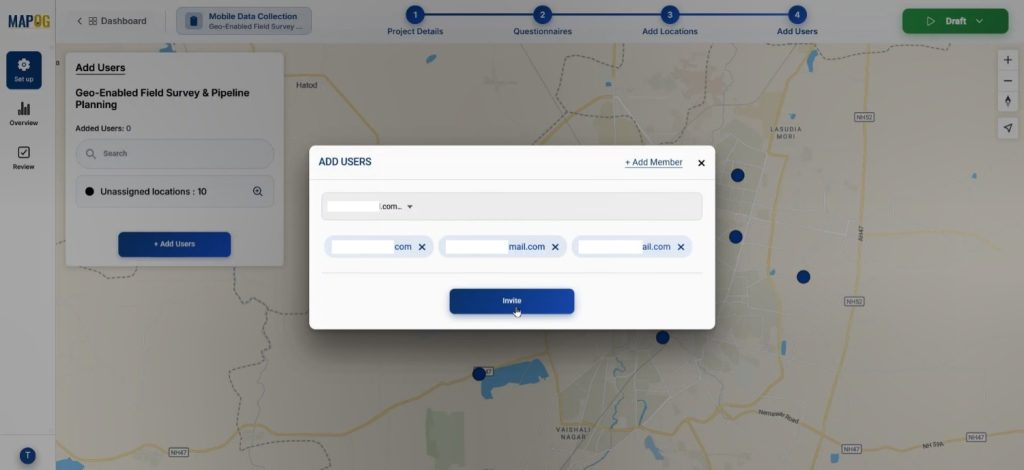
Then, invite selected members as assignees.
By clicking on the map option, you can draw areas around grouped points so you allocate specific pipeline sections to certain engineers.
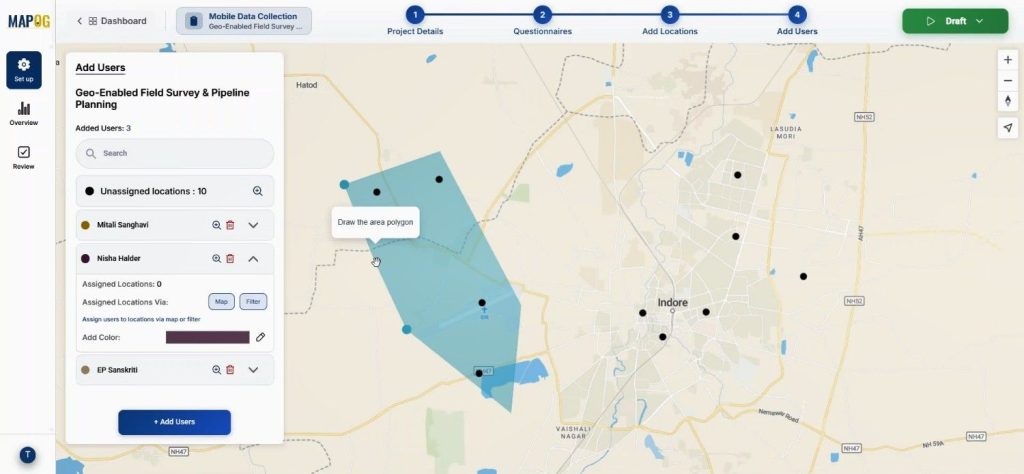
Using the color option, we can provide different colors to different assignee for better differentiation.
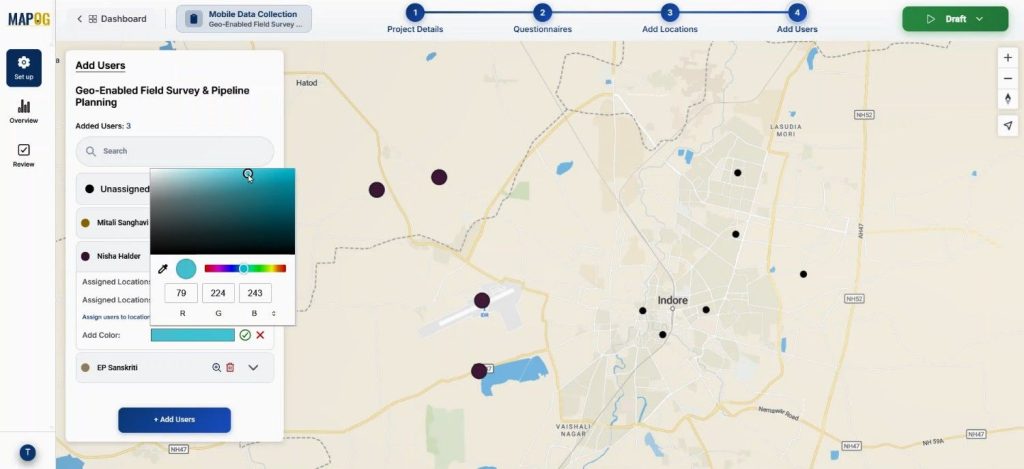
Furthermore, filters can segment points by type, ownership, or category.
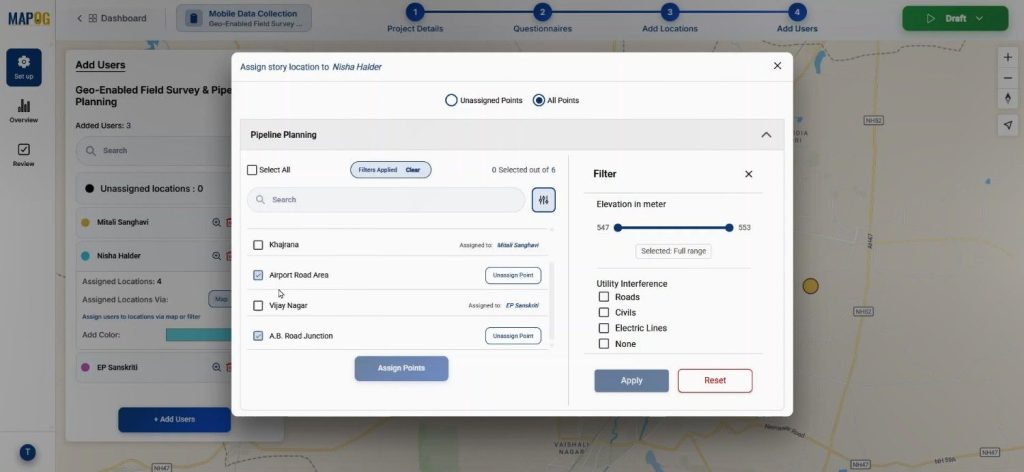
Step 5: Launch and Monitor Conduct Builder Field Surveys
Once everything is configured, Go to the draft section & click “Start Survey.”
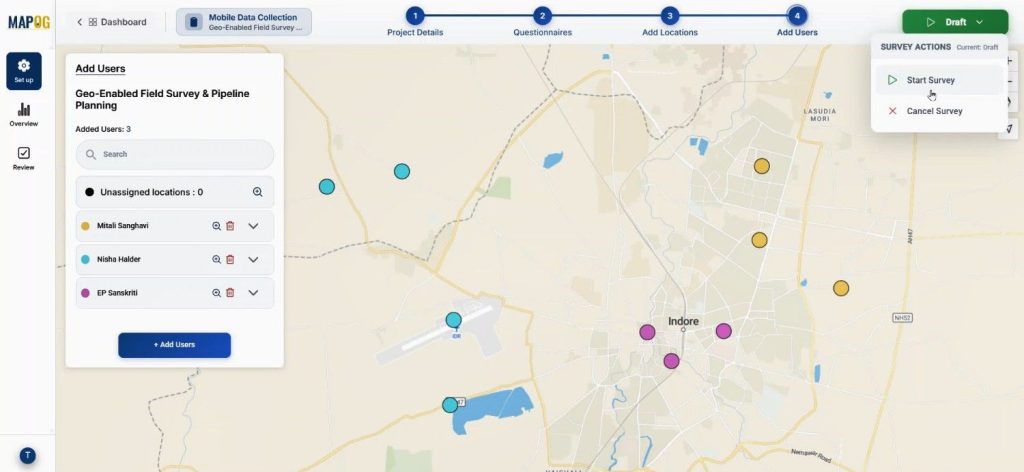
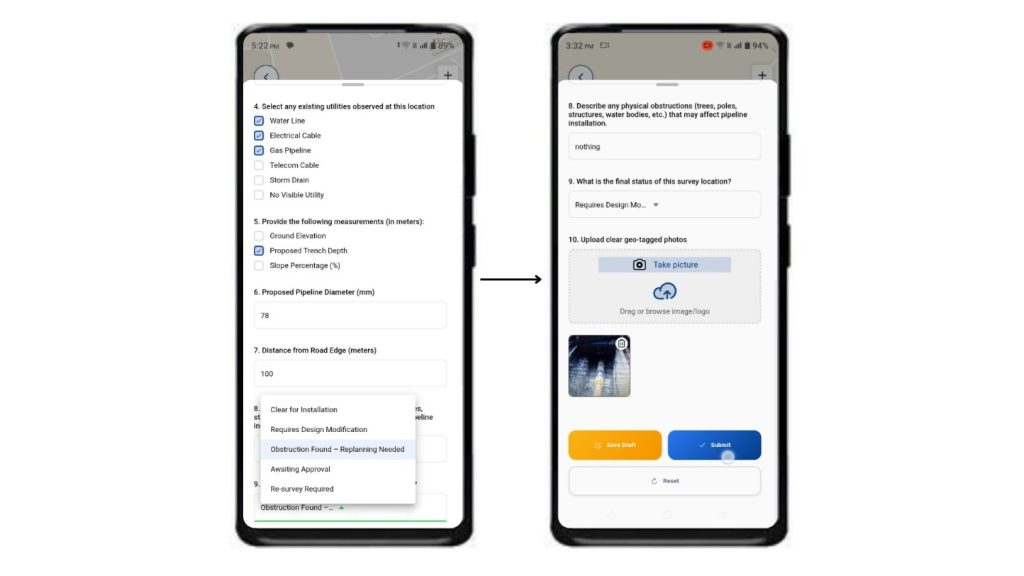
Field engineers will receive assigned points directly in the MAPOG Contributor App. They can add new location for survey by conforming it, add information’s about it & save.
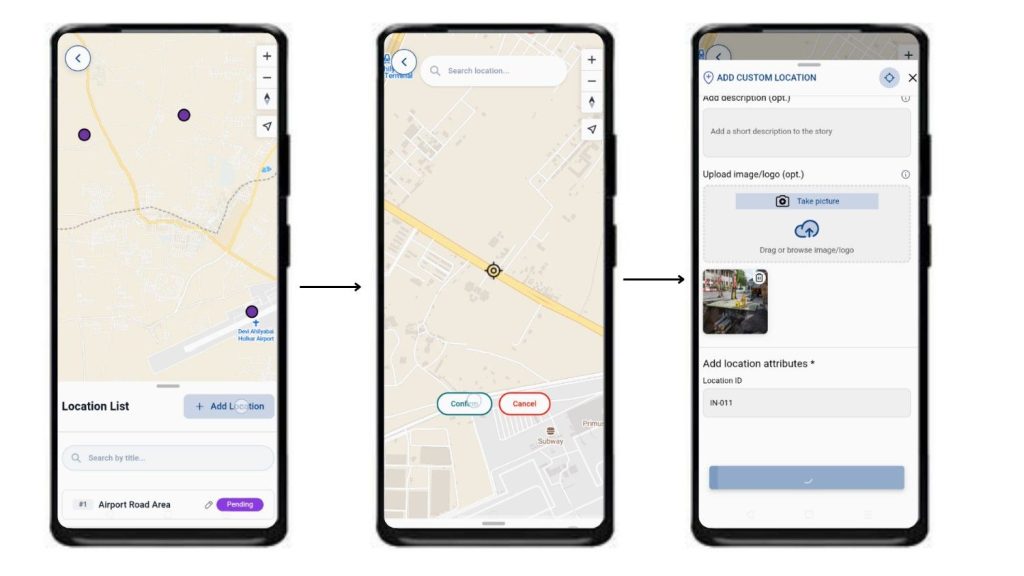
They can review the survey, fill the details with collected data, upload site images, and submit or save drafts.
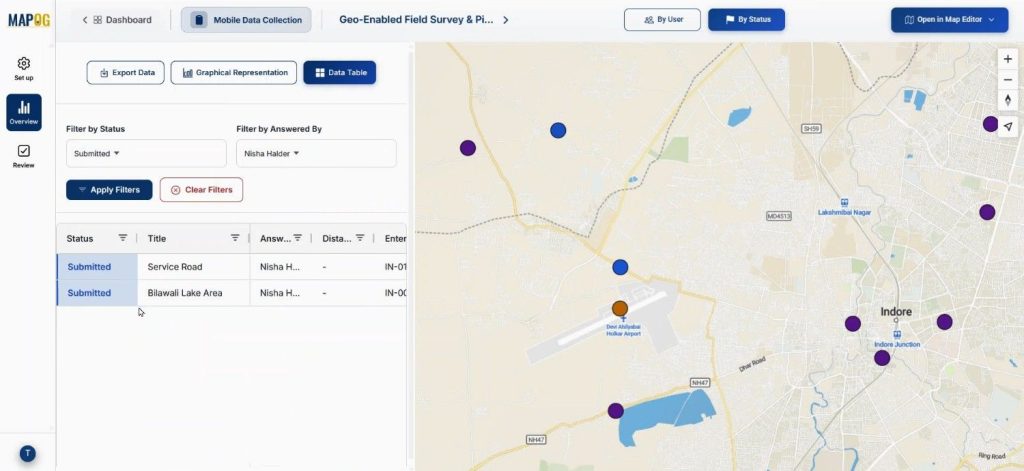
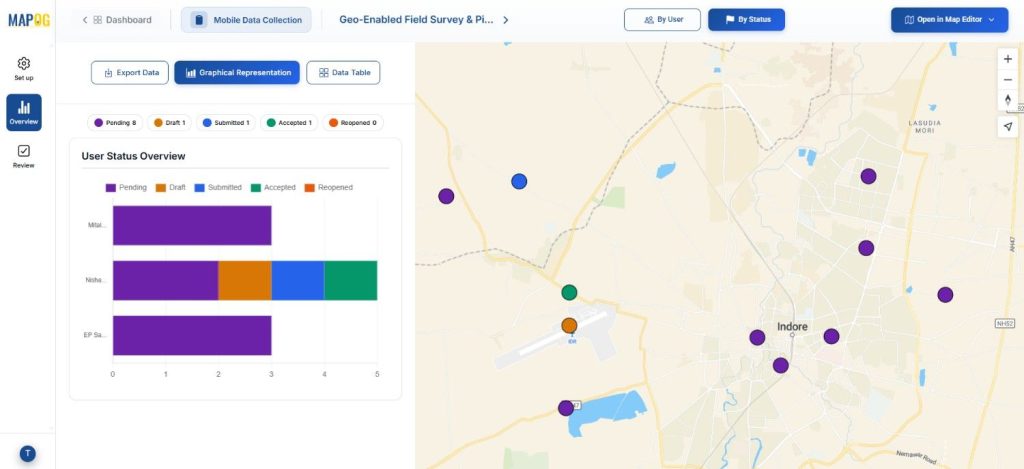
Back in the overview dashboard, status values such as submitted, pending, or draft can be tracked with assignees by filter option.
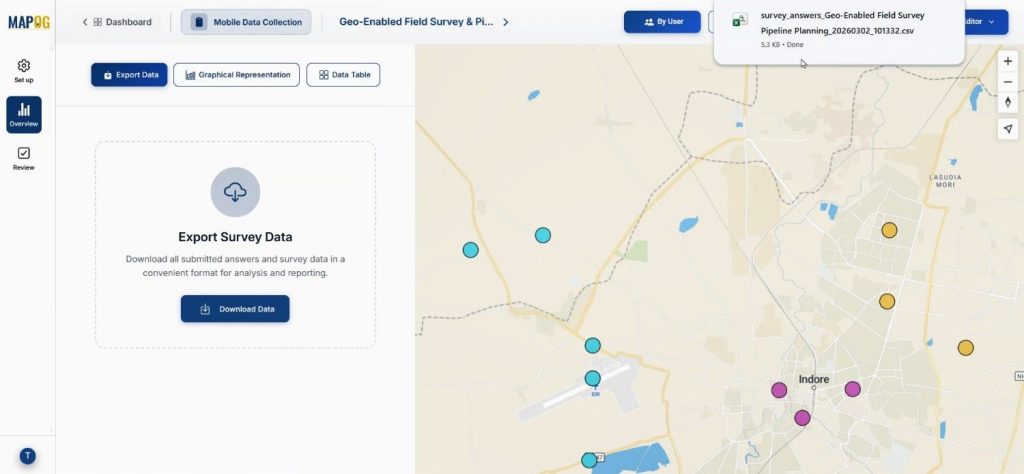
Data can be exported as CSV for further uses.
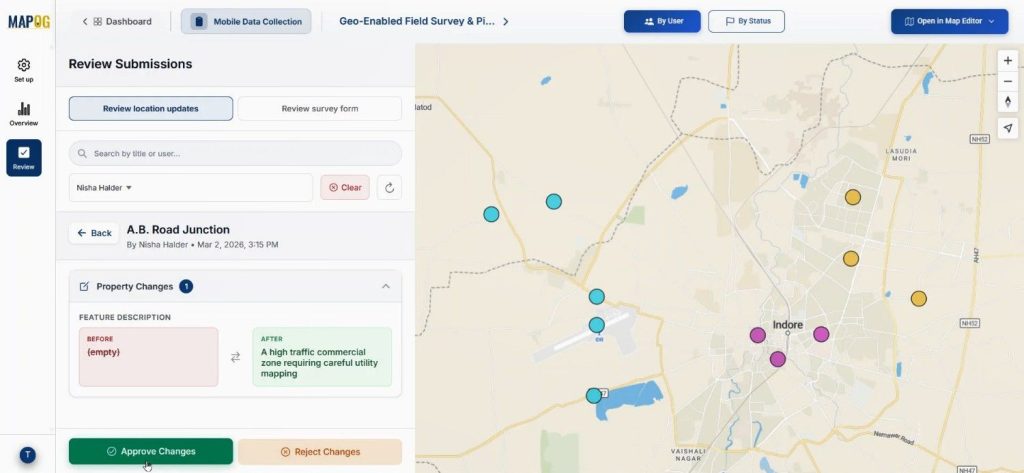
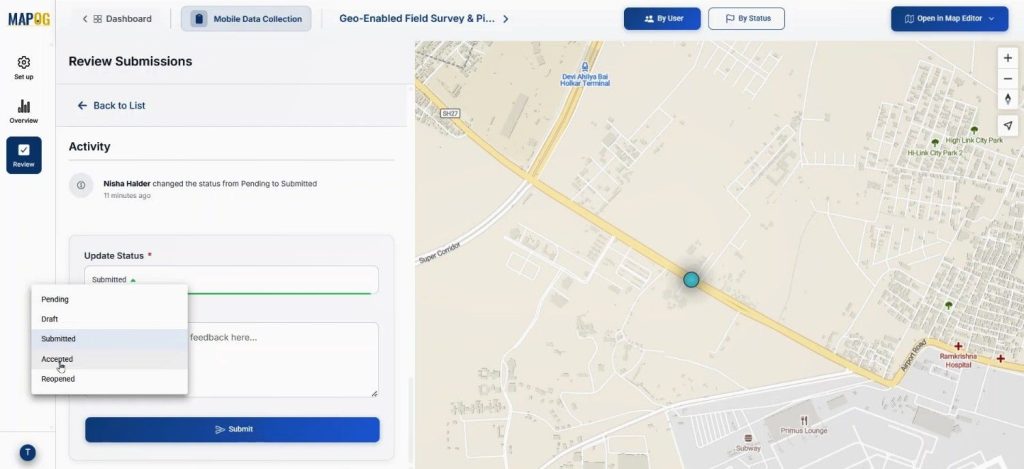
In the review section admin can review the location updates & approve or cancel changes.
with the review submitted from we can view the submitted data.
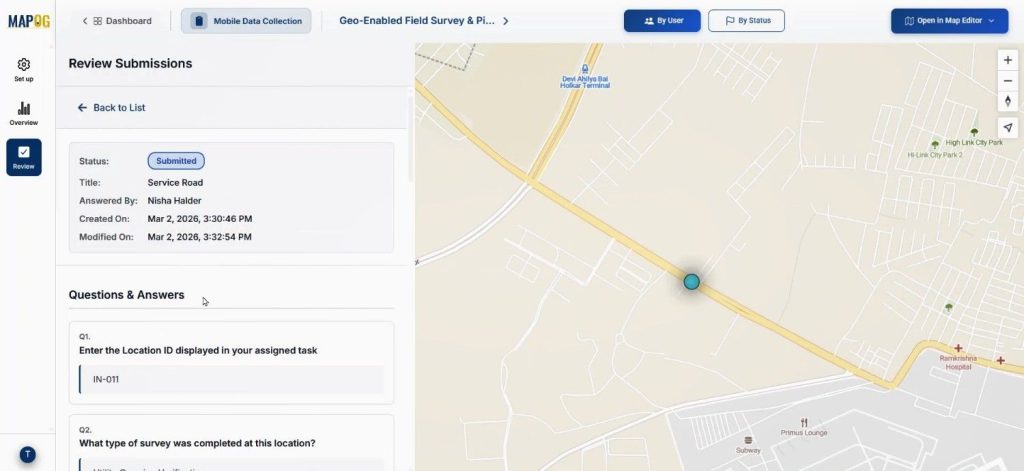
Add comment and also change the status from completed to accepted & submit them.
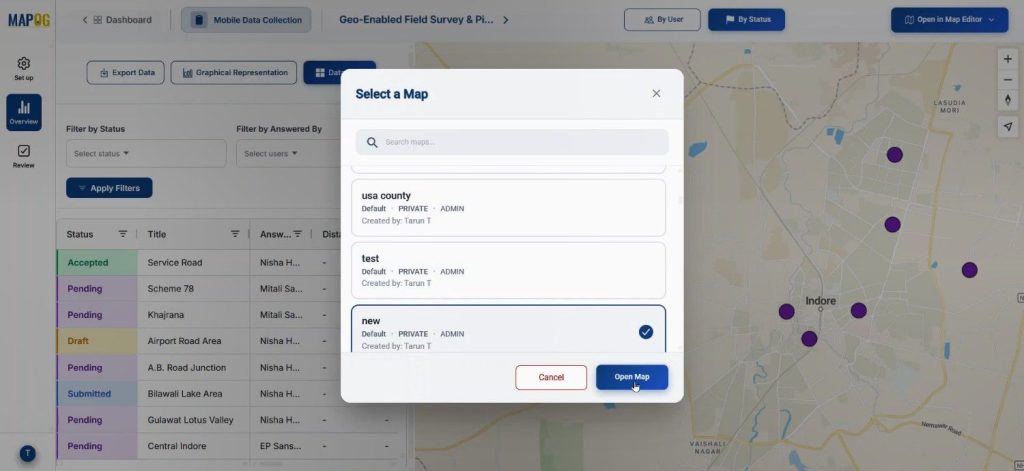
In the overview section the map can be opened in a new or existing map using the “open in map editor” section.
Industry Applications & Benefits of Conduct Builder Field Surveys
In pipeline infrastructure, urban development, and industrial construction, disconnected communication leads to errors. Digital Builder Field Surveys enhance data accuracy and efficiency, such as in gas pipeline projects where soil types and utility crossings are overlaid to mitigate excavation risks.
Real-time verification of drainage layouts and foundation markers streamlines site development. Utilizing MAPOG Mobile Data Collection and the MAPOG Contributor App facilitates centralized dashboards and instant data updates, speeding up decision-making and ensuring audit-ready documentation.
Conclusion
Infrastructure companies need to modernize Builder Field Surveys through digital workflows that enhance visibility, reduce delays, and enable real-time collaboration. MAPOG’s Mobile Data Collection and Contributor App can streamline operations from planning to approval for pipeline layouts or multi-location site development.