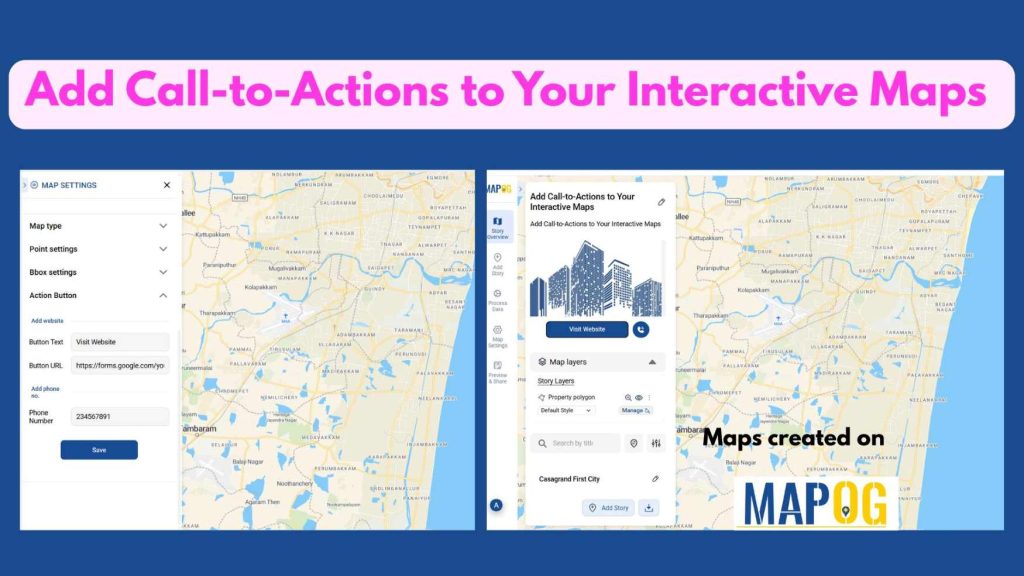
In today’s digital era, engagement drives attention—and interactive maps are no exception. While visualizing data or locations is powerful on its own, Add Call-to-Actions to Your Interactive Maps takes your maps to the next level. CTAs guide viewers toward meaningful interactions—whether it’s exploring a listing, booking a visit, learning more about a location, or contacting your business directly. With MAPOG, you can seamlessly embed buttons, links, or interactive prompts within your map stories. This transforms a simple viewing experience into an interactive journey that encourages users to take the next step—making your maps not just informative, but actionable. Whether you’re showcasing real estate, tourism hotspots, or urban projects, adding CTAs helps you capture interest, boost engagement, and convert viewers into active participants.
Key Concepts
Adding interactive Call-to-Actions (CTAs) to your maps transforms passive viewers into active explorers. Additionally, with MAPOG, CTAs seamlessly integrate into map stories for locations, properties, or visuals, turning static maps into dynamic experiences. Next, this combination of visual storytelling and interactive prompts guides audience behavior, boosts engagement, and makes maps conversion-ready. Then, whether in real estate, tourism, or business presentations, well-placed CTAs make every interactive map actionable, informative, and engaging.
Real Estate Map Example
Imagine a real estate company elevating its marketing strategy by embedding Call-to-Actions (CTAs) directly within its interactive property maps. Instead of static visuals, the map has clickable buttons like “Book a Visit,” “Get Price Details,” or “Contact Agent.” This makes it effortless for potential buyers to take immediate action while exploring the map. Clients can engage directly through these CTAs, leading to higher interaction rates and faster conversions. Moreover, sharing such interactive maps with embedded CTAs simplifies collaboration between sales teams and clients, turning property browsing into a seamless, action-driven experience.
Steps to Add Call-to-Actions to Your Interactive Maps
Once you are done with your map in MAPOG, go “Map Settings” and select the Action button.
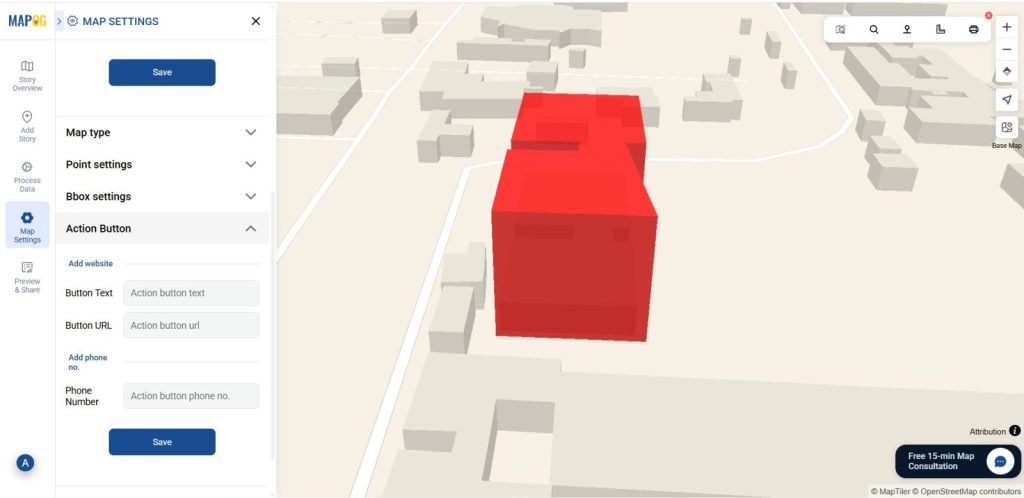
The Action button in the map settings lets users make their interactive maps more engaging and result-oriented. It allows you to add direct call-to-actions (CTAs) like website links or contact options right on the map itself.
In the Action button settings, there are three options:
Text
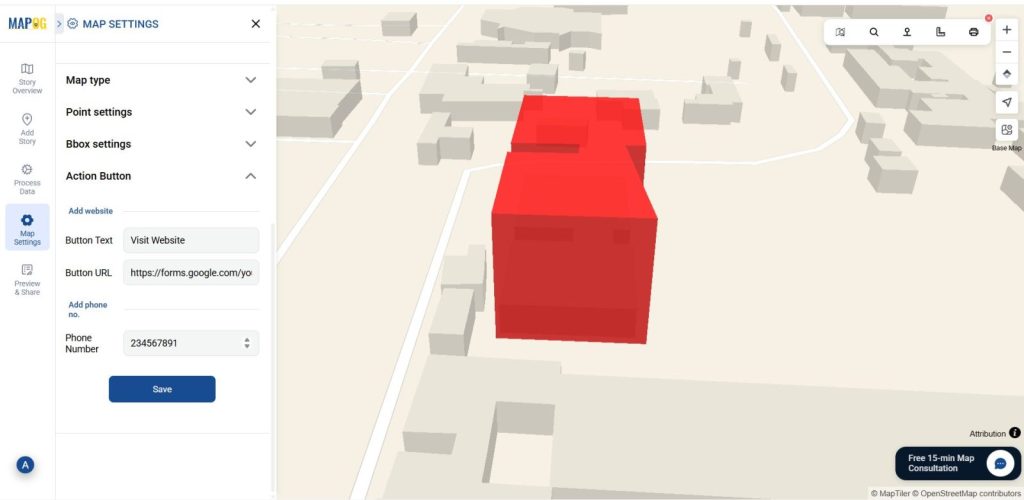
In the first box, add a label or name for your action button — for example, “Visit Website,” “Contact Us,” .
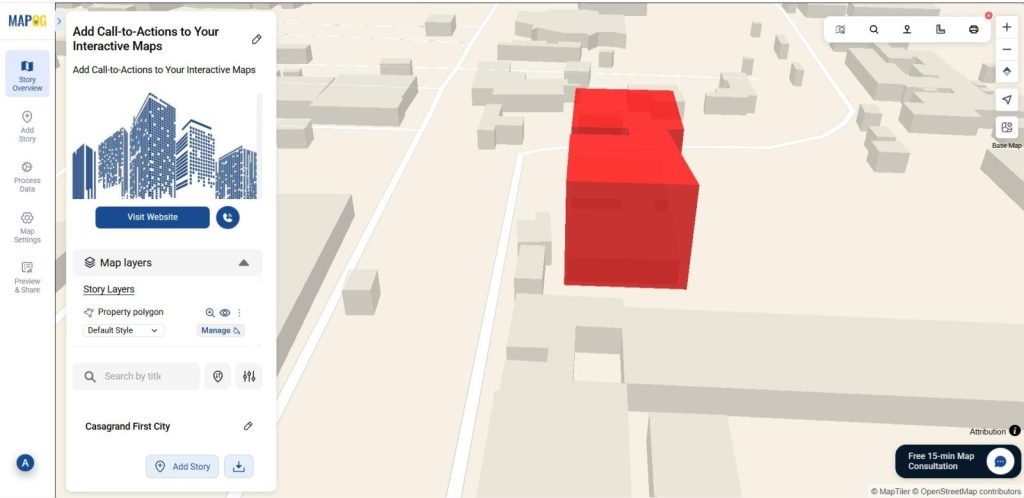
This label will appear directly on your interactive map as the clickable call-to-action button.
So when you add a button, the text is what people see and click on.
URL
In the second box, you can attach your website link or any relevant URL to the selected map location.
When viewers click the button, they’ll be instantly redirected to your webpage — making it simple to explore more details.
Mobile Number
In the third box, you can add a mobile number to enable direct contact. This is especially useful for real estate agents who want potential clients to reach out quickly through a single click.
Applications of Adding Call-to-Actions (CTAs) to Interactive Maps
Real Estate Professionals can use interactive CTAs to guide potential buyers from map listings to property pages, inquiry forms, or virtual tours—streamlining discovery-to-decision and boosting engagement.
Tourism and Hospitality Marketers can embed interactive CTAs that let users book accommodations, view itineraries, or get directions—turning maps into powerful exploration and booking tools.
Businesses and Retailers can add interactive CTAs to highlight store locations, offer promotions, or link to e-commerce pages—driving both in-person visits and online sales.
Conclusion:
Adding Call-to-Actions (CTAs) to Interactive Maps becomes effortless and impactful with MAPOG. By integrating actionable elements such as “Learn More,” “Book Now,” or “Contact Us” directly within your map, you turn static visuals into interactive experiences that inspire user engagement and drive results. This approach not only enhances viewer interaction but also bridges the gap between information and action—empowering real estate professionals, businesses, and marketers to achieve their goals more effectively. With MAPOG’s interactive CTA tools, every map becomes a conversion-ready storytelling platform that connects visuals, context, and action seamlessly.
Here are articles related to this topic: