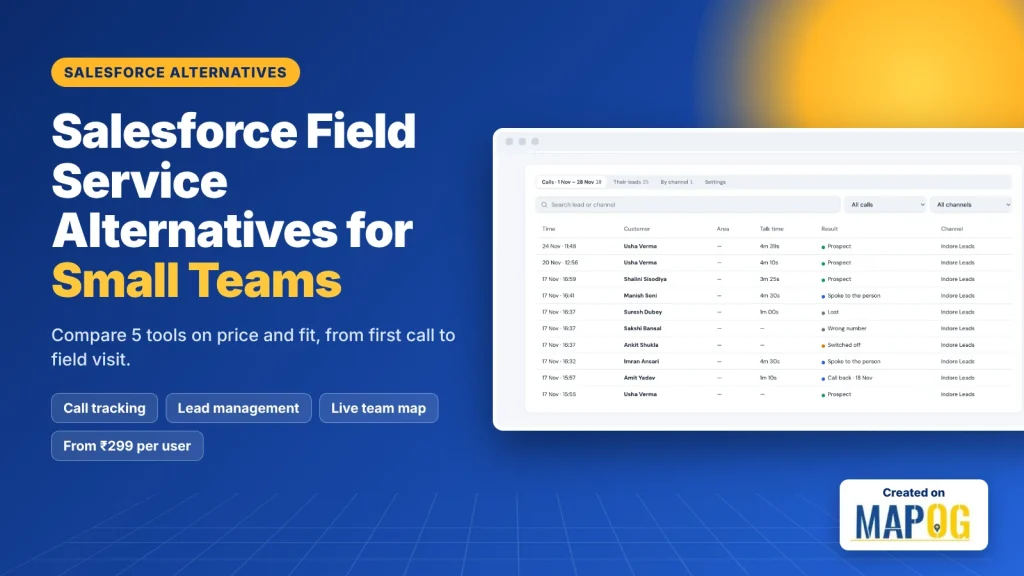
Looking for Salesforce Field Service alternatives that fit a smaller team? Picture a solar company with 4 lead executives, 5 field engineers and 1 owner who wants to know what happened today.
They don’t need a platform that takes a consultant three months to set up. Instead, they need to know which leads were called, which sites were visited and which crew is where, by this evening.
Salesforce Field Service is a powerful tool for large enterprises. For a team of 10 to 100 people, however, it often brings more setup, more add-ons and a bigger bill than the work needs. So this guide compares five alternatives and helps you pick the one that fits the way your team actually works.
The short version: if your business runs on calls, site visits and field crews, look for a tool where lead calling, the sales pipeline and live team tracking sit in one place. That is exactly what MAPOG FSSM is built for.
Why growing teams look for Salesforce Field Service alternatives
Salesforce Field Service is built for large service organisations with dedicated admins. Smaller teams, however, usually hit the same four walls:
- The price is per licence, and licences add up. A Technician or Dispatcher licence is listed at $175 per user per month, billed annually.
- It sits on top of Service Cloud. You need at least one Service Cloud licence, and technicians need at least one Dispatcher before they can use scheduling.
- Annual contracts only. Every per-user product needs a yearly commitment, which is hard when your team size changes with the season.
- It starts at the job, not the call. Most small and mid-size businesses win work over the phone, so tracking calls usually means another tool.
None of this makes Salesforce a bad product. It simply means the right tool for a 15-person team often looks very different from the right tool for a 1,500-person one.
First, a quick look at MAPOG FSSM
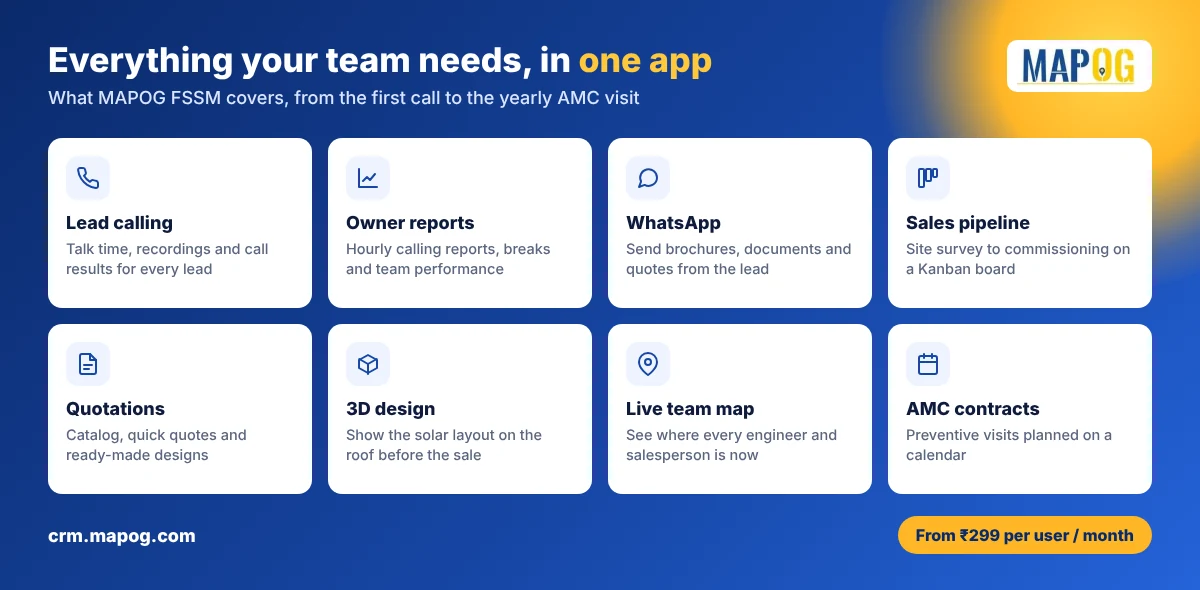
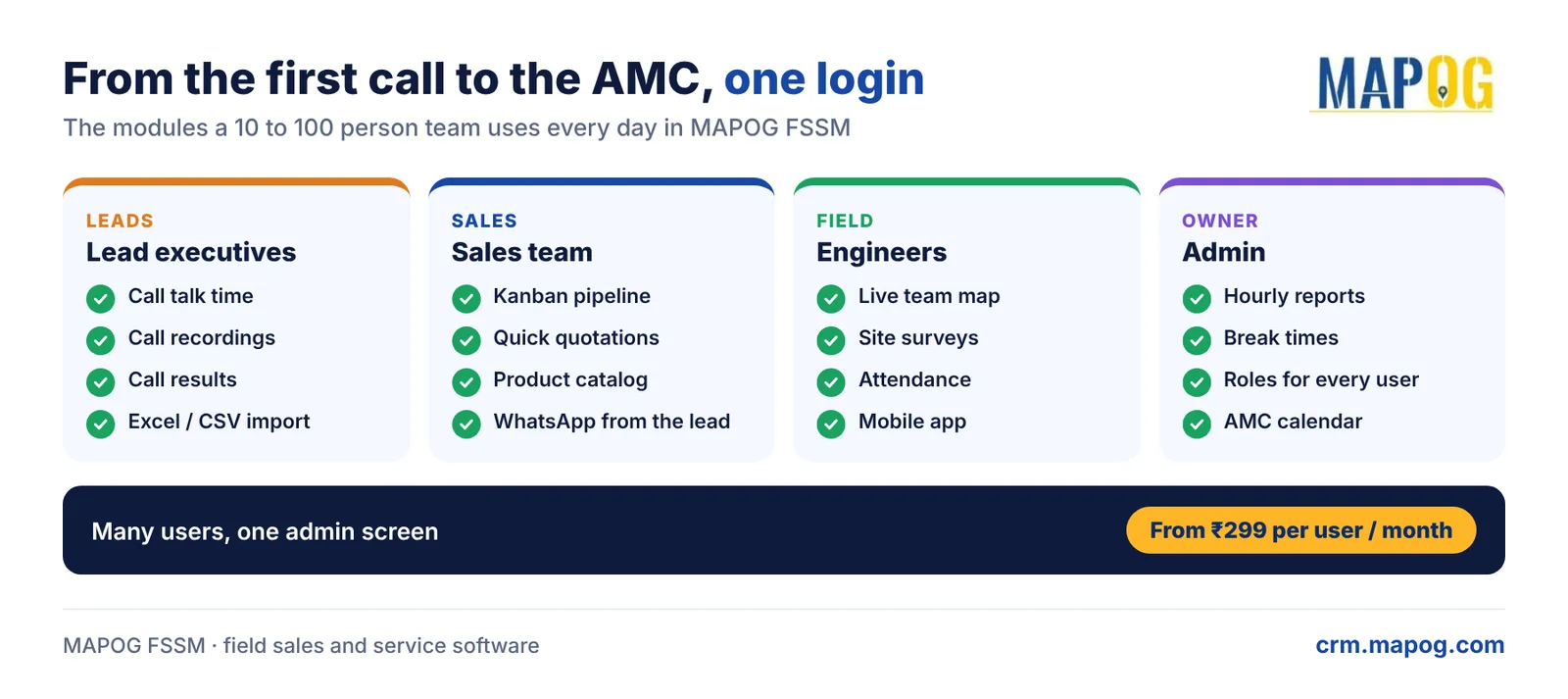
Before we compare tools, here is everything MAPOG FSSM covers in one app, from the first call to the yearly AMC visit.
5 Salesforce Field Service alternatives, and who each one suits
1. MAPOG FSSM
Best for: solar, security and service businesses that sell over the phone and deliver in the field.
In short, lead calling, the sales pipeline, field work and AMCs live in one app, on one map. Calls are tracked from the first ring, so owners can see how leads are handled long before a technician is booked.
Pricing: ₹299 per user per month, or ₹2,999 per user per year. A free version is available.
2. Zoho FSM
Best for: teams already using Zoho CRM and Zoho Books.
It covers work orders, scheduling and dispatch, and connects to the rest of the Zoho suite.
Pricing: based on appointments per month, not users. Standard starts at $30 a month for 60 appointments. A free edition covers 30 appointments a month.
3. FieldEZ
Best for: service teams that mainly need scheduling, dispatch and on-site billing.
It also includes work orders, GPS tracking, payment collection in the field, inventory and attendance.
Pricing: per user, from $25. A 30-day free trial is offered.
4. Fieldproxy
Best for: service companies whose process doesn’t fit an off-the-shelf tool.
Similarly, it covers scheduling, work orders, quotes, invoices and service agreements, with web and mobile apps.
Pricing: one flat rate for the whole company with unlimited users, sized by the number of jobs. Prices are not published.
5. ServiceTitan
Best for: larger US home-service contractors (HVAC, plumbing, electrical).
In addition, it is a deep platform covering call booking, dispatch, invoicing, payroll and memberships.
Pricing: per technician, by quote only.
Why MAPOG FSSM is a strong Salesforce Field Service alternative
Salesforce starts when a job is booked. MAPOG FSSM, on the other hand, starts with the first phone call, so you can see your whole business in one app.
1. All your leads in one list
First, every lead shows its stage, its tags, who is handling it and where it came from. Lead executives see their own leads, while the owner sees everyone’s.
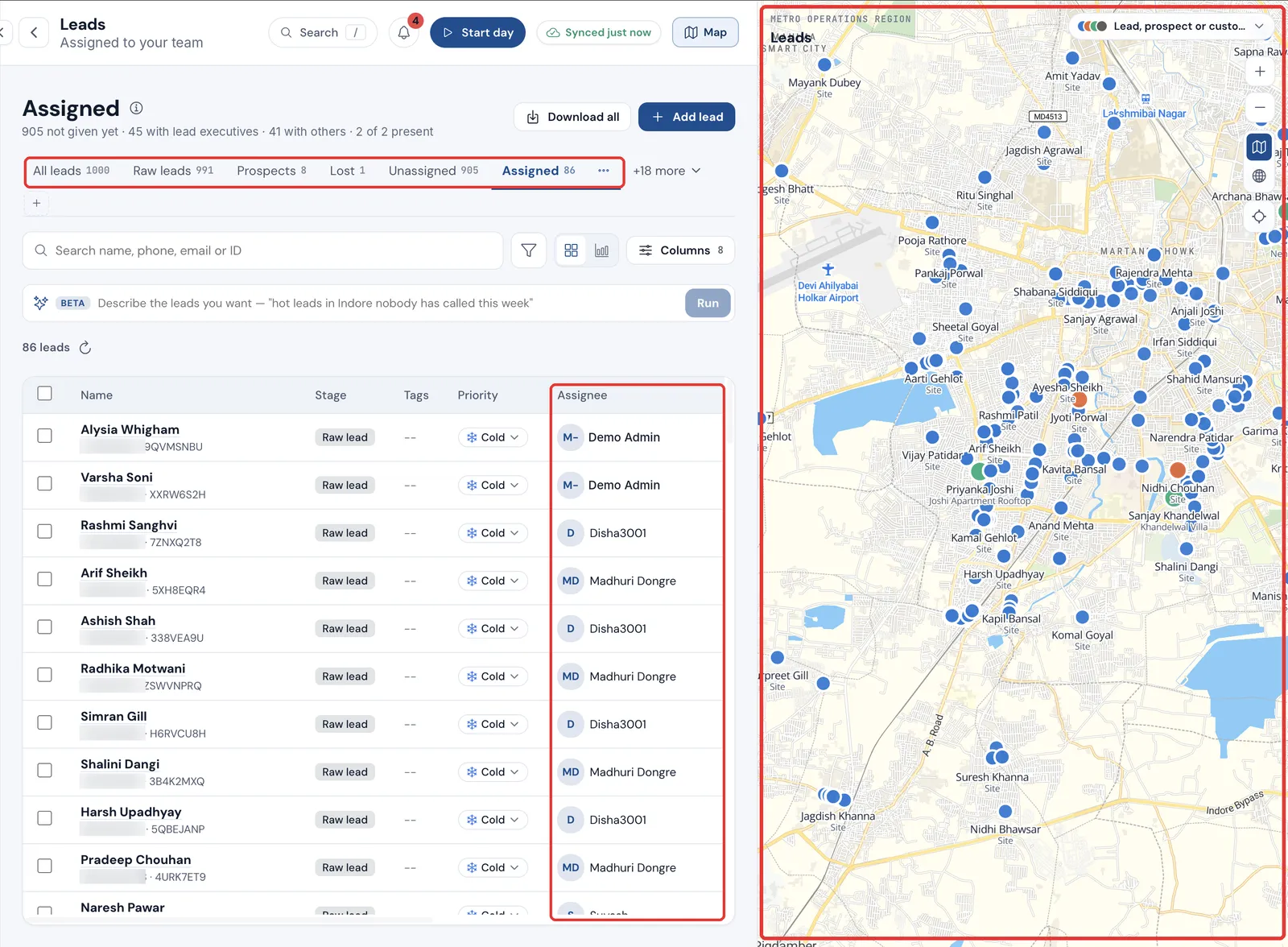
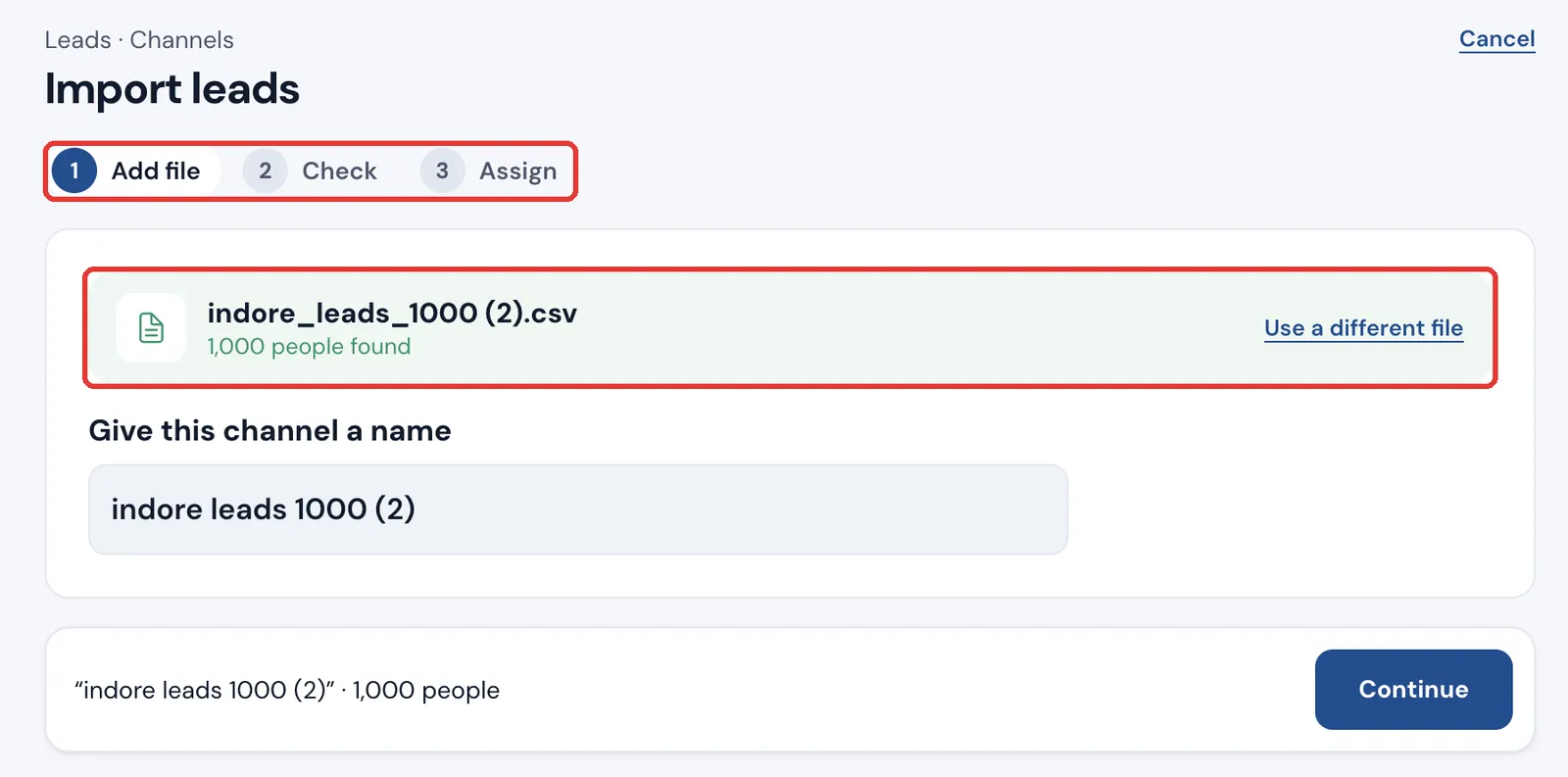
Already have leads in a spreadsheet? Import the Excel or CSV file in three steps (add the file, check it, assign it), and the leads are shared out to your lead executives.
2. Every call is tracked
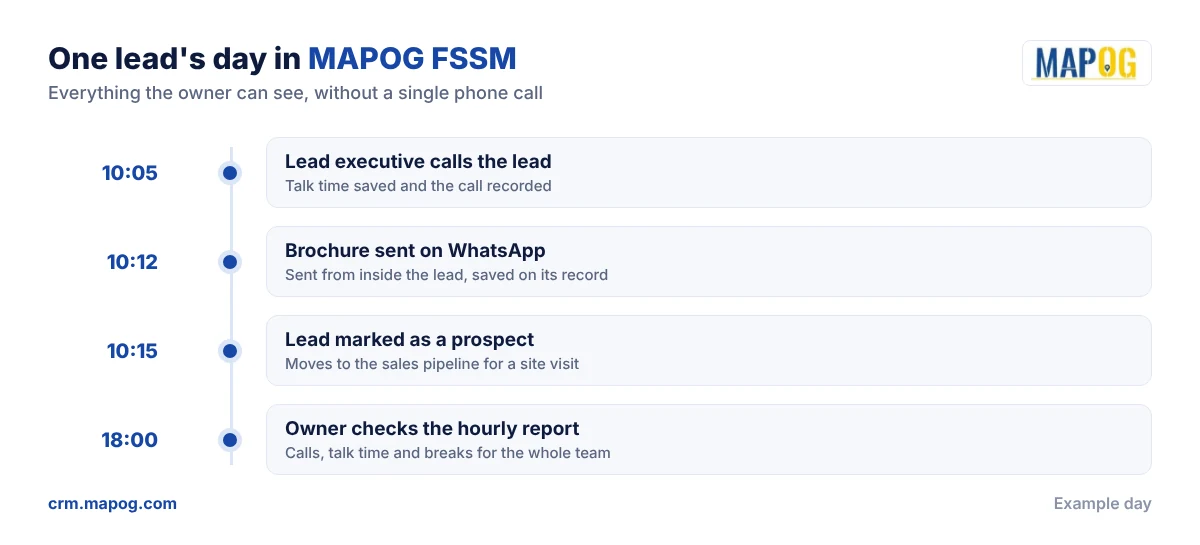
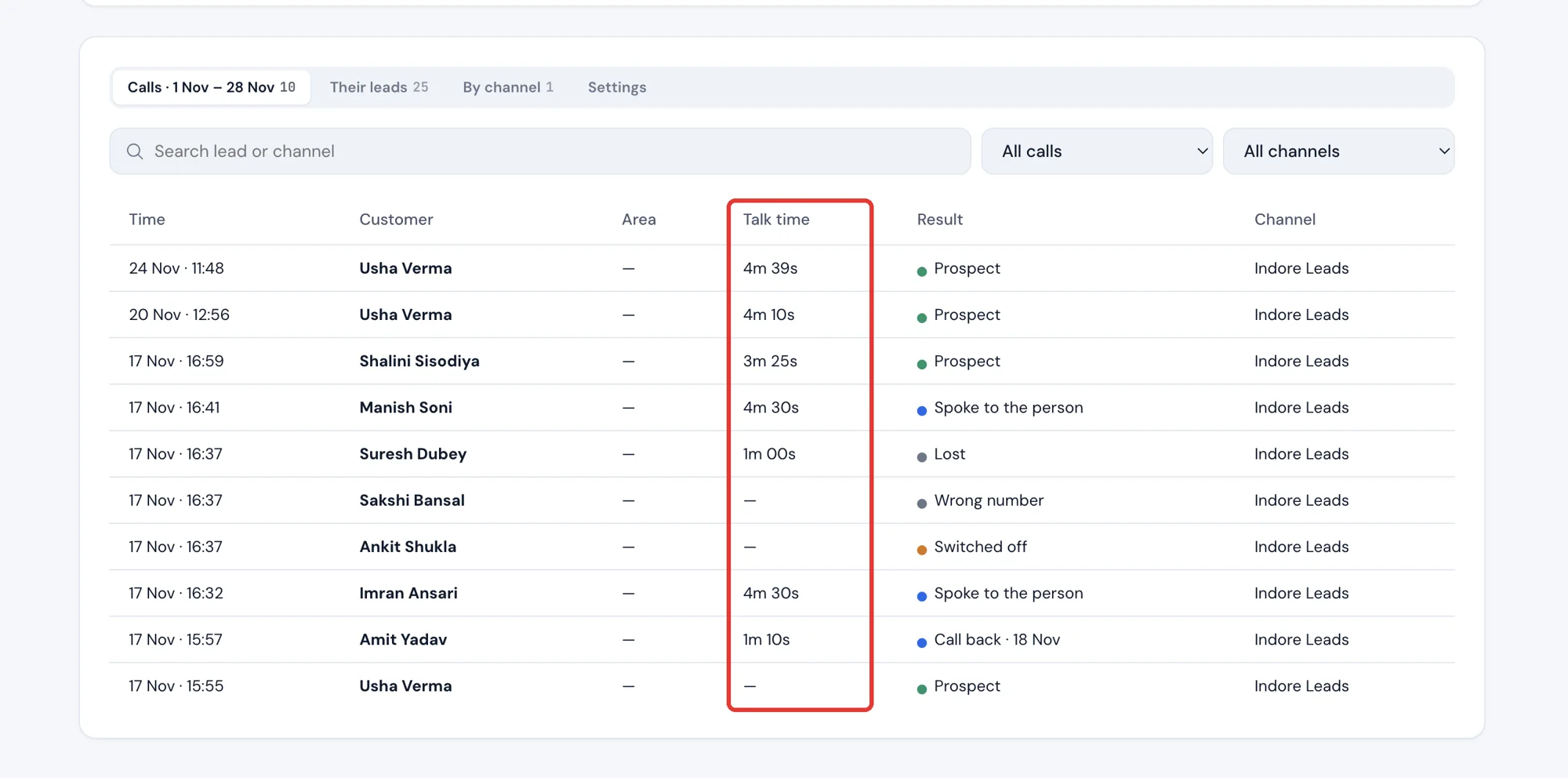
- Talk time is saved for every call, automatically.
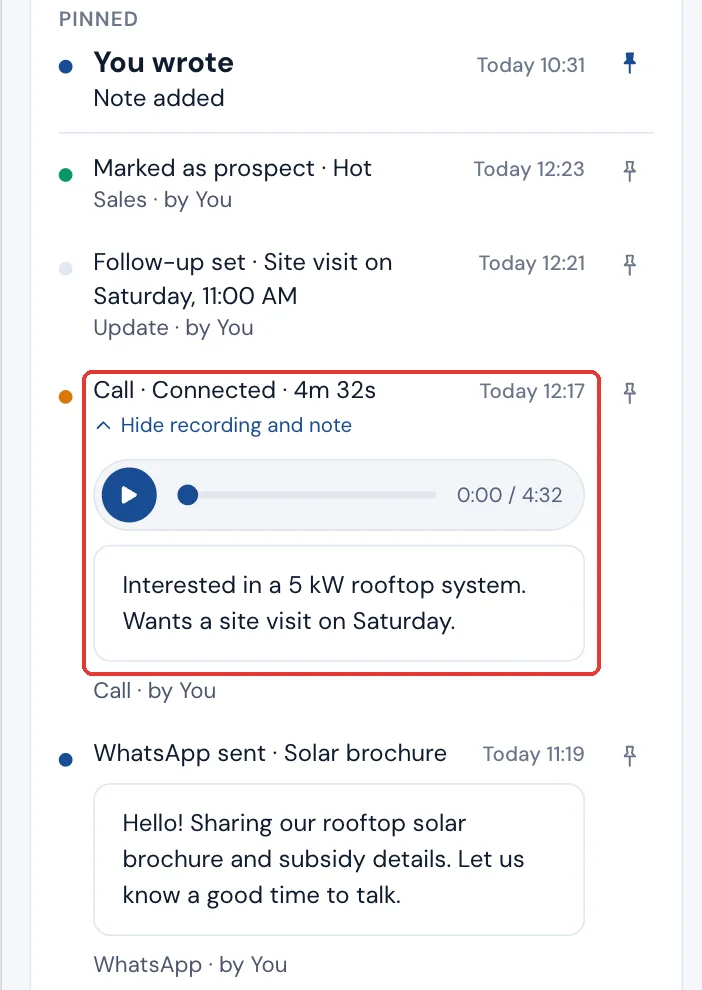
- Call recordings let you listen to any conversation later.
- Call results such as prospect, call back, switched off or wrong number make the list easy to filter.
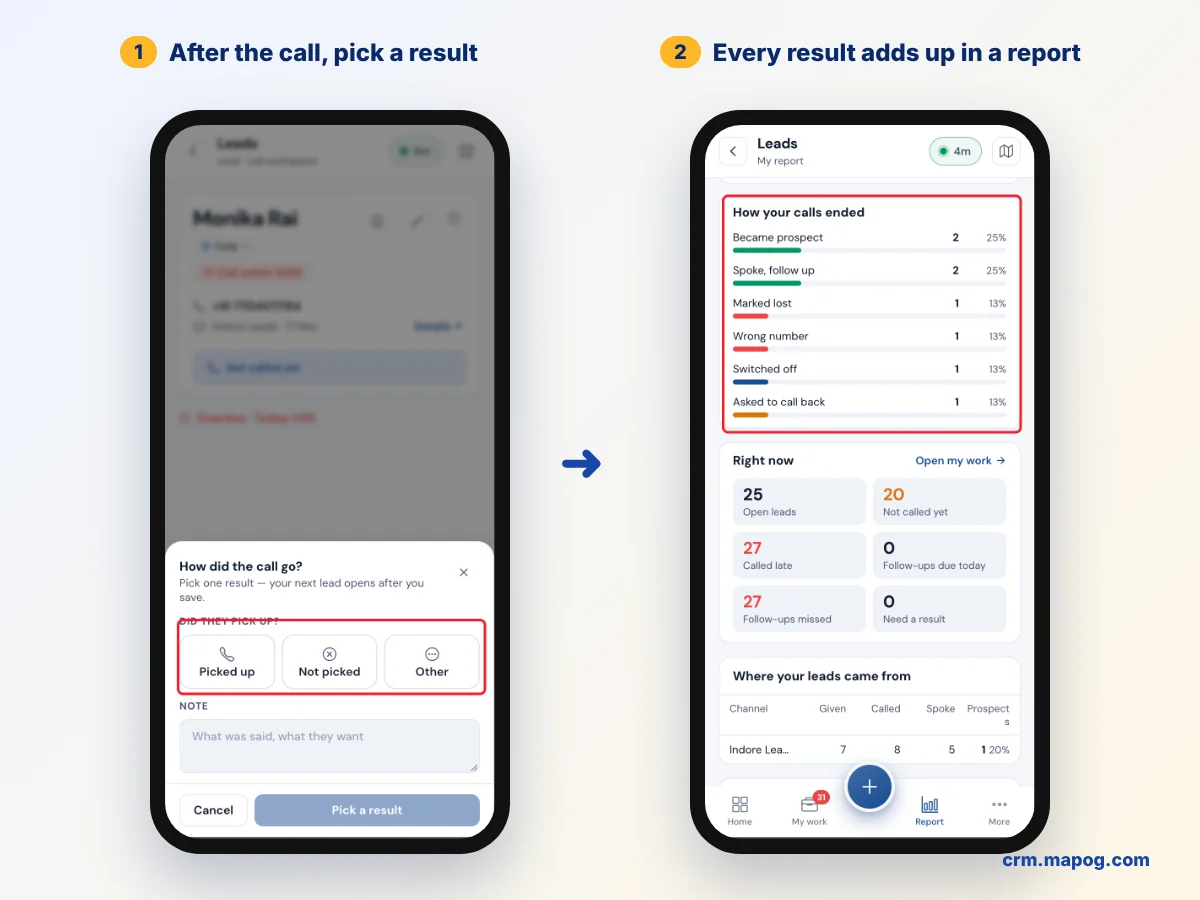
On the phone, the lead executive picks a result after every call, and the report adds them up automatically.
Later, anyone can open the lead and play the call back, with the lead executive’s note right under the recording.
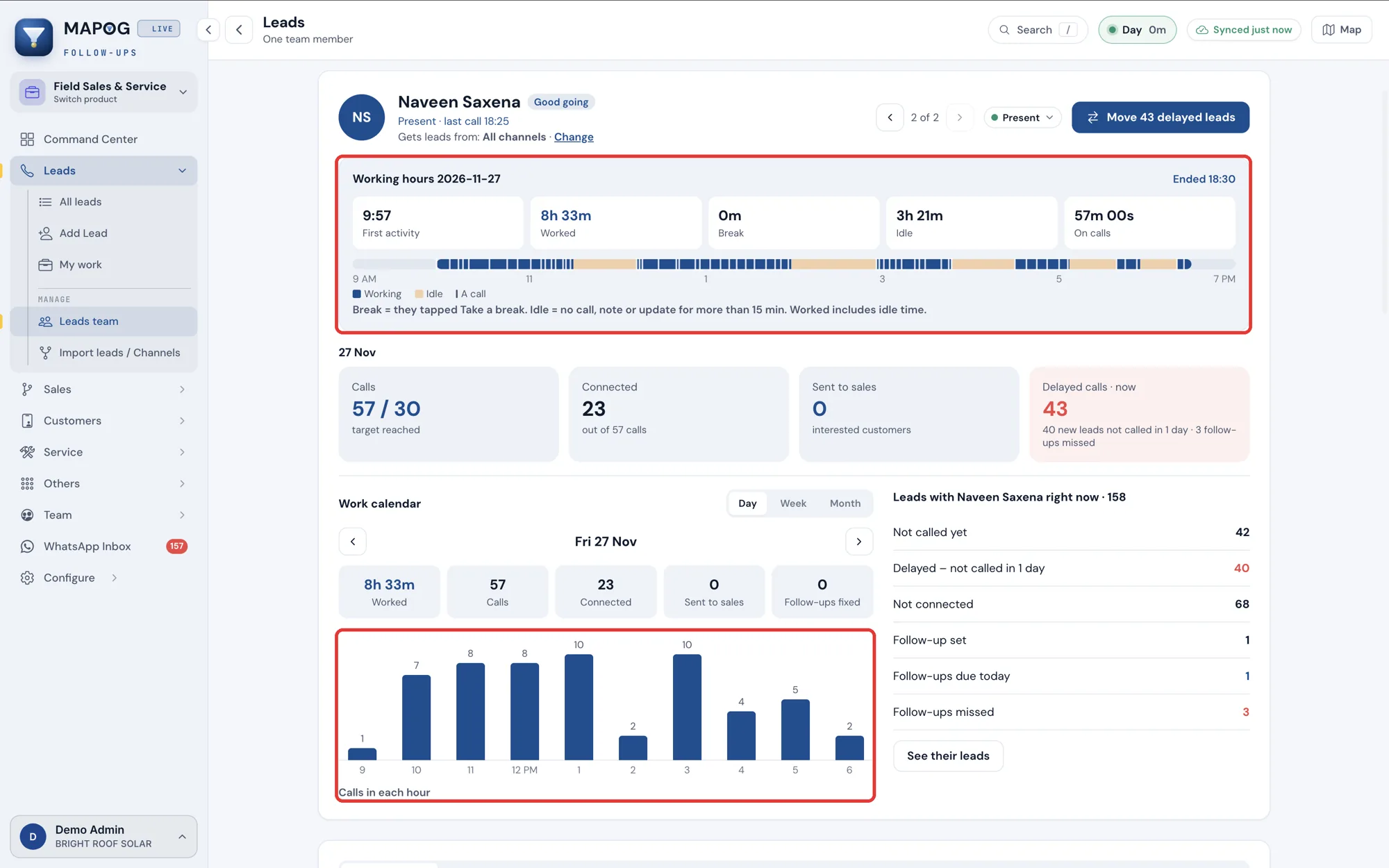
3. Reports for the owner, hour by hour
Also, admins can filter calls by person, date or lead status, check the hourly report and see break times. As a result, you know who is calling, and when.
4. WhatsApp, right from the lead
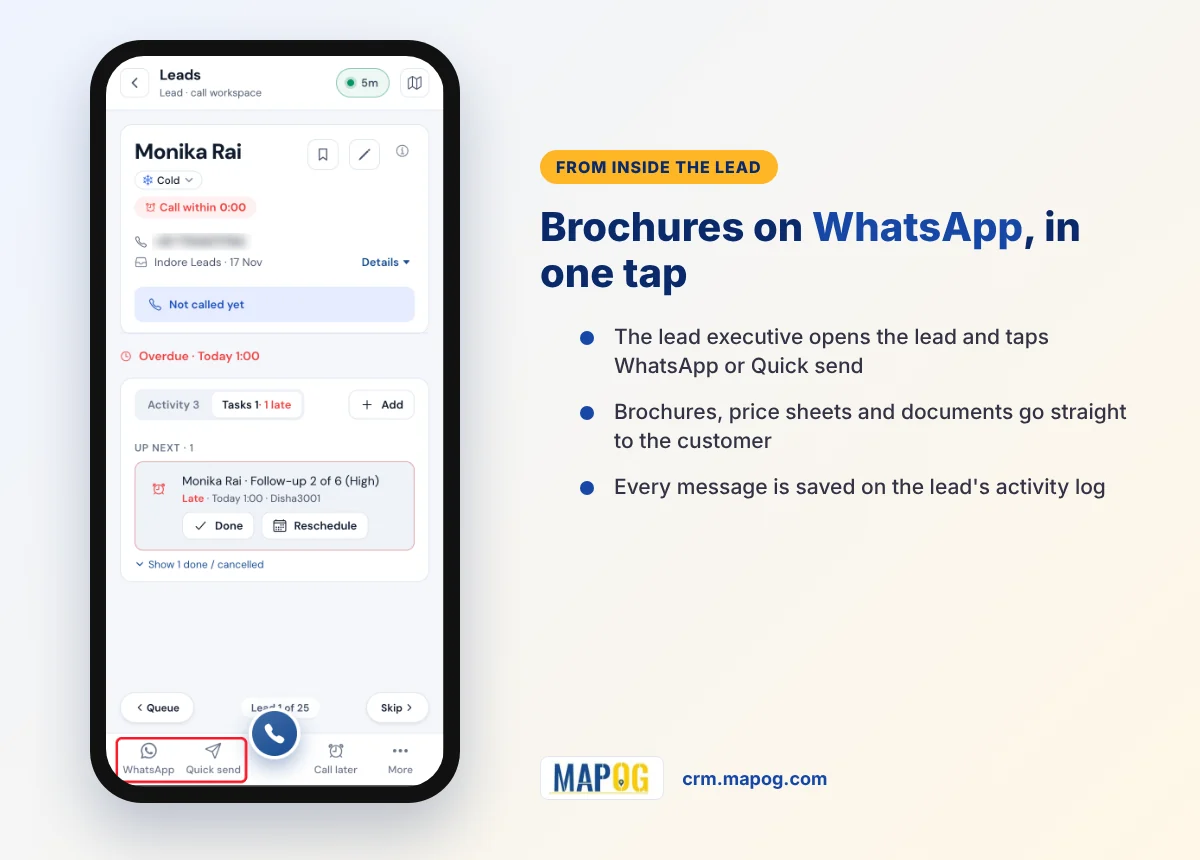
If a customer asks for a brochure or a document, the lead executive sends it on WhatsApp from inside the lead. That way, nothing gets lost in personal phones.
5. The right access for each person
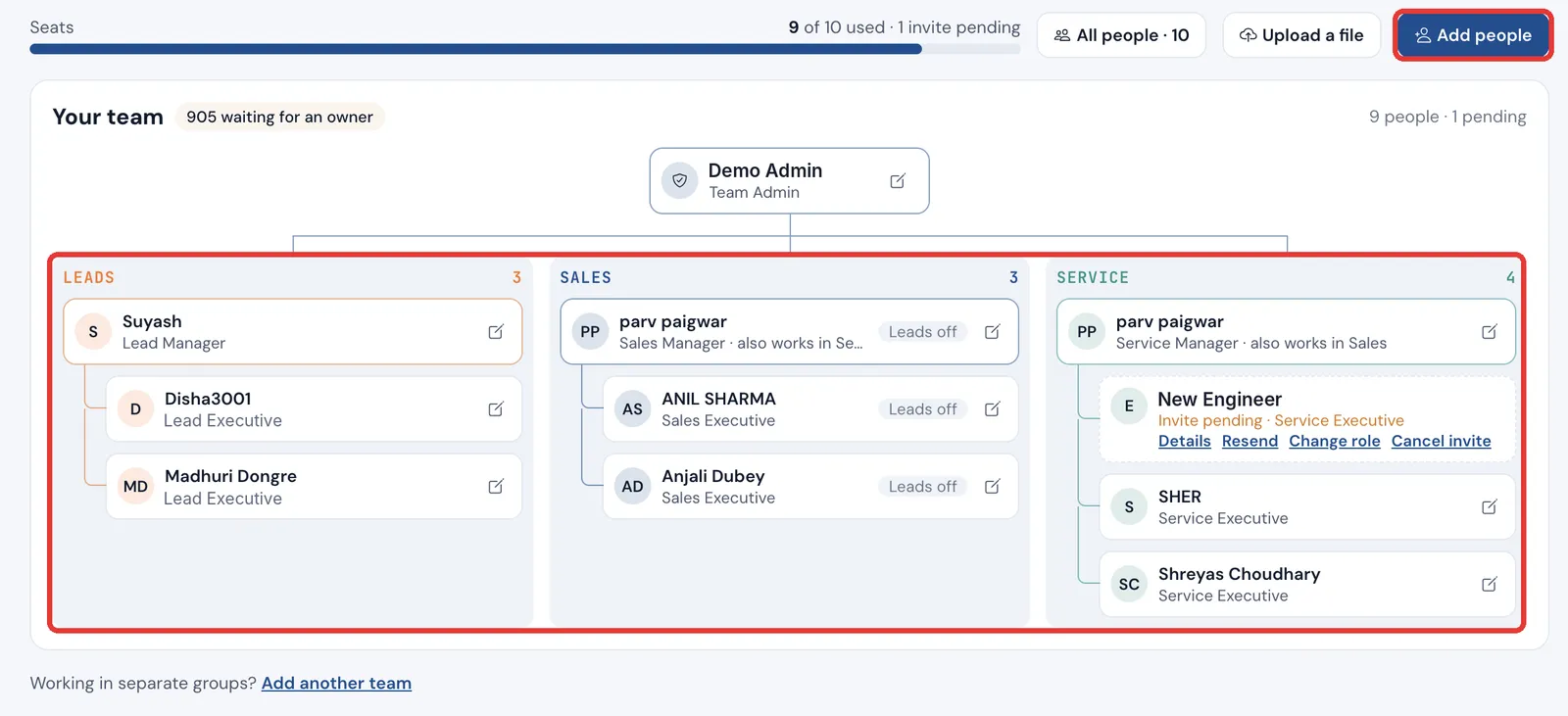
Finally, give every team member a role: lead executive, sales, service or admin. Each person then sees what they need, and nothing more.
Salesforce Field Service alternatives pricing for a 10-person team
For example, take the team from the start of this guide: 4 lead executives, 5 field engineers and 1 owner. Here is roughly what each tool would cost them, based on published list prices.
| Tool | How it charges | Monthly cost for this team |
|---|---|---|
| MAPOG FSSM | ₹299 per user | ₹2,990 for all 10 users (or ₹29,990 a year on the yearly plan) |
| FieldEZ | From $25 per user | From $250 |
| Zoho FSM | By appointments, not users | $190 for up to 500 appointments (Standard) |
| Salesforce Field Service | $175 per Technician or Dispatcher, billed annually | $1,050 for 5 technicians and 1 dispatcher, plus Service Cloud licences |
| Fieldproxy | Flat rate by job volume | On request |
| ServiceTitan | Per technician | On request |
Prices as listed by each vendor in November 2026. Taxes are extra.
More than most Salesforce Field Service alternatives: one login, many modules
Most tools in this list do one job well. A dialer tracks calls, a CRM holds leads and a field app runs jobs. MAPOG FSSM, however, puts them together, so you don’t pay for three subscriptions or copy data from one app to another.
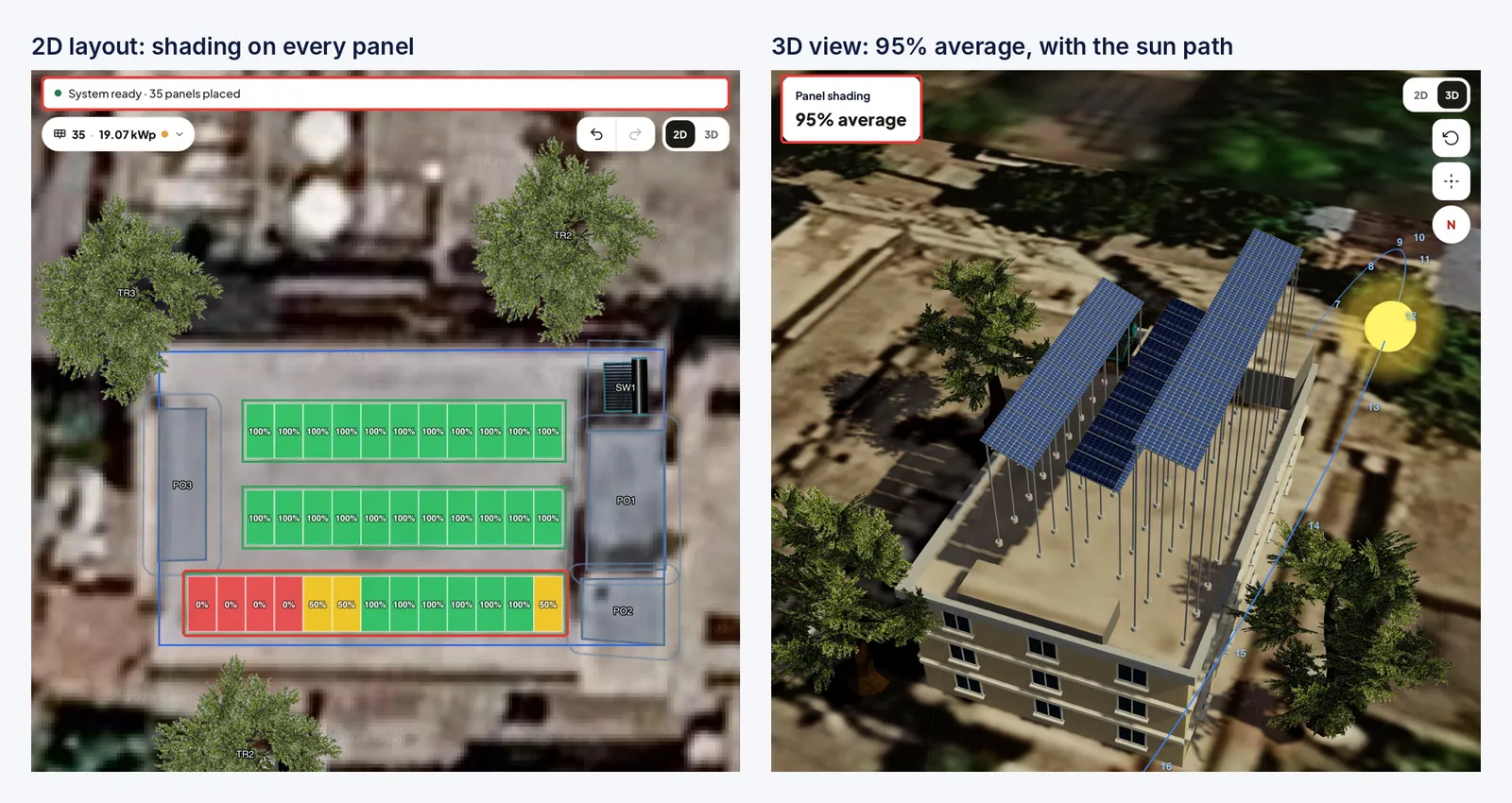
3D design simulation for solar teams
If you sell solar, MAPOG FSSM also offers 3D design simulation. Place the panels on the customer’s roof, see the shading on every panel and show the sun path through the day. As a result, the customer sees the system before they sign.
Switching to a Salesforce Field Service alternative in a week
Use this list to plan the move. In practice, most small teams can finish it in a few working days.
- First, export your leads and customers from Salesforce as a CSV file.
- Next, write down your sales stages, for example new lead, site visit, quotation and won.
- List your team and decide each person’s role: lead executive, sales, service or admin.
- Import the CSV into MAPOG FSSM and check that every site lands on the map.
- Set up the WhatsApp materials your team sends most often, such as a brochure and price sheet.
- Then run one week of calls in the new system and review the hourly report together.
- Finally, check your Salesforce renewal date before you give notice.
Salesforce Field Service alternatives: questions teams ask
₹299 per user per month, or ₹2,999 per user per year, which gives you two months free. A free version lets you try it with your team first.
No. It suits any business that sells over the phone and then sends people to a site, such as solar, security and maintenance services.
Yes. Every lead call is recorded with its talk time and result. Admins can filter calls by person, date or status and check the hourly report.
No. Leads, the sales pipeline and field work are in the same app, so there is nothing to connect.
Yes. Add your whole team under one admin and give each person a role, such as lead executive, sales, service or admin. Each person then sees only the work meant for them.
Yes. MAPOG FSSM offers 3D design simulation that shows the panel layout, the shading on each panel and the sun path on the customer’s roof.
About this guide: written by the MAPOG FSSM team, who build field sales and service software for solar and service businesses in India. Competitor details were checked on each vendor’s website in November 2026.
Related reads:
· Best Jobber Alternative for Solar and AMC Businesses
· Housecall Pro Alternative for Small Solar and Service Teams
· Best Field Service Management Software in India (Compared)
Hear your calls, see your crews, in one app
Simply book a short demo and bring one real day of your team’s work. We’ll then show you how it looks in MAPOG FSSM.