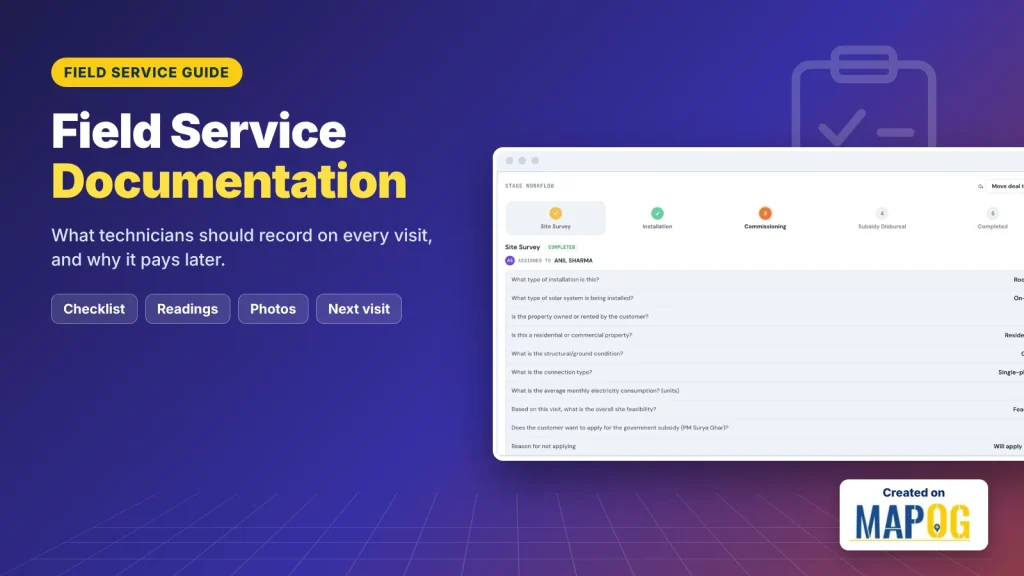
Eight months after an inverter replacement, a customer calls about a warranty claim. The manufacturer wants the old serial number, the date of the fault and a photo of the error code. You open the job, and the technician’s note says: “Visited. Done.” That is where weak field service documentation costs you money.
The repair itself was fine. The record was not. And the record is what you need later: for the warranty, for the next technician, for the AMC renewal and for the bill.
So this guide lists exactly what technicians should record on every visit, moment by moment, with a ready checklist you can hand to your team today.
What is field service documentation?
Field service documentation is the record a technician creates for each site visit: who went, when, what they checked, what they found, what they changed, proof such as photos and readings, and what happens next. A good record lets anyone in the office understand the visit without calling the technician.
Why field service documentation matters more than the repair
- Warranty and disputes. Serial numbers, dates and photos settle claims and “your technician never came” calls in minutes.
- The next visit. The next technician starts where the last one stopped, instead of checking everything again.
- Renewals and billing. A clear history of visits is the easiest way to show an AMC customer what they paid for.
What to record, moment by moment
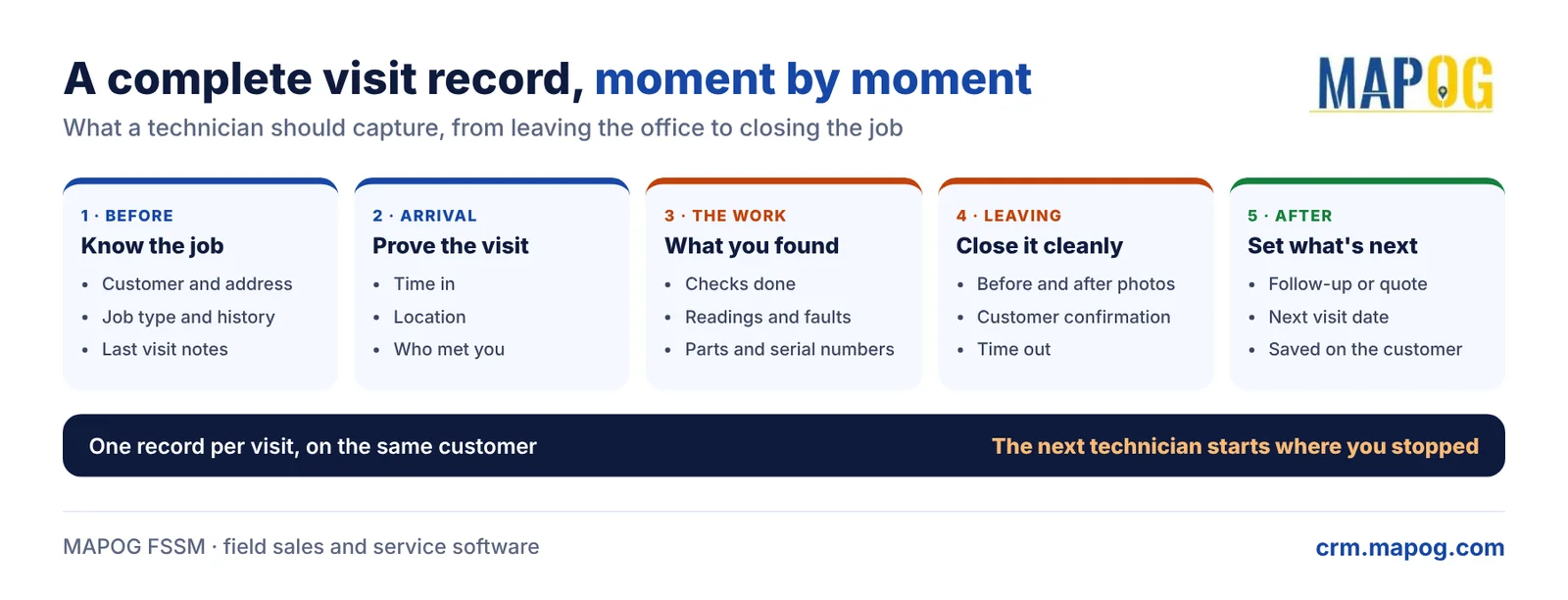
1. Before leaving the office: know the job
First, the technician should see the customer, the address, the job type and the notes from the last visit. Then they carry the right parts and don’t ask the customer the same questions again.
2. On arrival: prove the visit
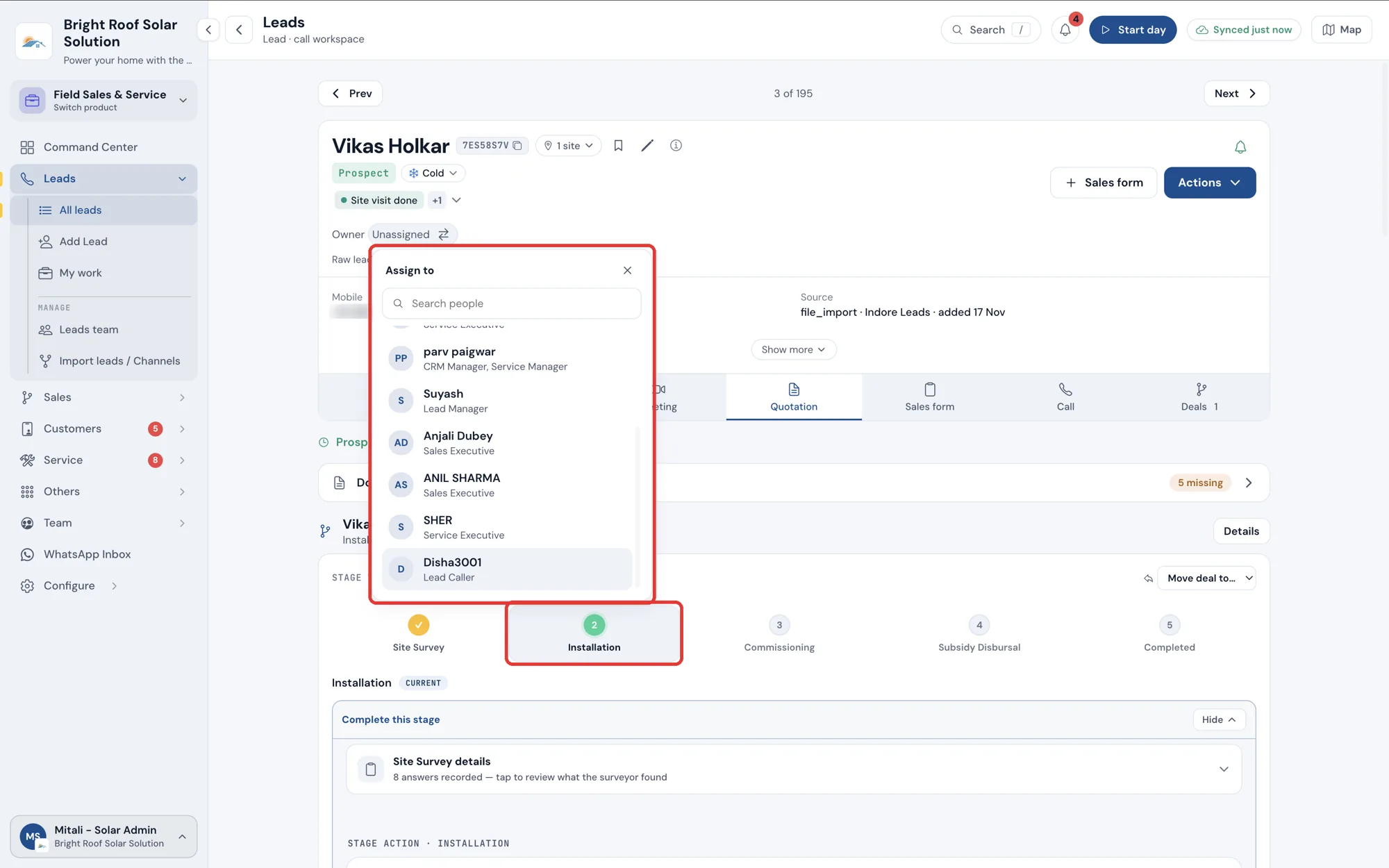
Next, record the time in and the location, and note who met you on site. In MAPOG FSSM, the live map already shows when a technician is on site, so the visit is on record even before the work starts.
3. During the work: what you checked and found
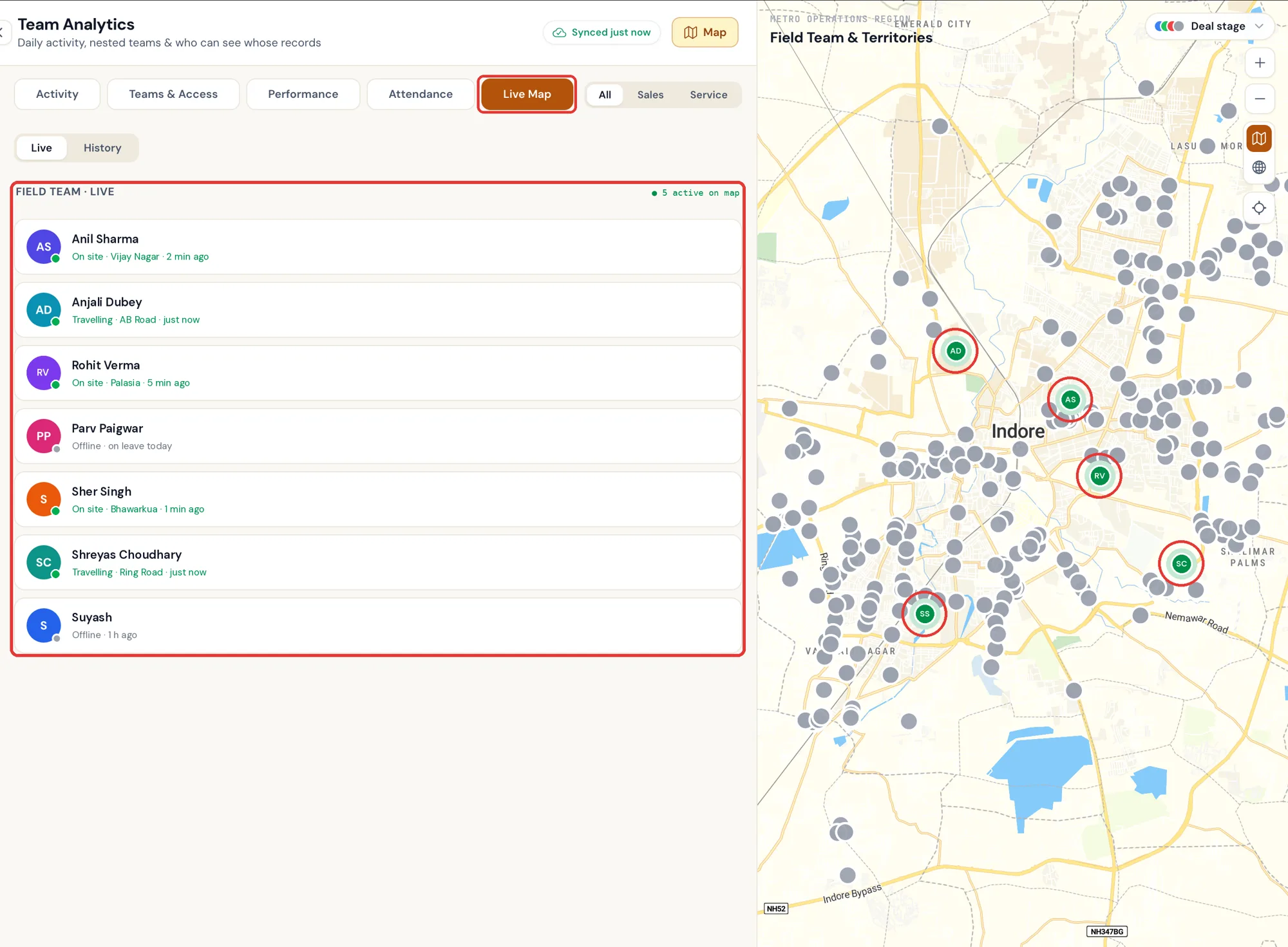
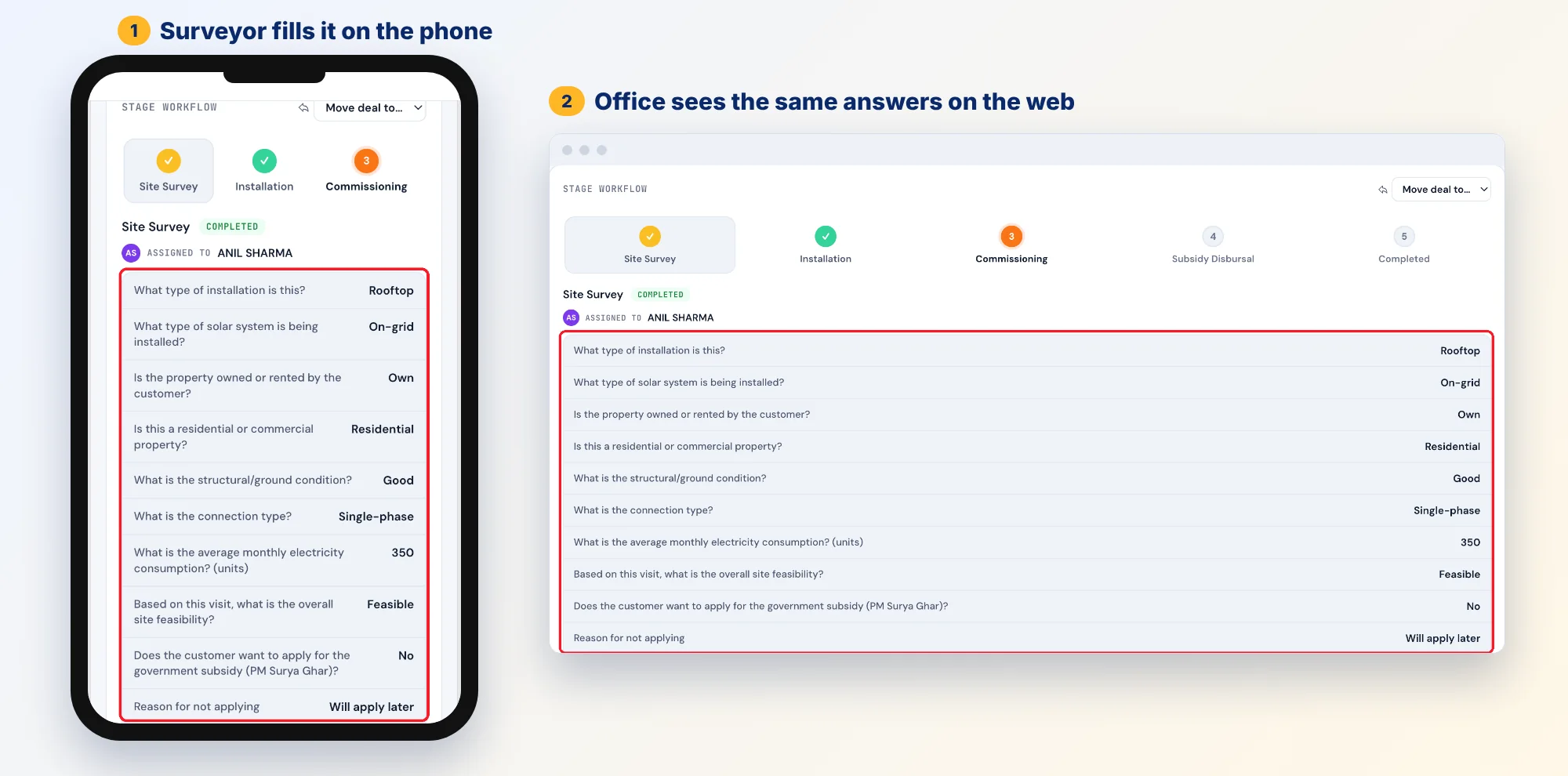
This is the heart of field service documentation. Record each check you made, the readings you took, any fault or error code, and every part you replaced with its serial number. Fixed questions work better than free text, because every technician then answers the same things.
For example, a site survey form in MAPOG FSSM asks the same questions on every visit, and the answers show on the web as soon as the technician saves them on the phone.
4. Before leaving the site: close it cleanly
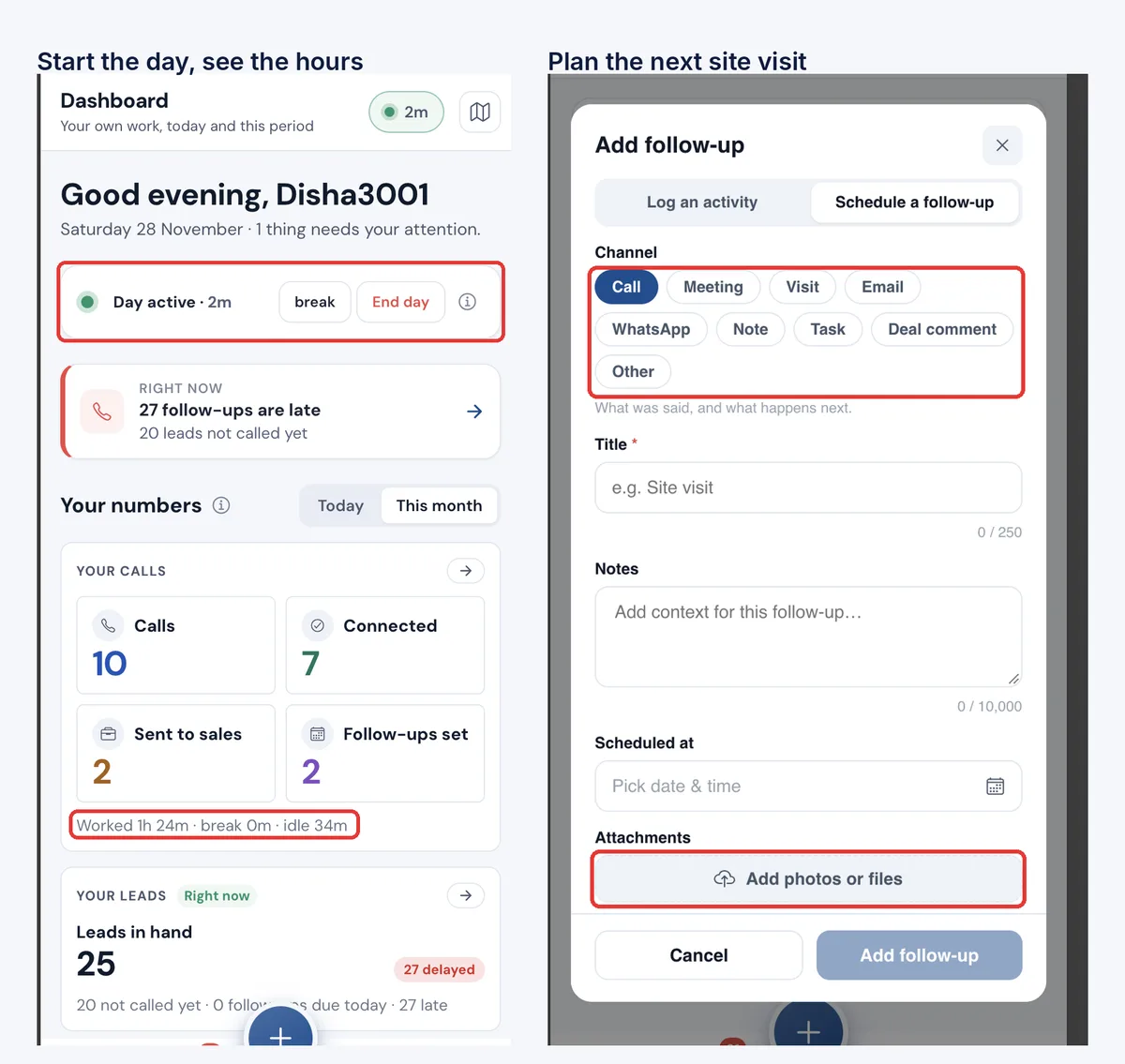
Take before and after photos, note the time out, and confirm the work with the customer. Then set the next step: a follow-up call, a quote for parts or the next visit, with a date and time.
5. After the visit: one record on the customer
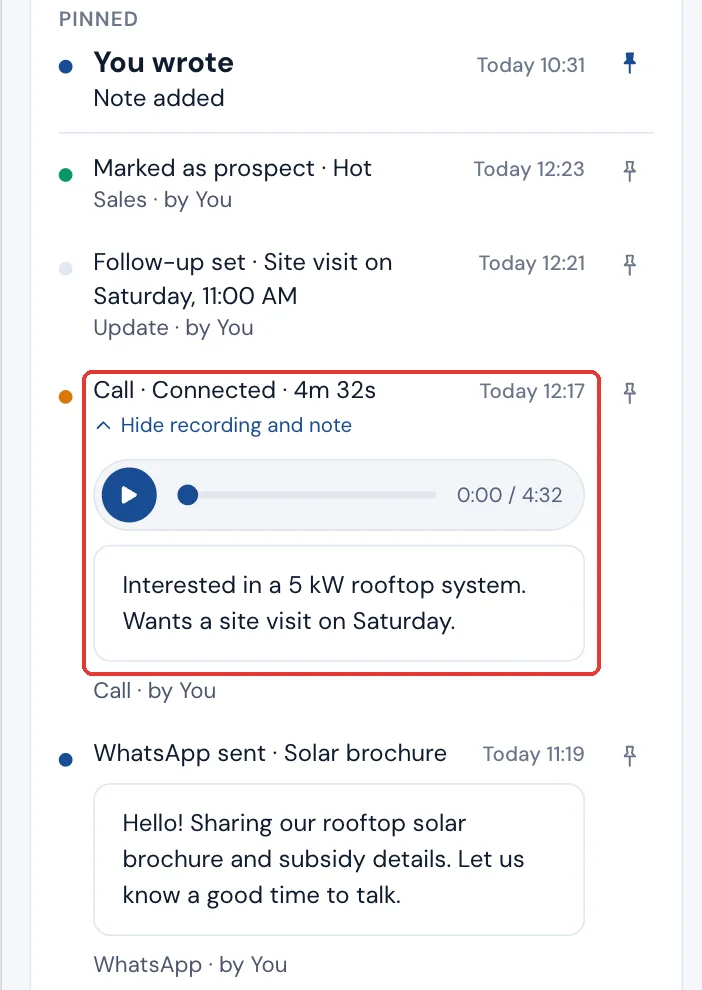
Finally, everything should land on the same customer record: calls, notes, visits and messages, in date order. As a result, anyone who opens the customer sees the whole story at once.
A bad visit record vs a good one
| What | “Visited. Done.” | A good field service record |
|---|---|---|
| Job | Not stated | AMC visit 2 of 4, 5 kW rooftop solar |
| Time on site | Not stated | 10:05 to 11:20 |
| Checks | Not stated | 12 panels cleaned, inverter and earthing checked |
| Readings | Not stated | Inverter reading and generation noted |
| Fault found | Not stated | Error code noted, loose DC connector fixed |
| Parts | Not stated | Part name and serial number recorded |
| Proof | None | Before and after photos |
| Next step | Not stated | Next visit date set, quote for one panel sent |
Field service documentation checklist
Hand this list to your technicians. Each line takes seconds on a phone, and each one saves a phone call later.
| Record this | Why |
|---|---|
| Customer, address and job type | No wrong site, no wrong parts |
| Time in and time out | Proof of the visit and correct billing |
| Who met you on site | Someone to confirm the work later |
| Checks done, one by one | The next technician knows what was covered |
| Readings and measurements | Shows whether the system is getting worse |
| Faults and error codes | Needed for warranty claims |
| Parts used, with serial numbers | Stock, warranty and billing |
| Before and after photos | Settles disputes in seconds |
| Customer confirmation | Closes the job cleanly |
| Next step with a date | Nothing waits on memory |
Common field service documentation mistakes
- Writing it later. Notes written in the evening miss half the details. Record on site, on the phone.
- Free text only. “All OK” means different things to different technicians. Use fixed questions.
- Photos on personal phones. If the photo stays in a technician’s gallery, it is not part of the record.
- Records in WhatsApp chats. Messages get buried. Save the visit on the customer, not in a chat.
How MAPOG FSSM keeps the visit record in one place
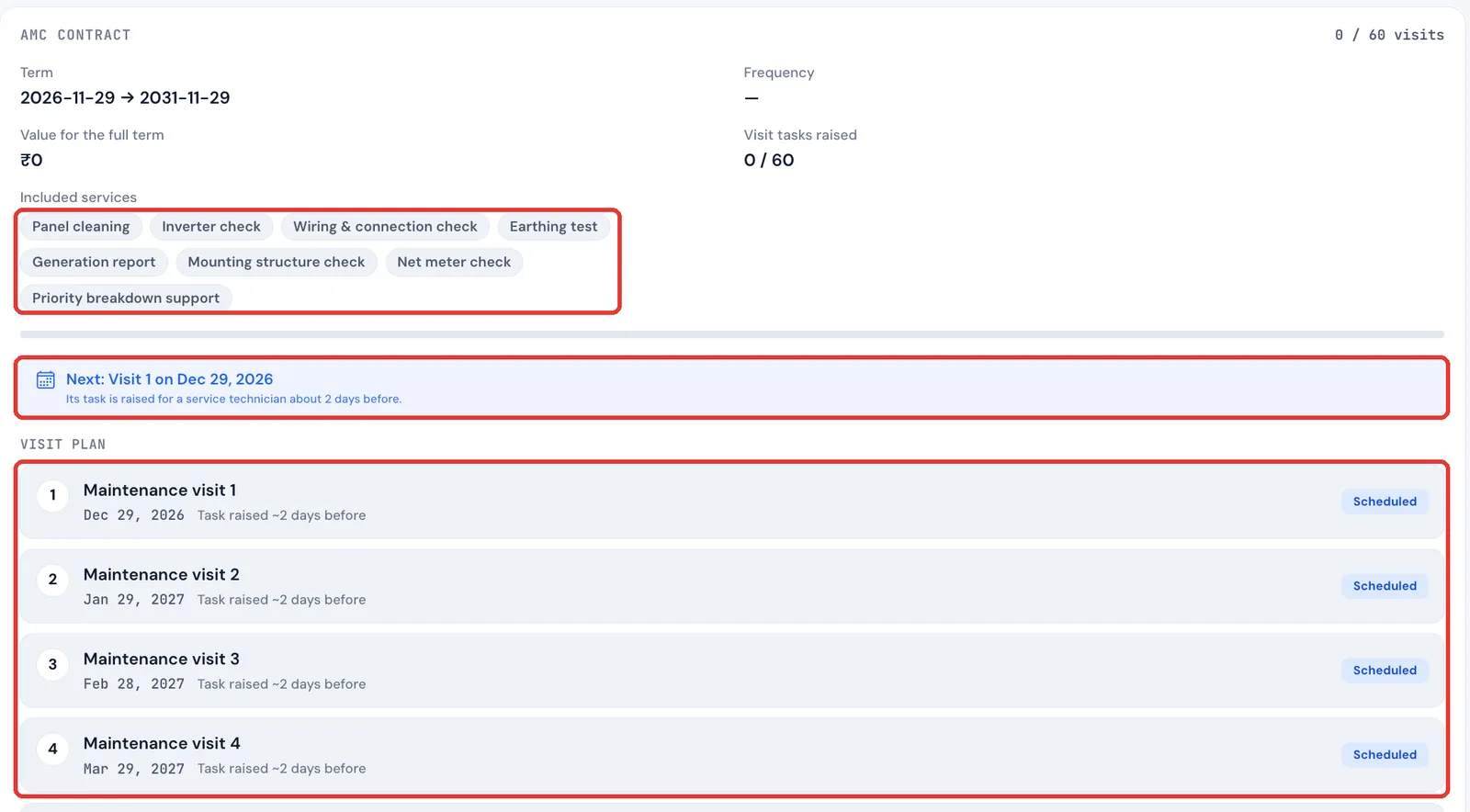
In MAPOG FSSM, the technician’s day, the visit form, the photos and files, the follow-up and the customer’s history all sit in one app. Also, AMC visits are planned on a calendar, so the record of each visit sits next to the next one due.
For AMC customers, the contract itself lists what every visit must cover, such as panel cleaning, inverter check, earthing test and net meter check. So the technician knows exactly what to record before reaching the site, and each visit’s task is raised about 2 days ahead.
What it costs
MAPOG FSSM is priced per user: ₹299 a month, or ₹2,999 a year. There is also a free version, so your technicians can try the visit record on a few real jobs first.
Field service documentation: quick answers
The customer and job, time in and out, who met the technician, checks done, readings, faults and error codes, parts with serial numbers, before and after photos, customer confirmation and the next step.
On site, before leaving. Notes written later miss details, and photos taken on personal phones often never reach the record.
Before and after photos prove what was done, help with warranty claims and settle customer disputes quickly.
Yes. Technicians fill visit forms, add notes, attach photos and files and set follow-ups from the mobile app, and the record shows on the web at once.
₹299 per user per month, or ₹2,999 per user per year. A free version is available.
Related reads: Best Jobber Alternative for Solar and AMC Businesses · Housecall Pro Alternative for Small Solar and Service Teams · Solar Installation Management Software: Lead to AMC in One System
About this guide: put together by the MAPOG FSSM team from how solar and service teams in India record their site visits.
Give every visit a record worth keeping
In a short demo, we’ll set up a visit form with your own checks, so your next site visit is recorded the right way from day one.