
Sharing maps is essential in modern digital workflows. For example, professionals in planning, logistics, and research use map sharing tools every day to collaborate and make data-driven decisions. MAPOG makes this process simple and secure by allowing users to control visibility and access. However, it’s important to know how to share private and public maps securely to protect sensitive information and ensure smooth collaboration.
Key Concepts of Share Private Public Maps
Sharing maps securely means giving the right people access while keeping sensitive information protected. Whether the map is private or public, secure sharing ensures that data remains accurate, trustworthy, and under your control.
- Private Maps: These are accessible only to selected users. You can set permissions, invite specific collaborators.
- Public Maps: These are designed for open access, great for community updates, tourism, or public awareness campaigns.
Secure sharing also helps you maintain data integrity, prevent misuse, and support smooth collaboration without risk.
Benefits
- Protect sensitive data from unauthorized users.
- Collaborate confidently with teams and stakeholders.
- Control who sees what through permission-based sharing.
- Simplify workflows by organizing data visibility.
Step-by-Step Process to Share Private and Public Maps Securely
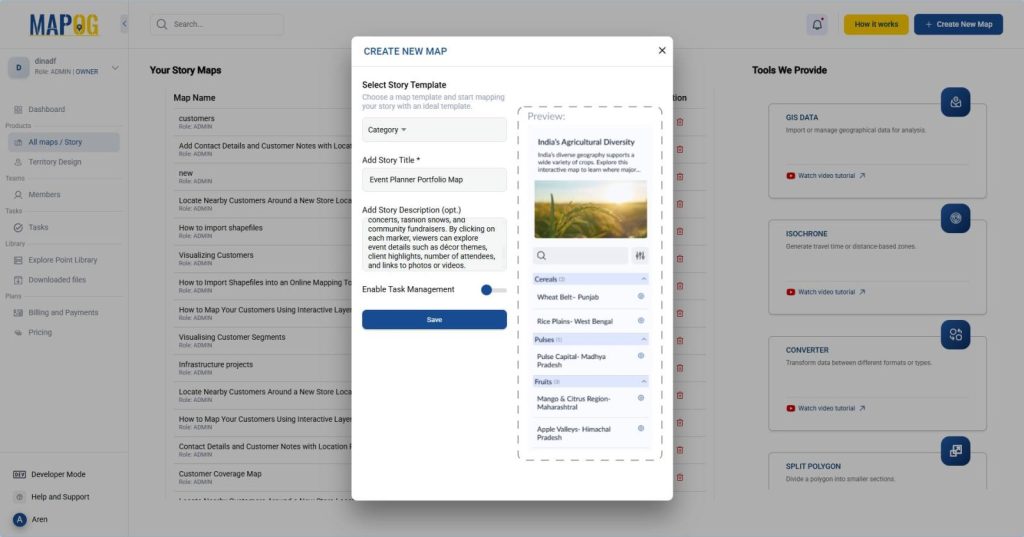
1. Start by Creating Your Map:
First, create your interactive map in MAPOG or go to the map you want to share.
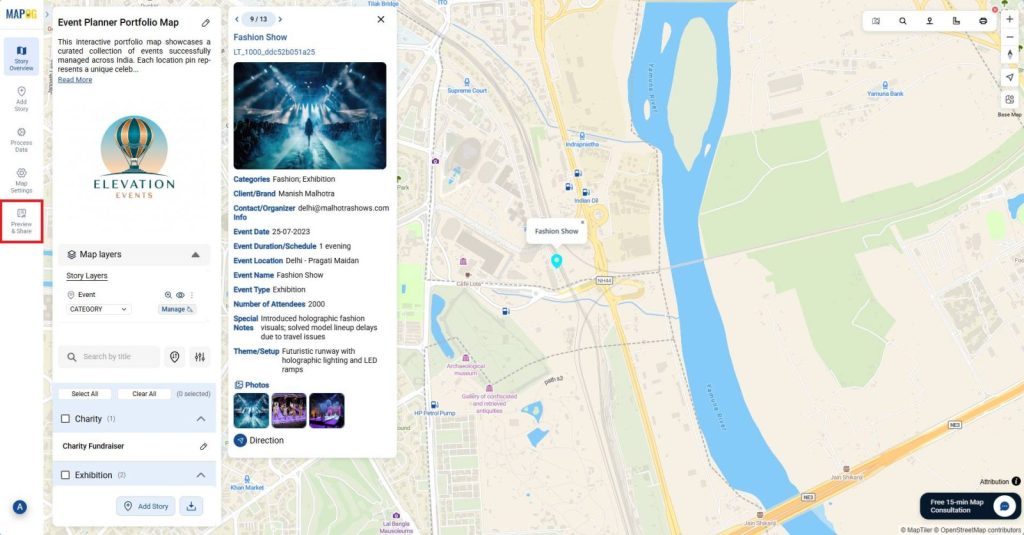
2. Open the Preview & Share Section:
Then, once your map looks complete, head over to the “Preview & Share” tab.
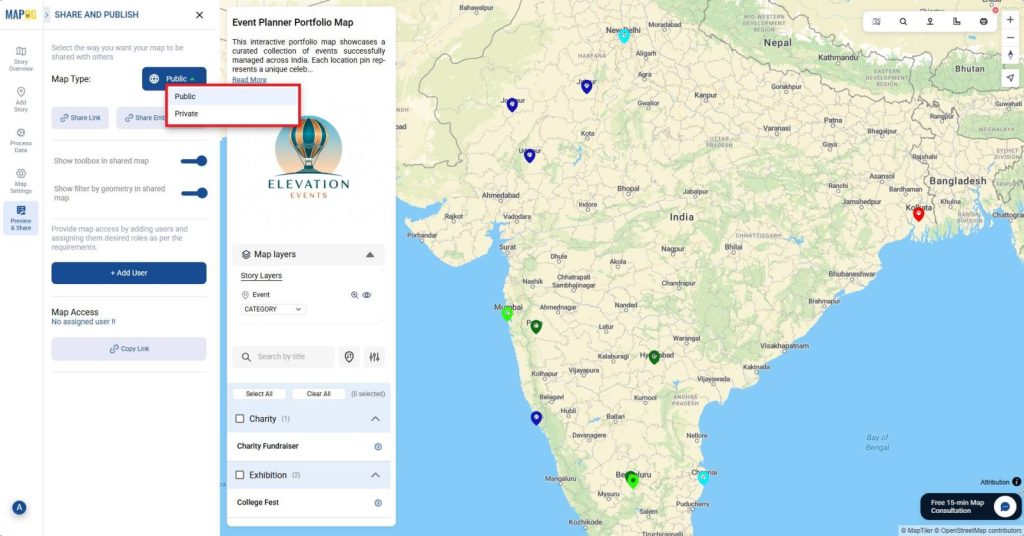
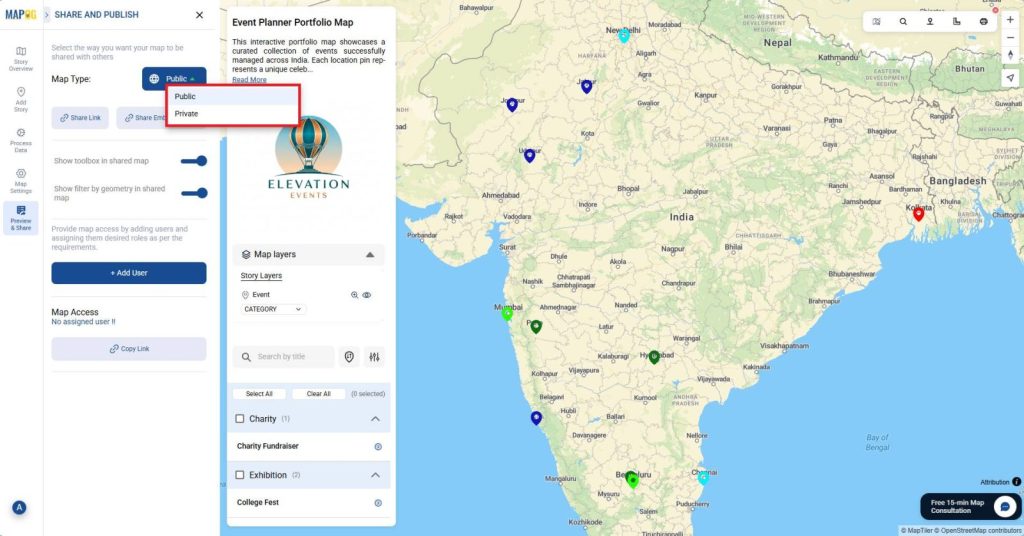
3. Choose the Right Visibility:
Then, after reviewing, decide who should have access to your map.
- Private: Only invited members can open and view the map.
- Public: Anyone with the link can explore it.
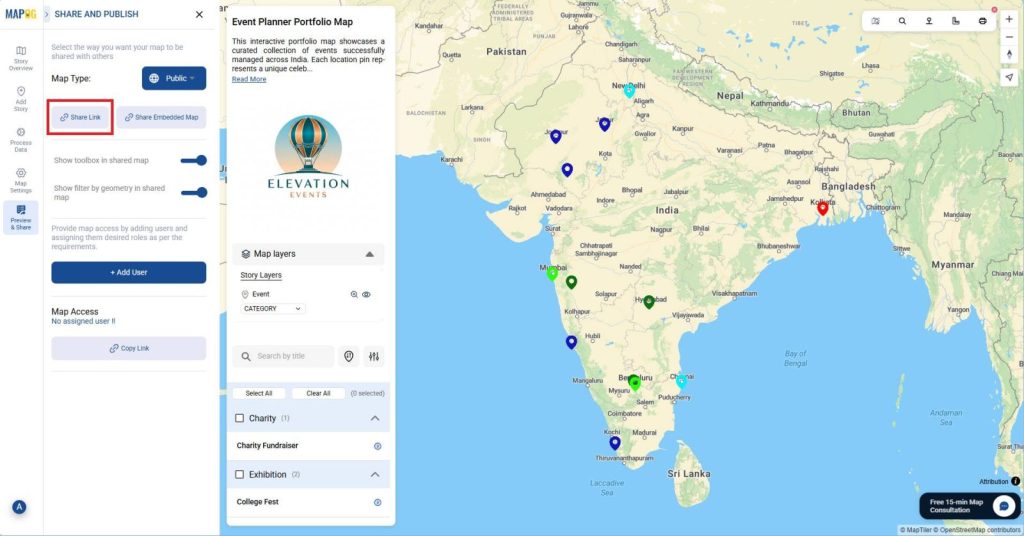
4. Share Map through link:
After that, click on “Share Link” to generate and copy the sharing link. This link can be shared directly with others to give them access to your map.
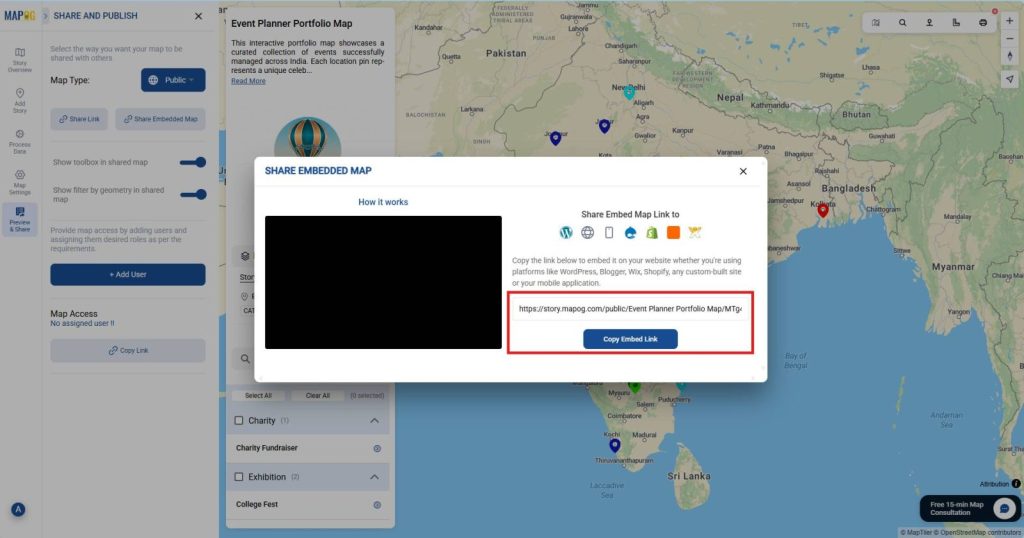
Or click on “Share Embedded Map” to generate an embed link.
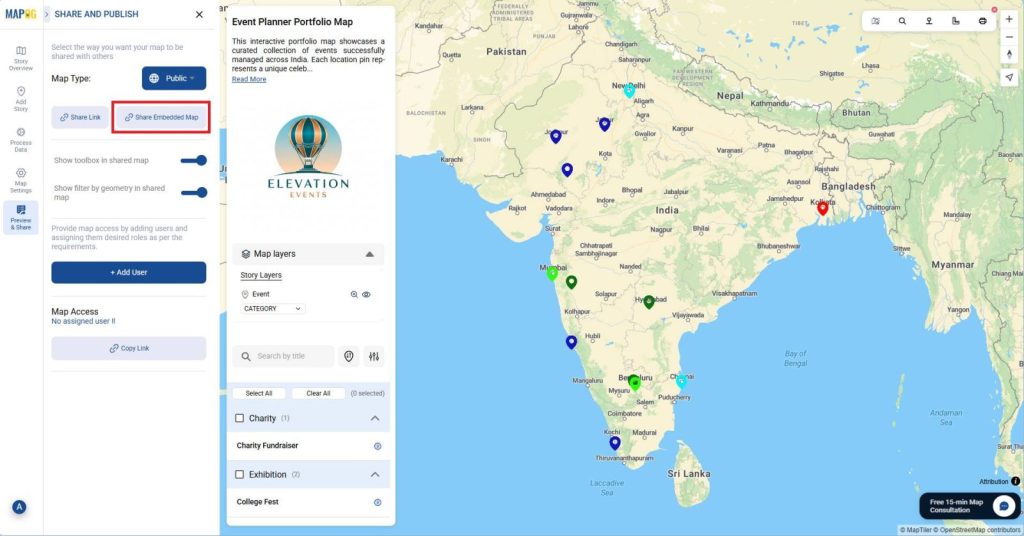
Then, you can paste this link into your blog or website to display the interactive map directly on your page.
5. Add user:
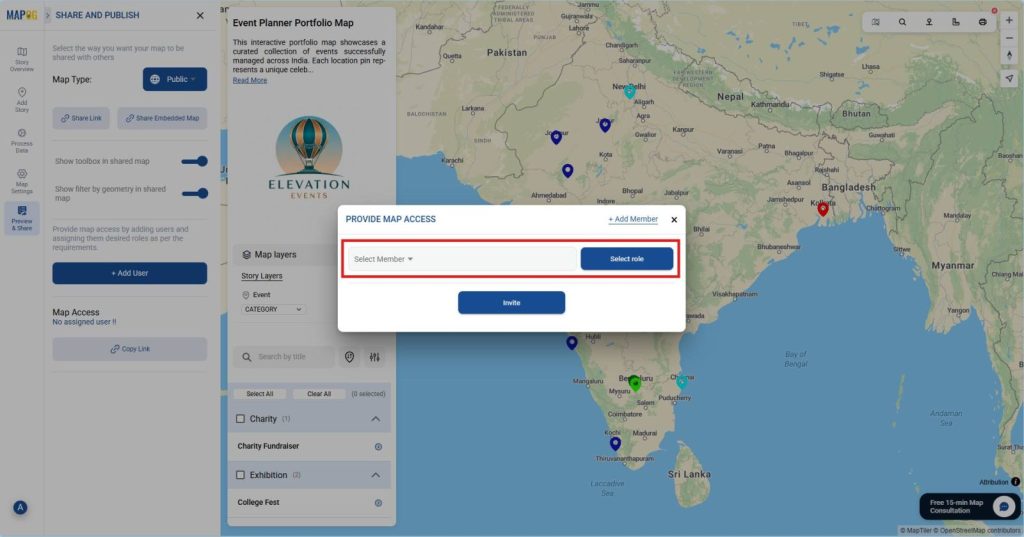
Click on “Add User” and go to “Add member” then enter the email addresses of the people you want to invite.
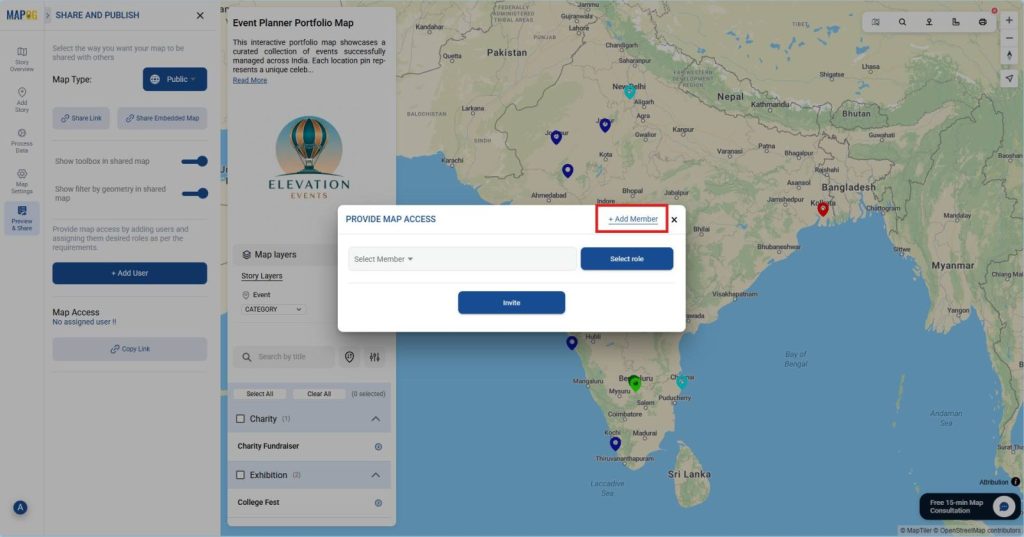
This ensures that only verified teammates receive access instead of sending open links that anyone could use.
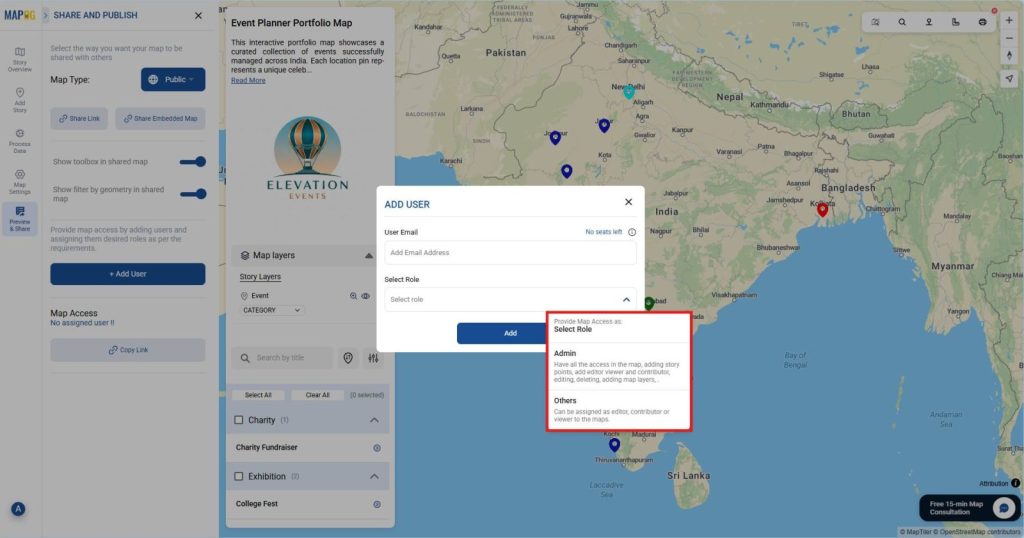
6. Assign Roles and Access Levels Carefully:
Once users are added, assign their roles and permissions.
- Admin: Full control over settings, users, and data.
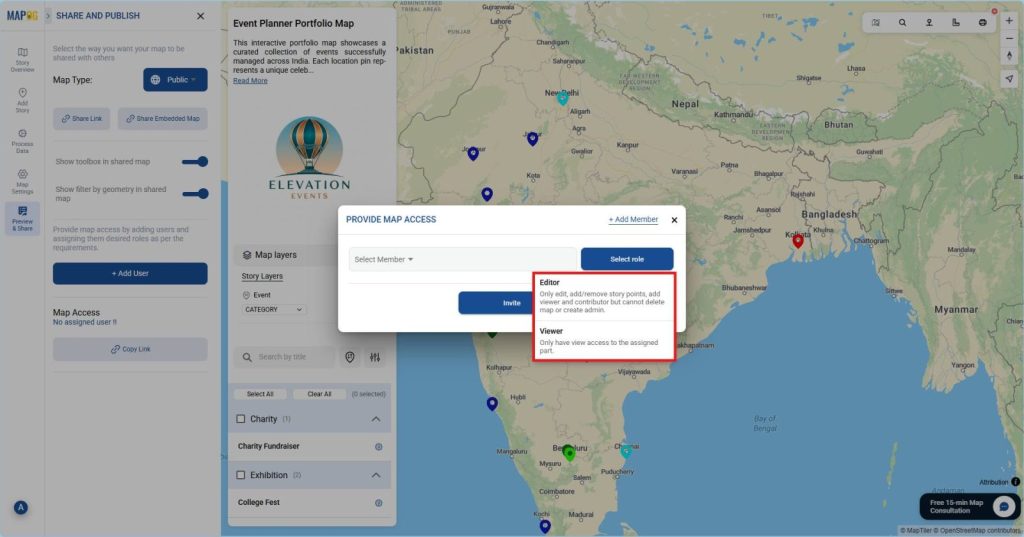
- Others: Can be assigned as editor, contributor or viewer to the maps.
This two-step process, adding users first, then setting their access, keeps your workflow secure and organized.
After that, select from the list of members added and role, click on “Invite” to send an invitation email directly. Always share these links through trusted channels.
After selecting a member, you can assign them a specific role, either “Editor” or “Viewer”, to control their level of access before sending the invitation.
Industries and Domains Benefitting from Share Private Public Maps
Secure map sharing benefits a variety of sectors. For instance:
- Urban Planning: City planners can collaborate on infrastructure layouts privately while publishing approved maps for public consultation.
- Real Estate: Share detailed property layouts with clients while hiding owner or boundary data.
- Logistics and Transportation: Create internal route maps for drivers but display public delivery zones to customers.
- Tourism and Travel: Use public maps to promote attractions and private maps for client itineraries.
By managing data visibility properly, each domain ensures trust, compliance, and better decision-making.
Conclusion
Therefore, knowing how to share private and public maps securely helps you balance transparency with protection. With MAPOG, you can confidently share maps, control who accesses them, and monitor how they’re used. Whether you’re managing a logistics network, publishing a tourism map, or sharing environmental data, MAPOG gives you the power to collaborate safely.
Do you want to see the step-by-step process to create such a beautiful live interactive map? 👉 Click Here