
In geospatial projects, one of the biggest hurdles is data lock‑in. Often, mapping platforms restrict downloads to limited formats, forcing teams to spend extra time converting files or risking the loss of important attributes. Consequently, collaboration slows and efficiency drops. MAPOG addresses this challenge by making it simple to download mapped data in a format that fits your workflow. It offers 24 export options, such as CSV, XLSX, GeoJSON, KML, SHP, and PNG, so your data can be shared and reused without losing the details that make it valuable.
Key Concept: Why download the you mapped data Matters
Downloading mapped data matters because it preserves accuracy while ensuring adaptability. In fact, exporting is more than saving a file; instead, it safeguards geometry and attributes. As a result, datasets remain reliable across contexts. Moreover, this process enables interoperability, transforming maps into dynamic resources that ultimately support collaboration, analysis, and long‑term usability.
Steps to Download the You Mapped Data
In MAPOG you can download data in two ways: Story Points and Map Layers, even when multiple layers are present.
Download through Story Points
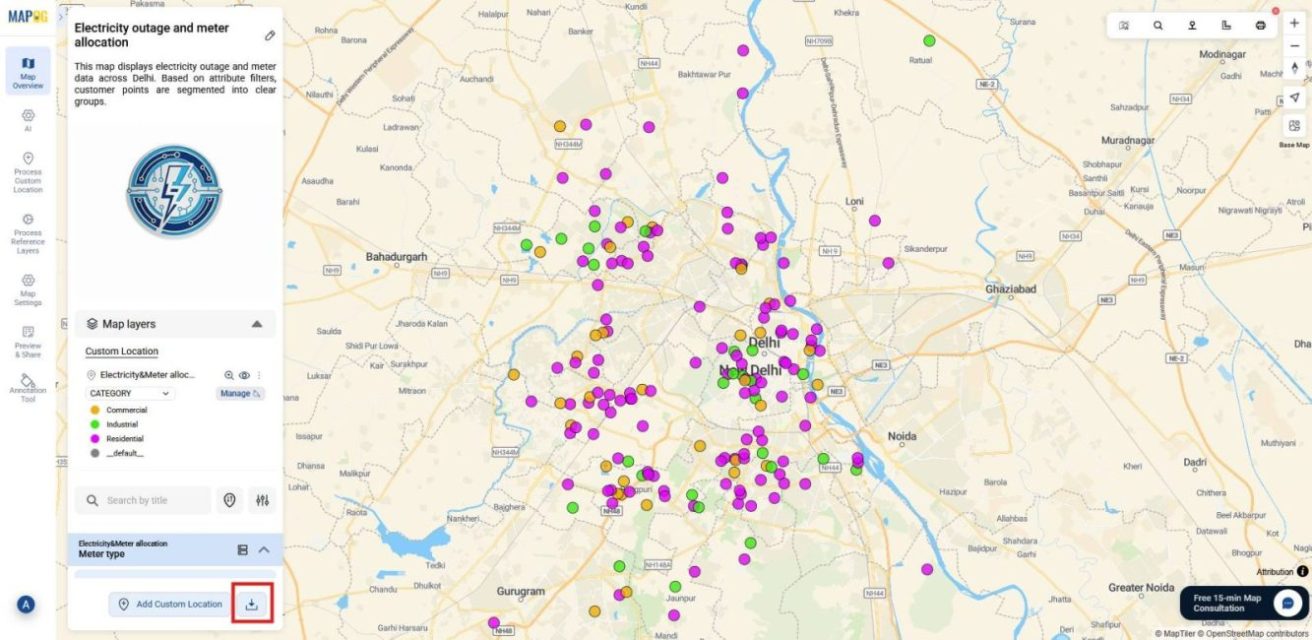
1. Open Map and Locate Download option
First, go to MAPOG and open the map you’ve prepared with all the data included. Then, on the dashboard, look beside the Add Custom Location button and click the Download option to proceed.
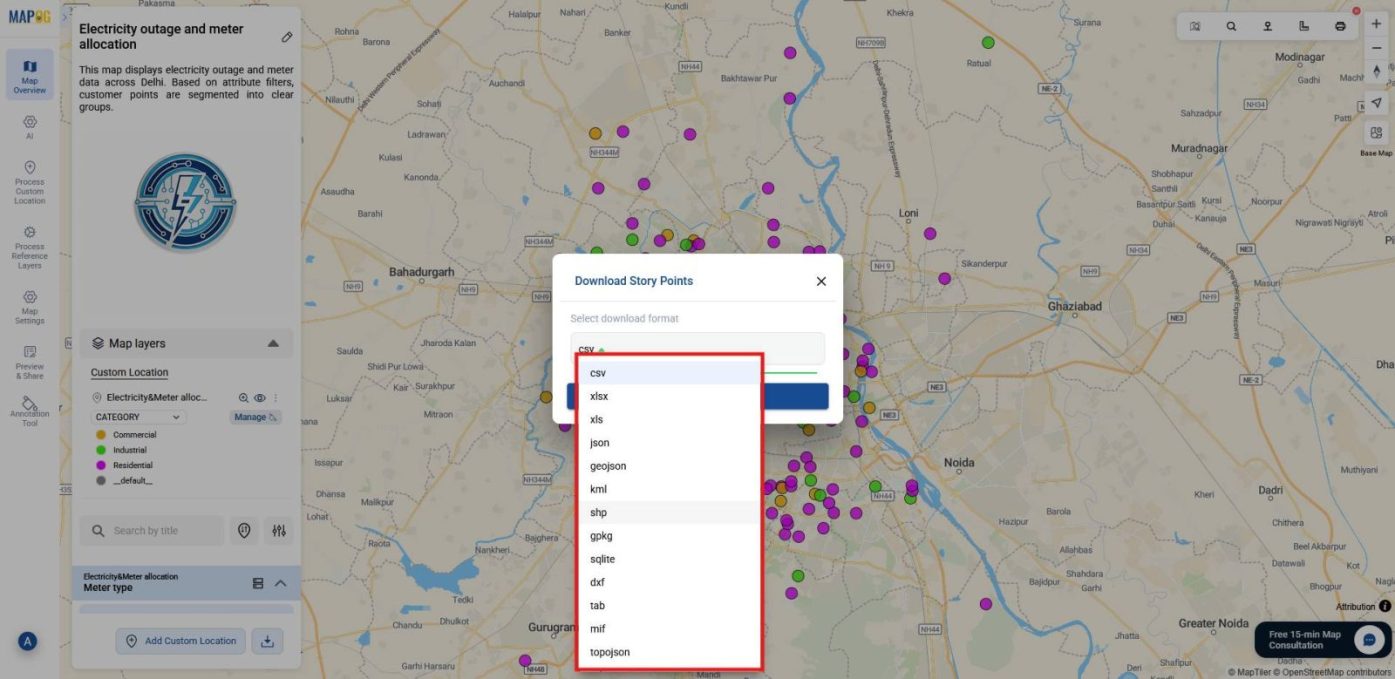
2. Select Format for Story Points
Next, a panel will appear showing the Story Points option. At this stage, choose the format that best fits your needs, such as CSV, XLSX, GeoJSON, KML, or PNG.
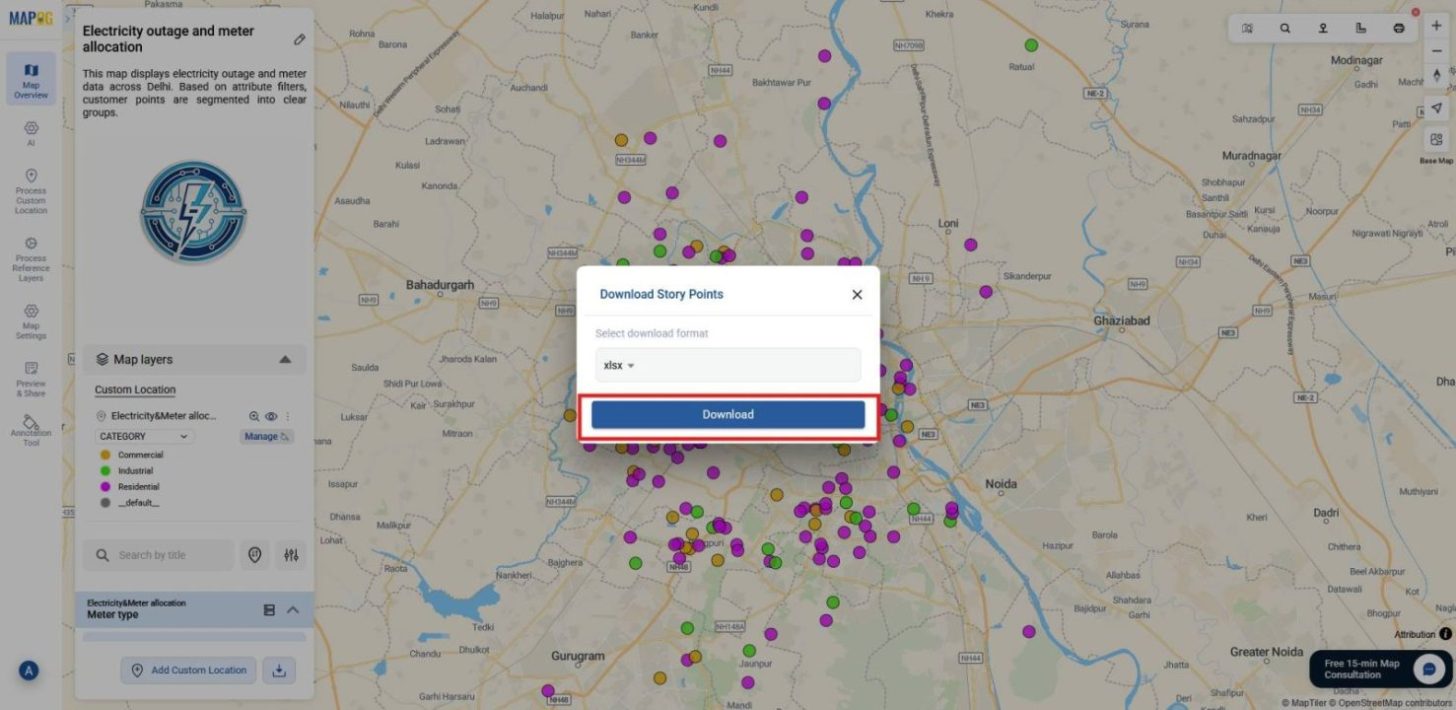
3. Confirm Download
Finally, click Download, and your Story Points will be saved to your device, ensuring all attributes remain intact.
Download through Map Layers
1. Export by Process reference layer
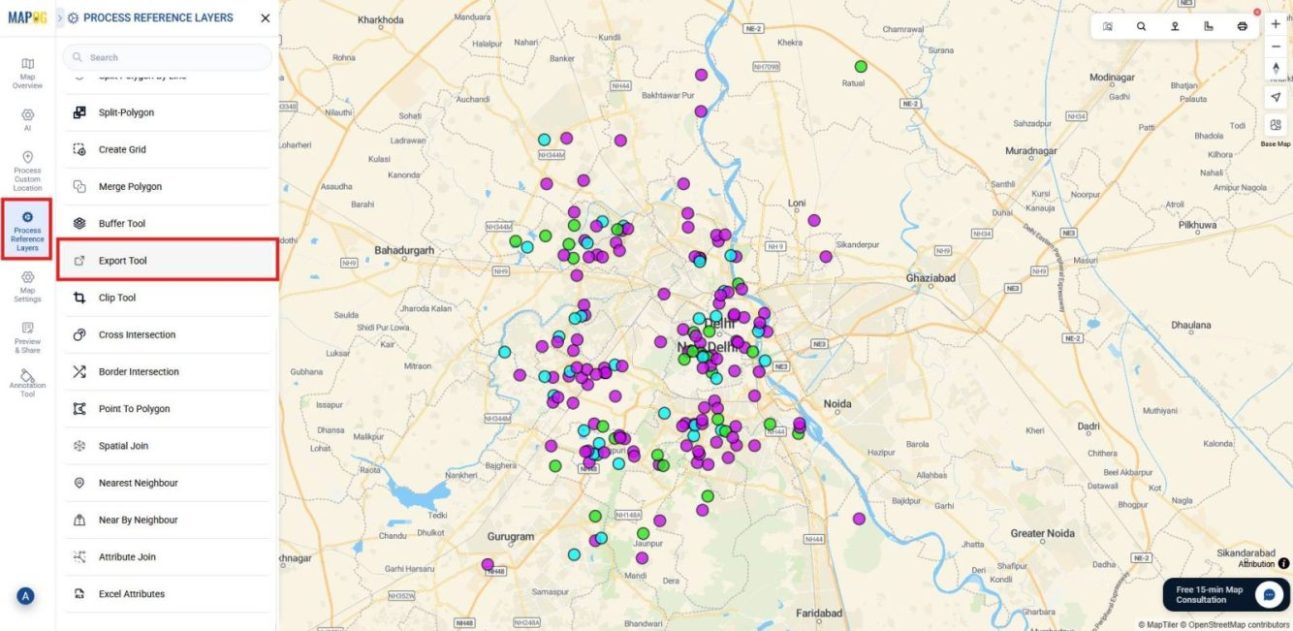
2. Select Format and Define CRS
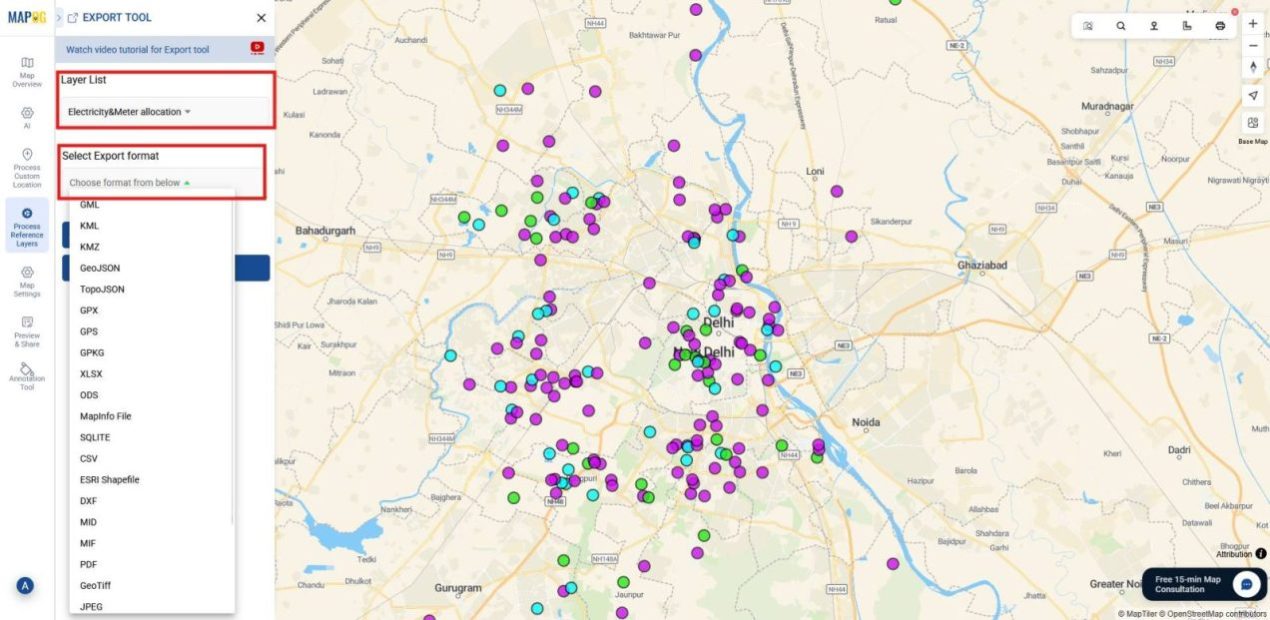
Next, choose the layer you want to export and then select the export format that best suits your needs, such as KML, GeoJSON, CSV, or JPEG.
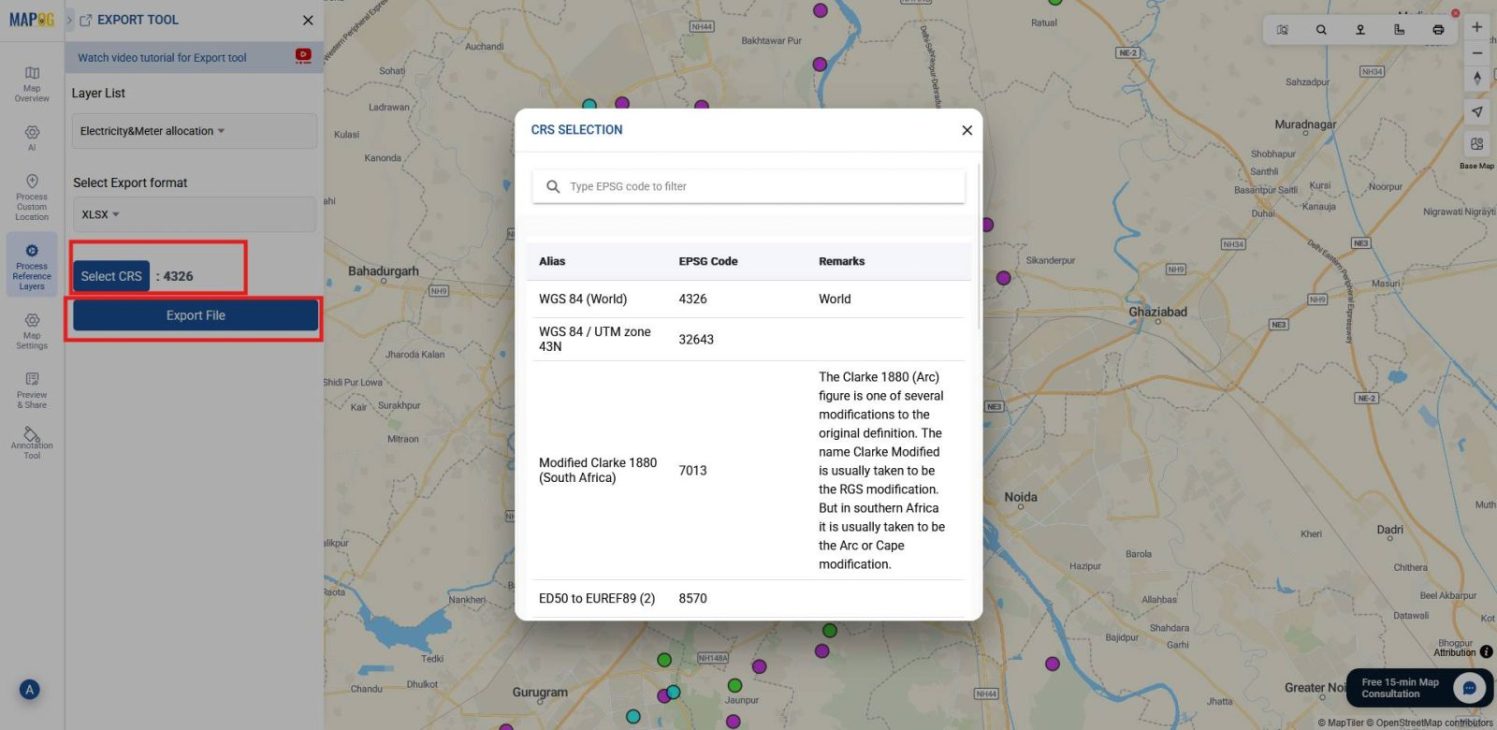
After that, set the appropriate CRS (Coordinate Reference System) to ensure spatial accuracy and then click export file.
3. Export via Layer Management
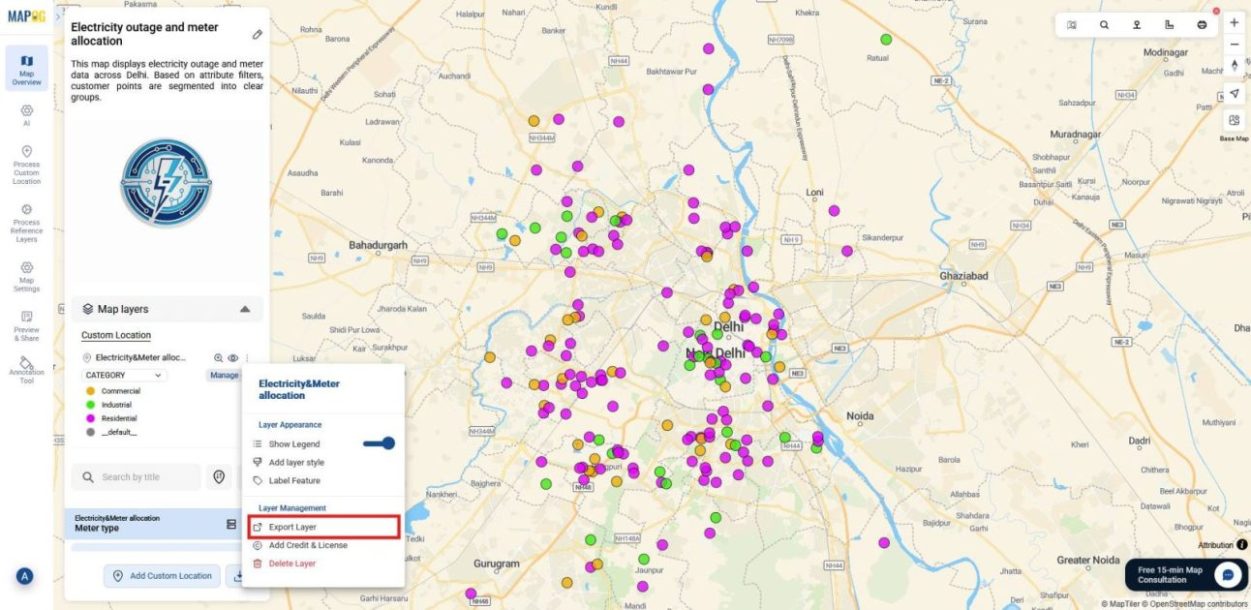
You can also export data through the Layer Management section. Select the layer you want to export, if multiple layers are present, export them one by one.
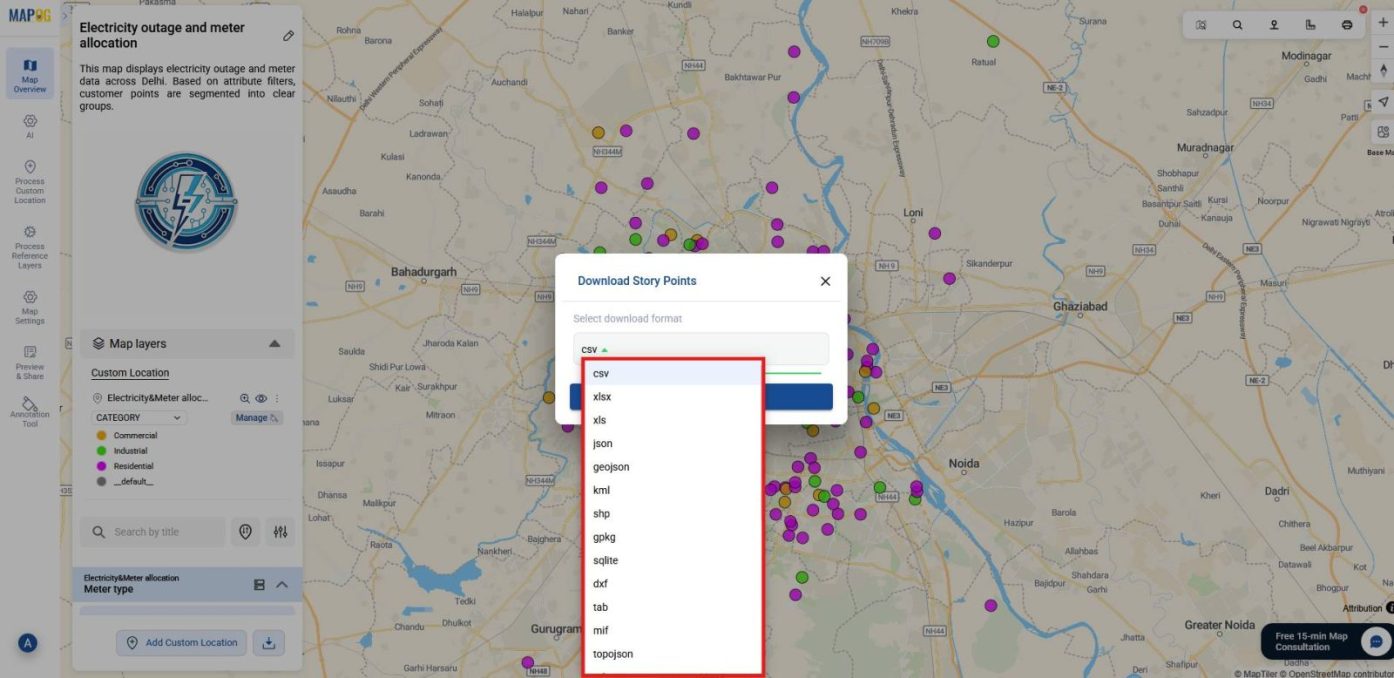
Then, pick your desired format and click Download to save the file with its geometry and attributes preserved.
Industrial use and Benefits
Exporting mapped data provides industries with formats tailored to their needs. For instance, urban planning and infrastructure projects rely on Shapefiles and GeoJSON for GIS integration. Similarly, disaster management uses KML and KMZ to share hazard maps across agencies. In addition,logistics depends on CSV and XLSX for routing and tabular analysis. Meanwhile, media and communication employ PNG and JPEG for clear visuals. Altogether, these formats ensure data remains reusable, collaborative, and operationally effective.
Conclusion
In summary, downloading mapped data in multiple formats ensures flexibility and reliability. Moreover, MAPOG simplifies this process by preserving geometry, attributes, and metadata across formats. As a result, maps become adaptable resources rather than static visuals. Ultimately, this capability supports collaboration, analysis, and long‑term usability, keeping data valuable across diverse platforms and workflows.