
Collecting place names is straightforward, but converting them into coordinates becomes a roadblock for anyone who isn’t trained in GIS. Most people don’t know how to clean inconsistent place‑name lists, set up geocoding tools, deal with API keys, or interpret multiple location matches. As a result, without those technical steps, a simple list of villages, streets, or landmarks can’t be turned into accurate map points. Consequently, without coordinates, accuracy suffers and planning becomes unreliable. With MAPOG, this barrier disappears, as users can convert place names into coordinates quickly and without technical skills.
Key Concept: Why Converting Place Names into Coordinates Matters
Coordinates provide precision, forming the backbone of accurate maps. In fact, converting place names into coordinates transforms plain text into structured spatial data that mapping systems can immediately use. As a result, this process ensures clarity, consistency, and usability, making information ready for visualization or analysis. Moreover, even non‑technical users can convert simple lists into reliable map points without specialized skills. Ultimately, this conversion empowers broader access, enabling dependable data that supports projects, planning, monitoring, and decisions with trustworthy geographic information.
Steps to Convert Place Names into Coordinates
1. Creating a New Map
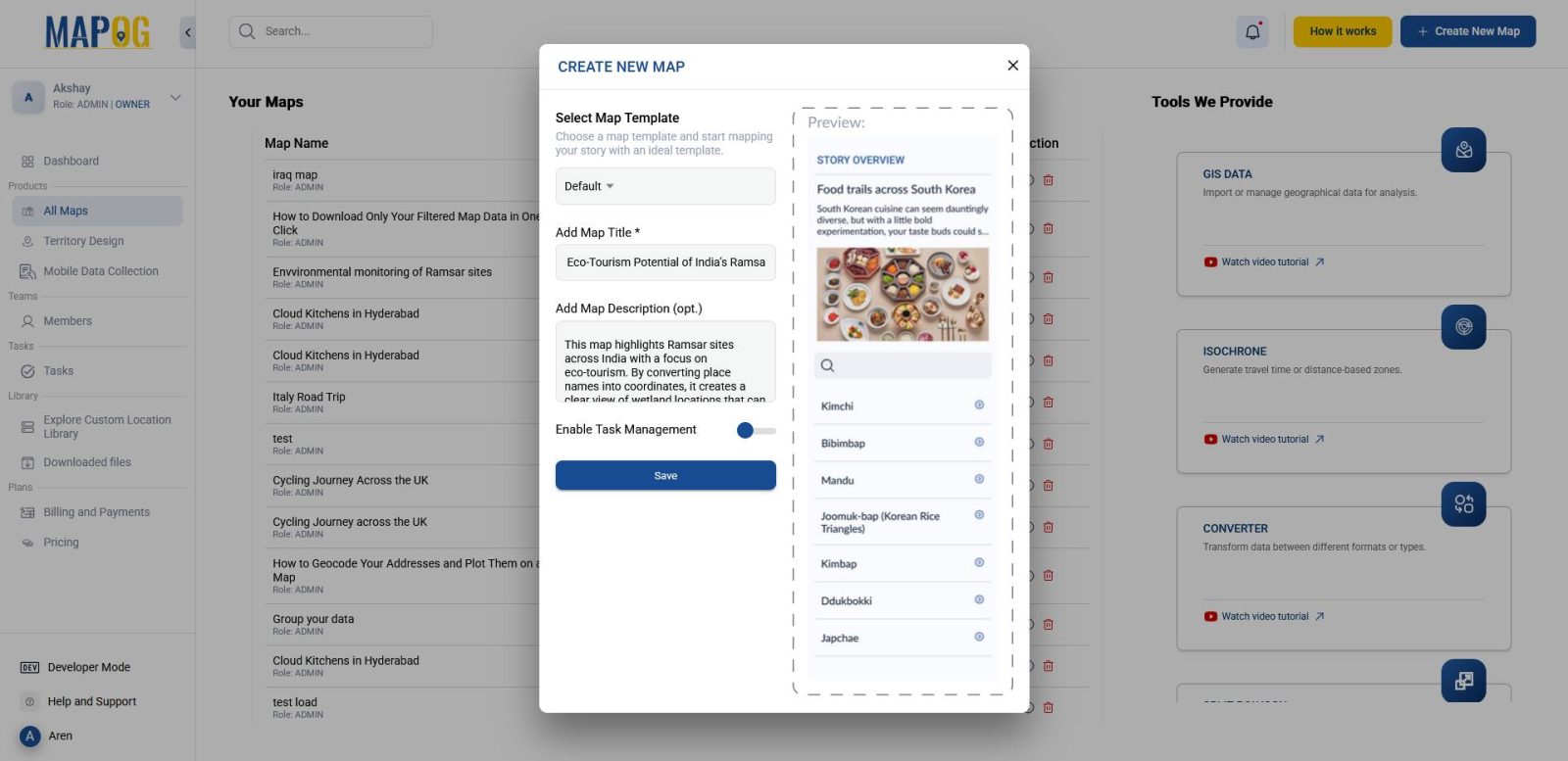
To start, head to MAPOG and create a new map. Give it a meaningful title and description, then save it. This establishes the foundation for your data conversion.
2. Upload Your Place Name File
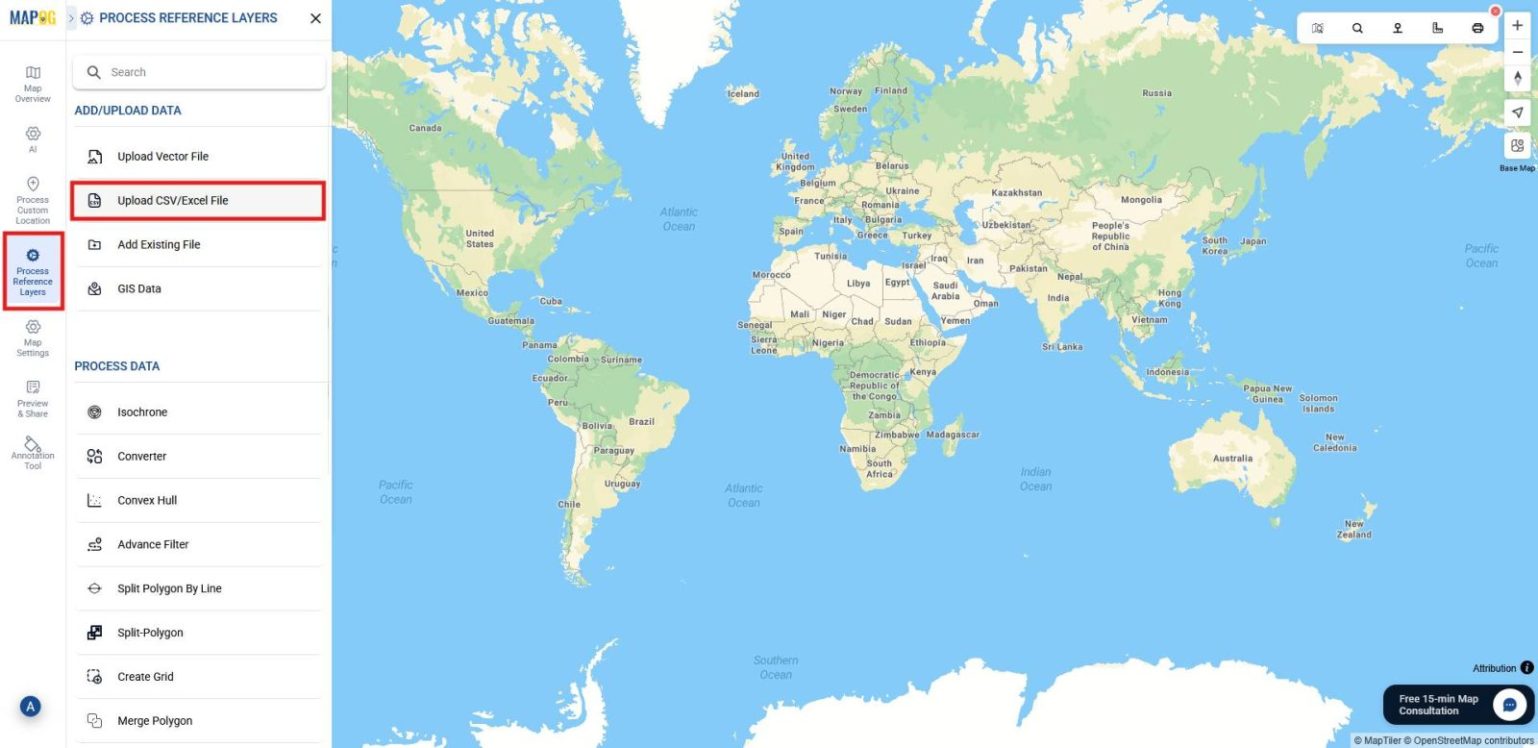
Next, go to Process Reference Layers and select Upload CSV/Excel File.
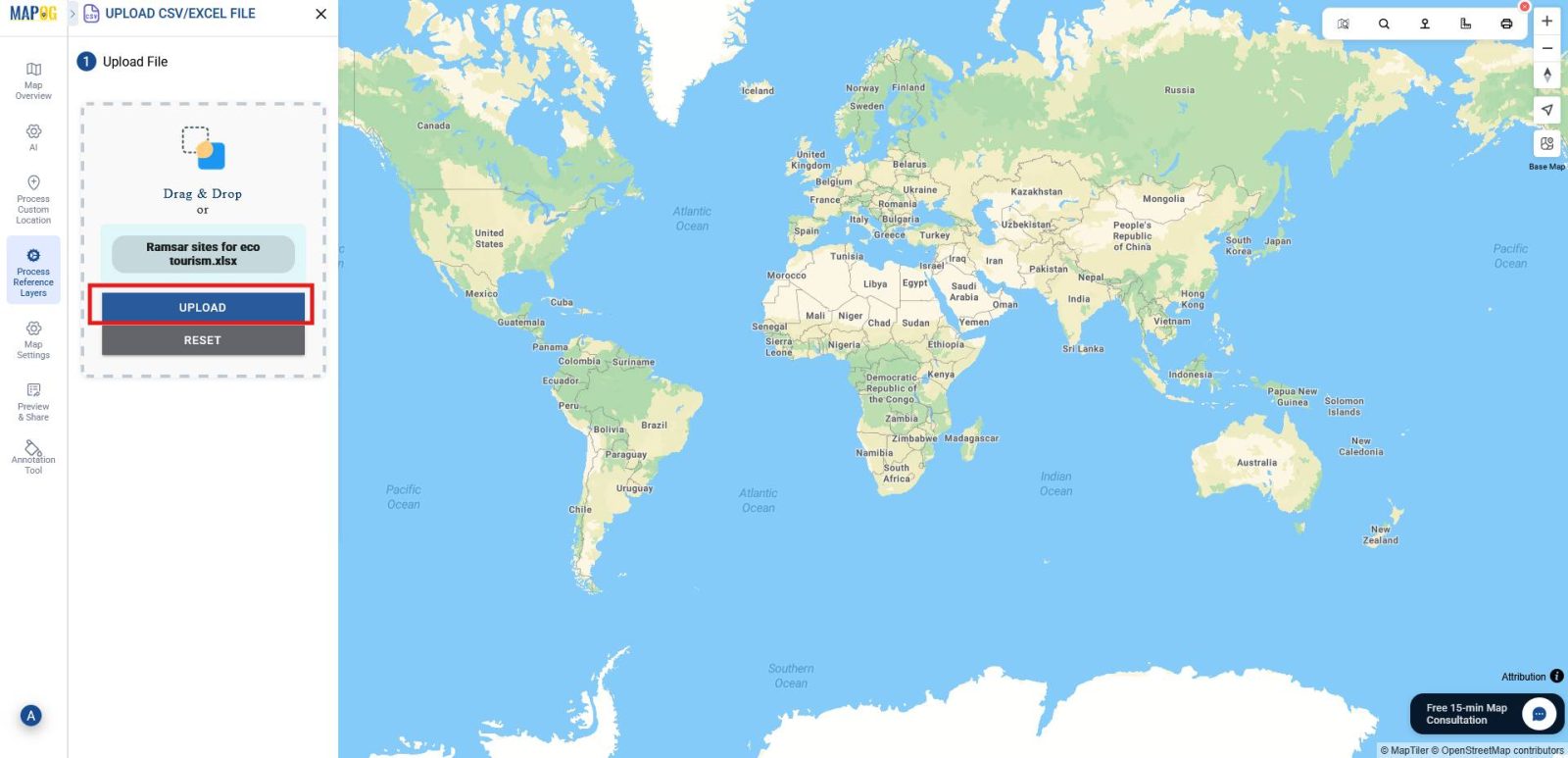
Browse and upload your file containing detailed place names. Providing accurate addresses here ensures precise results later.
3. Apply Geocoding to Your Data
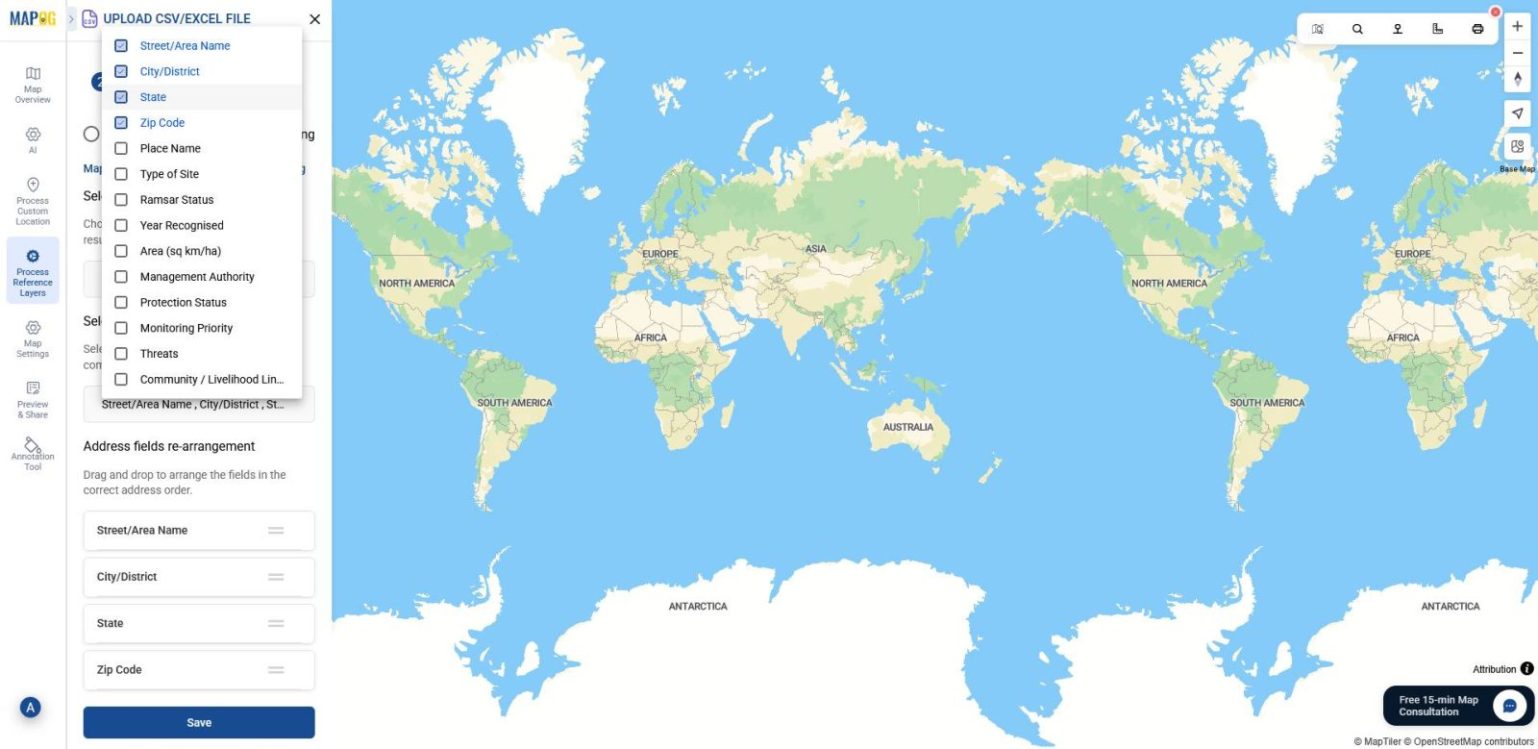
After uploading, select the Geocoding option as your location field and choose your desired country.
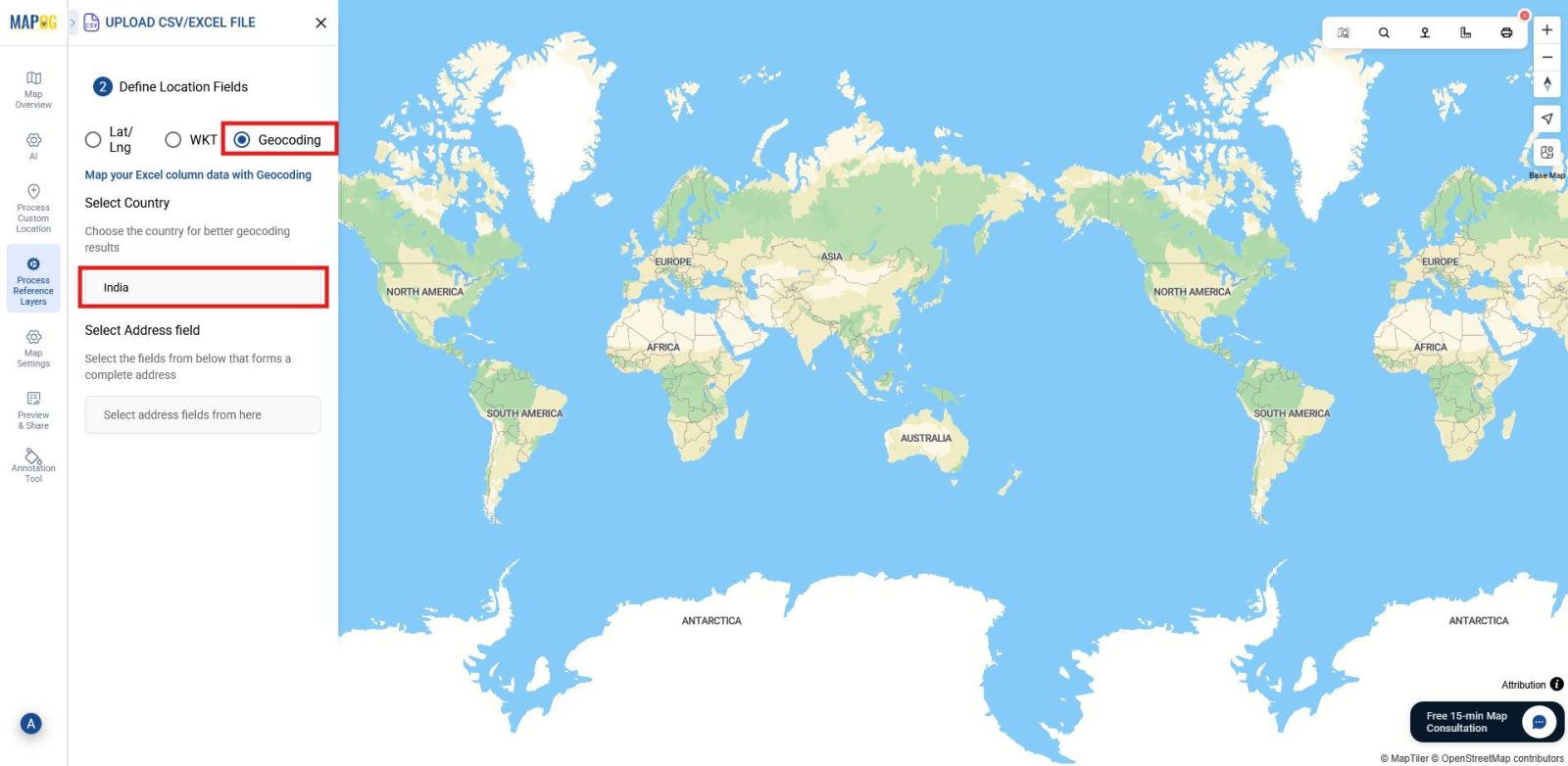
Then, select relevant address fields, such as Street/Area Name, City, State, and Zip Code, to ensure accurate placement. You can also re‑arrange the address fields in the order you want them displayed on the map. Finally, save the file to let MAPOG convert names into coordinates.
4. Customize Icons and Colors
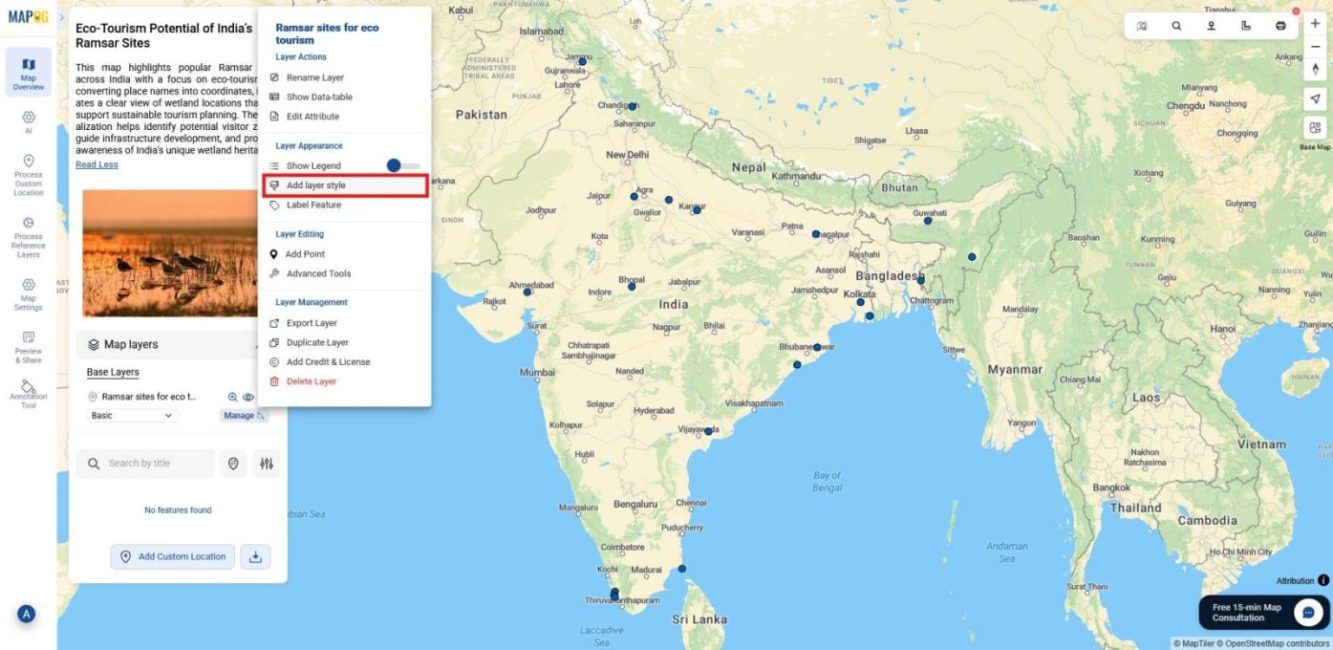
After placing all points, refine the visualization by going to the Layer Panel and selecting Add layer style.
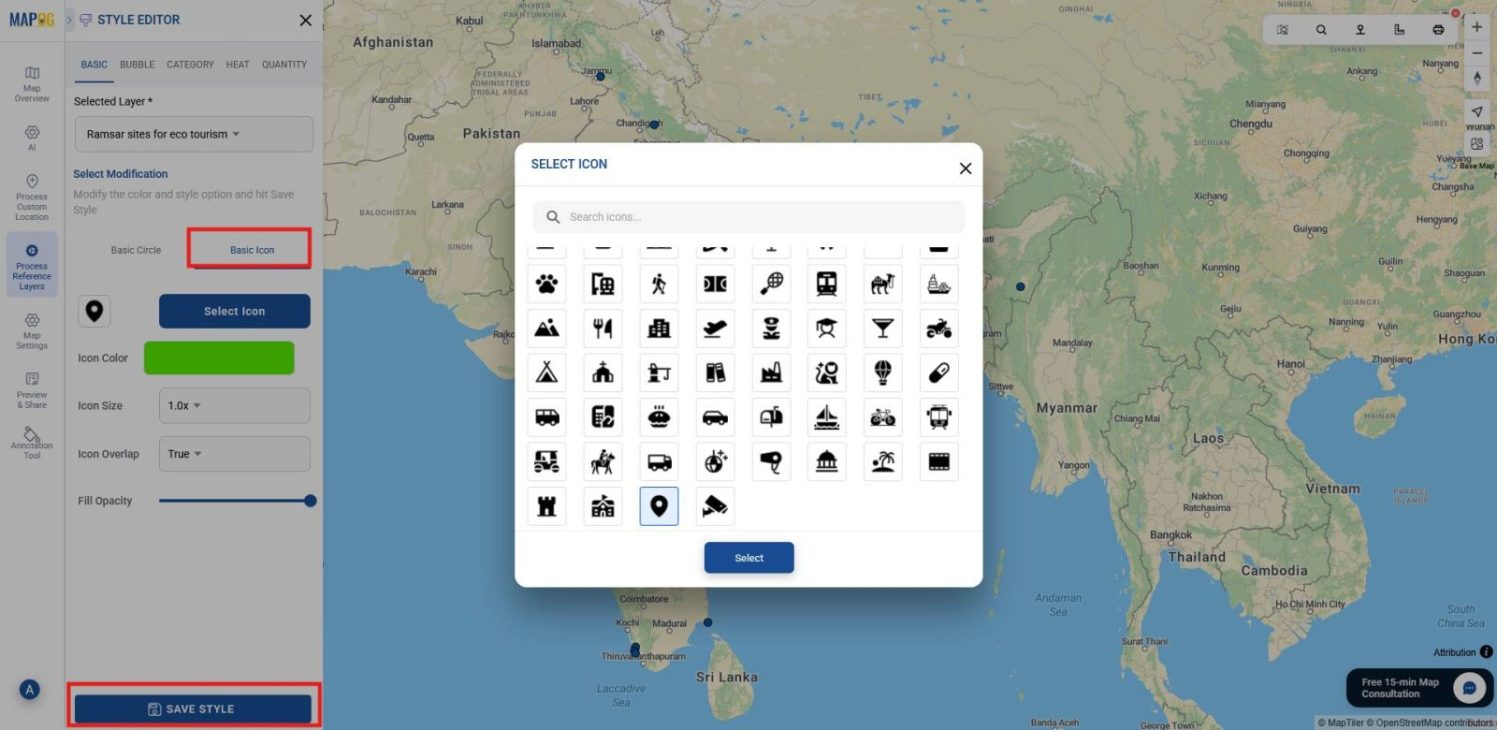
Then adjust icon styles and color the points according to your preferences or requirements for clearer presentation.
5. Download the Data Table
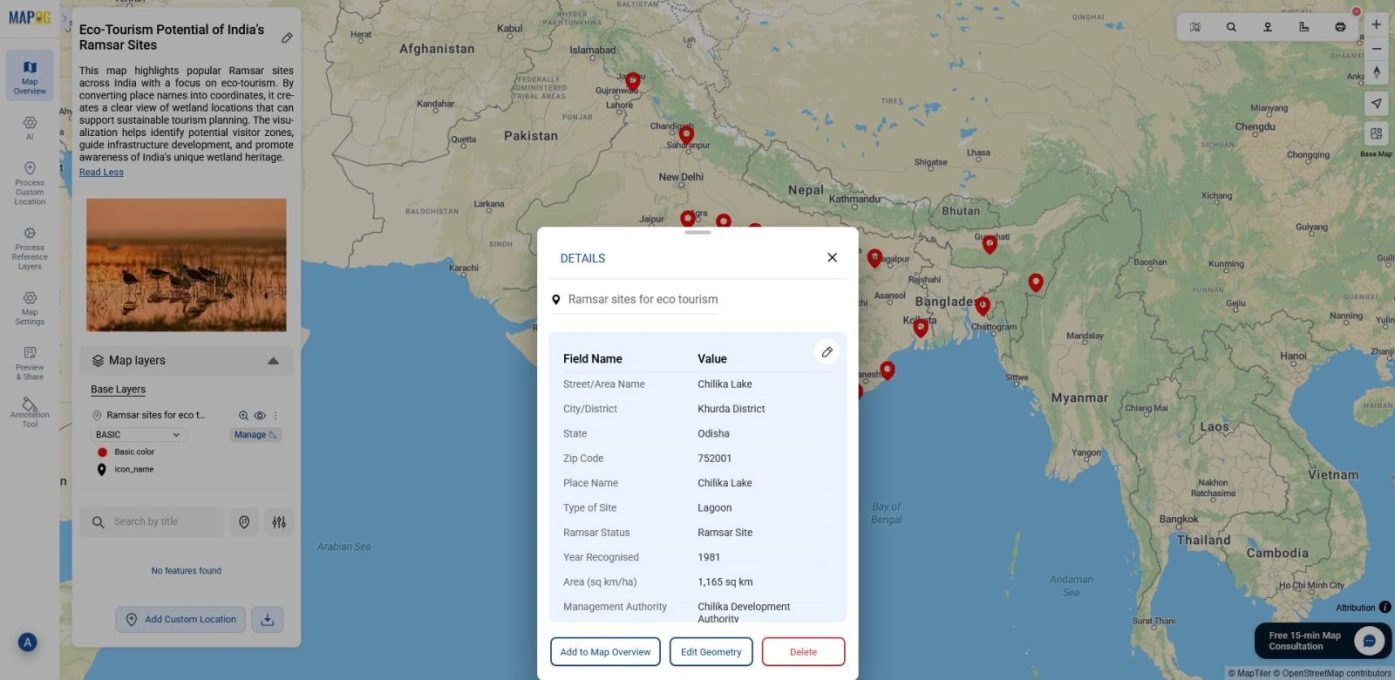
Finally, access the Layer Panel again and choose Show Data Table. This view displays every attribute linked to your mapped points, such as names, addresses, and the newly generated coordinates, organized neatly in tabular form.
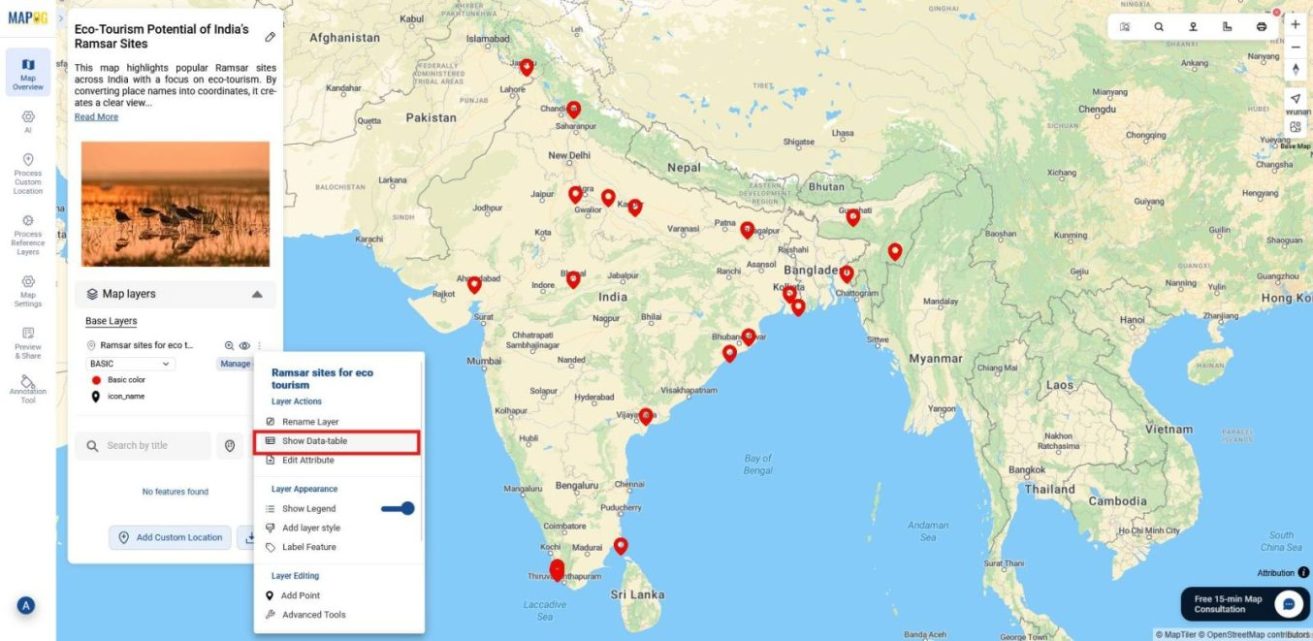
Use the Download Data Table option to export the dataset with coordinates, ready for reuse in projects or analysis.
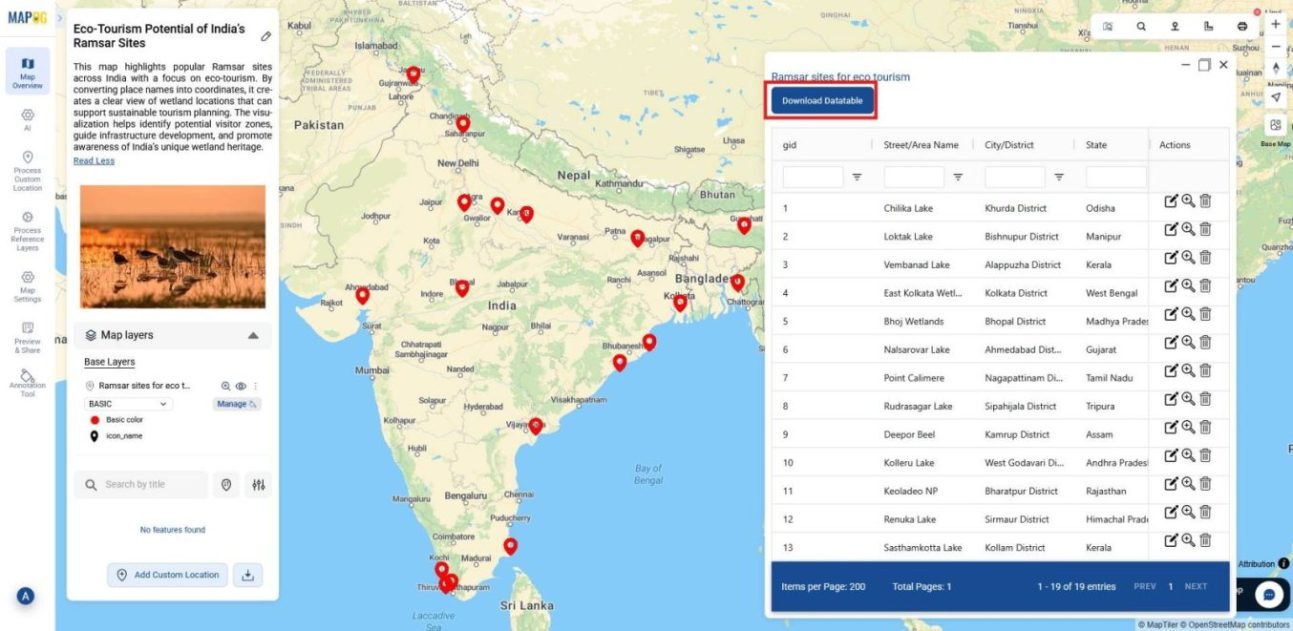
And that’s it, your place names are seamlessly converted into coordinates, all through easy geocoding, without any technical skills required.
Industrial Use and Benefits
Turning address lists into coordinates is useful across many fields and industries. For instance, Flood‑management agencies can upload village names directly, instantly mapping shelters and risk zones without GIS experts, saving time during emergencies. Meanwhile, logistics firms can geocode delivery addresses for faster routing, planners can convert project sites for infrastructure design, and businesses can map customer lists for market analysis, all with simple, accessible geocoding.
Conclusion
Overall, turning place names into coordinates doesn’t have to be complicated. With MAPOG, you don’t need technical skills or specialized software, just a simple list of place names. In minutes, those names become accurate map points you can style, share, and use for planning or analysis. The real win here is accessibility: anyone can create dependable map data and make smarter decisions without barriers. Its mapping made it easy, clear, and open to everyone.