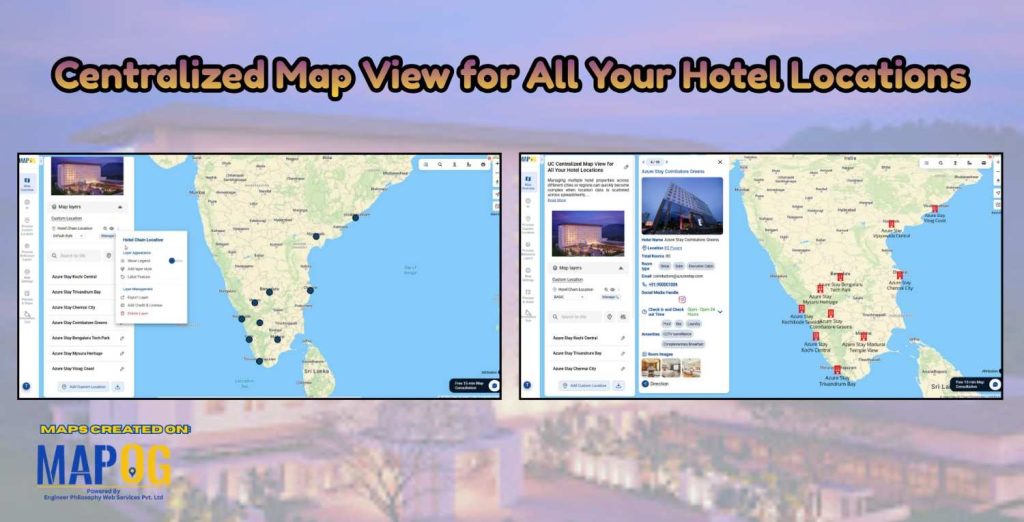
In today’s increasingly competitive hospitality landscape, both travelers and hotel owners face a common challenge: understanding location clearly and quickly. Travellers often struggle to compare hotels across cities or regions. At the same time, hotel owners and managers find it difficult to oversee expanding portfolios using static address lists and reports. As properties spread across multiple locations, understanding spatial distribution and operational reach becomes challenging for both. A centralized map view solves this by bringing all hotel locations into one visual interface, helping travellers choose confidently and enabling managers to monitor, plan, and optimize their network more clearly.
Why Does a Centralized Map View Matters?
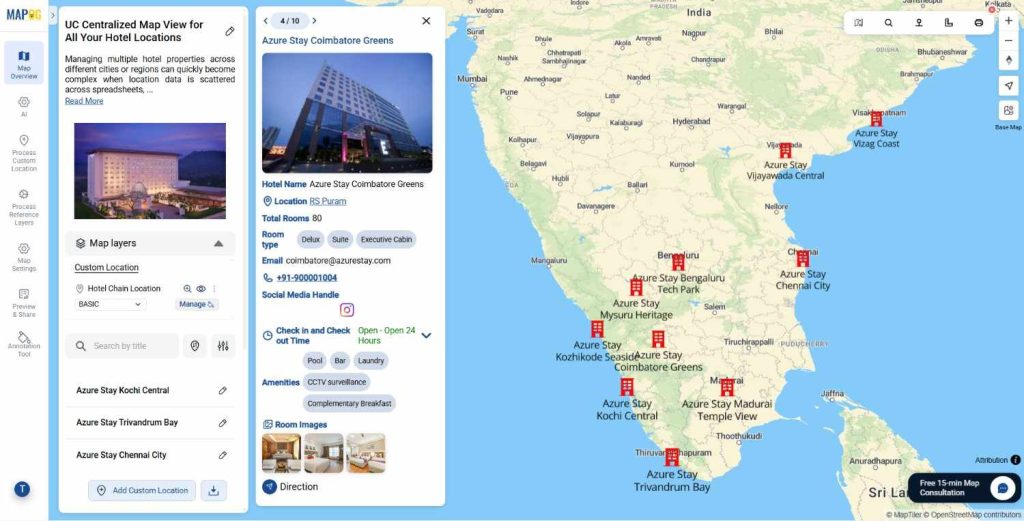
Visual elements on a map do more than show locations. They turn a hotel network into an interactive experience for guests and clients. Icons, labels, and layers let each hotel display images, amenities, room types, and check-in or check-out details in one view. Hotel teams can manage multiple properties from a single map that can be shared publicly, sent privately as a link, or embedded on a website. By showing nearby attractions and landmarks, hotels appear more centrally located, and built-in call-to-action options help convert interest into action.
With MAPOG, hospitality teams can move beyond guesswork. Visual mapping helps identify regional strengths, areas requiring attention, and relationships between location and performance. As a result, planning becomes more data-driven and less dependent on assumptions.
Steps to Centralized Map View for All Your Hotel Locations
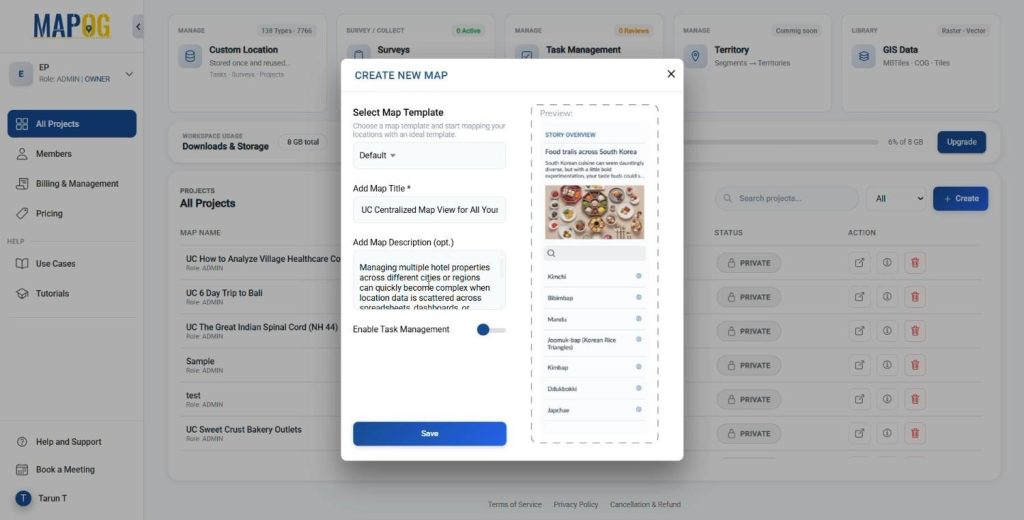
Create a New Map
- Click “Create” on MAPOG.
- Add a title and a description and save your map.
Add Hotel Location Data
- Add the point data using Process Custom Location.
- Upload the data using the Add by Uploading Excel/CSV feature.
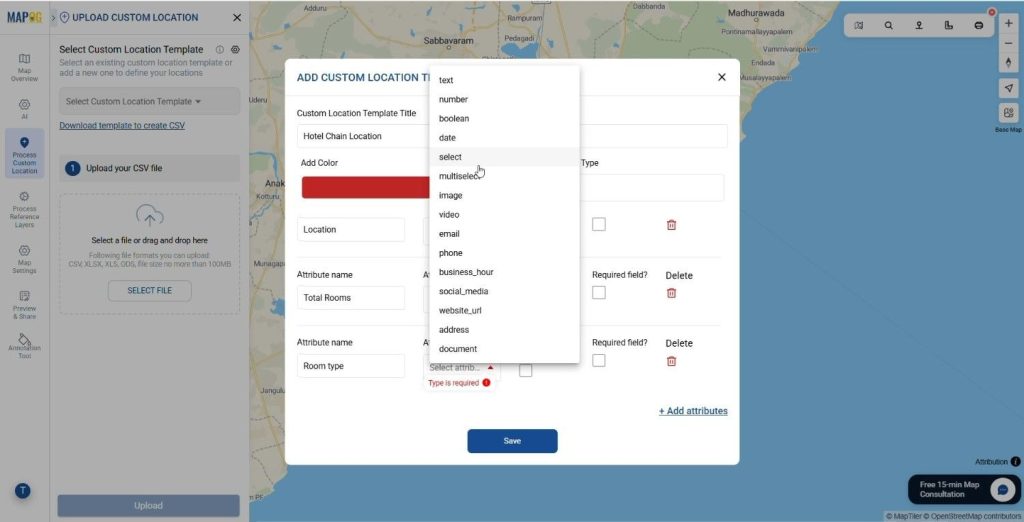
- Click on Select Custom Location Template and add the required custom location type.
- After adding the location type, include attributes such as Hotel Name, Address, Types of Rooms, Check-in and Check-out times, and other relevant details.
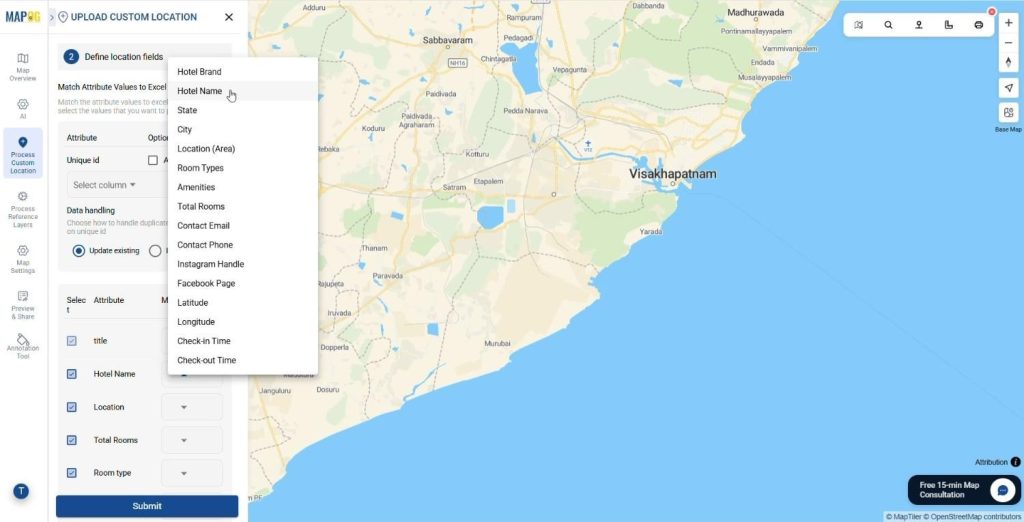
- Upload the CSV/Excel file that contains the locational information about the hotels.
- Match the attribute values with the corresponding Excel columns such as Hotel Name, Address, Types of Rooms, Check-in and Check-out times, and related fields.
- Add the latitude and longitude of the points from the table. Click Save to complete the process.
Customize Markers
- Click on the Add Layer Style and style the Map layer.
- Use different colours and symbols to visually represent your hotel chain effectively.
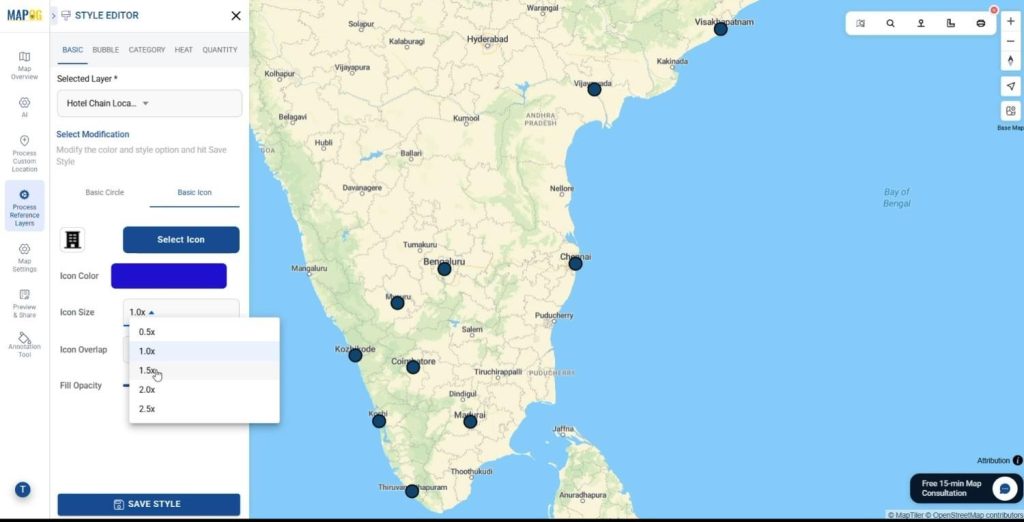
- Set the Pitch view by clicking on Custom Location View.
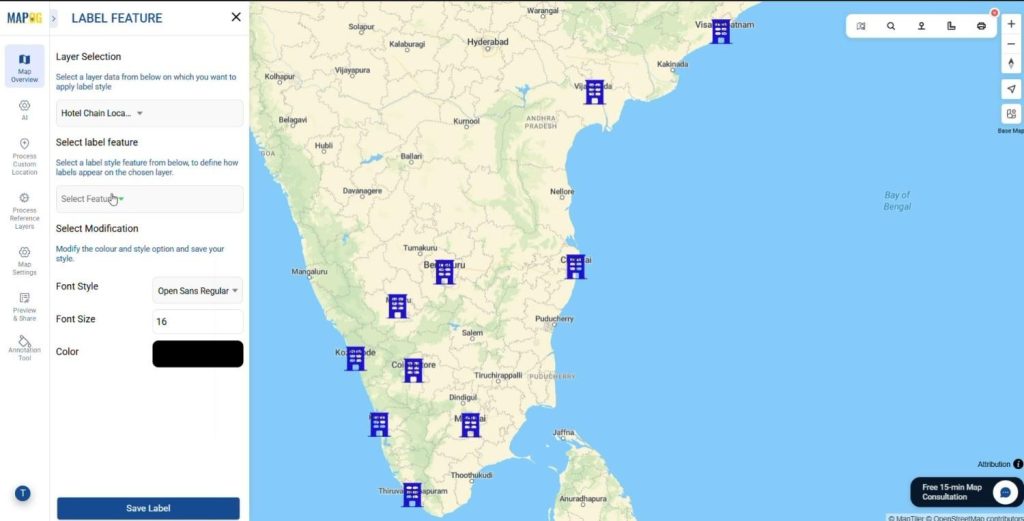
- Also Add the labels on the Label Feature tab.
Add Nearby Locations
Use the Add Nearby Points feature to additionally display amenities around each hotel for easier navigation. Icons can also represent nearby places, distance or area tools help confirm location context, and color-coding highlights key spots around each property for better visibility.
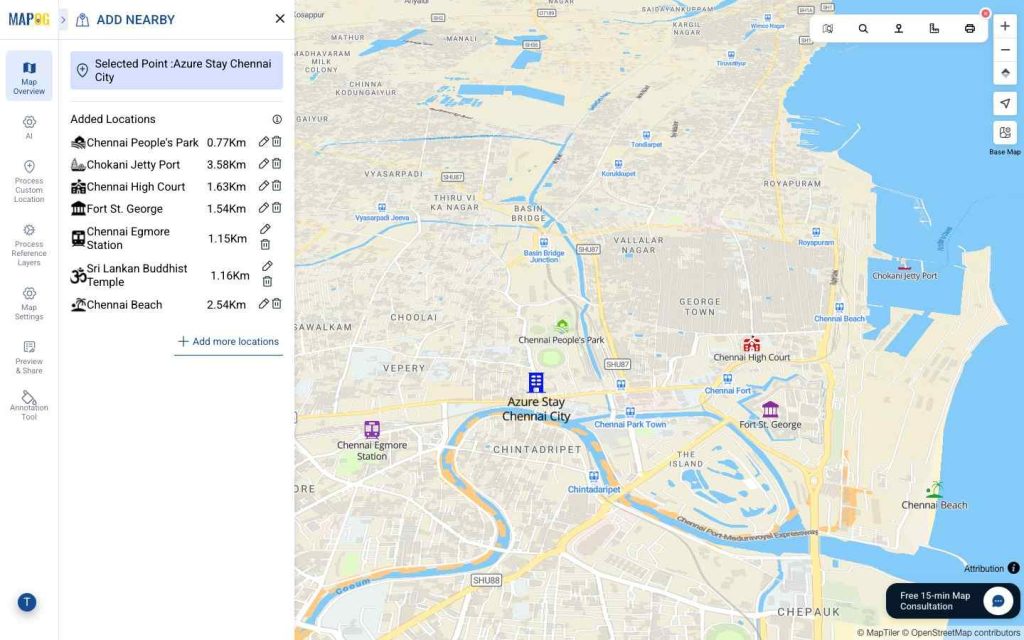
Moreover, add stations, shopping malls, parks, and other attractions to clearly demonstrate how centrally and advantageously your hotel is located.
Additionally, clients can use sorting features to instantly find the nearest hotel based on their live location, making discovery faster and more convenient.
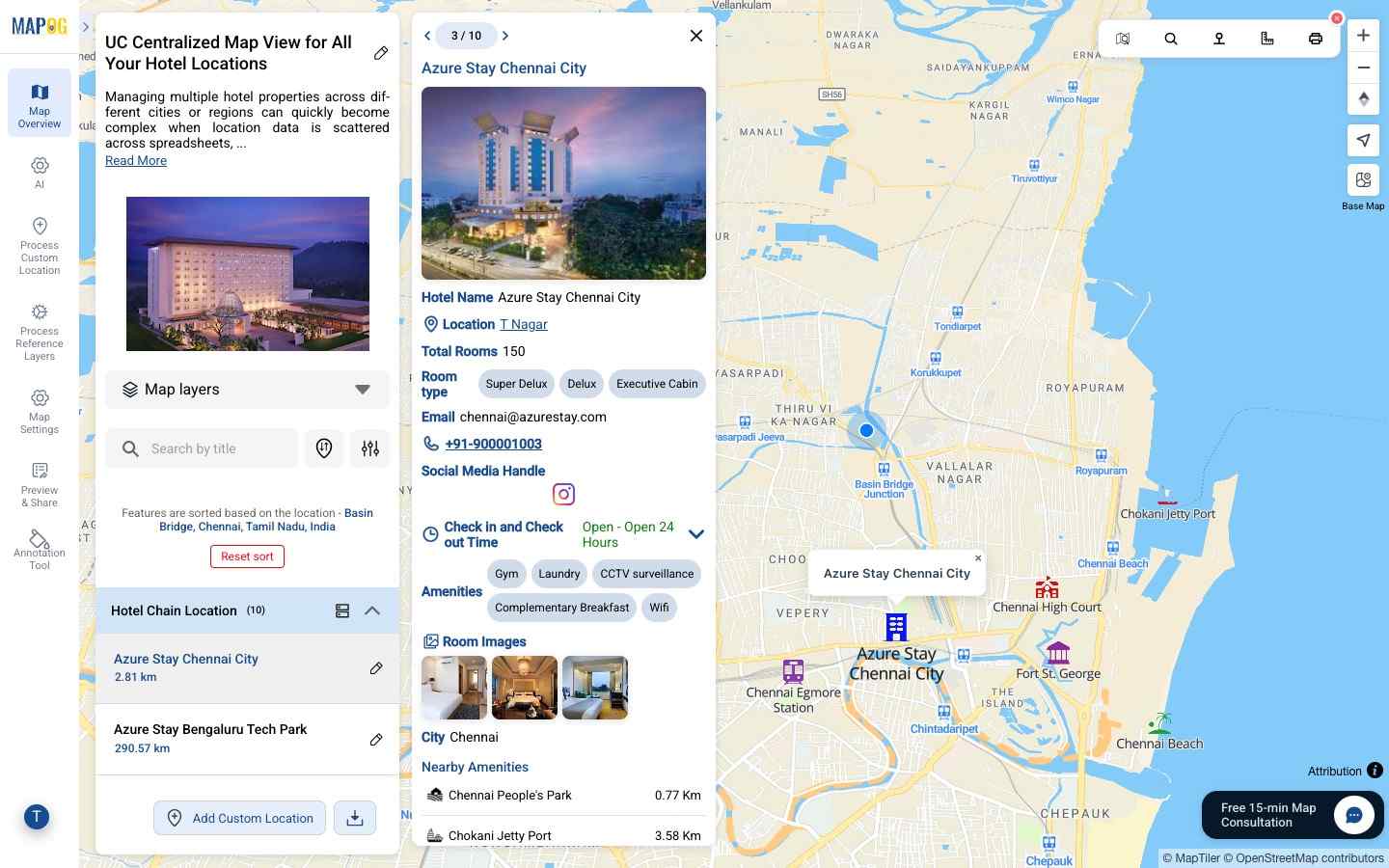
Hotels can also be grouped by different categories such as – ” City “,
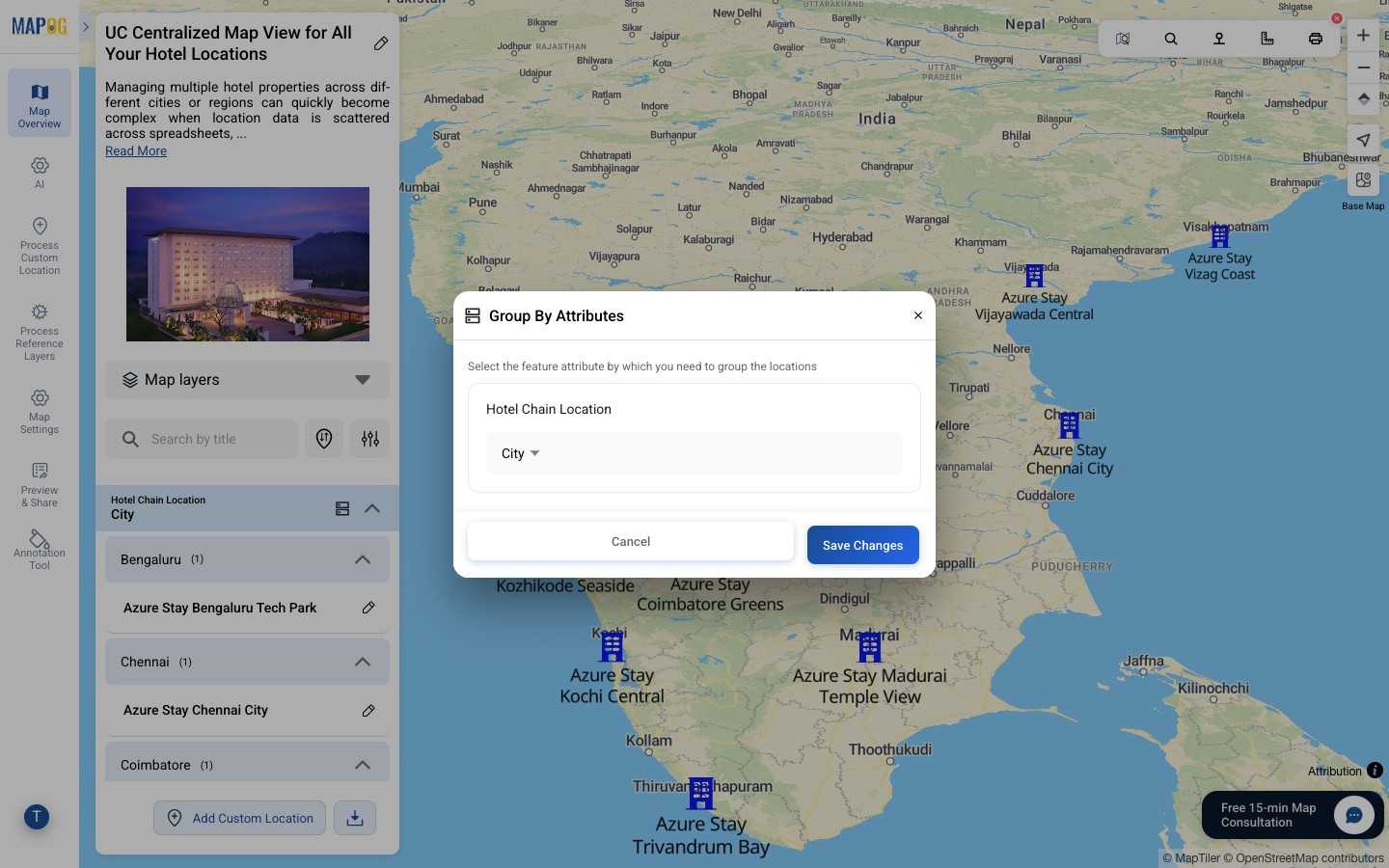
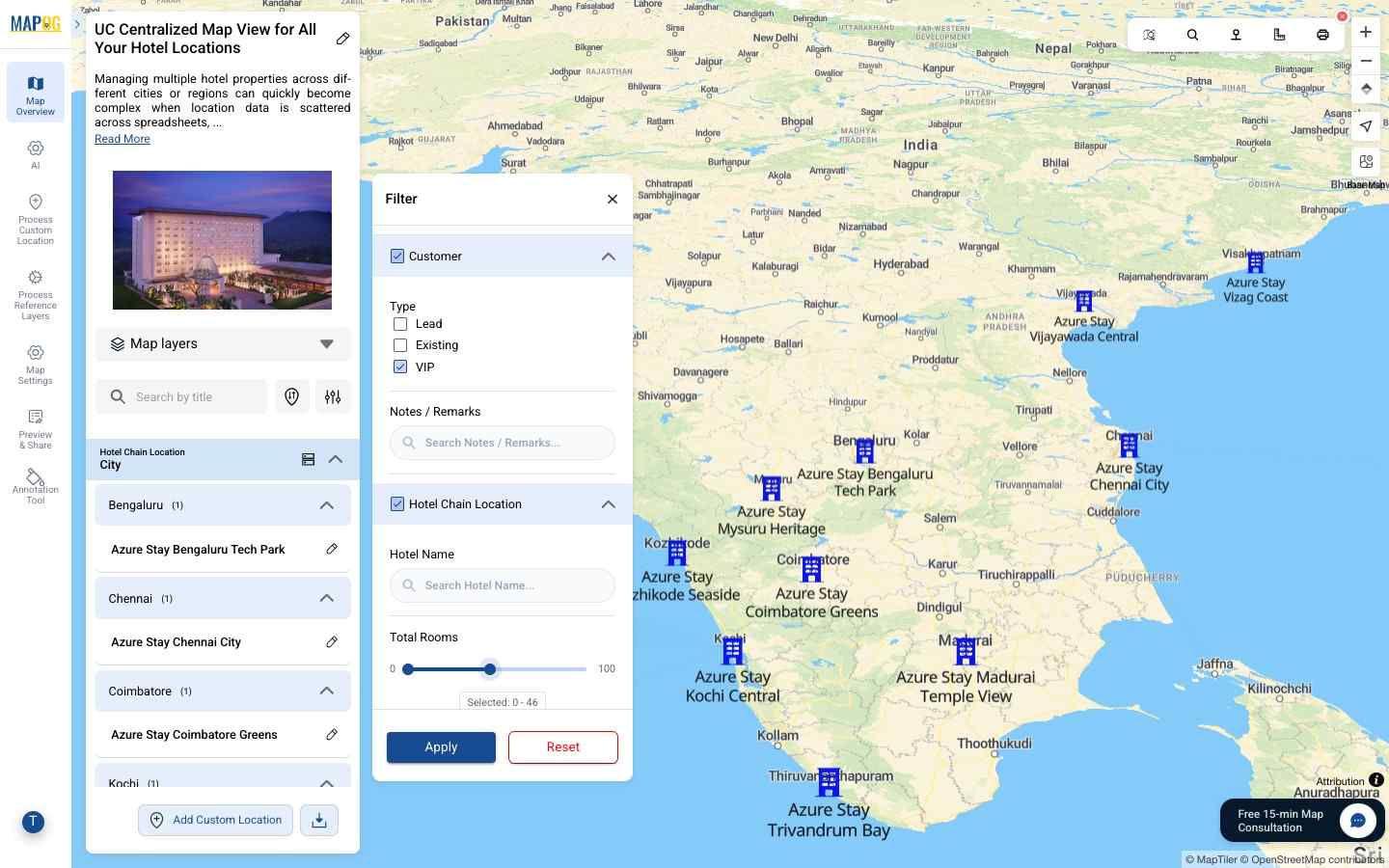
Additionally, it can be filtered by preferred budget, location, or availability, allowing both travellers and managers to quickly narrow down options and focus on the most relevant properties.
Preview & Share
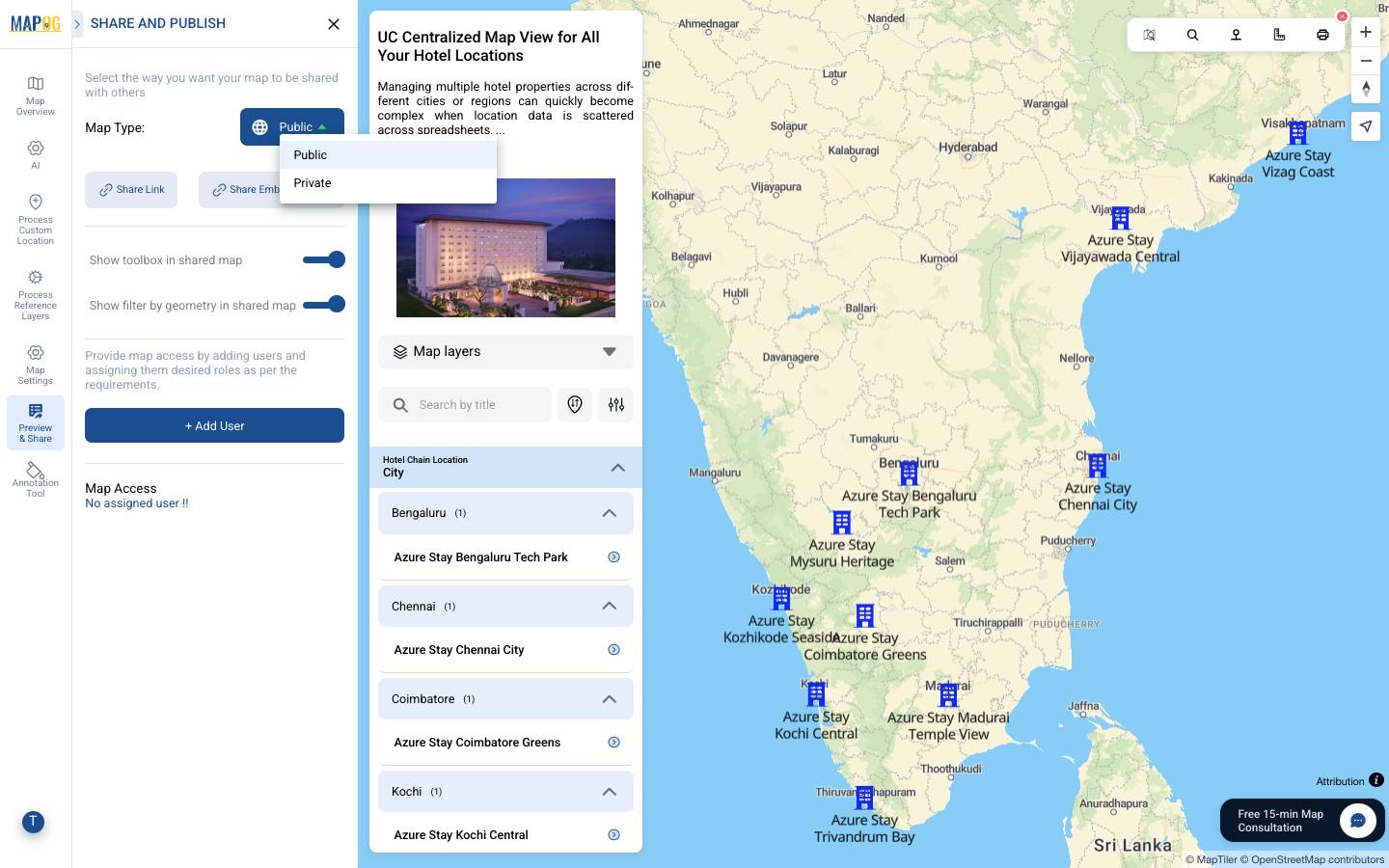
Use the Preview and share option to review your map. Finally, click on Preview & Share and set it to public. You can then share the map using a link, embed it on websites through the embedded map option, or add users to control access. Share it with Customers, Travellers, Hotel Owners or Stake Holders to effectively describe the hotel locations.
Industry and Benefits of Centralized Map View
Looking ahead, centralized hotel maps are evolving significantly. What begins as a visual overview is increasingly becoming an intelligent system. By integrating analytics, trends, and real-time data, maps can reveal regional performance differences, identify seasonal demand patterns, and support more informed, predictive planning.
Therefore, centralized mapping is moving from “where are our hotels?” to “where should we stay next?”
Conclusion
In today’s competitive hospitality landscape, managing hotel locations without a centralized map view limits visibility and slows decision-making evidently. With MAPOG, owners can plot all hotel properties altogether onto a single, interactive map, businesses gain clearer insight into operations, strategy, and growth opportunities. Ultimately, centralized mapping is not just about seeing locations; it is about understanding how geography shapes performance and using that insight to drive smarter outcomes.
Have you explored a centralized map view for your hotel portfolio yet?
Share your perspective in the comments below.
More from MAPOG:
1 Comment