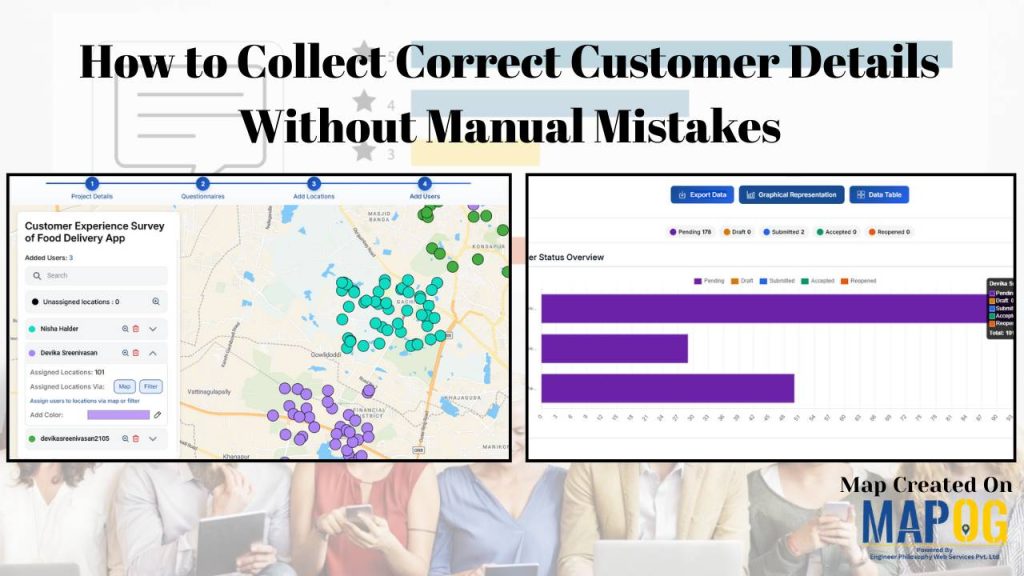
Accurate customer details are the backbone of reliable surveys, market analysis, and business decision-making. However, traditional paper-based methods and manual data entry often lead to errors such as missing information, incorrect locations, and delays in processing. As a result, it has become challenging to collect correct customer details becomes challenging when data is handled manually, increasing the chances of mistakes.
With the rise of mobile data collection and MAPOG, organizations can now capture precise customer information in real time and directly visualize it on maps. Therefore, customer data becomes more precise, verifiable, and actionable.
Key Concepts to collect correct customer details
To collect correct customer details without manual mistakes, it starts with:
- Using mobile data collection forms with dropdowns, date pickers, auto-complete, and GPS capture to reduce typing errors.
- Adding real-time validation in mobile apps to catch wrong emails, phone numbers, and missing fields instantly.
- Using automatic duplicate detection to prevent repeated or inconsistent customer records.
Step by Step Guide to collect correct customer details
1.Start with Mobile data collection
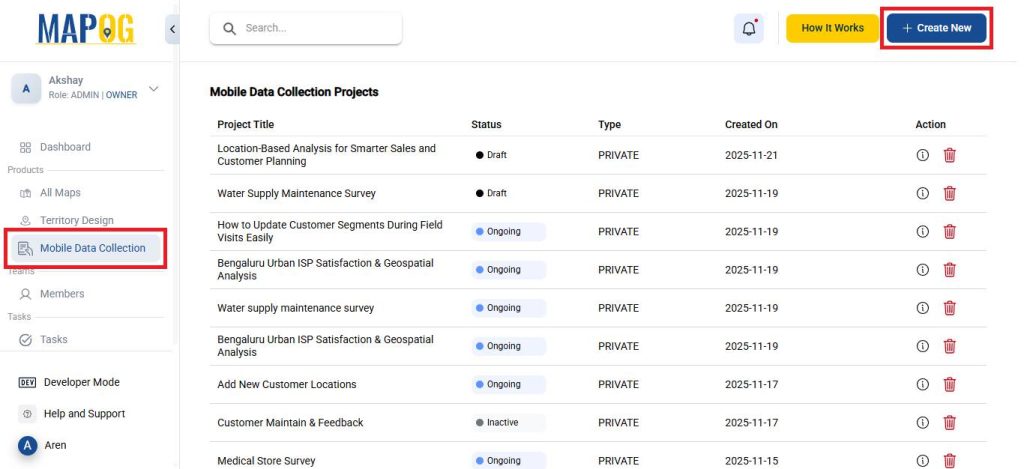
Go to MAPOG and then navigate to Mobile data collection. Click on Create New to create a new map.
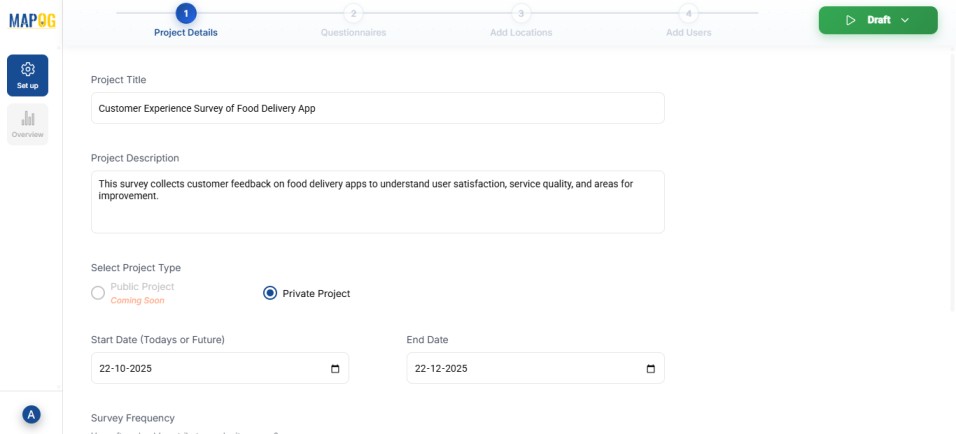
Give the project a title and description, set the survey’s start/end dates and submission frequency, and choose whether contributors can add or edit locations and questions.
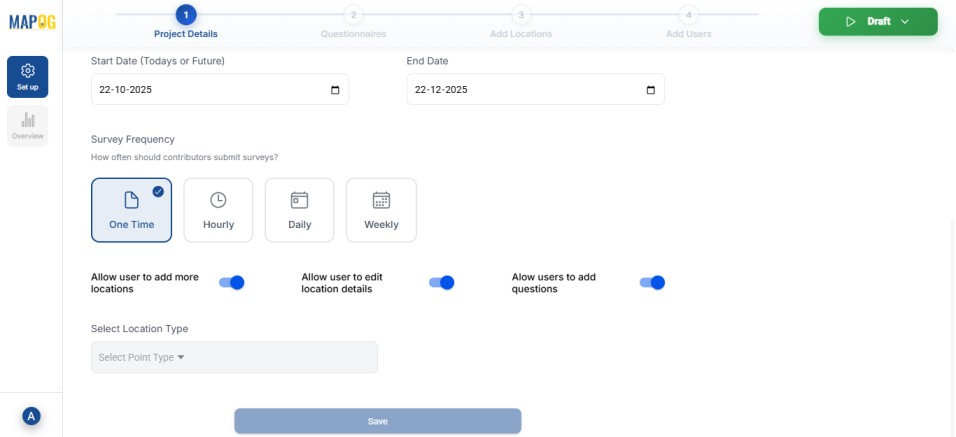
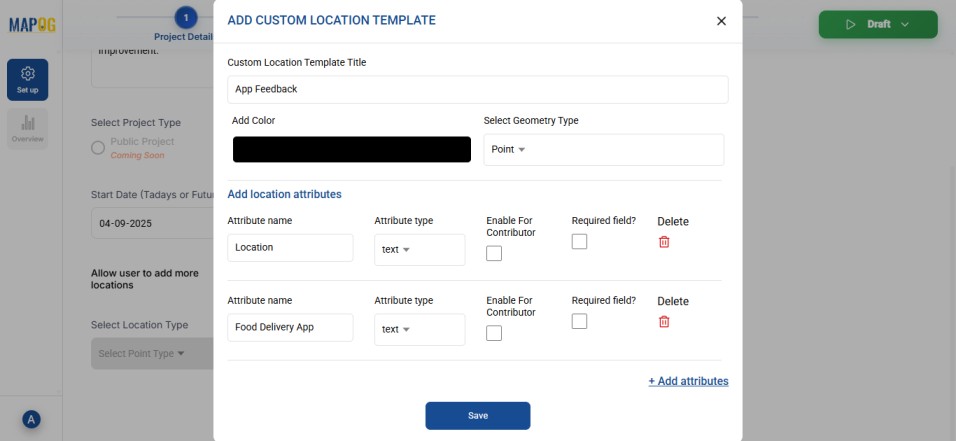
2. Creating a new Location Type
Then, go to Select Location Type to create a new location type. Give it a name, choose a geometry type such as Point, and add all necessary attributes.
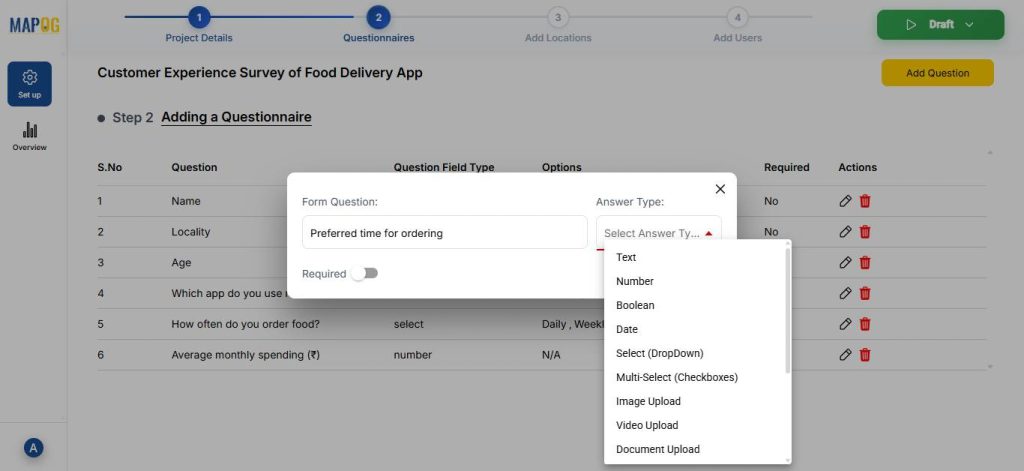
3. Create a Questionnaire
Proceed to Step 2 and click Add Question to include the key questions for your survey. Since this survey focuses on customer service experience of food delivery apps, add items like customer name, address, preferred app etc. Moreover, you can use the dropdown menu to choose the answer type like text, number, select, or multiselect based on the kind of response required.
4. Upload Customer data
In the next step, click on Add new location by uploading CSV/Excel.
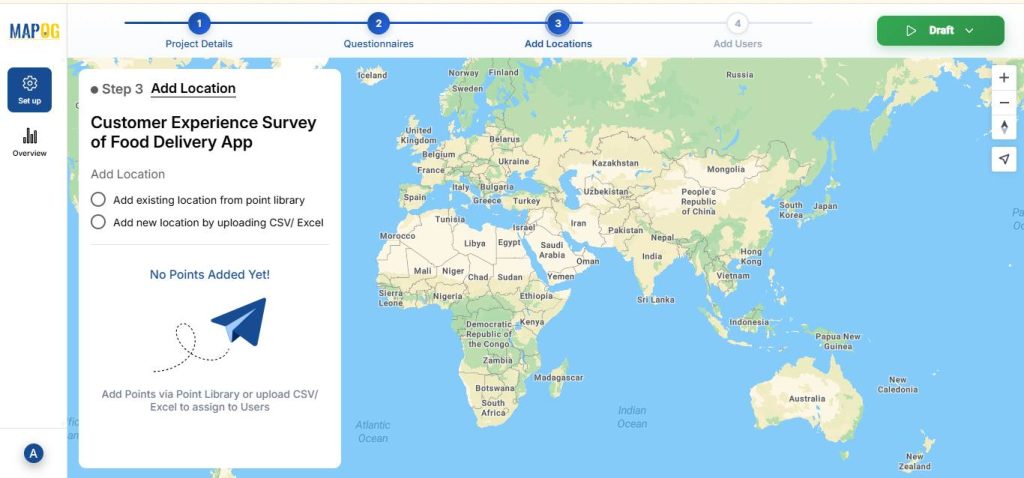
Then, upload your CSV/ Excel file.

Match your excel with attributes and field type to either coordinates or WKT format, then hit submit.
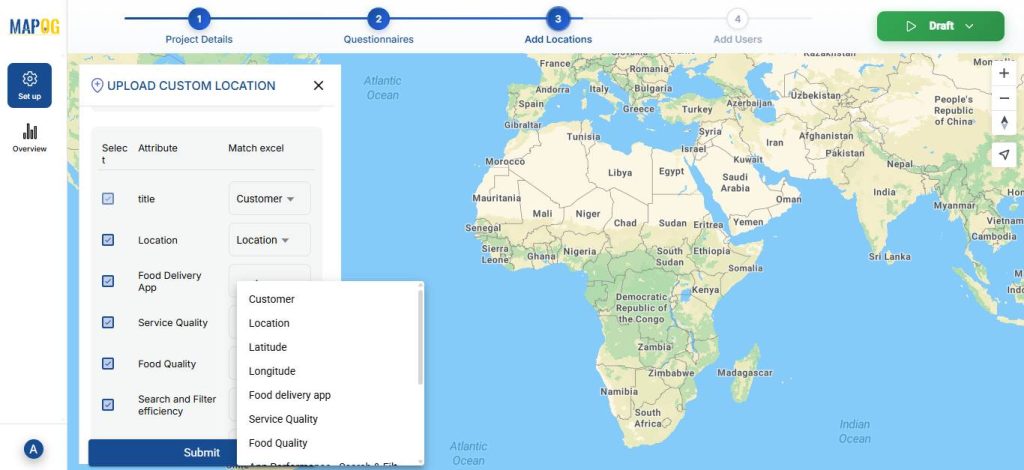
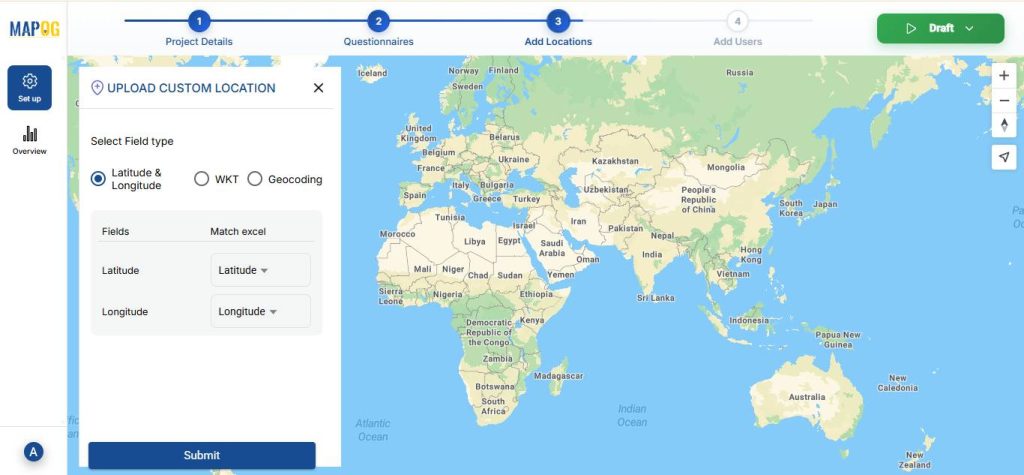
Subsequently, your customer points will now be visible on the map.
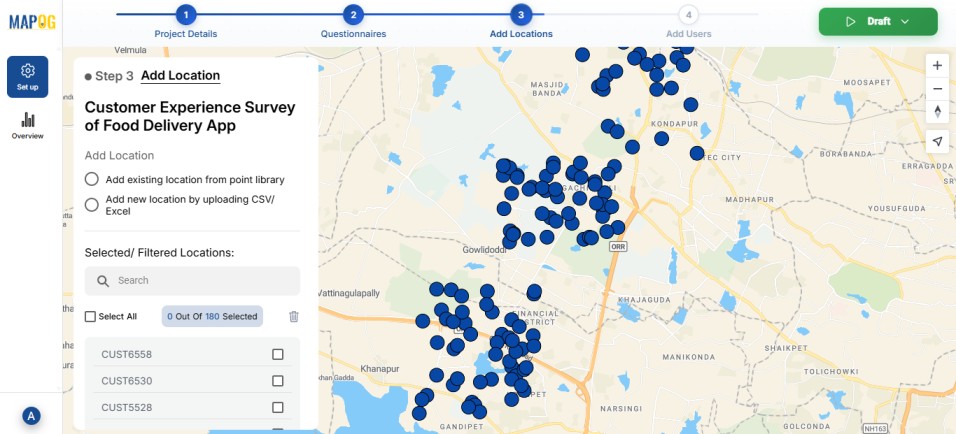
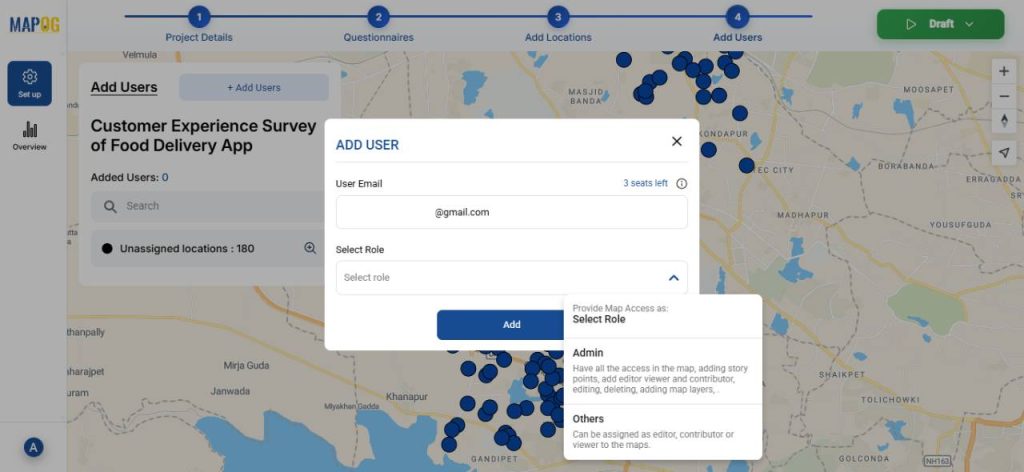
5. Adding Users and Assigning Roles
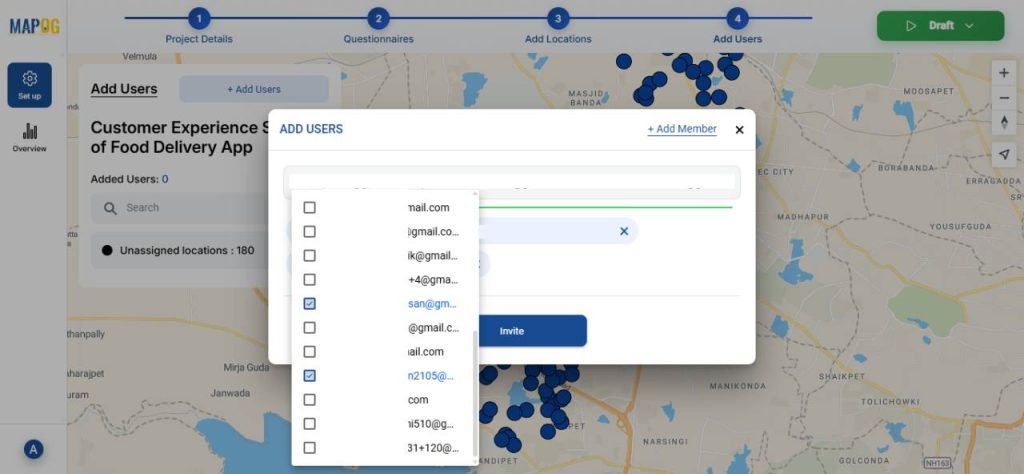
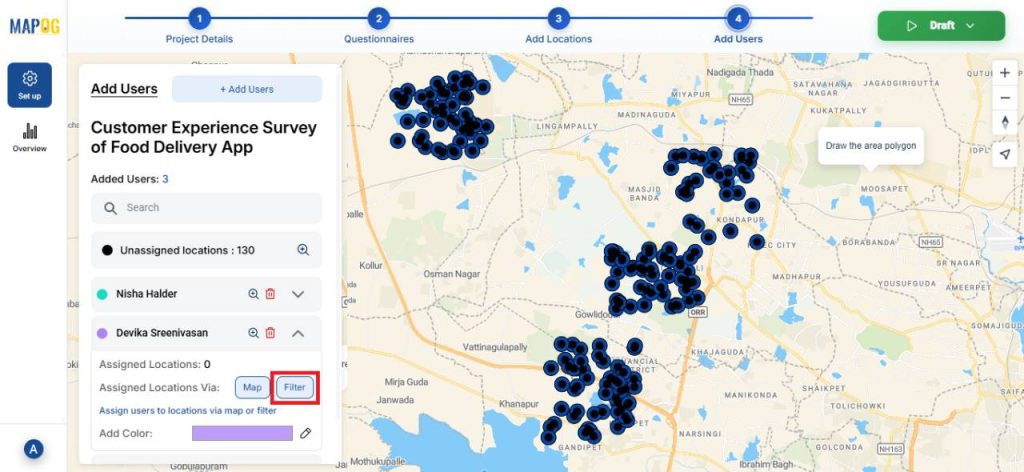
Next, click Add User to include team members and assign roles based on your project requirements.
After that, select the members from the dropdown and invite them to participate.
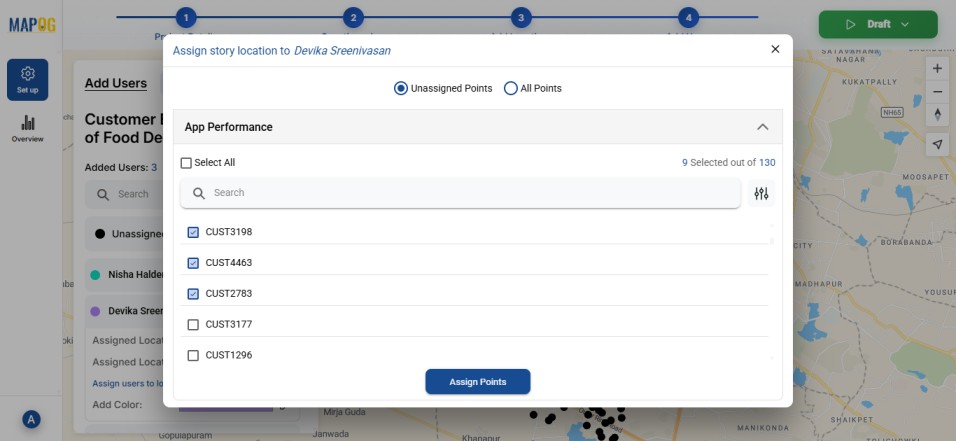
Then, click on the Filter option to assign locations by switching from Unassigned to All Points.
After selecting the points, click assign points.
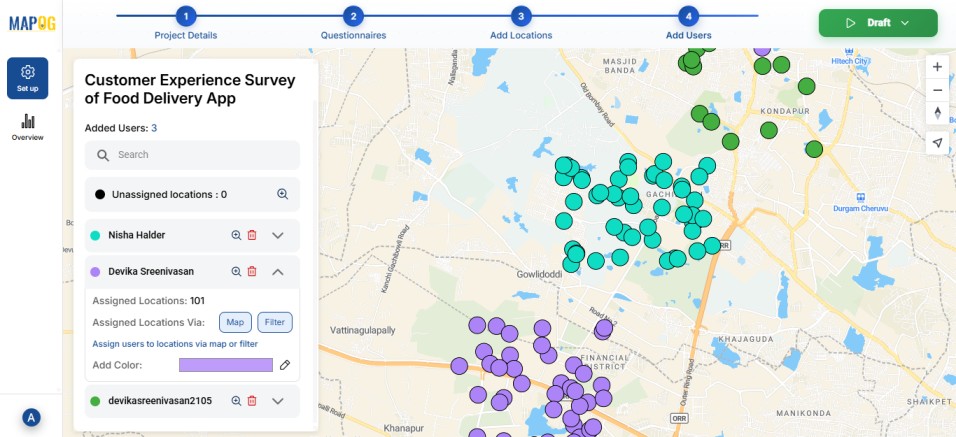
You can also use colour-coding to make the divisions clearer.
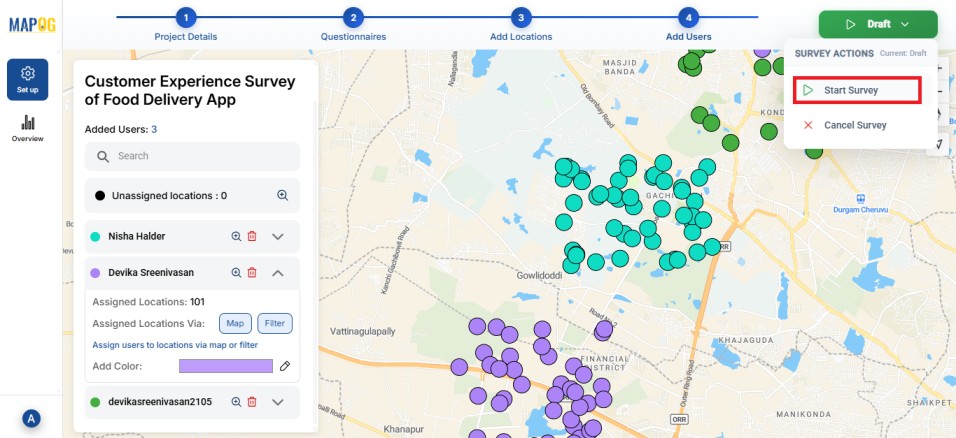
Once you are done, launch the survey.
6. Contribute to the Survey via Mobile App
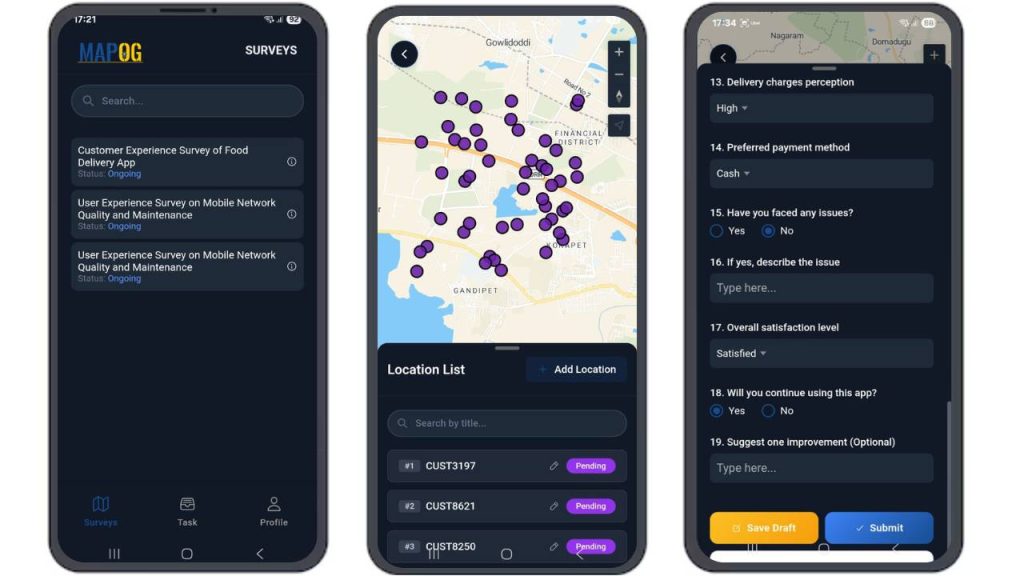
On the MAPOG Contributor app, assigned members can view and complete their surveys. Meanwhile, they can save drafts or submit responses directly from the field. Furthermore, all updates sync automatically in real time to the MAPOG browser, ensuring immediate visibility.
7. Monitor and Analyse Results
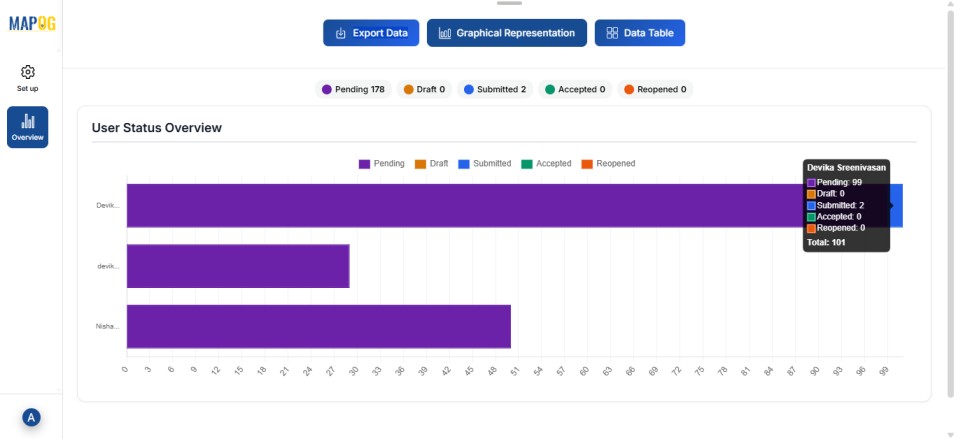
Finally, use the Overview panel to track the status of your survey. Here, you can view key statistics such as the number of pending, drafted, and submitted responses.
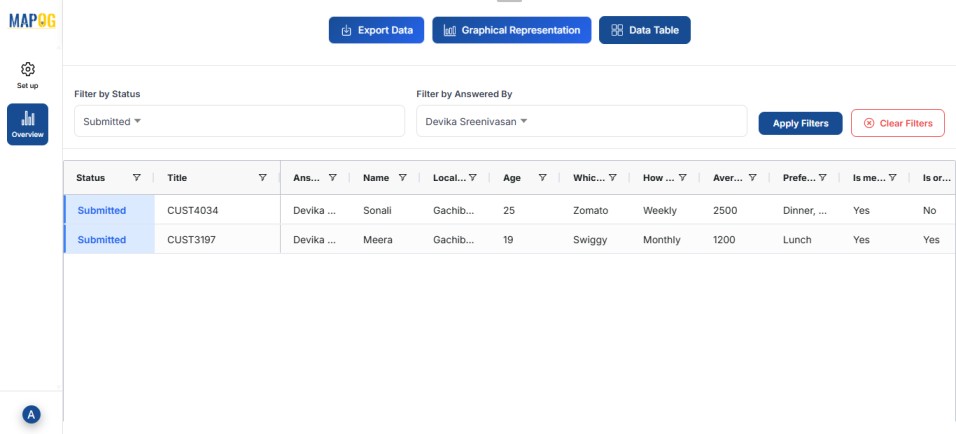
You can also monitor progress by filtering customer responses based on the team members they were assigned to.
Real World Applications
Accurate customer data has practical value across many industries. In e-commerce and logistics, it ensures smooth deliveries and fewer errors. Banks, telecom providers, and government services rely on correct details for secure verification and proper billing. Healthcare, travel, and event systems use accurate information to prevent identity mix-ups and scheduling issues.
Conclusion
Collecting accurate customer details relies on reducing manual entry, using smart form design, and adding automated validation. With structured inputs, verification steps, and regular audits, businesses avoid costly errors and build reliable customer databases. In the end, accuracy comes from better systems, not more effort.
Want to check out MAPOG contributor app, Here’s the links below
App Store: https://apps.apple.com/us/app/mapog-contributor/id6754868956
Play Store: https://play.google.com/store/apps/details?id=com.mapog.contributor