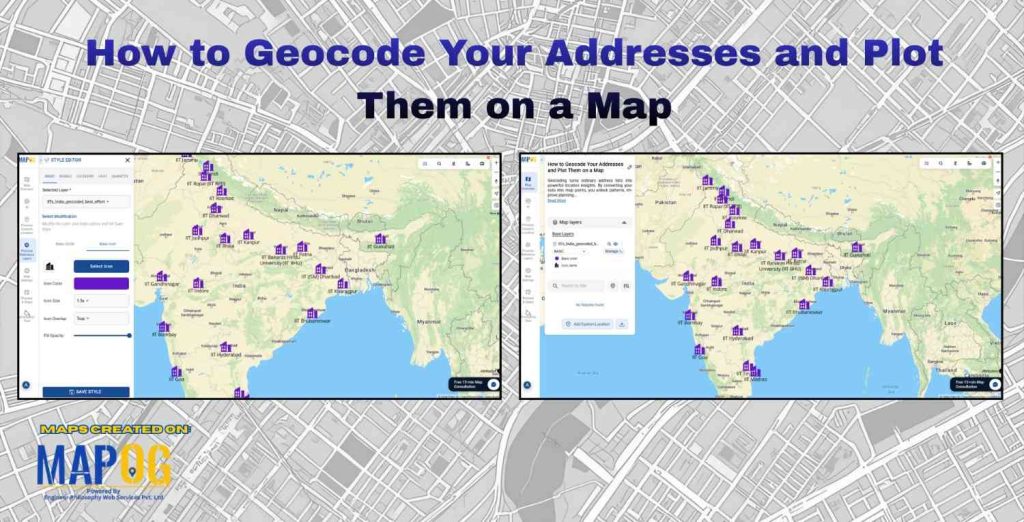
How to Geocode Your Addresses and Plot Them on a Map is one of the most essential skills today for businesses, researchers, developers, and organizations who utilize location-based insights. Geocoding simply means converting a physical address into geographic coordinates such as latitude and longitude. Once those coordinates are generated, they can be plotted on a digital map for analytics, visualization, and decision-making.
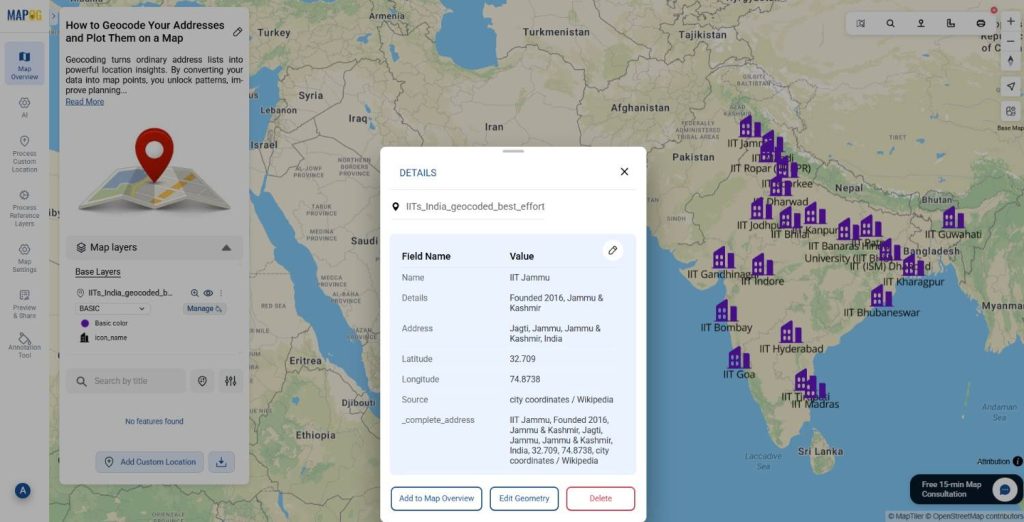
Moreover, mapping geocoded locations helps you understand their spatial distribution, identify patterns, assess accessibility, and plan operations more efficiently. For example, when all the IITs (Indian Institutes of Technology) across India are plotted on a map, it becomes much easier to compare regions, analyze distance from major cities, or plan educational outreach.
Why Geocoding Matters?
To begin with, raw address data is not instantly useful for mapping systems. Even though addresses describe location in human-readable form, software tools and GIS platforms like MAPOG require coordinates. Therefore, geocoding becomes the bridge between text-based addresses and real-world spatial representation.
Additionally, once addresses are geocoded, the dataset becomes suitable for a wide range of use cases such as logistics planning, marketing outreach, disaster management, tourism mapping, customer clustering, and academic research. Companies also routinely geocode customer addresses to optimize sales routes, plan new store locations, and reduce travel time.
Steps to Geocode Addresses
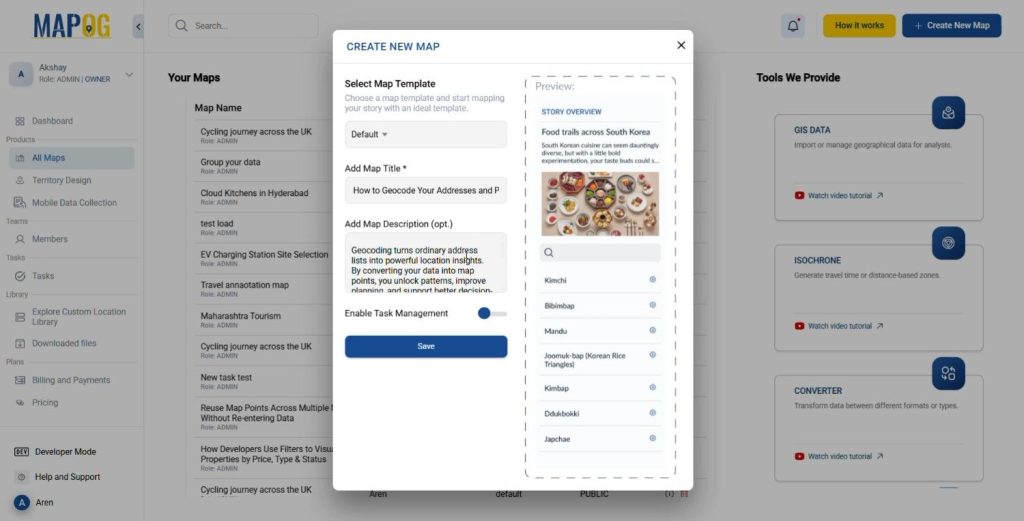
Create a New Map
- Click “Create New Map” on MAPOG.
- Add a title, description, and an image that represents the map theme.
- Save your map.
Add Map Data (Geocoded Data)
- Click on Process Reference Layers tab and then click on UPLOAD CSV/EXCEL FILE
- Upload your prepared Excel/CSV that contains the Geocoded Data.
- On the Define Location Fields tab click on Geocoding.
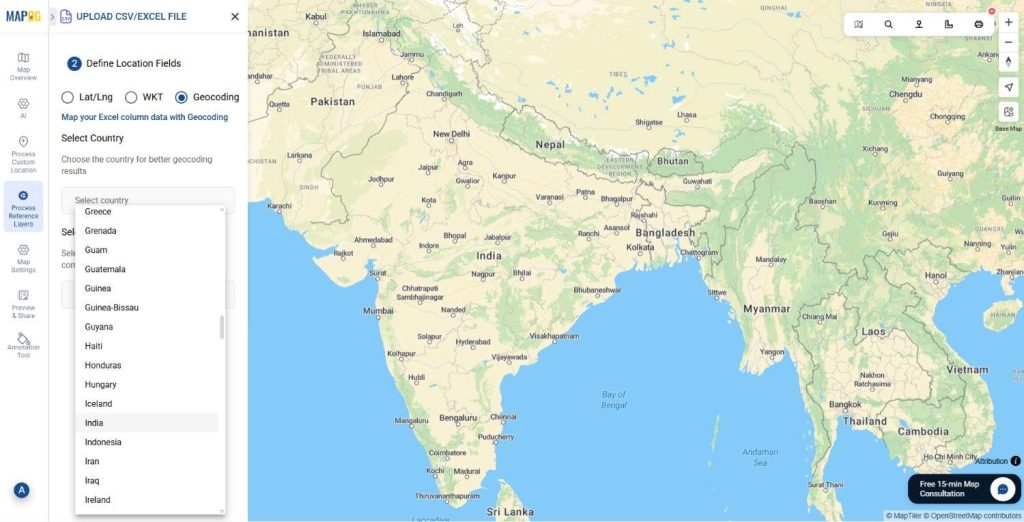
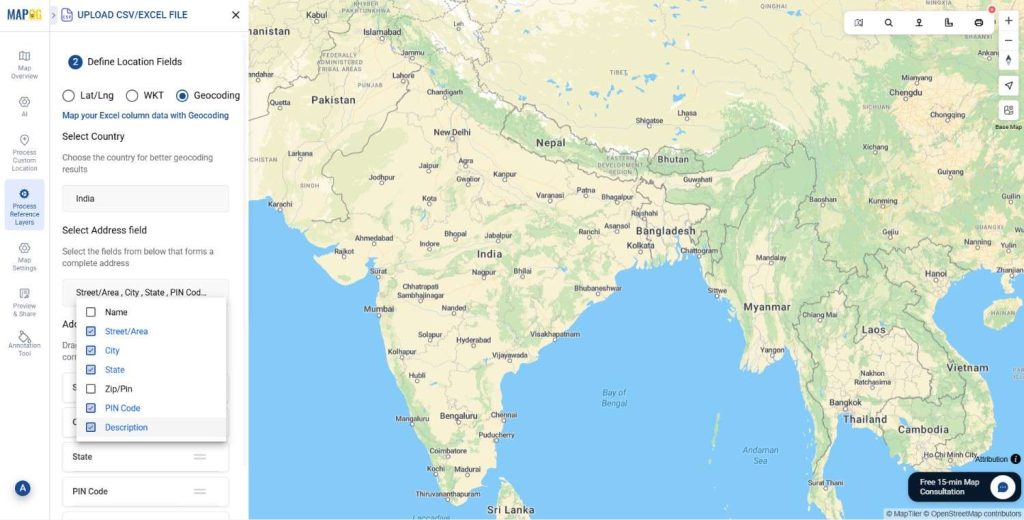
- Select the Country of the desired geocoded points and the Address Field i.e. Street/ Area address, City, State, PIN Code etc. You can also re- arrange and re-order the data according to the necessity of the map.
- After that click on save and then in the Address Fields preview, click on Save and Plot on Map.
Customize Markers
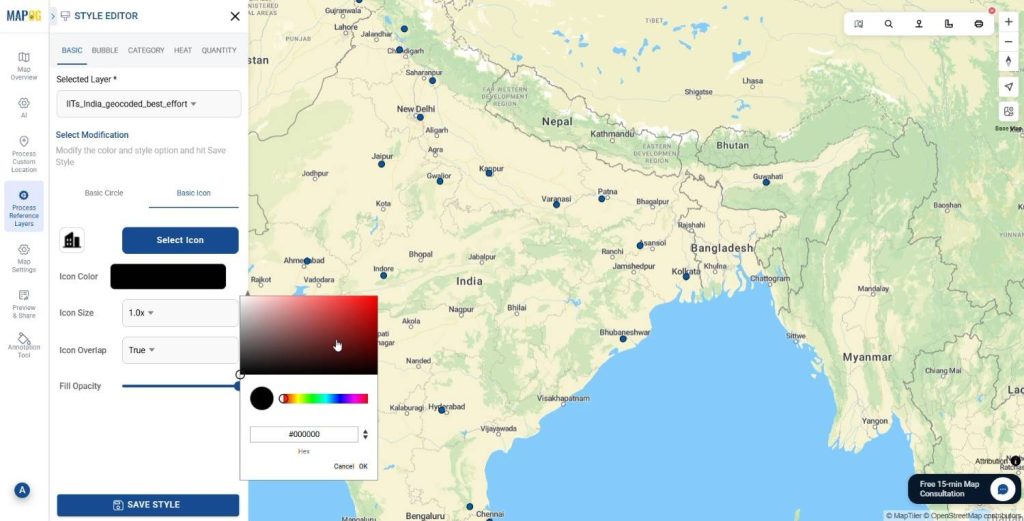
Click on the Add Layer Style and style the Geocoded points according to preference. Add different icons and colors to the points to make it more interactive.
Add Labels.
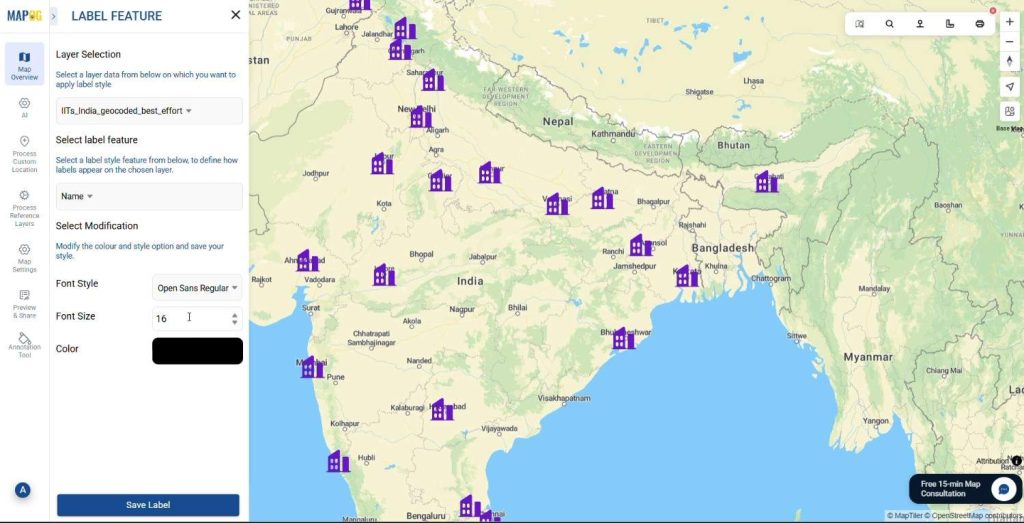
Click on Label Feature and add Labels to represent the Geocoded points precisely.
Preview & Share
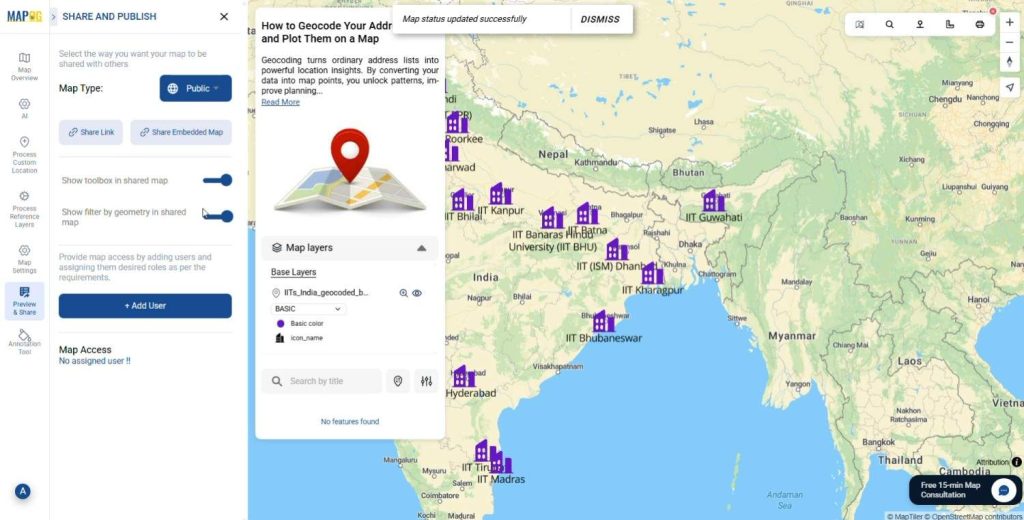
Use the Preview and share option to review your map. Share it with local authorities, map enthusiasts, or community groups to enhance their map knowledge.
The Future of Geocoded Mapping
As GIS and AI evolve, mapping solutions are transitioning from basic visualization to predictive analysis. Soon, platforms will highlight geographic gaps automatically, suggest optimal expansion zones and recommend priority locations based on upcoming demand. This shift toward intelligence ensures that geocoded mapping will remain essential for strategic planning.
Conclusion
Nowadays, geocoding is no longer optional. Rather, it is a critical technique for transforming address lists into actionable geographic insights. With MAPOG, whether you are working with universities, business branches, hospitals, customer locations, or government assets, converting your addresses into coordinates enables smarter planning and problem-solving.
Eventually, once you adopt geocoding into your workflow, you will realize that mapping locations is not just about visualization, it is about unlocking deeper meaning from your data.
Have you ever tried Geocoding your addresses?
Mention in the comments below.
1 Comment