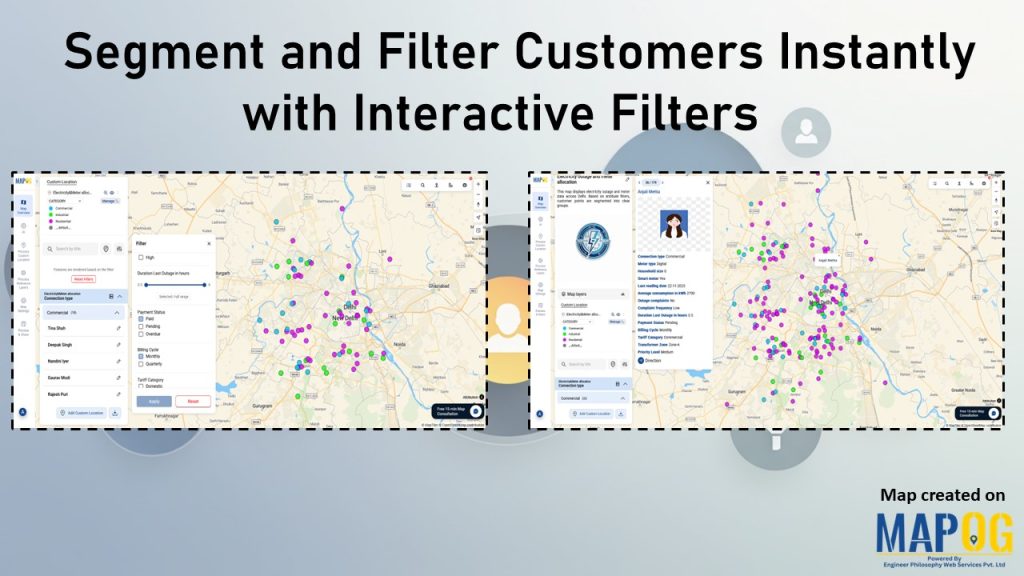
Most teams already have customer data, but the way it’s managed often hides the details that matter. Consequently, diverse attributes collapse into uniform rows, obscuring meaningful distinctions. As a result, strategies become generic, and critical signals stay hidden. However, static reports flatten complexity, leaving no room for precision. With MAPOG, teams can segment and filter customers instantly, moving beyond assumptions, uncovering clarity in real time, and ensuring decisions align with actual patterns across sectors.
Key Concept: Segment and Filter Customers Instantly for Insights
Segmenting and filtering customers instantly transforms raw data into actionable insights. Instead of scanning static rows, teams can apply filters to highlight distinctions across attributes, locations, or behaviors. Consequently, clusters and gaps emerge in real time, revealing priorities that static reports overlook. This immediate clarity ensures decisions are sharper, engagement is targeted, and strategies consistently align with the signals hidden inside customer datasets.
Step by step guide to Segment and Filter Customers Instantly
1. Create a New Map
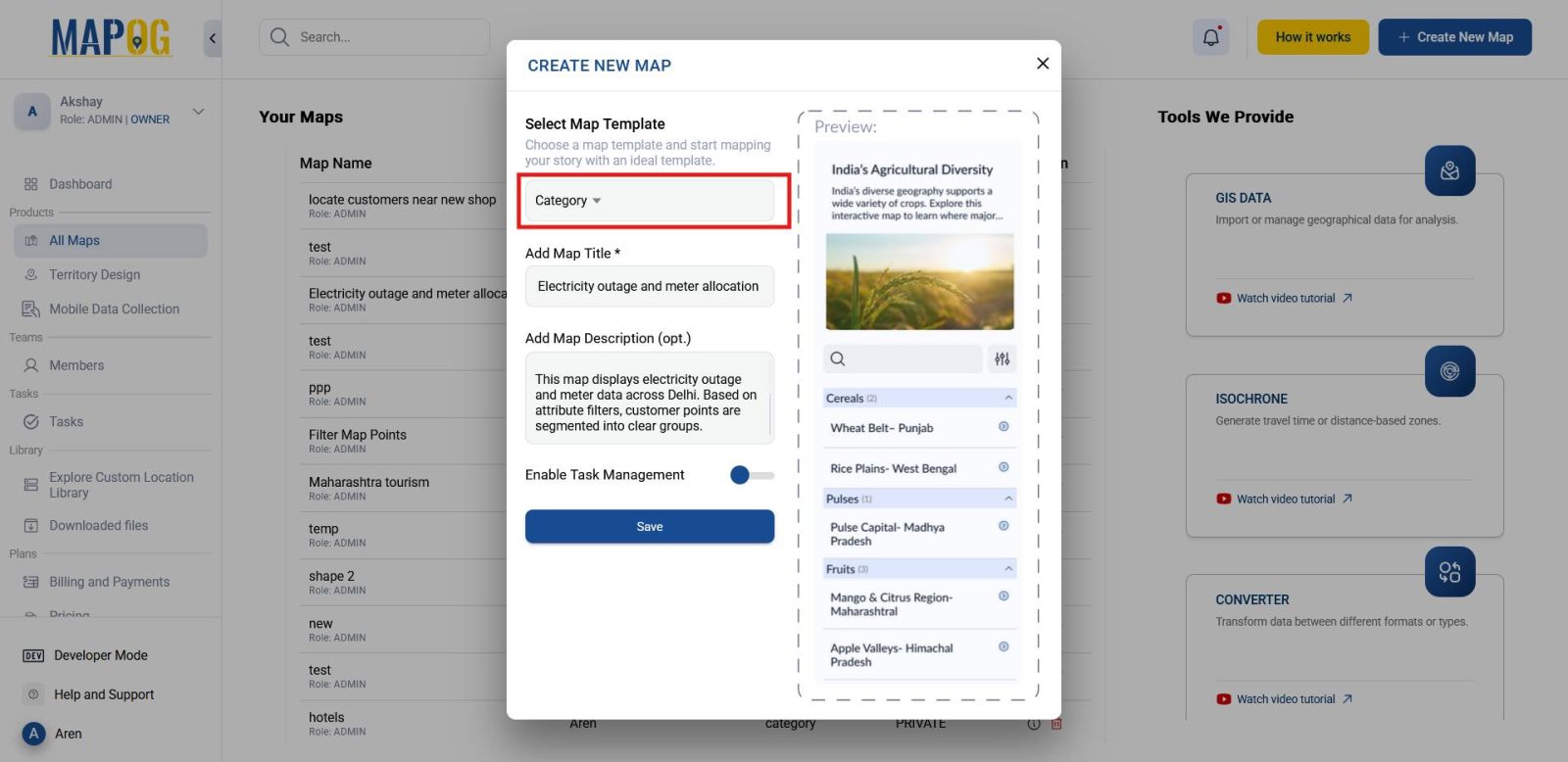
To begin, head to MAPOG and click on Create New Map. Select map template as Category, then provide a title and description. Once complete, save the map to establish the foundation for your workflow.
2. Upload and Configure Customer Data
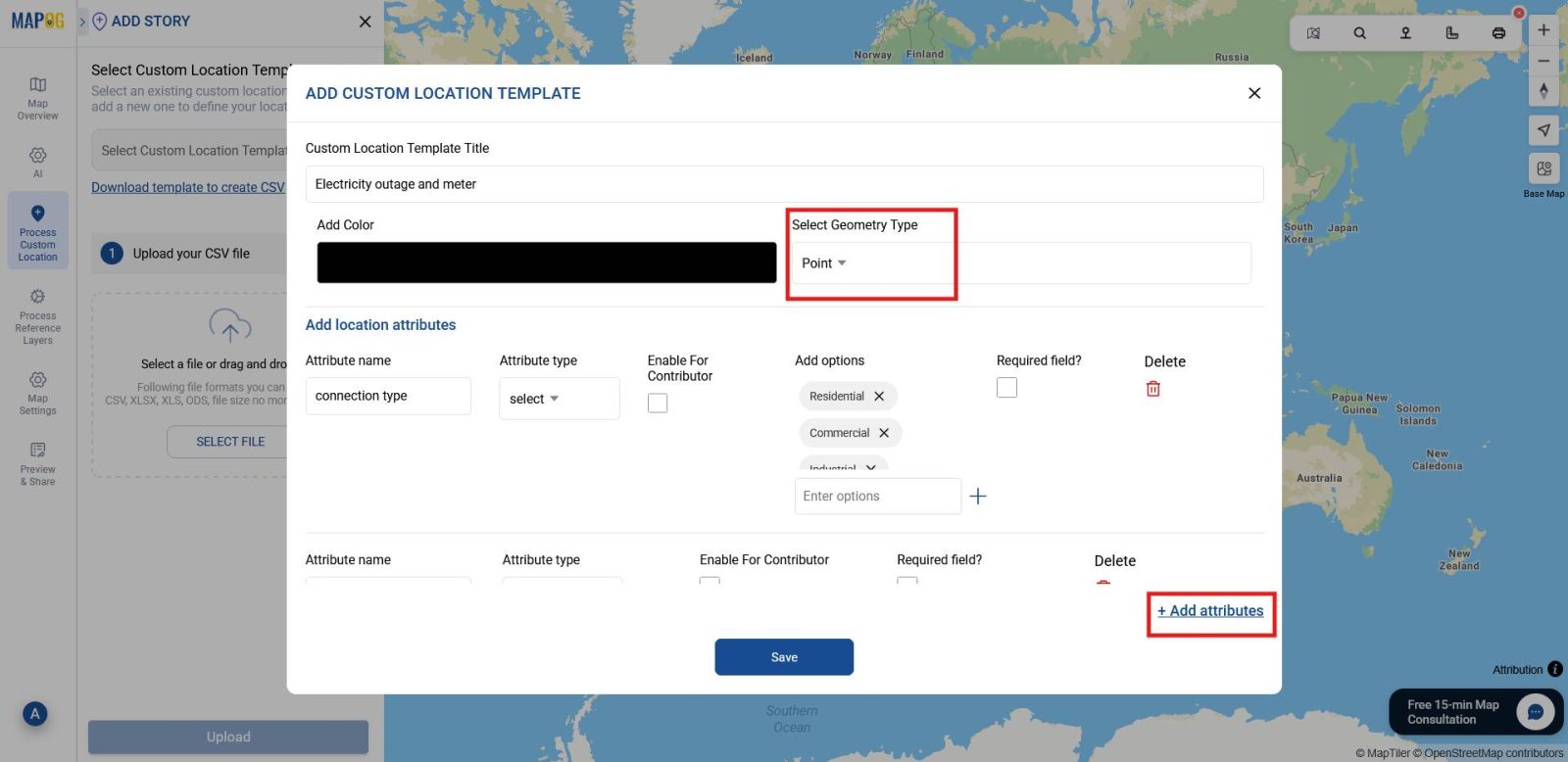
Next, navigate to Process Custom Location and select Add by uploading CSV/Excel and then, open Select Custom Location Template to add a new location type (e.g., Electricity Outage and Meter Allocation) and select Point as geometry type. Then add key attributes such as connection type, meter type, or average usage in kWh.These attributes will later support effective filtering.
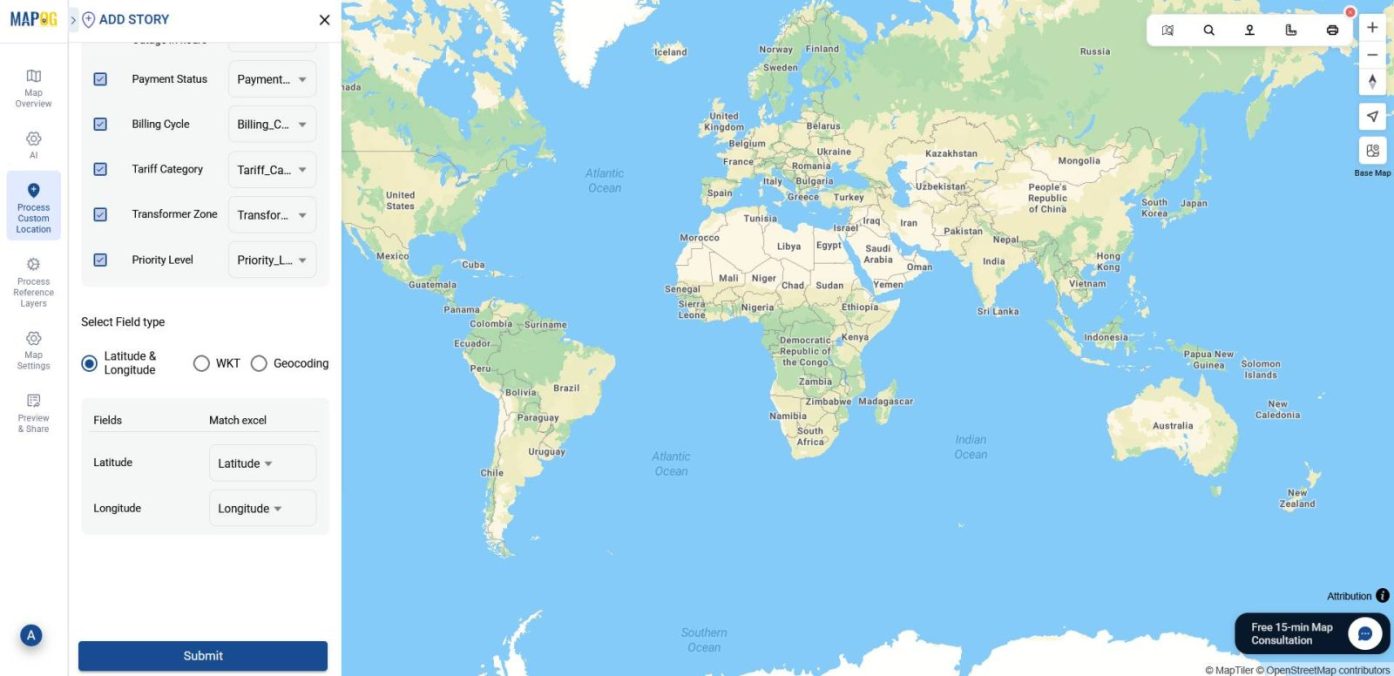
Then, match attribute columns with excel columns, select placement (coordinates or WKT), and submit.
3. Group and Filter Customer Points
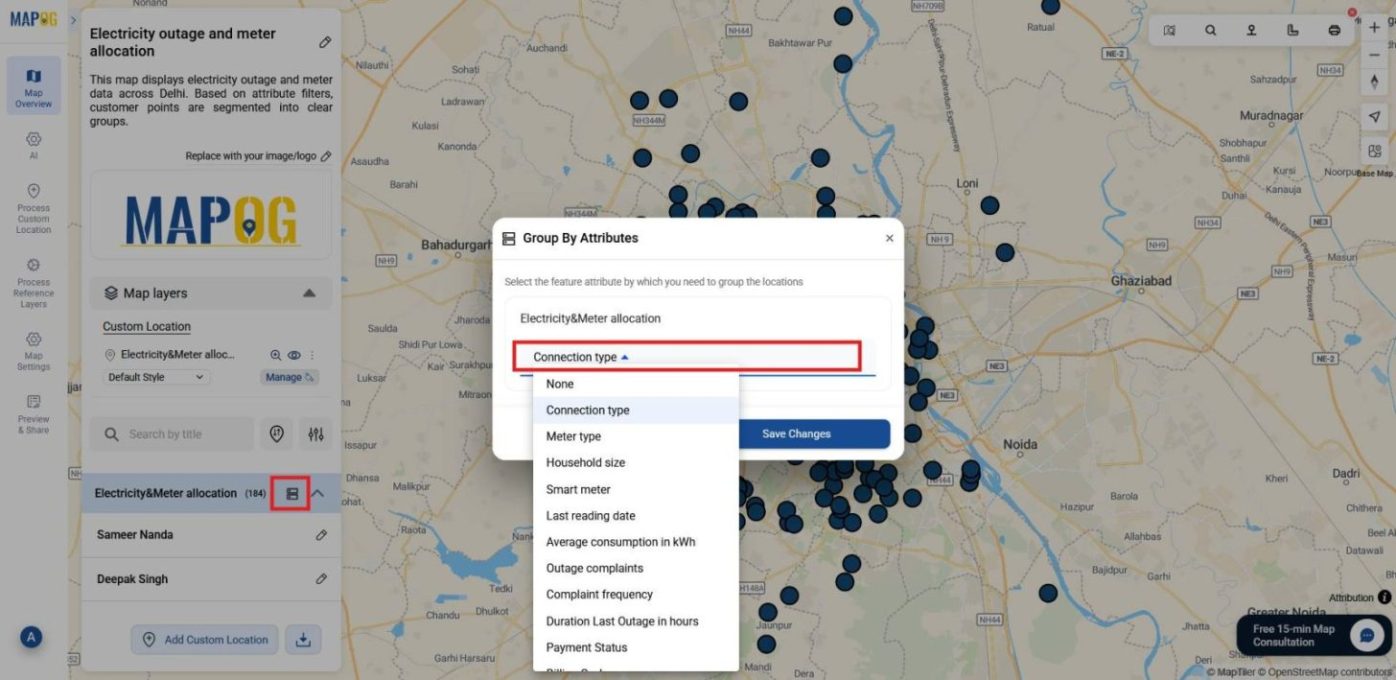
After submission, use Group by Attributes to reorganize customer points based on one chosen field. This tool lets you take an attribute from your dataset (such as connection type) and automatically separates points into distinct categories. For example, grouping by connection type will split customer points into domestic, commercial, and industrial groups, making patterns easier to see at a glance.
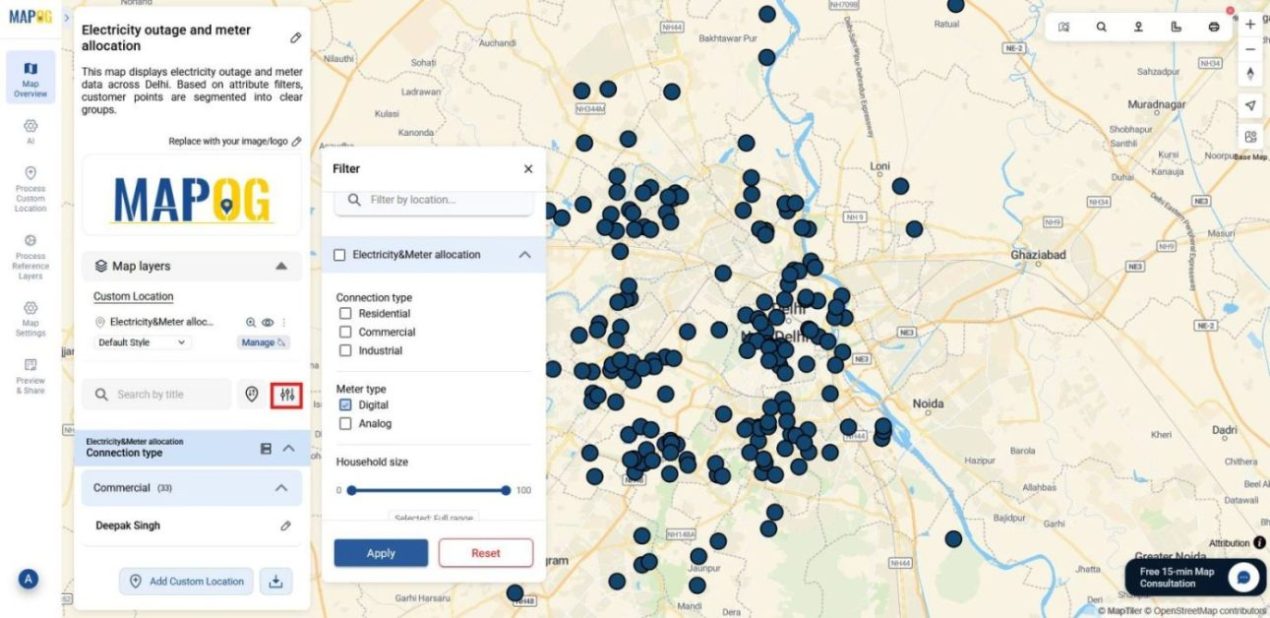
Once grouped, click on the filter icon to refine results within those categories. For instance, you can apply filters such as meter type, household size, average consumption (kWh), outage hours etc. This lets you see, for instance, how many domestic, industrial, or commercial connections use digital meters with specific household sizes, consumption ranges, or outage durations.
This combined grouping and filtering surface distinctions in real time, revealing clusters, variations, and trends, and enabling sharper, data‑driven decisions.
4. Color-Code for Clarity
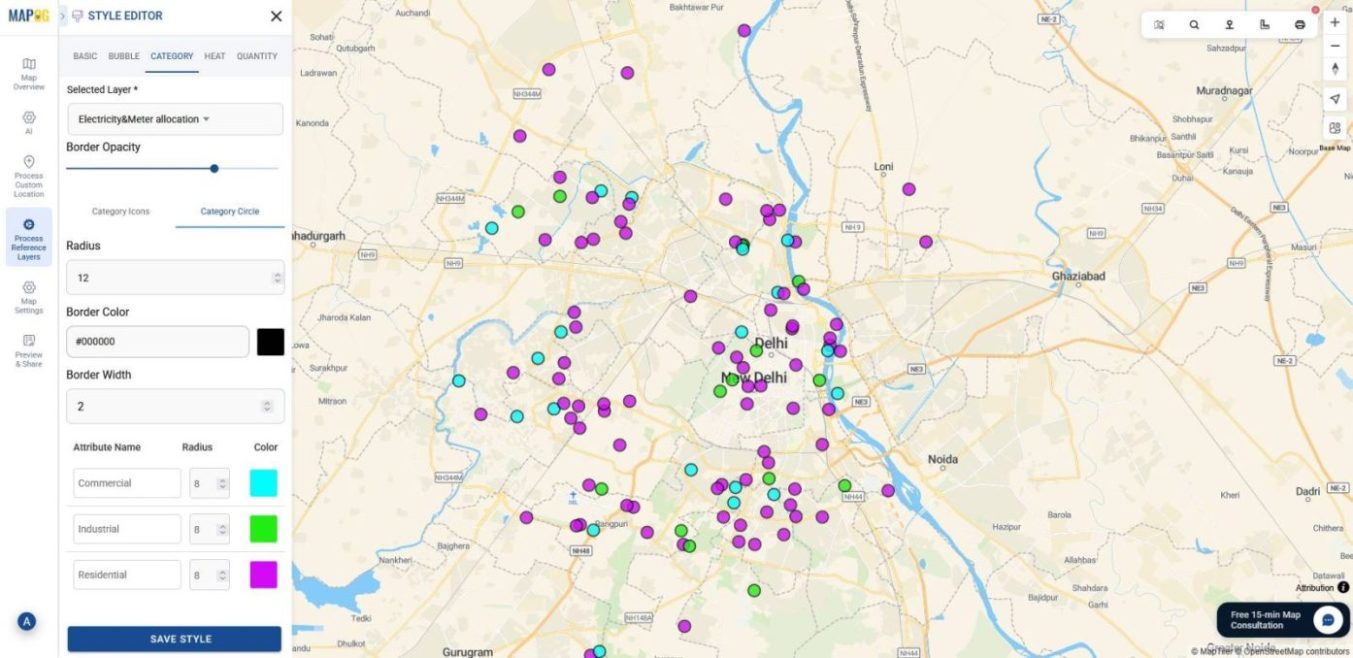
Finally, enhance visualization by color-coding points. Go to the Layer Panel, select Add Style Layer, and in the category section, choose the attribute by which you want to group points.Assign colors to each group, then enable the legend in the layer panel for clear interpretation.
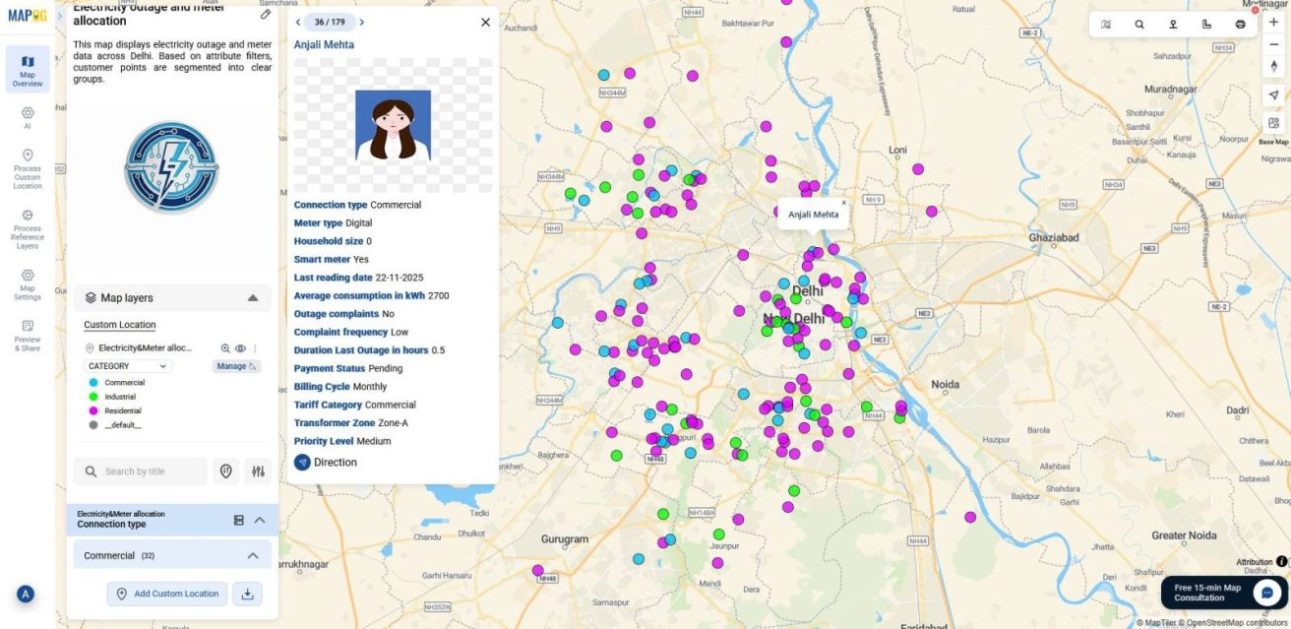
And that’s it your map is ready to give you clarity, precision, and insights that you can act on instantly.
Industrial use and benefits
Segment and filter help organize complex datasets into categories and refine them with specific conditions. In retail, customer data can be segmented by region and filtered by purchase behavior to reveal buying patterns. In healthcare, organizations can segment patient records by age or treatment and filter them by outcomes.Finance teams can use it to uncover clusters, variations, and actionable insights in real time.
Conclusion
In conclusion, organizations move beyond assumptions by segmenting and filtering data instantly with interactive filters With MAPOG, teams can uncover clusters, variations, and priorities in real time. This clarity drives sharper decisions, stronger engagement, and sustainable growth, ensuring strategies reflect reality rather than static reports.
Here are some other blogs you might be interested in: