
Building maps repeatedly with the same locations can quickly feel slow and unnecessary. Moreover, whether you’re creating story map visuals for planning, reporting, or even fieldwork, entering the same points again and again eventually wastes a huge amount of time. Therefore, a smarter and far more efficient approach is to reuse saved map points instead of rebuilding them every single time. In fact, with MAPOG you can instantly drop pre-recorded locations into any new map and immediately start designing without doing any manual entry. As a result, your workflow becomes faster, smoother, and significantly more consistent. Ultimately, this simple shift helps teams work better, save time, and maintain accuracy across all their maps.
Key concept
Teams often work with the same set of places—, buildings, shops, checkpoints, survey sites, or service zones. As a result, saving these points once and using them across multiple projects immediately keeps your work consistent. Moreover, it saves hours of repetitive typing that would otherwise slow down your workflow. Additionally, all attributes—such as the point’s name, type, ensuring that every new map automatically stays organized, accurate, and, most importantly, easy to manage.
What Does Reusing Map Points Mean?
It simply means maintaining a central collection of ready-to-use GIS points. Instead of creating a fresh map and plotting every location from scratch, MAPOG , on the other hand, allows you to pull points directly from your saved library. Consequently, this shared dataset becomes the standard reference for your entire team. Furthermore, it reduces mistakes, that everyone works with the same verified and consistent information.
Where Reusable Map Points Are Most Useful
Government & Civic Projects:
To begin with, teams can reuse ward boundaries, and public service locations. As a result, government departments maintain consistency
Operations & Planning:
Similarly, teams handling inspection can avoid unnecessary data duplication. Moreover, reusing points ensures faster planning
Multi-Sector Workflows:
In addition, industries ranging from telecom and retail to disaster response can benefit greatly. Instead of recreating common points, any frequently used location can be stored infinitely. Ultimately, this approach speeds up work .
How to Reuse Map Points in MAPOG
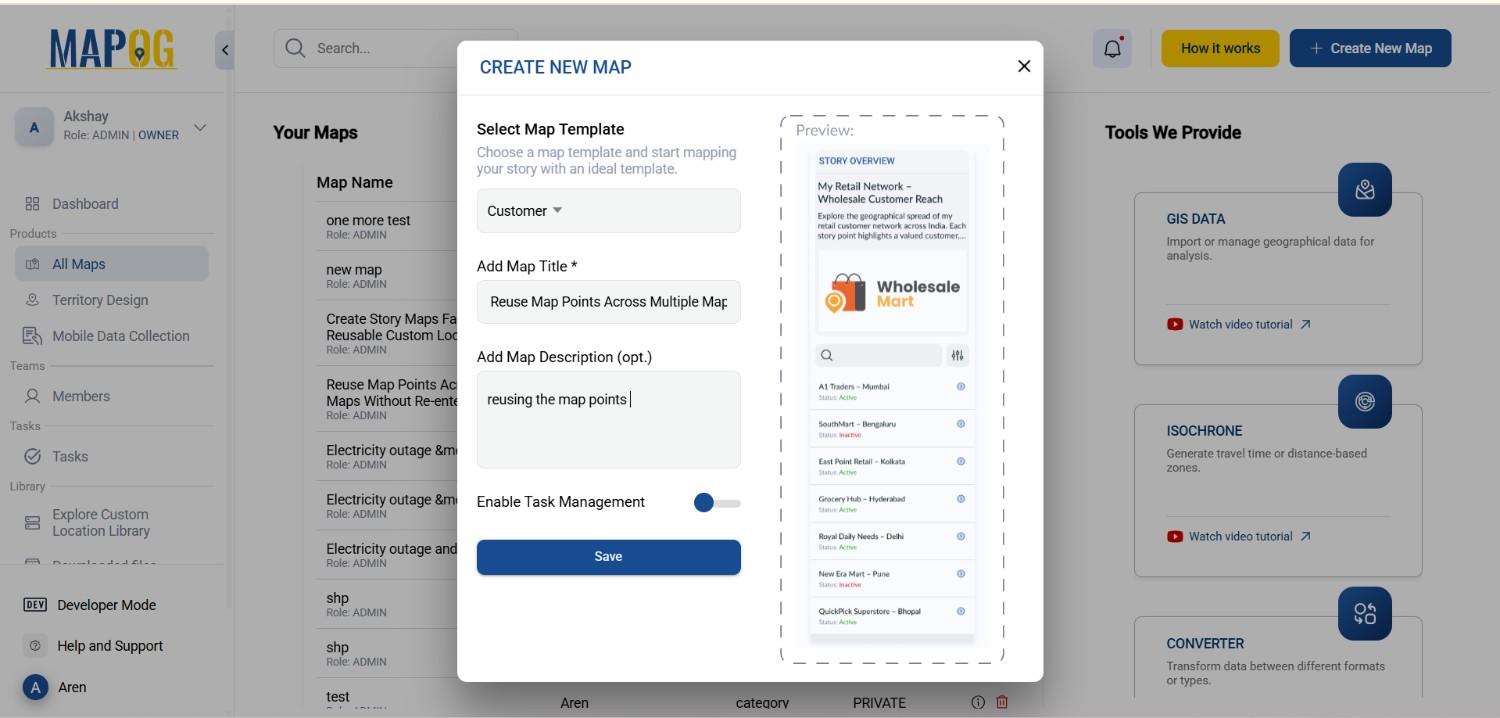
- Create a Custom Layer Map
Start by opening MAPOG , creating a new custom map, and giving it a clear title and description.
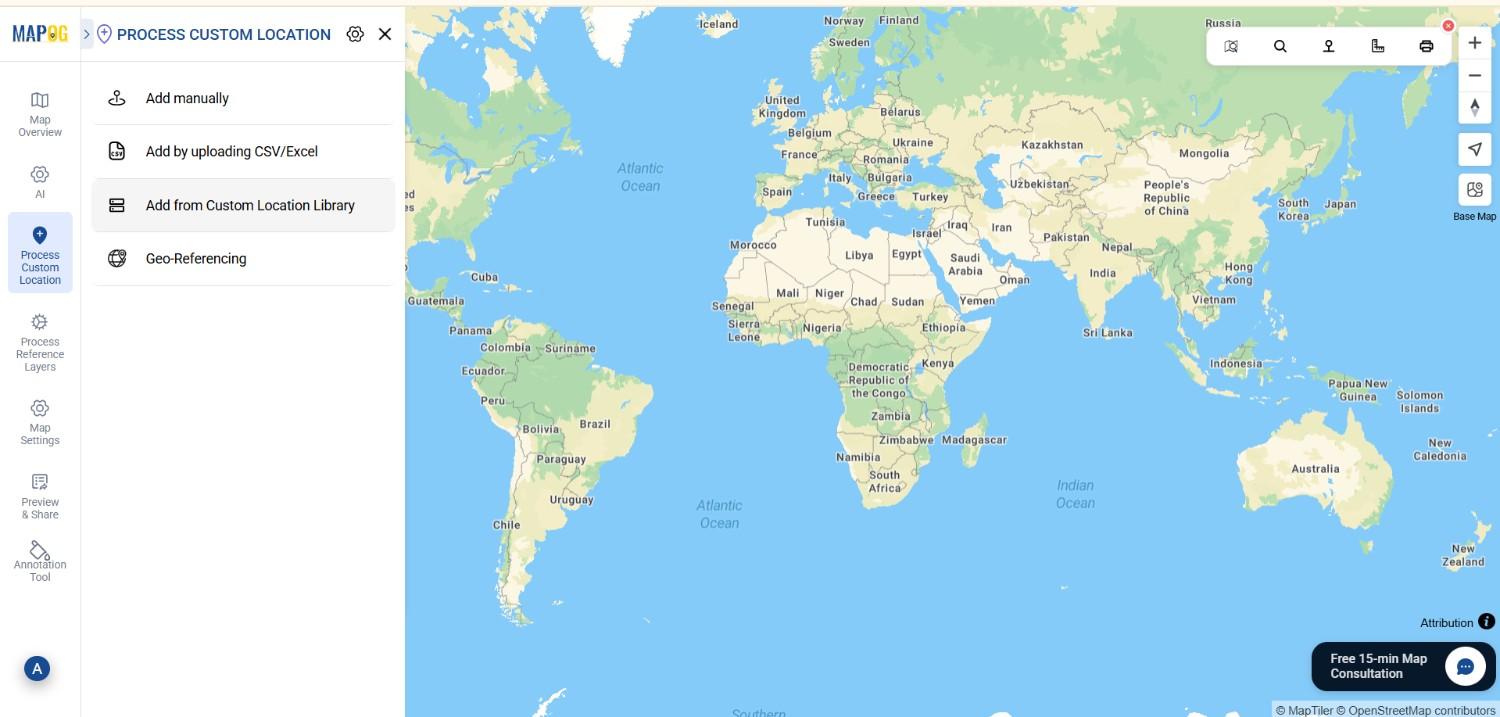
2. Open Your Saved Locations Library
Navigate to Process Customer Locations → Add from Customer Location Library
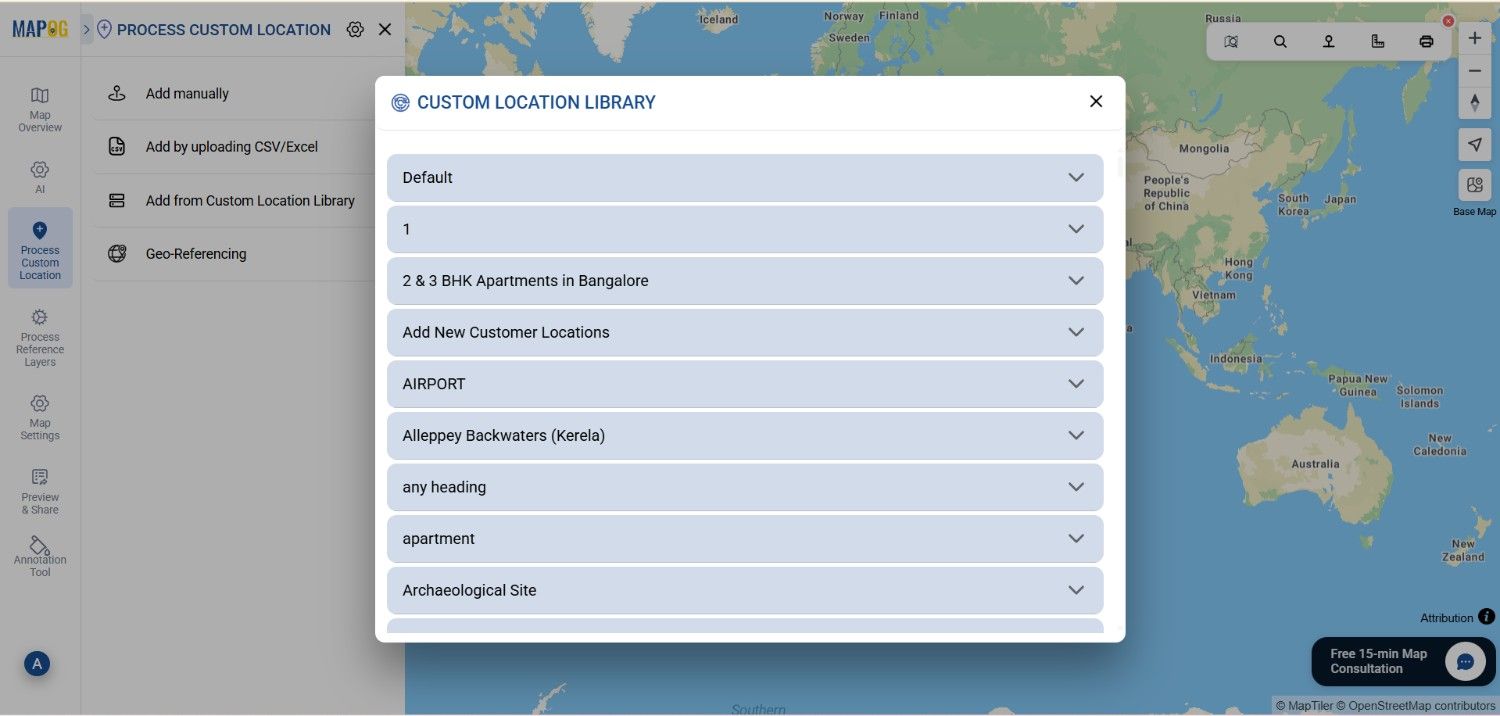
3. Select the Points You Want
Choose any set of pre-saved locations. You can pick individually or use Select All for larger datasets.
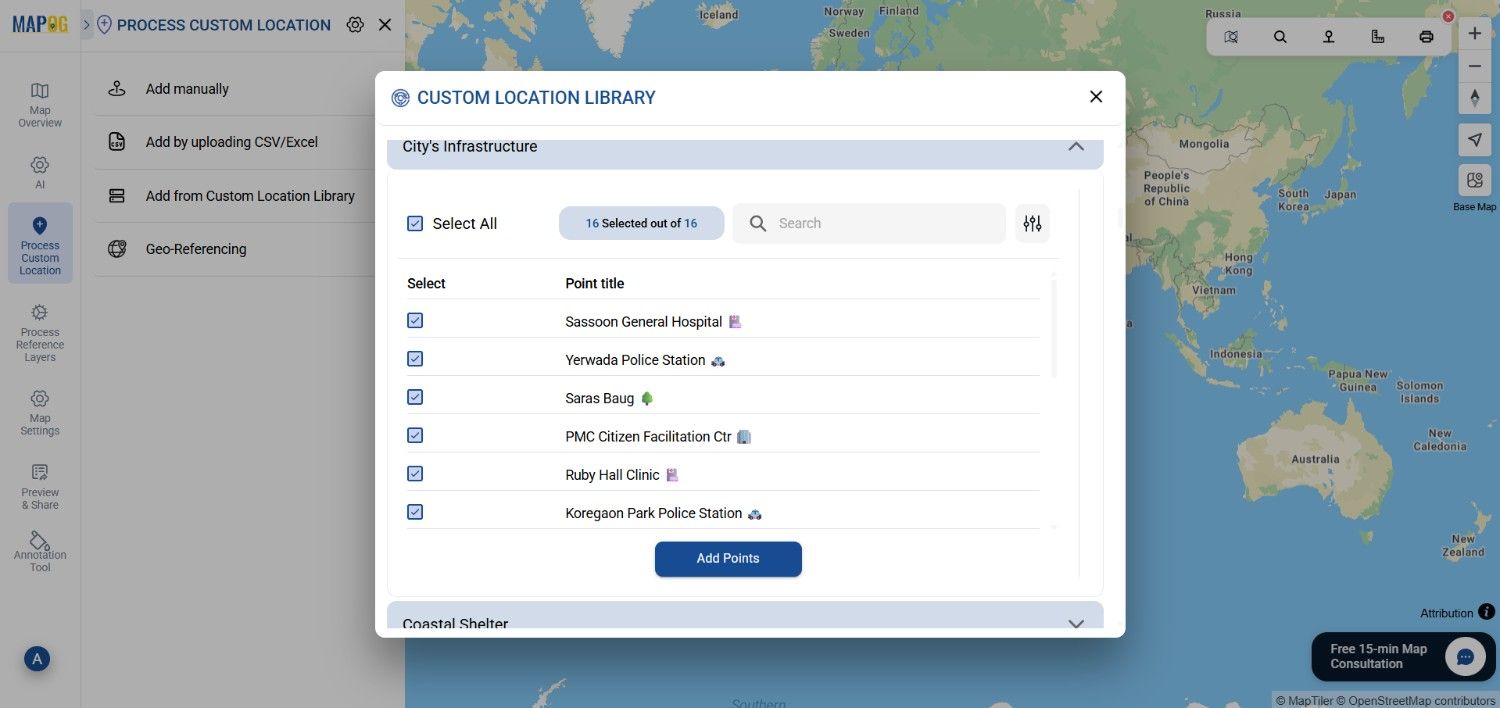
4. Insert Them into the Map
Click Add Points, and your selected locations appear instantly on the map—no spreadsheets, no repeated plotting.
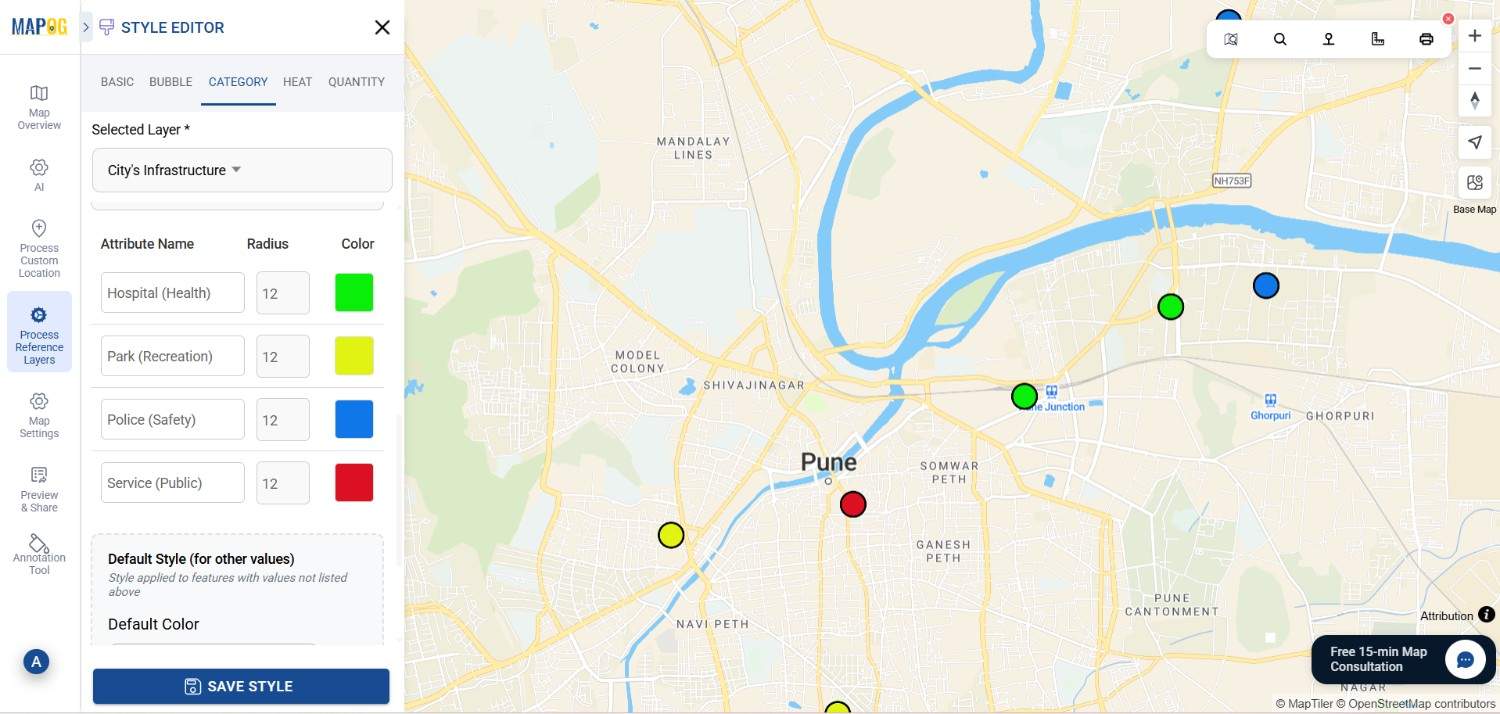
5. Style Your Map
Use the category style in Add Layer Style to group locations as Wholesale, Retail, Service, or any category you prefer. Color-coding helps your map communicate clearly.
6. Share or Preview Your Output
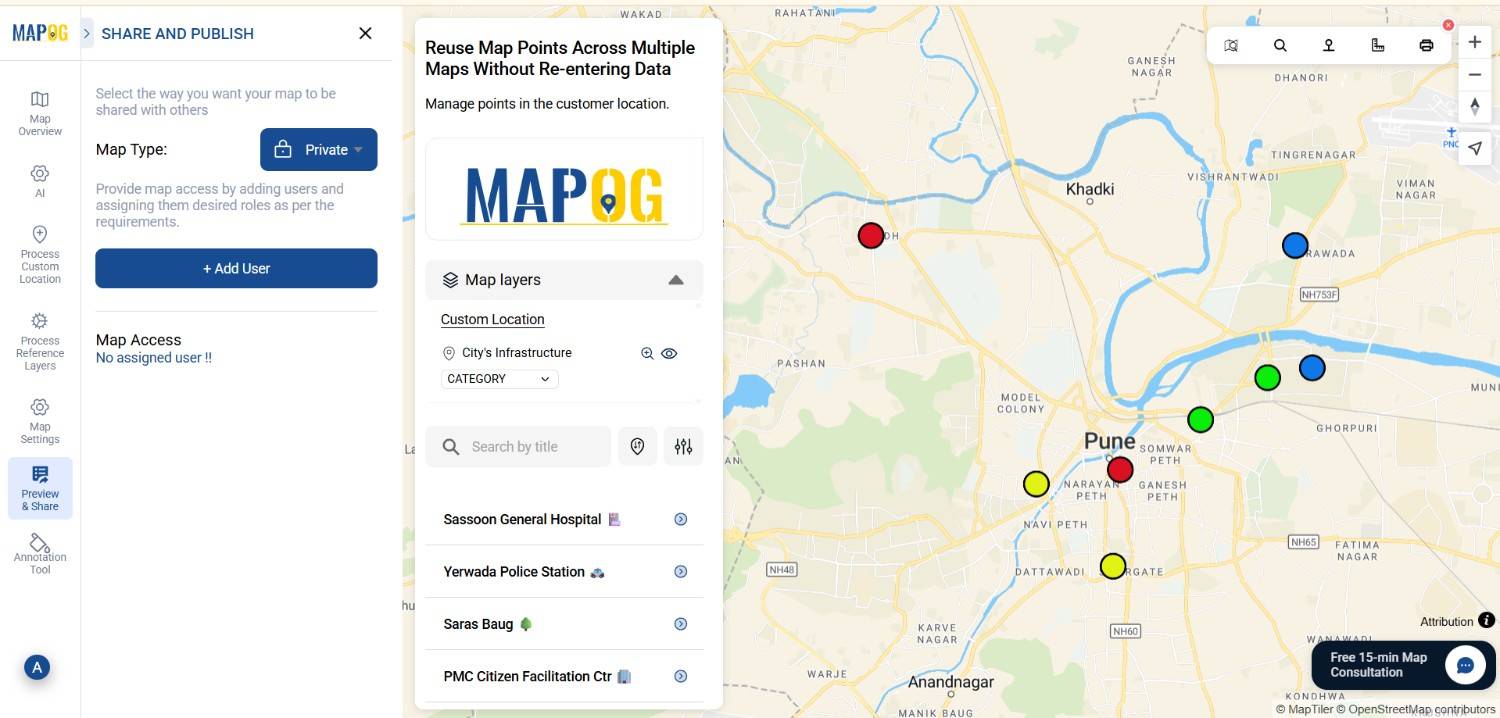
Once your map is ready, use the Share and Preview tools to publish or distribute it. Share Your Updated Map.
Insights and Applications
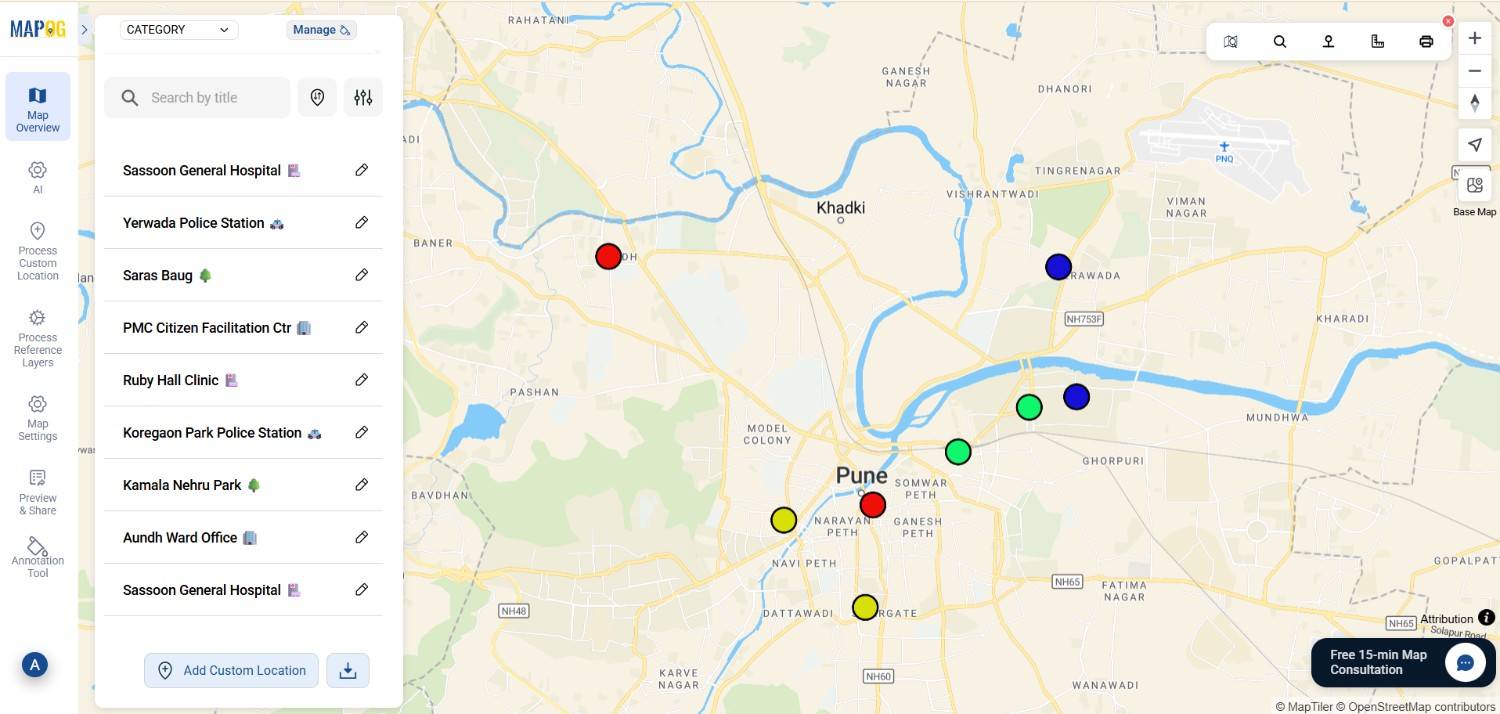
- Instant Map Creation:Because points are already saved, there’s no need to recreate 100+ locations for every new project.
- Data Consistency:Moreover, every map automatically uses the same verified and accurate locations.
- Faster Workflows:Consequently, this approach becomes ideal for rapid reporting.
Who Benefits the Most?
- Urban Planning Departments wanting reliable, repeat-use datasets, and therefore reuse map points.
- Corporate teams managing branches, warehouses, or regional hubs, and moreover benefiting from standardized location data.
- Researchers, NGOs, and students maintaining organized collections of study sites or field locations, thus simplifying future mapping tasks.
Advantages of Reusing Map Points
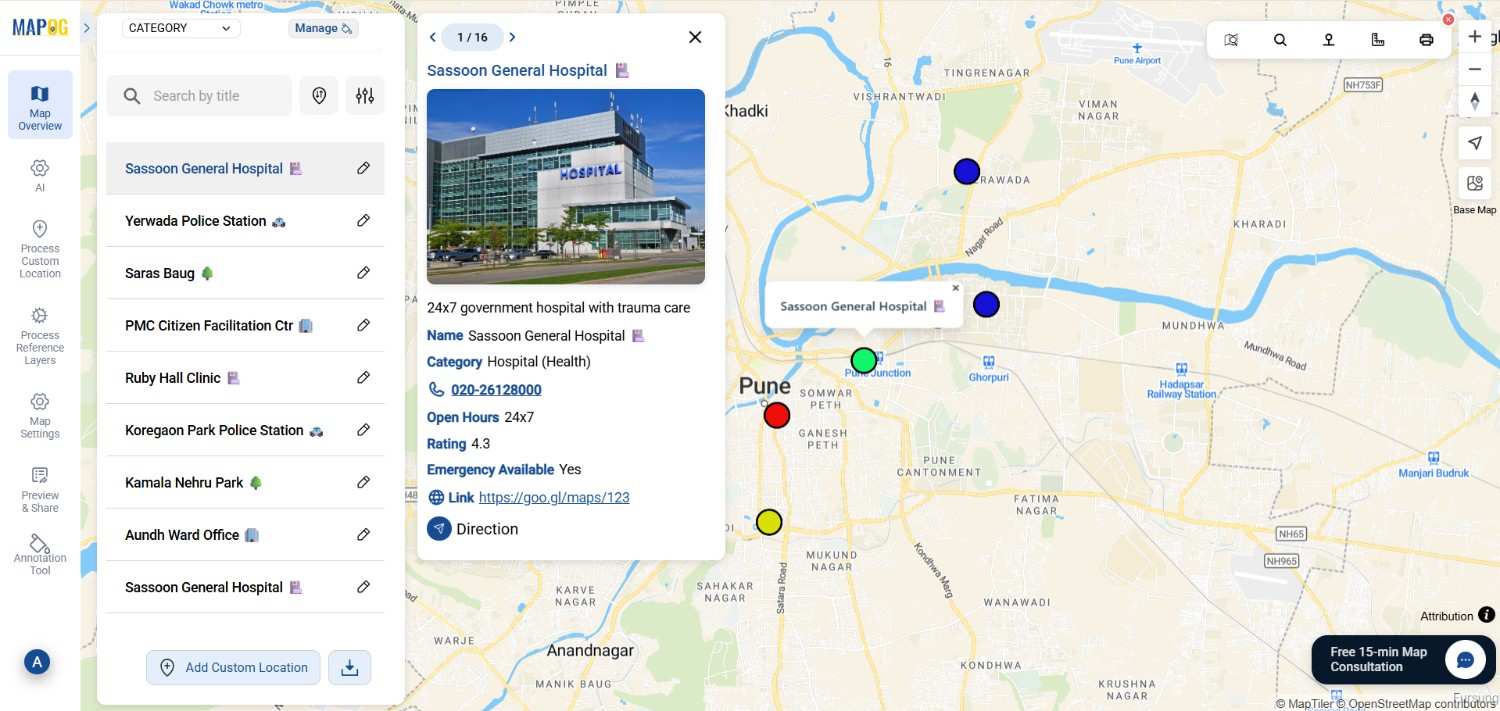
- Huge Time Savings: No more repetitive entry for every project
- Higher Accuracy: Shared datasets reduce spelling mistakes and mapping errors
- Sustainable Workflow: Less duplication of sheets, files, and map drafts
Conclusion
Reusing map points across multiple maps is one of the simplest ways to improve your GIS workflow. With MAPOG, you only create your location dataset once—and then use it whenever you need. This streamlined approach helps teams build maps quickly, maintain data consistency, and eliminate unnecessary manual work, no matter the sector or project size.
Exploring Our Previous Blogs