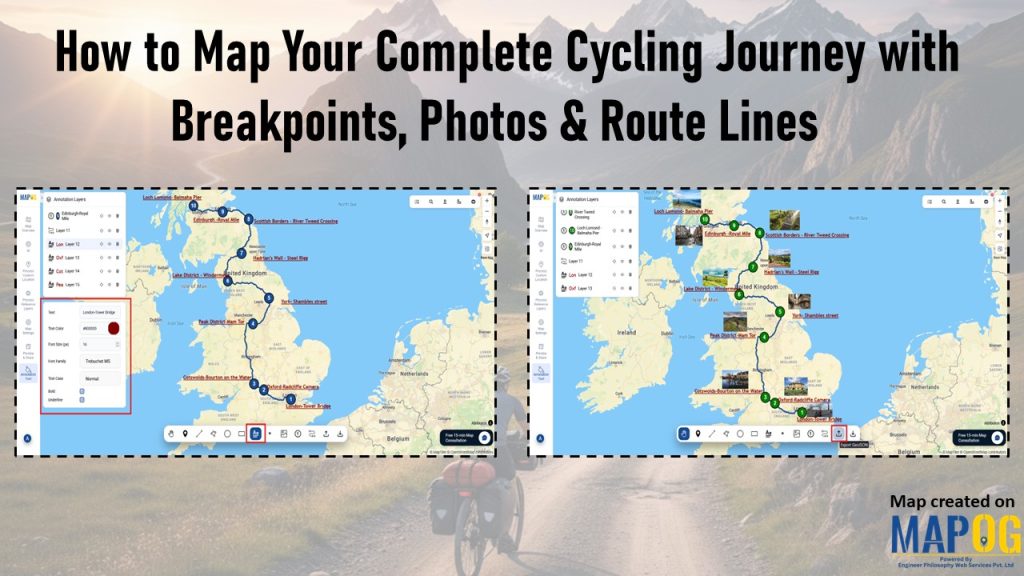
Many cyclists struggle to preserve their journeys because GPS tracks, photos, and notes often end up scattered across different apps; as a result, breakpoints lose context, memories fade, and sharing becomes fragmented. However, when you map your complete cycling journey with MAPOG, everything comes together, routes, breakpoints, photos, and reflections; into one interactive storytelling map that transforms scattered fragments into a living experience you can revisit and share anytime.
Key Concept: Why It matters to Map Your Complete Cycling Journey
Cycling is not only about covering distance; it is about preserving the experiences along the way. Breakpoints provide structure, photos capture emotion, and notes record reflections that might otherwise fade. When you connect these elements, you turn scattered records into a meaningful narrative. The map becomes your digital journal, capturing context, keeping emotions vivid, and making every mile significant for both you and those you share it with.
Step‑by‑Step Guide to Map Your Complete Cycling Journey
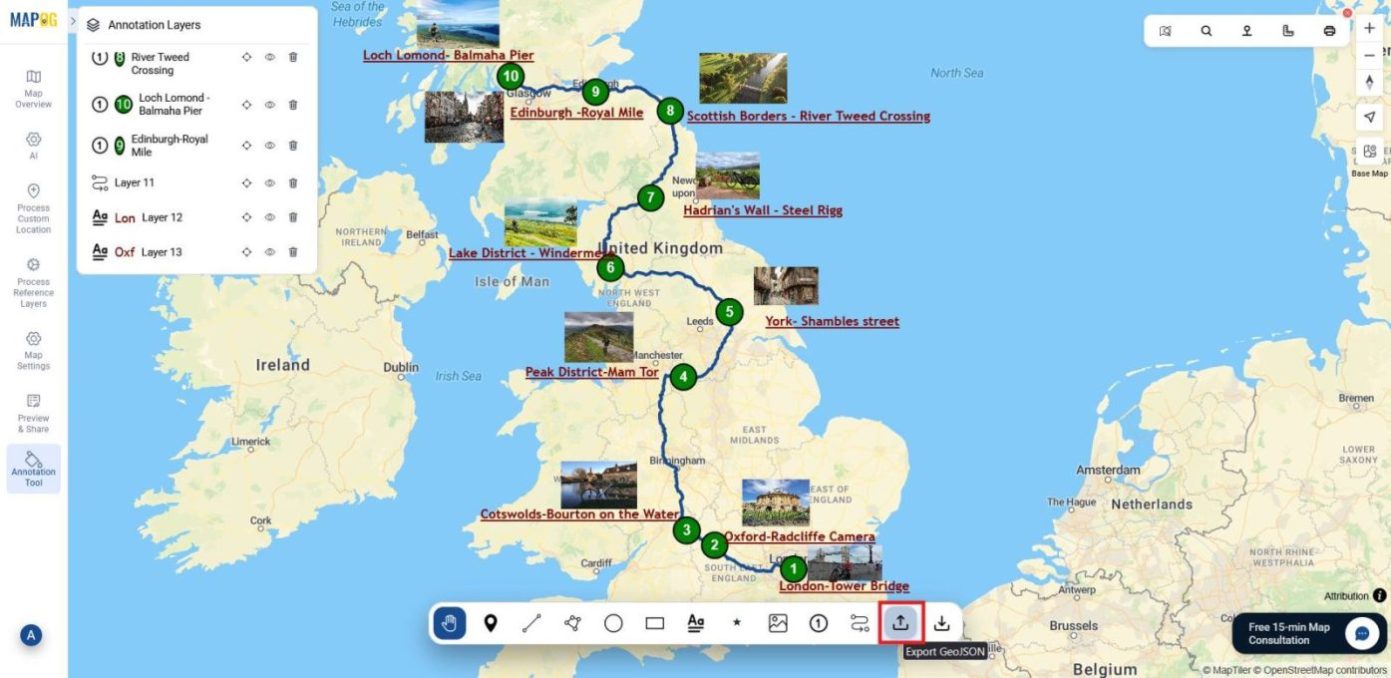
Let’s take an example of a cycling journey across the UK. Follow these steps to turn it into an interactive story.
1. Create a New Map
To begin, head to MAPOG and create a new map. Give it a meaningful title such as “Cycling Journey Across the Country” and description so that your journey is clearly defined. Once you’ve entered these details, save the map to start your storytelling.
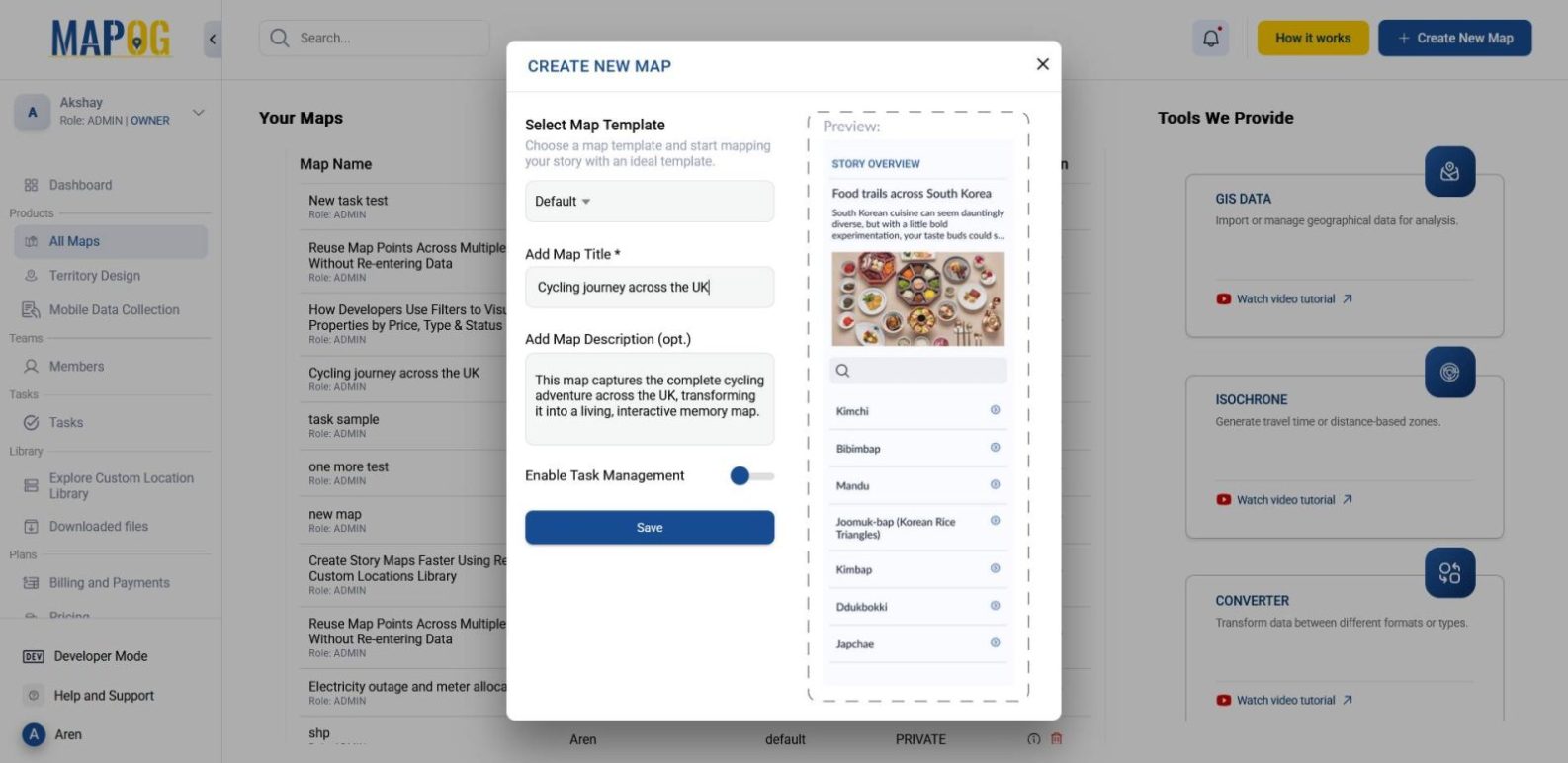
2. Plot Your Breakpoints
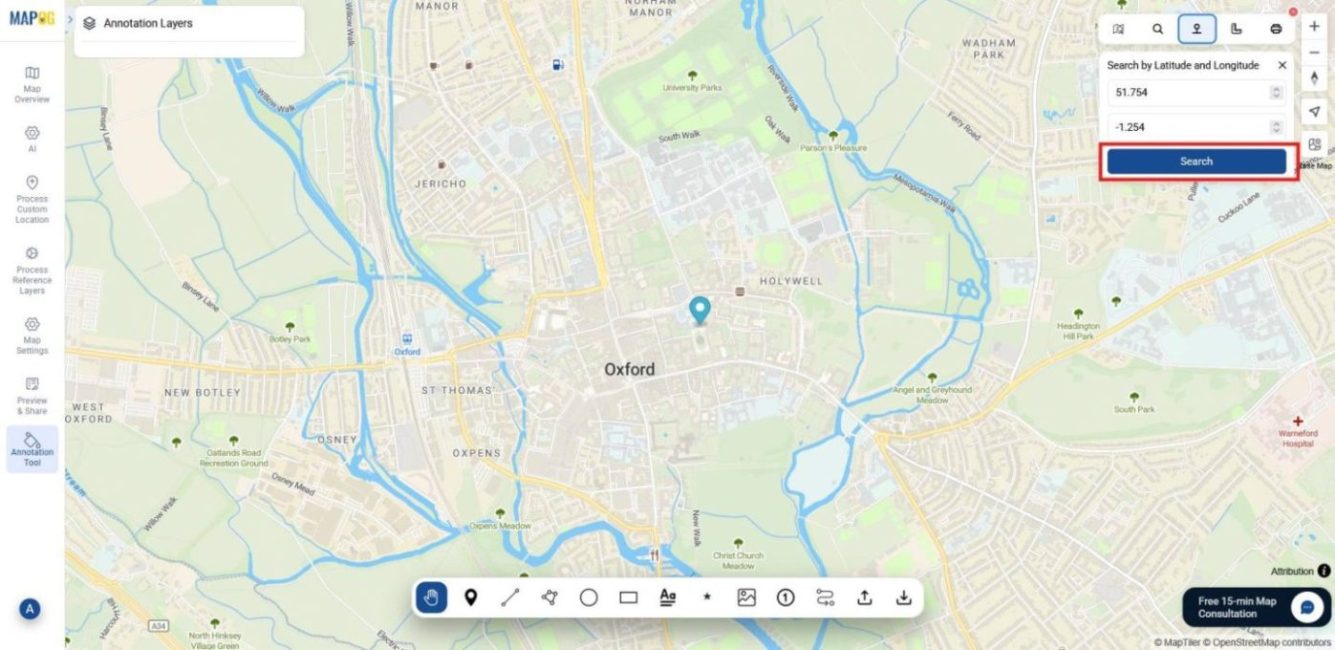
Next, move to the annotation tool section. From the toolbox, search for your desired locations either by name or by latitude/longitude.
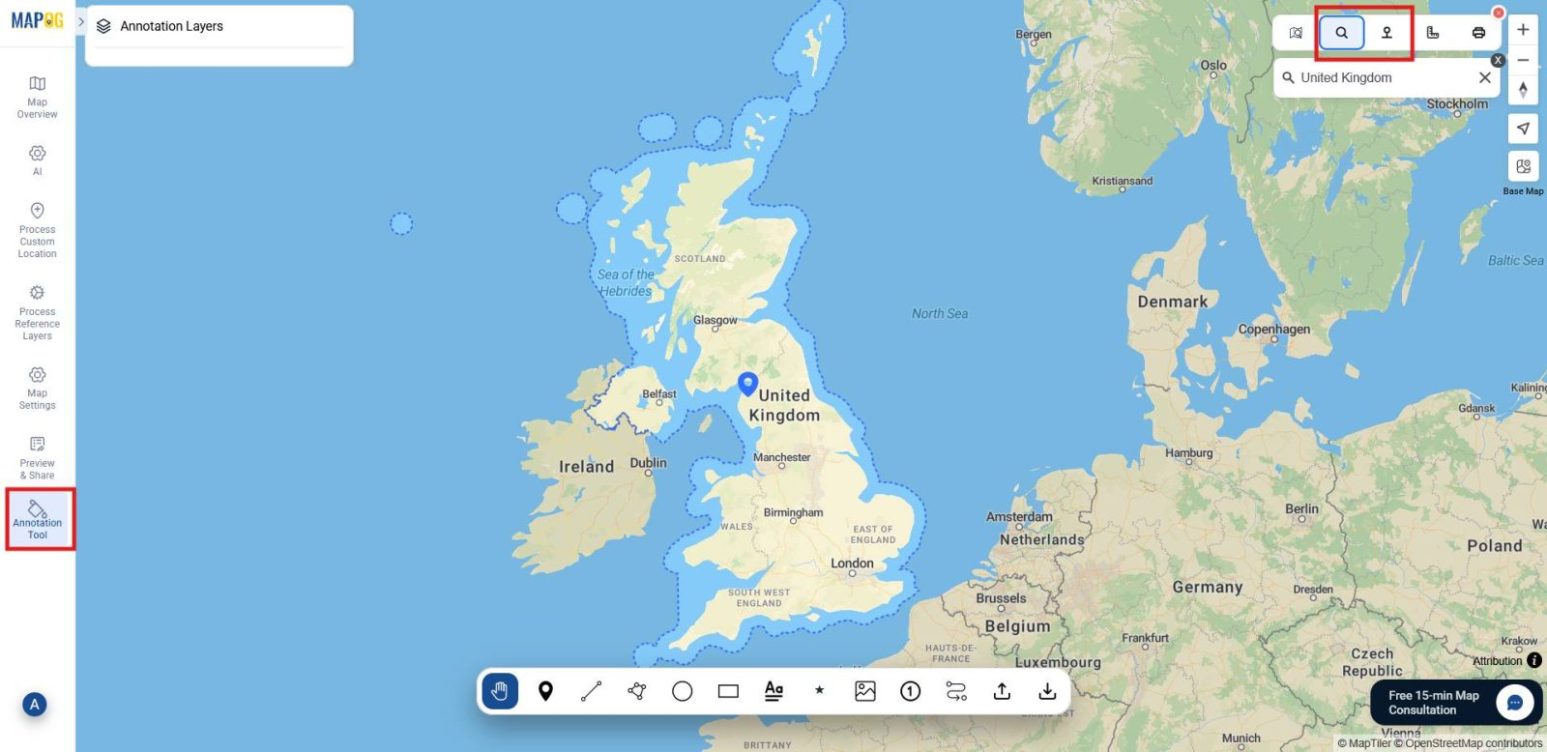
Then, one by one, plot your points using coordinates or names. This ensures that every stop, from countryside villages to city landmarks, is captured with precision.
3. Connect the Route
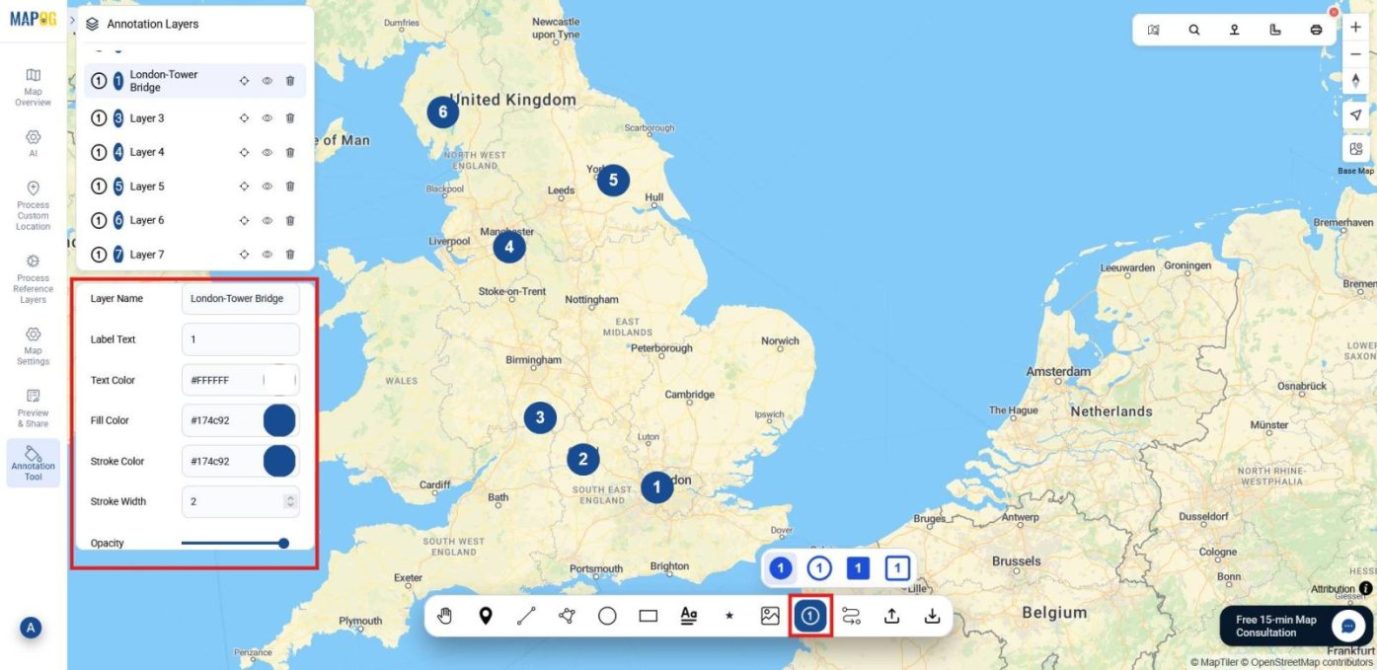
Once you’ve marked your points on the map, give each one a number with the assign number tool. This simple step puts your stops in order, makes the route easier to follow, and helps the story of your ride flow.
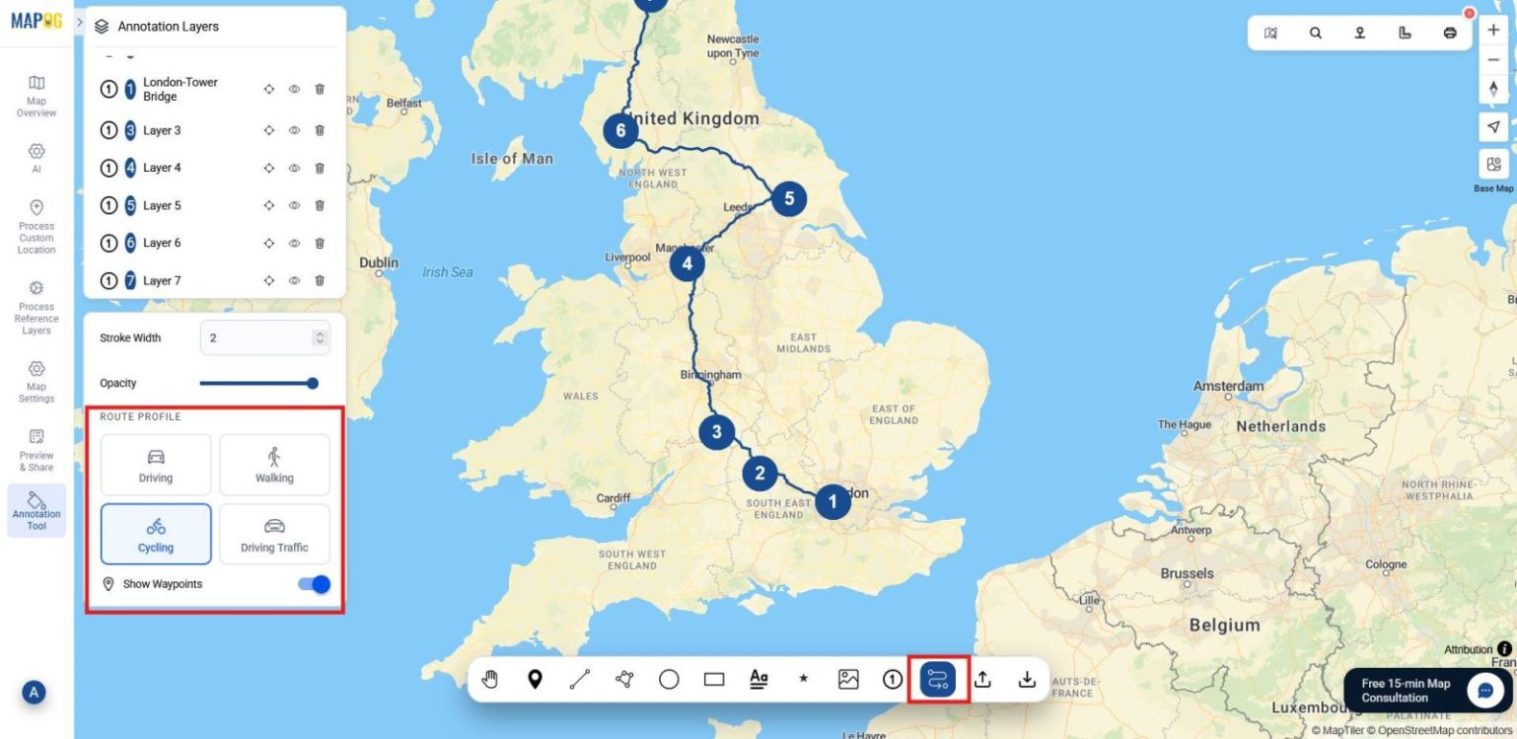
Once that’s complete, use the route‑lining tool to connect the points. At this stage, you can choose the route profile that best matches your journey; in this case, select the cycling route profile to reflect the nature of your ride.
4. Add Text and Images
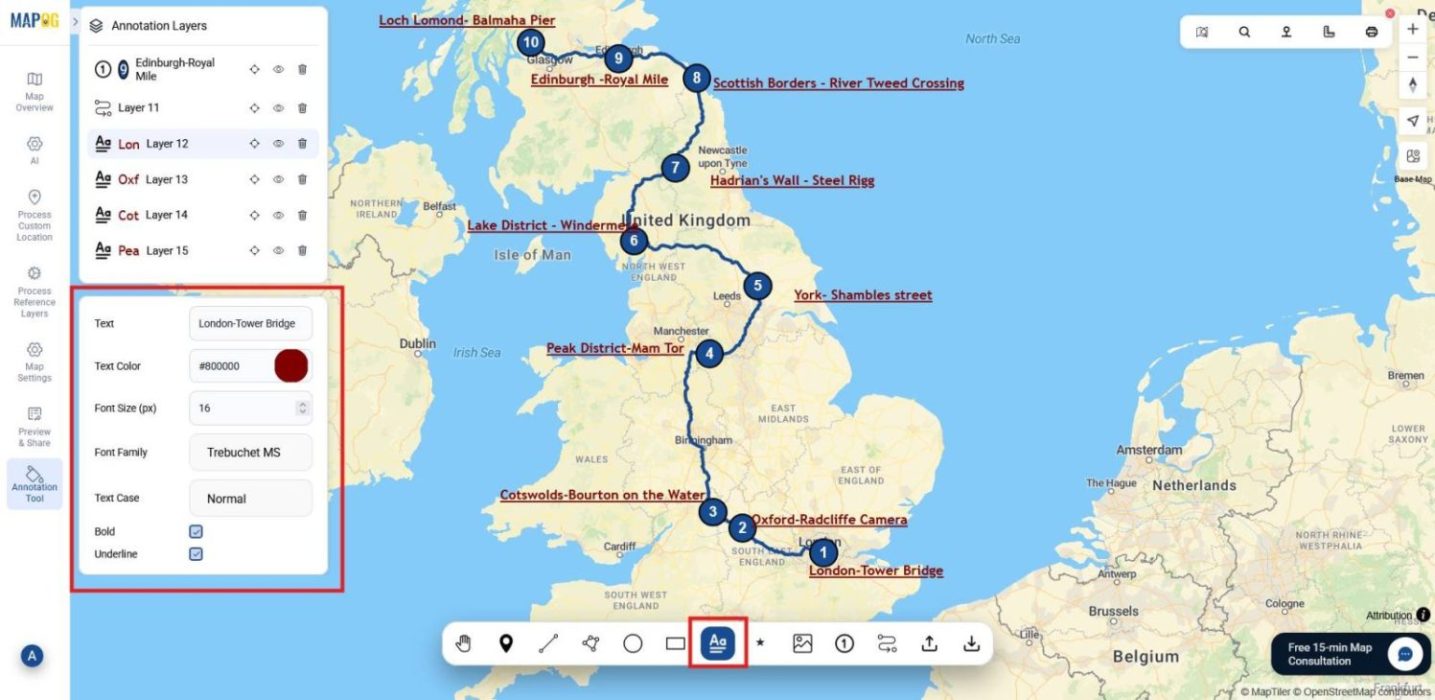
Finally, enrich your map with details. Select the text icon to add place names, notes, or reflections beside each break-point. You can adjust the color, font, size, and opacity to make the text visually clear.
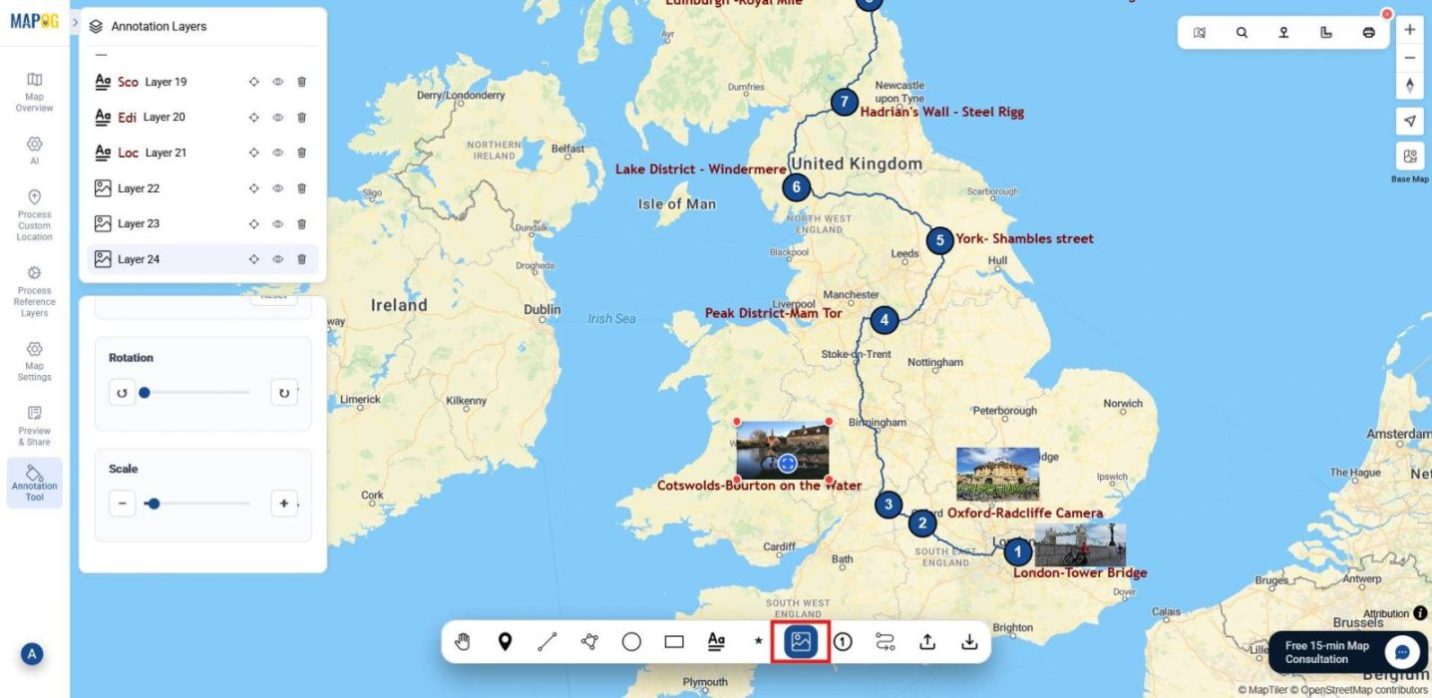
Moreover, upload images using the image icon: rotate them, adjust their scale, and fine‑tune opacity to fit seamlessly. With these enhancements, your cycling journey map becomes both informative and engaging.
5. Share or Download
Once all elements are in place, your cycling journey map is ready to be shared. You can present it online or download it as a GeoJSON file for safekeeping or further use. In this way, your ride is preserved not just as data but as a complete story.
Industrial Applications and Benefits
Journey mapping has practical uses beyond personal rides. For tourism, annotated routes can attract visitors and promote eco‑travel. In transport planning, plotted breakpoints and route profiles reveal real travel behavior, guiding safer infrastructure. Also, in education, these maps become case studies in geography and mobility.
Conclusion
In the end, mapping your journey with MAPOG brings every moment together. As your breakpoints, photos, and notes stay connected, your ride transforms from scattered pieces into a meaningful story, one you can revisit, share, and build on long after the journey ends.
1 Comment