
To begin with, using a reusable custom locations library is a simple yet powerful way to speed up story map creation. Moreover, this approach helps planners, teams, and organizations reuse existing location datasets instead of rebuilding maps each time. As a result, you can instantly drop in pre-saved places such as stores, offices, hotspots, or field sites into any new story map without manual entry using MAPOG.
Key Concept: Reusable Location Libraries
In particular, frequently used locations can be stored once and reused. Additionally, attributes like name, category, and address remain attached to every point. Therefore, maps become faster to build, more consistent, and free from repetitive work.
What Is a Reusable Custom Locations Library?
A reusable custom locations library is a central GIS-based collection of pre-saved points, each containing names, addresses, categories, and attributes. Instead of recreating points for every new project, teams insert locations directly from this library. It standardizes data, reduces errors, and makes story map building quick and efficient.
Uses of a Reusable Locations Library with GIS
- Government Dashboards: Administrations can reuse ward offices, hospitals, or landmarks across multiple mapping projects.
- Planning & Operations: Teams avoid re-entering locations for inspections, surveys, or service routes.
- Cross-Sector Applications: Works across logistics, utilities, retail store, telecom, and disaster response.
Methodology: Reusable Custom Locations Library
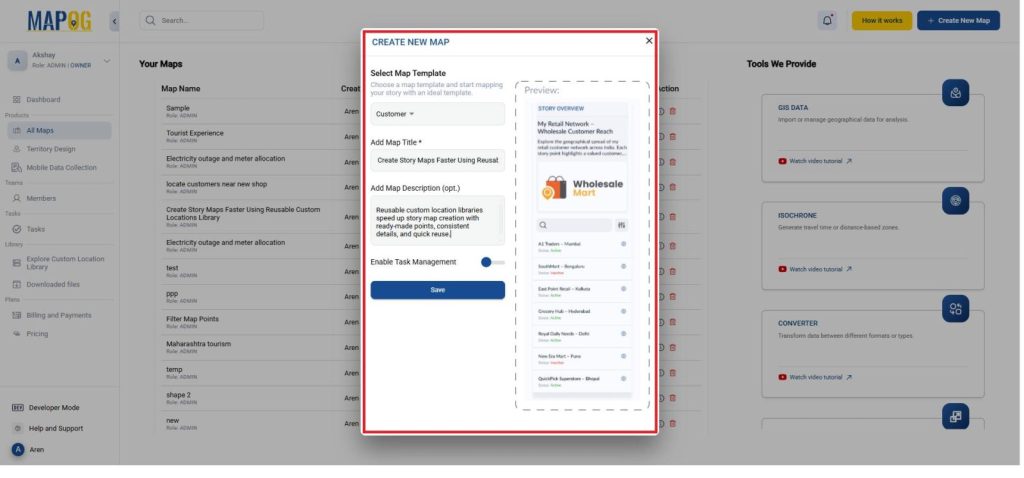
- Go to MAPOG and create a new custom layer map, give it a title and description and give the template as a customer.
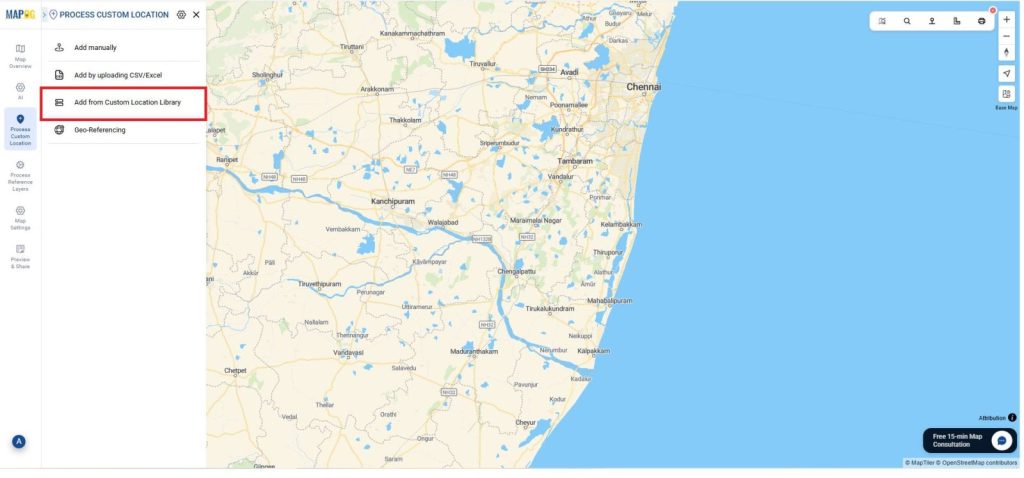
- To begin, go to the Process Customer Locations and go to Add from the customer location library.
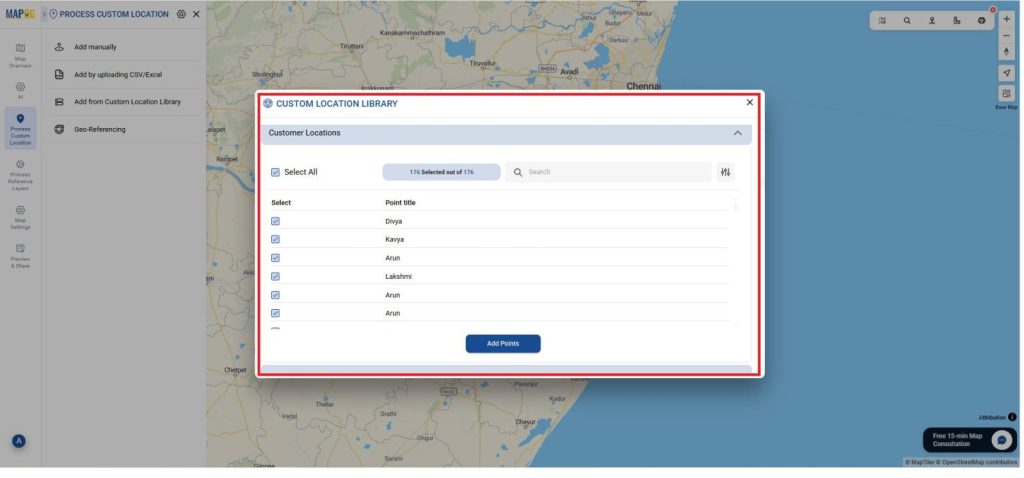
- In the customer location library select the locations from the customer location library you needed to add as shown and select the select all and click the Add points.
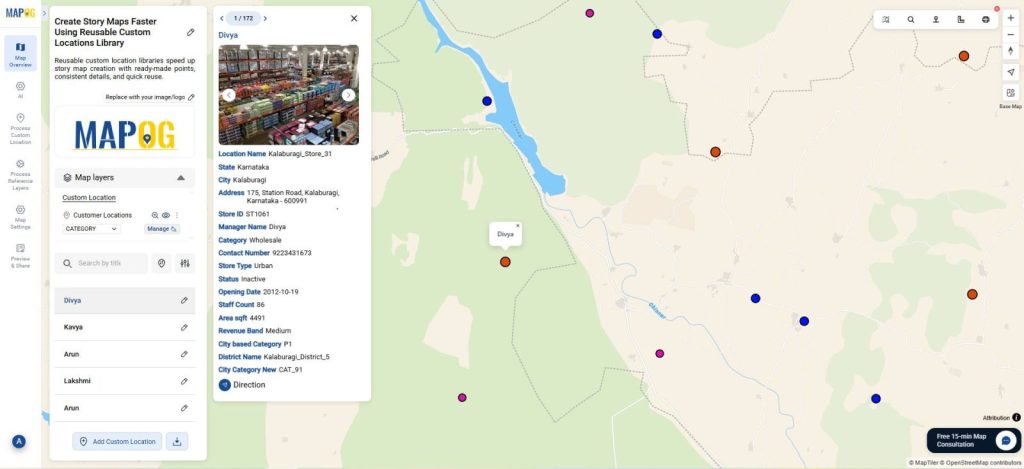
- Now, you can visualize all the locations easily just in a few clicks.
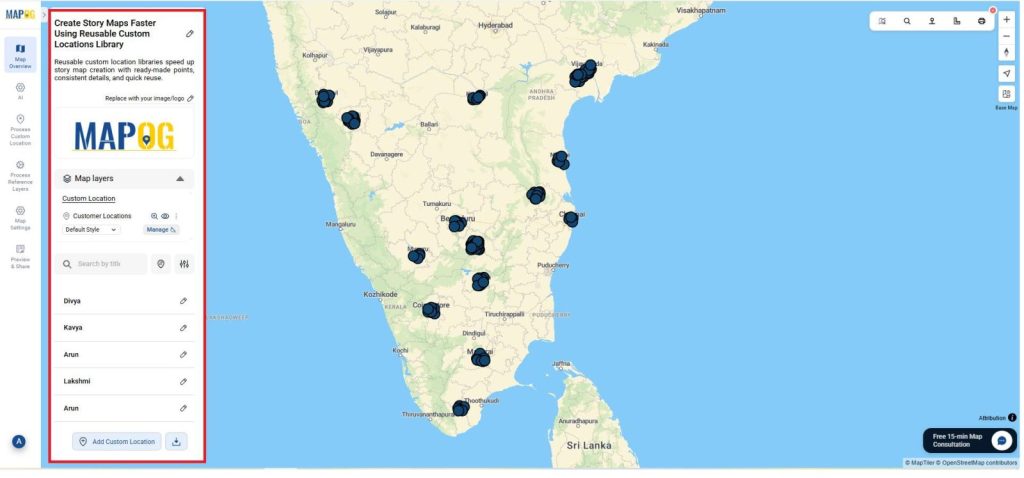
- A central library of reusable GIS locations speeds up consistent mapping.
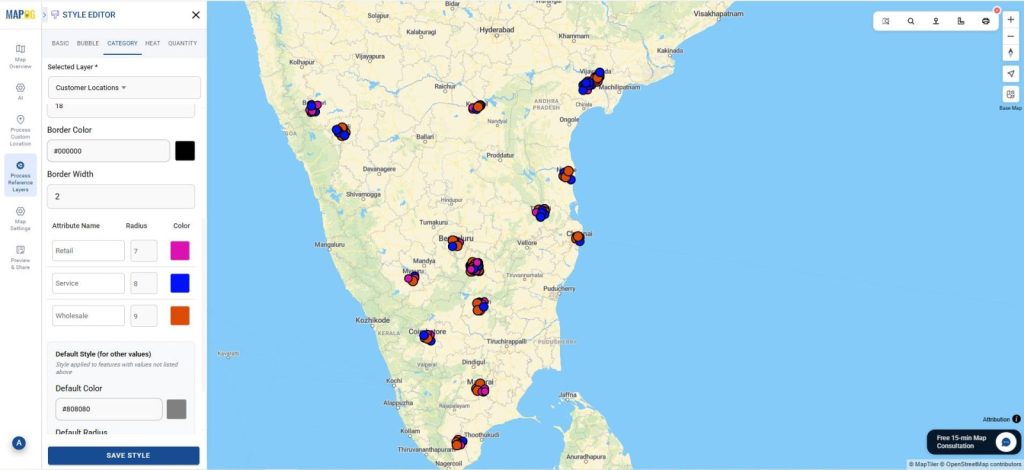
- Then, you can use the Add style editor to style maps as Wholesale, Retail, Service and use the category map to style it.
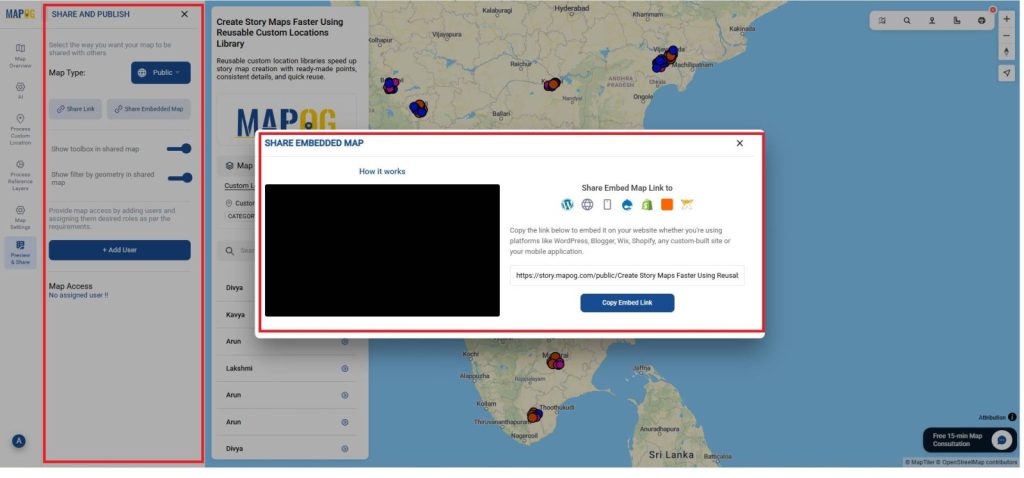
- Then use Share and Preview options to quickly distribute your finished map.
- So, Reusable location libraries speed mapping, improve accuracy, and let you reuse points endlessly.
Insights and Applications
- Instantly build new maps: No need to recreate 100+ points every time.
- Ensure data consistency: Every map uses the same verified locations.
- Speed up workflows: Ideal for rapid reporting, planning, or field coordination.
Relevant For
- Urban Planners & Government Teams: Reuse facilities, offices, and infrastructure points across multiple maps.
- Corporate & Operations Teams: Maintain a library of branches, warehouses, and checkpoints.
- NGOs, Students & Researchers: Keep datasets organized and reuse them for studies or field projects.
Benefits of a Reusable Locations Library
- Boosts Efficiency: Reduces repetitive manual entry and saves significant time.
- Improves Accuracy: Additionally, standardizes all locations across different teams and projects.
- Eco-Friendly: Moreover, cuts down on repeated data sheets and static map creation.
Conclusion
In conclusion, a reusable custom locations library in MAPOG speeds up story map creation by allowing teams to use verified, pre-saved locations instantly. Finally, this method works for any dataset from utilities to retail helping planners, organizations, and communities build maps faster, maintain accuracy, and tell clearer location-based stories.